
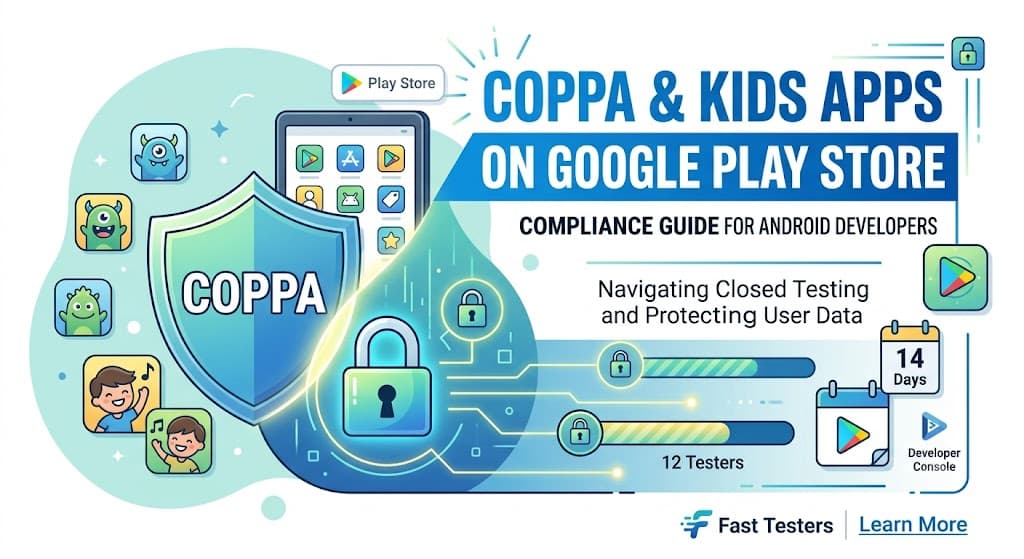
Navigating the intersection of privacy laws and app store rules is one of the toughest challenges for modern mobile creators. If you are developing mobile applications aimed at children, understanding COPPA compliance is vital. However, for modern creators, this burden is compounded by strict production requirements. Google Play closed testing is now a mandatory milestone for most new personal developer accounts before their software can ever see a public release.
This comprehensive guide dives deep into balancing COPPA guidelines with Google's stringent testing policies, ensuring your kids' application smoothly transitions from development to production using strategies like Fast Testers.
Why Google Play Closed Testing Matters for Kids Apps
To curb spam, low-quality software, and policy violations, Google mandates that personal developer accounts created after November 2023 must run a rigorous peer review. You must opt into a Google Play closed testing track with at least 12 testers for 14 consecutive days before requesting production access.
When dealing with children's software, the stakes are significantly higher. COPPA (Children's Online Privacy Protection Act) mandates strict control over how tracking data, device identifiers, and personal telemetry are gathered. Faking your testing metrics using automated bots or forbidden emulator farms will trigger automated flags, leading to outright rejections, launch delays, or immediate account termination.
Crucial Policy Note: Your testers must consist of genuine end-user accounts downloading directly via opt-in links on real hardware inside targeted geographical locations.
What Google Checks During the 14-Day Testing Window
Google Play Console monitors automated signals to guarantee your feedback group is active and genuine. During the 14-day evaluation, Google tracks:
- Opt-in verification: Verifying that accounts independently registered using your unique web opt-in URL.
- Hardware telemetry: Confirming installations occurred on physical Android smartphones and tablets—not simulated environments.
- Continuous engagement: Checking that users keep the package deployed on their systems throughout the uninterrupted fortnight.
Step-by-Step Guide to COPPA-Compliant Testing
Follow this exact sequence to navigate the dashboard successfully while preparing your build for younger demographics:
- Configure the Play Console Family Policies: Declare accurately whether your targeted user base includes children under 13. Ensure your ad networks and analytical SDKs are COPPA-compliant.
- Upload to the Closed Testing Track: Package your build and initialize a release within the specialized Closed Testing menu in the Console.
- Generate the Opt-in URL: Extract the tailored testing link provided inside the 'Testers' tab.
- Gather Reliable Internal Reviewers: Secure an audience pool of 12 to 15 reliable contacts. Alternatively, let Fast Testers assign 15 real, professional Android testers within roughly 1 hour for just $15.
- Maintain Status Check-ins: Maintain consecutive baseline statistics for a complete 14-day span without interruptions.
- Submit for Final Production Access: Present your gathered metrics along with clear evidence of user feedback responses directly to the reviewers.
Common Pitfalls Developers Must Avoid
Many software creators face rejections because they stumble into these hidden pitfalls:
- Confounding Internal Testing Tracks with Closed Testing: Internal testing tracks do not satisfy the mandatory baseline evaluation prerequisites.
- Allowing Volatility in User Metrics: If a tester drops out mid-way, dropping your count below 12 active installs, your 14-day timer resets immediately.
- Rushing the Final Application Form: Attempting to trigger full release review mechanisms before cross-checking that the complete 14-day duration has concluded.
- Distributing Standalone APK Packages: Sideloading binaries totally bypasses Google's monitoring systems, disqualifying the progress achieved.
How Fast Testers Streamlines Your Publishing Workflow
Finding an independent test group that can actively verify kids' apps while respecting standard data handling regulations takes substantial time. Fast Testers eliminates this friction by offering a comprehensive testing package tailored specifically for independent software developers:
- Affordable Flat Rate: A clear, one-time investment of $15 per application without recurring subscriptions.
- Complete Allocation Strategy: Provides 15 real, dedicated human reviewers running authentic hardware nodes instantly.
- Accelerated Integration: Testers activate your opt-in URL within approximately an hour of form completion.
- Exceptional Quality Standards: Boasts a 99.9% historic publication success rate across over 1,500 successfully deployed builds.
Frequently Asked Questions
How fast do testers start tracking activity?
Review operations typically begin within one hour after you supply your verified Google Play closed testing track link.
Does relying on external testing services violate Google's policies?
No. Google's framework encourages bringing in external testing pools. Fast Testers uses real users and real devices, completely adhering to developer guidelines.
What happens if my application gets rejected over a COPPA policy mistake?
If an optimization or structural oversight causes a rejection, simply update your privacy statements or manifest parameters. Your completed 14-day testing history remains valid and securely stored on the platform.
Accelerate Your Google Play Launch
Don't let policy delays hold back your software launch. Secure your mandatory 15 genuine testers in under an hour.
Start Closed Testing Now →The testing requirement plus Families obligations
Kids and family apps must satisfy the same closed-testing requirement as any other app from a new personal account — 12 testers opted in for 14 continuous days before production — while also meeting the stricter obligations of COPPA and Google Play's Families policy. The window is the right time to verify both: confirm the app functions and, critically, that its data practices and content are compliant for children before you expose it publicly. Getting this right pre-launch is essential, because enforcement in the kids category is strict and reputationally serious. See our closed testing guide and Families policy testing.
Recruit testers who can evaluate the experience responsibly, ideally including parents, and use the window to validate that no child-directed data flows violate the rules. If you need a reliable tester group, you can submit your app. See where to find real testers.
What COPPA and the Families policy require
COPPA (the US Children's Online Privacy Protection Act) restricts collecting personal information from children under 13 without verifiable parental consent, and Google Play's Families policy layers additional requirements on apps that target or appeal to children: limits on data collection, restrictions on ads and their content, appropriate content ratings, and specific disclosures. If your app targets children, or could appeal to them even if not exclusively, these rules likely apply. Determine your target audience honestly, because misclassifying a child-appealing app as general-audience is a common and serious mistake. See Google's Families policy and privacy policy requirements.
Ads and third-party SDKs are a particular focus: many standard ad and analytics SDKs are not permitted in child-directed apps or must run in a compliant mode. Audit every SDK for Families compliance during your window, since an ordinary ad SDK can quietly violate the policy. See ad policy compliance and SDK testing.
Data collection and consent for children
The core of COPPA compliance is minimizing and controlling data collection from children. Collect only what is necessary, avoid persistent identifiers used for tracking, and where consent is required, implement a verifiable parental-consent mechanism. Your Data safety form must accurately reflect these restricted practices, and your privacy policy must clearly explain them in the context of children. Because children's data is heavily protected, err strongly toward collecting less and disclosing more. See the Data safety form guide and GDPR (and children's protections).
Use your window to verify empirically what data actually flows when the app is used, not just what you intended, since an SDK may collect an identifier you did not expect. Confirming real behavior against the strict standard is what keeps a kids app compliant. See SDK testing.
Content, ads, and age-appropriateness
Beyond data, kids apps must present age-appropriate content and comply with rules on ads: certain ad formats are restricted, ad content must be suitable for children, and interstitials or manipulative patterns aimed at kids are prohibited. Your content rating must accurately reflect the audience, and your design should avoid dark patterns that exploit children. Validate all of this during the window, ideally with parent testers who can judge appropriateness. An app that is technically functional but violates content or ad rules for children will be enforced against. See ad policy compliance and this guide.
If you join the dedicated Families or Designed for Families program, additional review applies, so prepare your app to meet its bar before submitting. Meeting these standards is both a legal necessity and a trust signal to the parents who ultimately decide whether to let their children use your app. See Families policy testing.
Related guides and resources
- Kids apps and Families policy testing
- Ad policy compliance testing
- Data safety form and closed testing
- Google Play Families policy
COPPA and kids apps FAQ
Does my app need COPPA compliance?
If it targets or could appeal to children under 13, likely yes. Determine your audience honestly, since misclassifying a child-appealing app is a serious mistake.
Can I use normal ad and analytics SDKs in a kids app?
Often not, or only in a compliant mode. Many standard SDKs violate the Families policy, so audit every SDK for child-directed compliance.
What about collecting data from children?
Minimize it, avoid tracking identifiers, and implement verifiable parental consent where required. Reflect these restricted practices accurately in your Data safety form.
Bottom line
Kids apps carry both the standard closed-testing requirement and the stricter obligations of COPPA and Google's Families policy — around data minimization, verifiable consent, compliant SDKs, age-appropriate content, and restricted ads. Use the mandatory window to verify all of it against real behavior, ideally with parent testers, before you expose the app publicly. To recruit a reliable, responsible tester group, you can submit your app. See Families policy testing for the full checklist.
Expanded for topical authority — additional practical sections below. Original guide content above is unchanged.
Quick answer
COPPA and Kids Apps on Google Play Store matters because Google Play production access for many new personal developer accounts depends on a successful closed test: at least 12 real testers opted in for 14 continuous days, plus a policy-compliant, stable app. Use this guide to execute the steps correctly, avoid streak-breaking mistakes, and decide whether DIY recruitment or a managed closed testing service is the better path for your deadline.
Key takeaways
- COPPA and Kids Apps on Google Play Store should be treated as a practical Play Console workflow, not just theory.
- For many new personal accounts, 12 opted-in testers × 14 continuous days on closed testing gates production access.
- Opt-in + install from Play beats “emails invited” every time — verify counts in Console.
- Use the window for QA, listing, and compliance work so review is the only remaining gate.
- Prefer real testers and a buffer above 12; avoid anything that looks like fake engagement.
Real-world scenarios: who this matters for
The guidance in this article on COPPA and Kids Apps on Google Play Store applies across many Android product types. Use these scenarios to map the advice to your situation.
| Developer type | Typical challenge | Practical focus |
|---|---|---|
| Indie / solo | Limited tester network and time | Start closed testing early; keep a buffer above 12 opted-in testers; parallelize listing + Data safety work |
| Startup | Launch deadline vs 14-day rule | Treat the window as fixed; recruit in parallel with QA; avoid last-minute track setup |
| Agency / white-label | Multiple client apps, each needing its own test | One closed test per app; standardize opt-in onboarding; track eligibility dates per client |
| Flutter / React Native | Cross-platform build + Play Console quirks | Ship a signed AAB to closed testing; verify installs from Play, not sideload; watch vitals on mid-range devices |
| Native Kotlin | Device/API fragmentation | Cover API levels and OEMs in your tester mix; fix crashes before requesting production |
| Game / Unity | Performance + retention during 14 days | Keep testers engaged so count never dips below 12; monitor ANRs and battery |
| E-commerce / fintech | Policy + payment flows | Test checkout, permissions, and declarations carefully before production access |
| Healthcare / kids / education | Sensitive policies (Families, data) | Align listing, privacy, and content rating with real app behavior during the test window |
Visual placeholder: Scenario matrix infographic — Indie / Startup / Agency / Cross-platform paths for COPPA and Kids Apps on Google Play Store.
Closed testing vs other Play tracks (quick reference)
Context for COPPA and Kids Apps on Google Play Store: choose the right track so you do not waste the 14-day window on the wrong workflow.
| Track | Purpose | Counts toward 12×14? | Typical use |
|---|---|---|---|
| Internal testing | Fast private builds | No | Shake out bugs before the counted window |
| Closed testing | Private / invite testers | Yes (for new personal accounts) | Meet production-access requirement + QA |
| Open testing | Public beta | Not a substitute for the closed requirement | Broader feedback after closed eligibility |
| Production | Public release | N/A | After access approved + review |
Visual placeholder: Timeline — Internal → Closed (14 days) → Production request → Staged rollout.
Common mistakes (and how to avoid them)
These mistakes repeatedly show up when developers work through COPPA and Kids Apps on Google Play Store:
- Confusing invited vs opted-in testers — Only testers who open the opt-in link and install from Play count toward 12. Check the opted-in number in Play Console, not your email list.
- Recruiting exactly 12 with no buffer — One uninstall can break continuity. Aim for ~15 active opted-in testers.
- Starting the counted clock late — Listing assets, Data safety, and privacy work should run during the 14 days, not after.
- Using sideloaded APKs or fake installs — They do not satisfy Play’s closed testing expectations and can create account risk.
- Ignoring tester feedback until day 14 — Crashes that drive uninstalls threaten your streak and your review outcome.
- Requesting production access before the continuous streak completes — Eligibility checks fail even if calendar time has passed.
Troubleshooting checklist
If something feels “stuck” while applying COPPA and Kids Apps on Google Play Store, walk this list before changing strategy:
| Symptom | Likely cause | Fix |
|---|---|---|
| Console shows < 12 testers | Invites sent but not opted in | Resend opt-in link; confirm install from Play |
| “Not eligible” after 14 calendar days | Count dipped below 12 mid-window | Restore 12+ and complete a full continuous streak |
| Tester cannot join | Wrong account, Group lag, or track not published | Verify Google account, Group membership, track release |
| App fails to install | Device/API mismatch or signing issue | Check AAB, minSDK, Play App Signing |
| Production still rejected after testing | Policy, declarations, or stability — not the clock | Read the exact reason; fix that category completely |
Visual placeholder: Troubleshooting flowchart for COPPA and Kids Apps on Google Play Store.
Action checklist
Use this checklist alongside the rest of this guide on COPPA and Kids Apps on Google Play Store:
- ☐ Closed testing track created with a signed release (AAB)
- ☐ Opt-in link tested on a fresh Google account
- ☐ At least 12 testers opted in (prefer ~15)
- ☐ Daily check that opted-in count stays ≥ 12 for 14 continuous days
- ☐ Core flows exercised (login, main feature, permissions, offline/online)
- ☐ Crashes / ANRs triaged from tester reports and vitals
- ☐ Store listing, screenshots, and feature graphic drafted
- ☐ Privacy policy + Data safety + content rating aligned with real behavior
- ☐ Production access requested only after eligibility is green
- ☐ Staged rollout plan ready for first public release
Additional FAQs developers ask about COPPA and Kids Apps on Google Play Store
Quick answer: what should I do first?
Confirm you are on a closed testing track with real opted-in installs, keep 12+ testers for 14 continuous days, and fix policy/stability issues in parallel. Then use the detailed sections above for COPPA and Kids Apps on Google Play Store.
Does this apply to organization (company) accounts?
The classic 12×14 closed testing gate is primarily associated with new personal developer accounts. Always verify your account type and current Play Console eligibility messaging for your app.
Do friends and family count as testers?
Yes — if they opt in via your closed testing link and install from Google Play. They only help if they stay opted in for the continuous period.
Can I update the app during the 14 days?
You can usually push updates on the closed track, but unstable releases that cause uninstalls can threaten your tester count. Prefer polishing via internal testing first when possible.
What if production access is still rejected?
Read the exact reason. Incomplete testing is only one category — policy, Data safety mismatches, and crashes are common. Fix the cited issue fully before reapplying.
Is paying for testers allowed?
Using real people who install from Play is what matters. Avoid fake install farms. A one-time managed service that supplies real closed testers is a practical option when DIY recruitment is too slow.
How is Fast Testers different from free communities?
Free communities trade time and mutual availability. Fast Testers assigns about 15 real testers after you submit a valid closed testing link (one-time $15 per app) and includes a production access guarantee under its refund terms.
Where should I go next?
Review the related guides below, then either finish DIY recruitment or start closed testing if you need speed and continuity.
Sources, updates, and how to use this guide
This article on COPPA and Kids Apps on Google Play Store is maintained for Android developers preparing Google Play closed testing and production access. Always cross-check eligibility text inside your own Play Console, because Google’s UI labels and account rules can vary by account type and date.
- Primary official references: Google Play closed testing help, Developer Program Policies, and Play Console eligibility messaging for your app.
- Practical experience lens: guidance here reflects common failure modes indie developers and agencies hit when recruiting testers, maintaining the 14-day streak, and recovering from production-access rejections.
- Last reviewed focus: 12×14 closed testing continuity, real vs fake testers, and parallel listing/compliance work during the window.
Related guides and next steps
Continue building topical depth around COPPA and Kids Apps on Google Play Store with these Fast Testers resources:
- Enterprise Internal Apps Vs Public Play Store Apps
- Kids Apps And Google Play Families Policy Testing
- Ad Supported Apps And Google Play Ad Policy Testing
- Agency Guide Testing Client Apps On Google Play
- Android Tv Apps And Google Play Testing Tracks
- Background Location Apps And Play Store Review
- Biometric Login Apps And Play Store Compliance
- E Commerce Android Apps Play Store Testing Tips
- Pricing — $15 closed testing
- How Fast Testers works
- FAQ
- Developer reviews
- Case studies
- Submit your app / start closed testing
Need reliable testers so your 14-day streak does not stall? Educate first with the guides above, then start when you are ready — one-time pricing, real Play installs, dashboard tracking.
Internal navigation hub — added to strengthen topical connections. Original article content above is unchanged.
Continue learning
- Enterprise Internal Apps vs Public Play Store Apps — Learn about enterprise distribution for Google Play closed testing. Complete guide for Android developers publ.
- GDPR Compliance for Android Apps on Google Play — Learn about GDPR requirements for Google Play closed testing. Complete guide for Android developers publishing.
- Terms of Service for Android Apps on Google Play — Learn about terms of service for Google Play closed testing. Complete guide for Android developers publishing .
- Testing Utility Apps: Play Store Compliance Tips — Learn about utility app testing for Google Play closed testing. Complete guide for Android developers publishi.
- Google Play – 12 Testers for 14 Days — Everything you need to know about Google Play's closed testing requirement..
- Google Play Closed Testing Guide: How to Get 12 Testers for 14 Days — Stuck on the Google Play Console closed testing track? Learn how to successfully recruit 12 active testers, ma.
Next steps
- Ready to run closed testing with real Android testers? Submit your app or see pricing ($15 one-time).
- Compare options on our testing service comparison page, or read developer reviews and case studies.
- Still deciding? Review how Fast Testers works and the FAQ.