
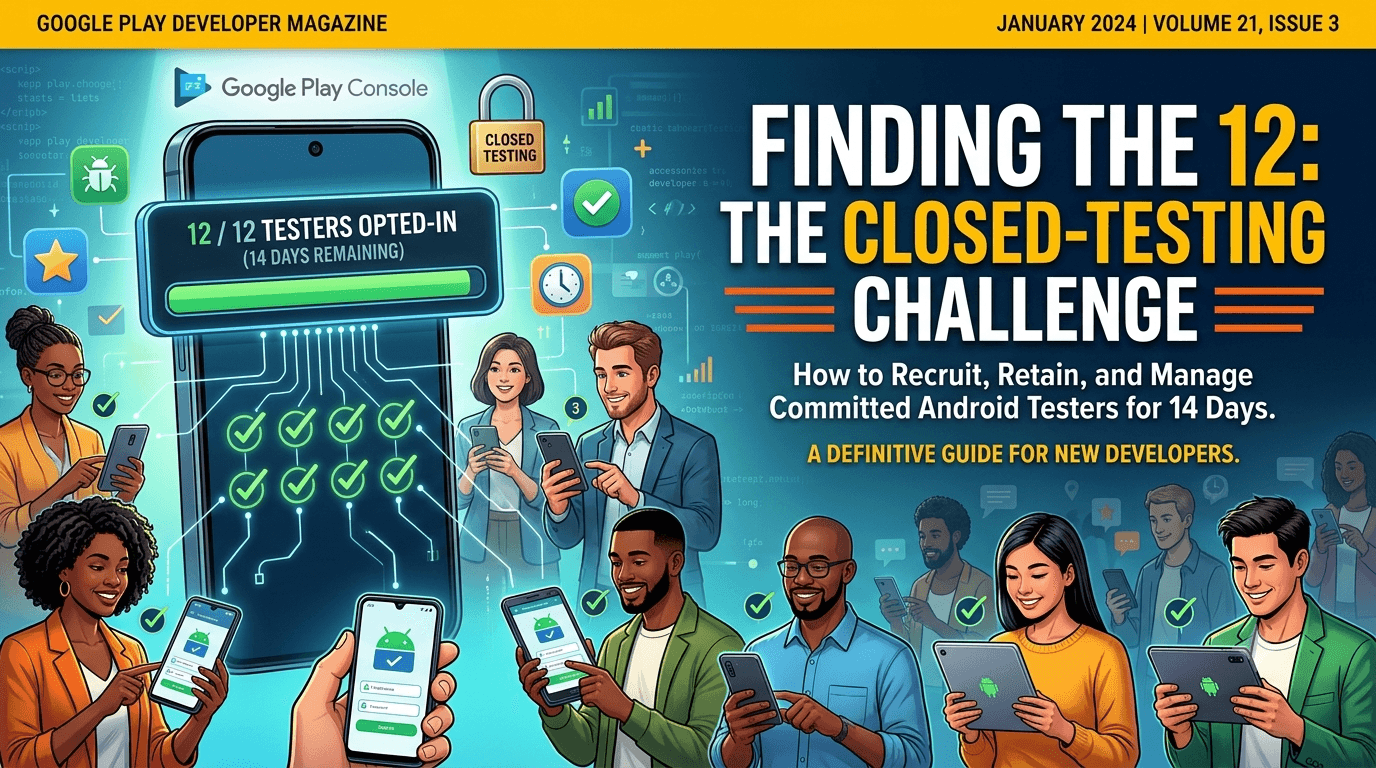
The single hardest part of Google Play's closed-testing requirement is not the code or the waiting — it is finding 12 real people willing to install your app and keep it for 14 continuous days. Most first-time developers underestimate this, assuming friends and family will suffice, then discover that casual promises evaporate and their tester count drops below the threshold mid-window. Knowing where to find genuine, committed Android testers is therefore one of the most valuable things you can learn before you start. Because any app from a new personal account must complete a closed test with at least 12 testers opted in for 14 continuous days before production access, this guide surveys where to find real testers and how to keep them.
The requirement is unambiguous, but the sources for testers vary widely in quality and reliability. Understanding your options — and their trade-offs — turns the tester hunt from a stressful scramble into a solved problem.
Why finding testers is the real challenge
The closed-testing requirement is tied to your developer account type, so any app on a new personal account must complete a closed test with 12+ testers for 14 continuous days before production access. See the closed testing guide. The number sounds small, but the words "opted in" and "14 continuous days" are what make it hard: you need people who not only install but stay, and who follow the specific opt-in steps correctly. A tester who forgets to opt in, or who uninstalls on day 6, does not count.
So the goal is not just 12 names but 12 (ideally more) reliable, device-diverse participants who will see the window through. Recruiting a buffer above 12 is essential because some attrition is inevitable. Where you source these testers largely determines how much attrition and hassle you face.
Your personal and professional network
The most obvious source is your own network — friends, family, colleagues, and professional contacts with Android devices. Its advantage is trust and zero cost; its disadvantages are limited size, uneven commitment, and poor device diversity if everyone you know owns similar phones. Personal contacts often mean well but treat testing casually, forgetting to opt in or losing interest, which is exactly what causes mid-window count drops. If you use your network, over-recruit, give crystal-clear instructions, and follow up actively rather than assuming people will remember.
Professional contacts — other developers, coworkers, a startup community you belong to — tend to be more reliable than casual friends because they understand what testing involves and why the steps matter. Still, most developers find their personal network alone cannot reliably supply 12 committed, device-diverse testers for two weeks, which is why the other sources below exist. Treat your network as a partial source to supplement, not your whole plan. See getting 12 testers without friends or family.
Developer communities and tester exchanges
Online developer communities are a popular source, and several revolve specifically around mutual testing for the closed-testing requirement. In these tester-exchange groups, developers agree to test each other's apps — you test mine, I test yours — which can supply the numbers you need at no monetary cost.
| Source | Pros | Cons |
|---|---|---|
| Personal network | Trusted, free | Small, casual, low device diversity |
| Tester-exchange groups | Free, plentiful | Low engagement, reciprocity burden, quality risk |
| Online communities | Reach developers who get it | Effort to recruit and coordinate |
| Professional services | Verified, reliable, device-diverse | Costs money |
Exchanges work but carry a reciprocity burden and variable commitment. See services vs community testing.
Making communities work (and their limits)
Communities like relevant subreddits, Discord servers, Telegram groups, and forums focused on Android development can connect you with testers who understand the requirement and follow the steps correctly, which is a real advantage over casual contacts. The catch is coordination effort and mutual obligation: exchange groups expect you to test others' apps in return, which is time you must budget, and the commitment of strangers testing your app can be shallow, with people opting in to fulfill their side and then disengaging. Quality also varies, and some groups attract low-effort or even fake participation that risks your standing.
If you use communities, favor reputable, active ones, be a good-faith participant, communicate clearly with your recruits, and still over-recruit to absorb attrition. Watch for anything resembling install-farm behavior, which Google actively detects and penalizes. Communities can genuinely fill your roster, but they require ongoing effort and carry more risk and less reliability than a dedicated service. See how Google detects fake testers.
Professional testing services
Dedicated testing services exist precisely because finding reliable, device-diverse testers is hard, and they supply verified real testers who opt in correctly and stay for the full window. The trade-off is cost, but what you buy is reliability and time: no reciprocity obligation, no chasing disengaged friends, no coordination overhead, and device diversity you likely cannot assemble from your own network. For developers whose time is valuable or whose network cannot deliver, a service turns the hardest part of the requirement into a simple step.
The important distinction is between services providing genuine, engaged testers and any offer of fake installs or bot testers, which violate Google's policies and can get your app or account penalized. A legitimate service supplies real people who actually use your app, which is exactly what the requirement intends. If the tester hunt is your bottleneck, this is the most direct solution. You can submit your app to get started. See real testers vs fake testers.
Prioritizing device diversity
Wherever you source testers, aim for variety in devices, manufacturers, and Android versions, because a homogeneous group hides the bugs that cluster on hardware you do not represent. Twelve testers all on recent flagship phones will miss the crashes, layout breaks, and performance problems that hit older, budget, or off-brand devices in production. Device diversity is one of the biggest advantages a good tester source provides, and one of the biggest weaknesses of relying solely on a personal network of similar phones.
When recruiting, deliberately seek a spread — different brands, screen sizes, and OS versions — so your closed test previews the real market rather than a narrow slice. This is where services and larger communities can outperform your immediate circle. The more your tester group resembles your eventual users, the more the window's feedback and stability data are worth. See low-end device testing.
Keeping the testers you find
Finding testers is only half the battle; keeping them engaged for 14 continuous days is the other half. Whatever your source, give clear opt-in instructions (the exact link and steps), explain what you want them to do, communicate promptly and appreciatively, and make participation as frictionless as possible. Disengagement and attrition are the main threats to your count, so treat your testers well and stay in touch. A buffer above 12 plus active engagement is the formula that keeps you safely above the threshold throughout.
Monitor your opted-in count in the Play Console daily and recruit replacements the moment it trends down, since a new tester needs time to opt in and count. The developers who sail through the window are those who both recruited reliable testers and actively maintained the relationship. See keeping testers engaged.
Choosing the right source for you
There is no single best source; the right choice depends on your network, budget, and time. If you have a reliable, device-diverse network, start there and supplement. If you have time and patience, communities and exchanges can work at no cost. If your time is valuable or your network cannot deliver 12 committed, diverse testers, a professional service is the most reliable path. Many developers combine sources — a few trusted contacts plus a service or community — to build a robust roster with a comfortable buffer.
Whatever you choose, plan recruitment before your window starts, over-recruit, prioritize device diversity, and commit to active engagement. Solving the tester-sourcing problem up front is what makes the rest of the closed-testing process straightforward. See the Play Console beginner guide.
Start on internal testing
Before your counted closed-testing window, use the internal testing track for a fast first pass with a couple of trusted people, so you enter the closed track with a build that already works. This protects the goodwill of the testers you worked hard to find — nobody wants to install an app that crashes on launch — and keeps your window focused on real feedback rather than obvious bugs. Recruiting real testers is costly in effort or money, so do not waste their attention on a build you could have stabilized privately first. See internal vs closed testing.
Then promote your stabilized build to the closed track where your recruited testers, ideally device-diverse, provide the real-world validation the requirement is about. Treating internal testing as staging respects the testers you found. See updating mid-testing.
Beyond the requirement
The testers you find are useful beyond satisfying the requirement — they are your first real users, a source of feedback, and potentially early advocates. Even after you launch, a good relationship with reliable testers can help you validate future updates through your testing tracks. Building a small, dependable pool of testers is an asset that pays off across the life of your app, not just during this one window. An app with an ongoing testing relationship ships updates more safely; one that treats testers as a one-time chore starts from scratch each release. See post-launch monitoring.
When to start recruiting
Timing your recruitment is as important as choosing a source. Begin lining up testers before you are ready to start your window, not after, because the gap between deciding you need testers and actually having 12 opted in can be days or longer, especially with volunteer sources. Developers who leave recruitment to the last minute often find their window delayed simply because the people are not in place, or they rush and end up with a shaky roster that drops below 12 mid-test. Treat recruitment as a task to complete in advance, with your opt-in link and instructions ready to send the moment people say yes.
A practical sequence is to secure commitments first, then start your closed test and send opt-in instructions promptly so testers act while their interest is fresh. The longer the delay between a yes and the actual opt-in, the more people forget or lose momentum. Front-loading recruitment and moving quickly from commitment to opt-in is one of the simplest ways to keep your window on schedule and your count healthy from day one. See launching fast.
Recruitment mistakes to avoid
Several recurring mistakes sink tester recruitment. Recruiting exactly 12 with no buffer guarantees trouble the moment one person drops. Assuming casual promises equal commitment leads to a roster that looks full but is hollow. Giving unclear opt-in instructions causes willing testers to fail to count. Ignoring device diversity leaves hardware-specific bugs undiscovered. And waiting until the last minute compresses everything into a stressful scramble. Each of these is avoidable with a little foresight, and each is a common reason developers struggle with a requirement that is otherwise straightforward.
The fix for all of them is the same discipline: over-recruit, communicate clearly, seek device variety, and start early. Whether you use your network, communities, or a service, applying this discipline turns recruitment from the scary part of closed testing into a solved logistics problem. Learning from these common mistakes before you start saves you from repeating them under pressure. See app not eligible for production access.
Key takeaways
- Finding 12 committed testers for 14 continuous days is the real challenge, not the number itself.
- Over-recruit beyond 12 to absorb inevitable attrition.
- Sources range from your network to communities to professional services, each with trade-offs.
- Prioritize device diversity so your test previews the real market.
- Avoid fake installs — use only genuine testers to protect your account.
Frequently asked questions
How many testers do I actually need?
At least 12 opted in for 14 continuous days, but recruit more as a buffer, since some testers inevitably disengage or uninstall.
Can friends and family be my testers?
They can, but casual contacts often forget to opt in or lose interest. Over-recruit and follow up actively, or supplement with other sources.
Are tester-exchange groups safe?
Reputable ones can work, but engagement is often shallow and quality varies. Avoid anything resembling fake installs, which Google penalizes.
Is it worth paying for testers?
If your network cannot supply 12 committed, device-diverse testers or your time is valuable, a legitimate service providing real testers is the most reliable path.
Why does device diversity matter?
Bugs cluster on specific hardware and Android versions. A diverse group previews the real market; a homogeneous one hides those issues.
How do I keep testers from dropping out?
Give clear instructions, communicate promptly and appreciatively, minimize friction, keep a buffer, and replace anyone who leaves quickly.
What counts as a valid tester?
A real person who opts in via your link and keeps the app installed and active across the continuous 14-day window.
When should I start recruiting?
Before your window begins. Secure commitments in advance and send opt-in instructions promptly, since the gap between a yes and an actual opt-in loses people.
How big a buffer should I recruit?
Aim for 15–20 to reliably keep 12 active, since some testers always disengage or uninstall during the two weeks.
Expanded for topical authority — additional practical sections below. Original guide content above is unchanged.
Quick answer
Where to Find Real Android App Testers matters because Google Play production access for many new personal developer accounts depends on a successful closed test: at least 12 real testers opted in for 14 continuous days, plus a policy-compliant, stable app. Use this guide to execute the steps correctly, avoid streak-breaking mistakes, and decide whether DIY recruitment or a managed closed testing service is the better path for your deadline.
Real-world scenarios: who this matters for
The guidance in this article on Where to Find Real Android App Testers applies across many Android product types. Use these scenarios to map the advice to your situation.
| Developer type | Typical challenge | Practical focus |
|---|---|---|
| Indie / solo | Limited tester network and time | Start closed testing early; keep a buffer above 12 opted-in testers; parallelize listing + Data safety work |
| Startup | Launch deadline vs 14-day rule | Treat the window as fixed; recruit in parallel with QA; avoid last-minute track setup |
| Agency / white-label | Multiple client apps, each needing its own test | One closed test per app; standardize opt-in onboarding; track eligibility dates per client |
| Flutter / React Native | Cross-platform build + Play Console quirks | Ship a signed AAB to closed testing; verify installs from Play, not sideload; watch vitals on mid-range devices |
| Native Kotlin | Device/API fragmentation | Cover API levels and OEMs in your tester mix; fix crashes before requesting production |
| Game / Unity | Performance + retention during 14 days | Keep testers engaged so count never dips below 12; monitor ANRs and battery |
| E-commerce / fintech | Policy + payment flows | Test checkout, permissions, and declarations carefully before production access |
| Healthcare / kids / education | Sensitive policies (Families, data) | Align listing, privacy, and content rating with real app behavior during the test window |
Visual placeholder: Scenario matrix infographic — Indie / Startup / Agency / Cross-platform paths for Where to Find Real Android App Testers.
Comparison: DIY recruitment vs managed closed testing
When your goal is Google Play production access, the path you choose for testers affects time, risk, and feedback quality. Use this comparison while deciding how to apply Where to Find Real Android App Testers.
| Approach | Time to 12 opted-in | Cost | Dropout risk | Feedback quality | Best when |
|---|---|---|---|---|---|
| Friends & family | Days–weeks | $0 | High | Mixed | Tiny MVP, flexible timeline |
| Reddit / Discord / Telegram | Unpredictable | $0–low | High | Variable | You can manage onboarding daily |
| Peer community exchange | Variable | $0 | Medium | Developer-biased | You can test others’ apps in return |
| Managed closed testing (e.g. Fast Testers) | ~1 hour after valid link | $15 one-time / app | Low (buffer of 15) | Real Play installs | You need speed + continuity for 14 days |
Decision tip: If a broken streak would delay revenue or a client deadline, prioritize reliability over $0 recruitment. DIY is fine when you already have engaged testers and can monitor Play Console daily.
Visual placeholder: Comparison diagram — DIY vs community vs managed testing for Where to Find Real Android App Testers.
Common mistakes (and how to avoid them)
These mistakes repeatedly show up when developers work through Where to Find Real Android App Testers:
- Confusing invited vs opted-in testers — Only testers who open the opt-in link and install from Play count toward 12. Check the opted-in number in Play Console, not your email list.
- Recruiting exactly 12 with no buffer — One uninstall can break continuity. Aim for ~15 active opted-in testers.
- Starting the counted clock late — Listing assets, Data safety, and privacy work should run during the 14 days, not after.
- Using sideloaded APKs or fake installs — They do not satisfy Play’s closed testing expectations and can create account risk.
- Ignoring tester feedback until day 14 — Crashes that drive uninstalls threaten your streak and your review outcome.
- Requesting production access before the continuous streak completes — Eligibility checks fail even if calendar time has passed.
Troubleshooting checklist
If something feels “stuck” while applying Where to Find Real Android App Testers, walk this list before changing strategy:
| Symptom | Likely cause | Fix |
|---|---|---|
| Console shows < 12 testers | Invites sent but not opted in | Resend opt-in link; confirm install from Play |
| “Not eligible” after 14 calendar days | Count dipped below 12 mid-window | Restore 12+ and complete a full continuous streak |
| Tester cannot join | Wrong account, Group lag, or track not published | Verify Google account, Group membership, track release |
| App fails to install | Device/API mismatch or signing issue | Check AAB, minSDK, Play App Signing |
| Production still rejected after testing | Policy, declarations, or stability — not the clock | Read the exact reason; fix that category completely |
Visual placeholder: Troubleshooting flowchart for Where to Find Real Android App Testers.
Action checklist
Use this checklist alongside the rest of this guide on Where to Find Real Android App Testers:
- ☐ Closed testing track created with a signed release (AAB)
- ☐ Opt-in link tested on a fresh Google account
- ☐ At least 12 testers opted in (prefer ~15)
- ☐ Daily check that opted-in count stays ≥ 12 for 14 continuous days
- ☐ Core flows exercised (login, main feature, permissions, offline/online)
- ☐ Crashes / ANRs triaged from tester reports and vitals
- ☐ Store listing, screenshots, and feature graphic drafted
- ☐ Privacy policy + Data safety + content rating aligned with real behavior
- ☐ Production access requested only after eligibility is green
- ☐ Staged rollout plan ready for first public release
Additional FAQs developers ask about Where to Find Real Android App Testers
Quick answer: what should I do first?
Confirm you are on a closed testing track with real opted-in installs, keep 12+ testers for 14 continuous days, and fix policy/stability issues in parallel. Then use the detailed sections above for Where to Find Real Android App Testers.
Does this apply to organization (company) accounts?
The classic 12×14 closed testing gate is primarily associated with new personal developer accounts. Always verify your account type and current Play Console eligibility messaging for your app.
Do friends and family count as testers?
Yes — if they opt in via your closed testing link and install from Google Play. They only help if they stay opted in for the continuous period.
Can I update the app during the 14 days?
You can usually push updates on the closed track, but unstable releases that cause uninstalls can threaten your tester count. Prefer polishing via internal testing first when possible.
What if production access is still rejected?
Read the exact reason. Incomplete testing is only one category — policy, Data safety mismatches, and crashes are common. Fix the cited issue fully before reapplying.
Is paying for testers allowed?
Using real people who install from Play is what matters. Avoid fake install farms. A one-time managed service that supplies real closed testers is a practical option when DIY recruitment is too slow.
How is Fast Testers different from free communities?
Free communities trade time and mutual availability. Fast Testers assigns about 15 real testers after you submit a valid closed testing link (one-time $15 per app) and includes a production access guarantee under its refund terms.
Where should I go next?
Review the related guides below, then either finish DIY recruitment or start closed testing if you need speed and continuity.
Sources, updates, and how to use this guide
This article on Where to Find Real Android App Testers is maintained for Android developers preparing Google Play closed testing and production access. Always cross-check eligibility text inside your own Play Console, because Google’s UI labels and account rules can vary by account type and date.
- Primary official references: Google Play closed testing help, Developer Program Policies, and Play Console eligibility messaging for your app.
- Practical experience lens: guidance here reflects common failure modes indie developers and agencies hit when recruiting testers, maintaining the 14-day streak, and recovering from production-access rejections.
- Last reviewed focus: 12×14 closed testing continuity, real vs fake testers, and parallel listing/compliance work during the window.
Related guides and next steps
Continue building topical depth around Where to Find Real Android App Testers with these Fast Testers resources:
- Best Way To Find Android Beta Testers In 2026
- How To Find Beta Testers For Android Apps
- Real Testers Vs Fake Testers
- Fast Testers Vs Reddit Testers
- Hire Android App Testers
- Paid Testers Vs Free Testers
- Android App Release Checklist
- Android Beta Testing Best Practices
- Pricing — $15 closed testing
- How Fast Testers works
- FAQ
- Developer reviews
- Case studies
- Submit your app / start closed testing
Need reliable testers so your 14-day streak does not stall? Educate first with the guides above, then start when you are ready — one-time pricing, real Play installs, dashboard tracking.
Internal navigation hub — added to strengthen topical connections. Original article content above is unchanged.
Topic cluster: Finding Android Beta Testers
Pillar guide: Start with How to Find Beta Testers for Your Android App for the full overview, then use the supporting guides below.
- How to Find Beta Testers for Your Android App (pillar)
- Best Way to Find Android Beta Testers in 2026
- How to Hire Android App Testers
- Reddit Beta Testers: Pros and Cons for Play Store
- Paid Testers vs Free Testers for Google Play
- Real Testers vs Fake Testers: What Google Play Rewards
- Professional Testing Services vs Community Testing
- Android Beta Testing Best Practices
- Buy Google Play Testers: Is It Safe?
Continue learning
- Best Way to Find Android Beta Testers in 2026 — Learn about tester recruitment strategies for Google Play closed testing. Complete guide for Android developer.
- How to Find Beta Testers for Your Android App — Discover 7 proven methods for finding reliable beta testers..
- Real Testers vs Fake Testers: What Google Play Rewards — Real testers vs fake testers for Google Play closed testing: how Google tells them apart, why fake testers fai.
- FastTesters vs Reddit Testers: Which Is Better? — FastTesters vs Reddit testers for Google Play closed testing: compare speed, reliability, cost, and effort to .
- How to Hire Android App Testers — How to hire Android app testers: where to find them, what to look for, how to avoid fakes, and how to get real.
- Paid Testers vs Free Testers for Google Play — Paid testers vs free testers for Google Play closed testing: real costs, speed, reliability, and which option .
Next steps
- Ready to run closed testing with real Android testers? Submit your app or see pricing ($15 one-time).
- Compare options on our testing service comparison page, or read developer reviews and case studies.
- Still deciding? Review how Fast Testers works and the FAQ.