
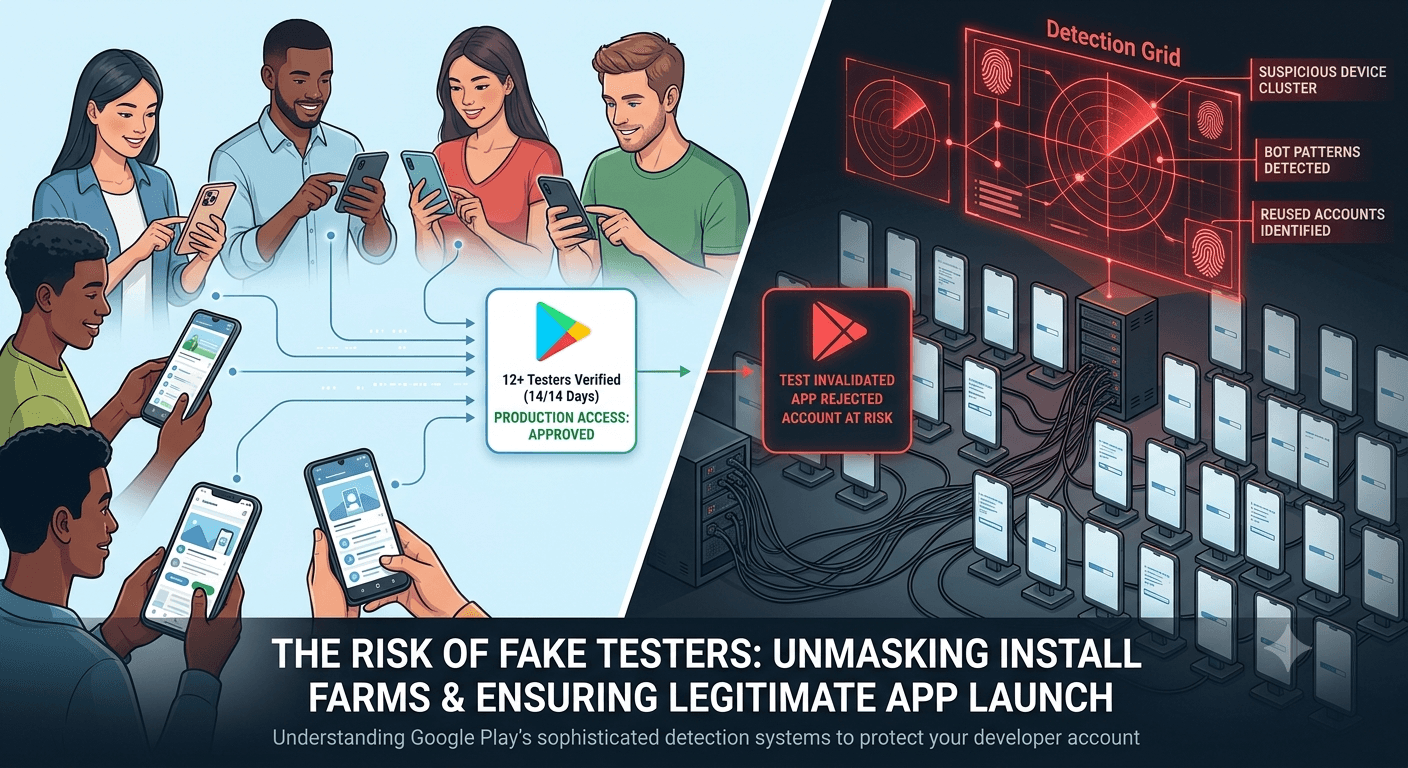
Some developers, hoping to shortcut the 12-tester requirement, turn to fake testers or install farms — and Google has built sophisticated systems specifically to catch them. Understanding how that detection works is valuable not to evade it, but to appreciate why fake testing is a losing bet and to ensure your legitimate testing never accidentally resembles the patterns Google flags. Because any app from a new personal account must complete a closed test with at least 12 testers opted in for 14 continuous days before production access, this guide explains how Google detects fake testers and install farms, and how to stay safely on the right side of it.
The requirement exists to ensure real testing, and Google's detection enforces that intent. Knowing what the systems look for makes clear why real testers are the only sensible choice — and how to keep your genuine test above suspicion.
The requirement and its enforcement
The closed-testing requirement is tied to your developer account type, so any app on a new personal account must complete a closed test with 12+ testers for 14 continuous days before production access. See the closed testing guide. Google backs this requirement with detection systems that distinguish genuine testing from fabricated activity, because a requirement for real testing is only meaningful if fakery is caught. Violations can lead to rejected tests, app removal, and account termination under Google's policies against fake engagement.
So detection is simply the enforcement arm of the requirement's purpose. The safest posture is to run a genuinely real test, which naturally avoids every signal below. Review Google's developer program policies on spam and manipulation.
Device and hardware signals
A primary detection vector is the device itself. Google can distinguish genuine physical devices from emulators, virtual machines, and rooted or modified environments commonly used by install farms. Real testers use real, varied phones with authentic hardware fingerprints, sensor data, and configurations; fake operations often run many "devices" that are actually emulated or share suspicious characteristics. Clusters of installs from devices that look virtual, identical, or otherwise inauthentic are a strong signal of fakery.
Install farms also tend to reuse hardware, IP ranges, or device identifiers across many apps, creating correlations Google can detect across its whole ecosystem — a farm serving hundreds of developers leaves a pattern no single developer would. Genuine testers, spread across real devices and networks, simply do not produce these signatures. This is why real device diversity is not only good for finding bugs but is inherently what legitimate activity looks like. See device testing.
Behavioral and engagement signals
Beyond hardware, Google analyzes how "testers" behave. Real users open the app, navigate, spend varying amounts of time, trigger diverse events, and produce natural, irregular usage; bots and farms produce scripted, minimal, or absent engagement — an install with no real usage, or identical robotic patterns across many accounts. The presence or absence of genuine in-app behavior is a powerful discriminator, because faking realistic, varied human usage at scale is difficult and expensive.
| Signal category | Real testers | Fake / farms |
|---|---|---|
| Devices | Authentic, varied | Emulated, clustered, reused |
| Behavior | Natural, irregular usage | Scripted or absent |
| Geography/timing | Plausible spread | Suspicious clustering |
| Cross-app links | None | Farm correlations |
Genuine testing produces exactly the natural signals detection expects. See dashboard metrics explained.
Geographic, timing, and account patterns
Google also weighs geographic and timing patterns and the accounts involved. Testers appearing from implausible locations for your app, or opting in and installing in tight synchronized bursts, look automated rather than human. The Google accounts used matter too: brand-new, empty, or suspicious accounts, or many accounts linked by shared attributes, suggest fabricated participation, whereas real testers use established, ordinary accounts. Combined with device and behavioral signals, these patterns let detection build a confident picture of whether a test is genuine.
Because these systems correlate signals across the entire Play ecosystem and improve over time, install farms are in a losing battle — the very scale that makes them "efficient" is what makes their patterns detectable. And enforcement can be retroactive: activity that passes today may be flagged later as detection sharpens, putting any app built on fakery under lasting threat. Real testers, generating ordinary human patterns, never trip these wires. See account termination risks.
The consequences of being caught
Being caught using fake testers or install farms is serious. Google can invalidate your test (so you gain no progress toward the requirement), reject or remove your app, and suspend or terminate your developer account under its manipulation policies. Account termination is the gravest outcome: it can end not just the offending app but your entire ability to publish, erasing any user base and revenue you had built and barring you from the platform. The effort supposedly saved by faking is trivial against this downside.
Even short of termination, a flagged test wastes your time and forces you to start over legitimately, having gained nothing and risked much. There is no scenario in which fake testing comes out ahead once detection is factored in — which, given how capable and improving the detection is, it always should be. The rational and safe choice is unambiguous: test for real. See is buying testers safe.
Keeping your legitimate test above suspicion
The good news is that genuine testing is inherently safe, but a few practices ensure your real test never accidentally resembles a fake one. Use real testers on real, varied devices; let them use the app naturally rather than instructing robotic identical actions; avoid recruiting through sketchy channels that might mix in fake participants; and never supplement real testers with any purchased fake activity to "top up" numbers. If you use a service, confirm it supplies genuine testers, since a service secretly using farms would put you at the same risk. You can submit your app to a service that provides real testers.
In practice, if your testers are real people using your app normally, you have nothing to worry about — you are exactly what the system is designed to approve. Detection targets fabrication, not legitimate developers running honest tests. Recruiting real, device-diverse testers and engaging them genuinely keeps you comfortably clear of every signal. See real testers vs fake testers.
The takeaway: real is the only way
Understanding detection leads to one conclusion: because Google is so effective at catching fake testers and install farms, and because the penalties are so severe and can be retroactive, real testing is the only rational choice. It is not merely the ethical option but the pragmatic one — real testers are safe, provide genuine value, and require no evasion. Any effort or money you might spend on fakery is far better spent recruiting real testers, whether through your network, communities, or a legitimate service.
Approach your closed test as a genuine quality exercise with real people, and detection becomes irrelevant to you — it exists to catch others, not honest developers. That peace of mind, plus the real feedback and stability data you gain, is the reward for doing it right. See the Play Console beginner guide.
Legitimate testing, staged properly
Run your genuine test the right way: stabilize on the internal testing track first, then move real testers to the closed track for your counted window. This staging is not about detection at all — it is simply good practice that respects your real testers' time and focuses their feedback. Honest testing done well naturally produces the authentic patterns Google expects, so the better you run your real test, the further you are from any suspicion. See internal vs closed testing.
Promote your stabilized build to the closed track and let real, device-diverse testers validate it genuinely. See updating mid-testing.
After launch: the same rules apply
Google's detection does not stop at closed testing — it applies to installs, reviews, and ratings after launch too. Never buy fake installs or reviews to boost your live app, since the same systems catch it and the same account-loss risk applies. Grow through real users and honest marketing, and your app stays safe indefinitely. The habits that keep your closed test clean are the same ones that protect your app for its entire life on Play. See post-launch monitoring and handling reviews.
Why detection keeps getting harder to fool
Google's detection is not a fixed set of rules a farm can memorize and evade; it is a continuously evolving system informed by the enormous volume of real activity across the Play ecosystem. That scale is the crucial advantage: Google sees what genuine usage looks like across billions of installs and can therefore recognize the deviations that fabricated activity produces, even as farms try new tricks. Every technique a farm adopts eventually creates its own detectable pattern, and the systems adapt, which is why fakery is a treadmill farms cannot win over time.
For an individual developer, the practical implication is stark: even if a fake scheme appears to work at a given moment, the odds that its pattern is eventually recognized only rise as detection improves. Because enforcement can reach back to previously accepted activity, there is no "safe" window for fakery — only a delay before likely detection. This asymmetry, where the platform learns faster than farms can hide, is the fundamental reason to never rely on fake testers. See policy changes to watch.
Avoiding collateral suspicion
Because detection is pattern-based, a legitimate developer's main concern is simply not to resemble a farm by accident, which is easy to avoid. Do not recruit through channels that might inject fake participants, do not instruct testers to perform identical scripted actions that mimic bots, and never mix any purchased fake activity into a genuine test to pad numbers. If your testers are real people using the app in their own varied ways, their activity naturally scatters across the signals detection expects and raises no concern. The system is looking for fabrication, not honest variety.
If you use a service, the one due-diligence step is confirming it supplies genuine testers rather than farmed activity, since a dishonest service would expose you to the same risk as doing it yourself. A reputable service's real, device-diverse testers produce exactly the authentic patterns that keep you clear. In short, running an honest test is not only safe but effortlessly so — you simply cannot look like a farm when you are not one. See services vs community testing.
Detection protects legitimate developers too
It is worth reframing detection as something that benefits you rather than merely constrains you. By catching and penalizing fake testing and install farms, Google keeps the store from being flooded with manipulated, low-quality, or fraudulent apps that would drown out honest developers and erode user trust. The same systems that would penalize your fakery also protect your legitimate app from competitors trying to cheat their way up. A well-policed ecosystem is one where genuine quality and honest growth can actually be seen and rewarded.
So the existence of strong detection is a reason for confidence, not resentment, if you are doing things right. It levels the field toward developers who build real apps and earn real users, which is presumably what you are. Aligning with that intent — real testing, real growth — puts you on the side the platform is designed to support. See account termination risks.
Key takeaways
- Google detects fake testers via device, behavioral, geographic, and account signals.
- Install farms leave cross-app correlations detectable across the ecosystem.
- Enforcement can be retroactive and includes account termination.
- Genuine testing is inherently safe — it looks exactly like what detection approves.
- Real testers are the only rational choice given detection and penalties.
Frequently asked questions
How does Google detect fake testers?
By analyzing device authenticity, in-app behavior, geographic and timing patterns, and account signals, plus cross-app correlations that expose install farms.
Can Google tell an emulator from a real device?
Yes. Emulated, virtual, or modified environments have signatures that differ from genuine physical devices, which is a key detection signal.
What happens if I'm caught?
Your test can be invalidated and your app rejected or removed, and your developer account can be suspended or terminated under manipulation policies.
Can I be penalized after launching?
Yes. Detection can be retroactive, so fake activity that passed earlier can be flagged later, threatening an app you have already grown.
Could my legitimate test look fake by accident?
Unlikely if you use real, varied devices and natural usage. Avoid sketchy channels and never top up with purchased fake activity.
Are testing services a detection risk?
Only if a service secretly uses fake activity. A legitimate service supplying real testers produces the genuine patterns detection approves.
What's the safest approach?
Run a genuinely real test with real, device-diverse people using the app naturally. Detection targets fabrication, not honest developers.
Can a farm eventually beat detection?
Not durably. Google learns from ecosystem-wide real activity and adapts, and enforcement can be retroactive, so any fake pattern is likely caught over time.
Does detection help honest developers?
Yes. By penalizing fakery and farms, it keeps the store from being flooded with manipulated apps, protecting the visibility of genuine, quality apps.
Expanded for topical authority — additional practical sections below. Original guide content above is unchanged.
Quick answer
How Google Detects Fake Testers and Install Farms matters because Google Play production access for many new personal developer accounts depends on a successful closed test: at least 12 real testers opted in for 14 continuous days, plus a policy-compliant, stable app. Use this guide to execute the steps correctly, avoid streak-breaking mistakes, and decide whether DIY recruitment or a managed closed testing service is the better path for your deadline.
Real-world scenarios: who this matters for
The guidance in this article on How Google Detects Fake Testers and Install Farms applies across many Android product types. Use these scenarios to map the advice to your situation.
| Developer type | Typical challenge | Practical focus |
|---|---|---|
| Indie / solo | Limited tester network and time | Start closed testing early; keep a buffer above 12 opted-in testers; parallelize listing + Data safety work |
| Startup | Launch deadline vs 14-day rule | Treat the window as fixed; recruit in parallel with QA; avoid last-minute track setup |
| Agency / white-label | Multiple client apps, each needing its own test | One closed test per app; standardize opt-in onboarding; track eligibility dates per client |
| Flutter / React Native | Cross-platform build + Play Console quirks | Ship a signed AAB to closed testing; verify installs from Play, not sideload; watch vitals on mid-range devices |
| Native Kotlin | Device/API fragmentation | Cover API levels and OEMs in your tester mix; fix crashes before requesting production |
| Game / Unity | Performance + retention during 14 days | Keep testers engaged so count never dips below 12; monitor ANRs and battery |
| E-commerce / fintech | Policy + payment flows | Test checkout, permissions, and declarations carefully before production access |
| Healthcare / kids / education | Sensitive policies (Families, data) | Align listing, privacy, and content rating with real app behavior during the test window |
Visual placeholder: Scenario matrix infographic — Indie / Startup / Agency / Cross-platform paths for How Google Detects Fake Testers and Install Farms.
Comparison: DIY recruitment vs managed closed testing
When your goal is Google Play production access, the path you choose for testers affects time, risk, and feedback quality. Use this comparison while deciding how to apply How Google Detects Fake Testers and Install Farms.
| Approach | Time to 12 opted-in | Cost | Dropout risk | Feedback quality | Best when |
|---|---|---|---|---|---|
| Friends & family | Days–weeks | $0 | High | Mixed | Tiny MVP, flexible timeline |
| Reddit / Discord / Telegram | Unpredictable | $0–low | High | Variable | You can manage onboarding daily |
| Peer community exchange | Variable | $0 | Medium | Developer-biased | You can test others’ apps in return |
| Managed closed testing (e.g. Fast Testers) | ~1 hour after valid link | $15 one-time / app | Low (buffer of 15) | Real Play installs | You need speed + continuity for 14 days |
Decision tip: If a broken streak would delay revenue or a client deadline, prioritize reliability over $0 recruitment. DIY is fine when you already have engaged testers and can monitor Play Console daily.
Visual placeholder: Comparison diagram — DIY vs community vs managed testing for How Google Detects Fake Testers and Install Farms.
Common mistakes (and how to avoid them)
These mistakes repeatedly show up when developers work through How Google Detects Fake Testers and Install Farms:
- Confusing invited vs opted-in testers — Only testers who open the opt-in link and install from Play count toward 12. Check the opted-in number in Play Console, not your email list.
- Recruiting exactly 12 with no buffer — One uninstall can break continuity. Aim for ~15 active opted-in testers.
- Starting the counted clock late — Listing assets, Data safety, and privacy work should run during the 14 days, not after.
- Using sideloaded APKs or fake installs — They do not satisfy Play’s closed testing expectations and can create account risk.
- Ignoring tester feedback until day 14 — Crashes that drive uninstalls threaten your streak and your review outcome.
- Requesting production access before the continuous streak completes — Eligibility checks fail even if calendar time has passed.
Troubleshooting checklist
If something feels “stuck” while applying How Google Detects Fake Testers and Install Farms, walk this list before changing strategy:
| Symptom | Likely cause | Fix |
|---|---|---|
| Console shows < 12 testers | Invites sent but not opted in | Resend opt-in link; confirm install from Play |
| “Not eligible” after 14 calendar days | Count dipped below 12 mid-window | Restore 12+ and complete a full continuous streak |
| Tester cannot join | Wrong account, Group lag, or track not published | Verify Google account, Group membership, track release |
| App fails to install | Device/API mismatch or signing issue | Check AAB, minSDK, Play App Signing |
| Production still rejected after testing | Policy, declarations, or stability — not the clock | Read the exact reason; fix that category completely |
Visual placeholder: Troubleshooting flowchart for How Google Detects Fake Testers and Install Farms.
Action checklist
Use this checklist alongside the rest of this guide on How Google Detects Fake Testers and Install Farms:
- ☐ Closed testing track created with a signed release (AAB)
- ☐ Opt-in link tested on a fresh Google account
- ☐ At least 12 testers opted in (prefer ~15)
- ☐ Daily check that opted-in count stays ≥ 12 for 14 continuous days
- ☐ Core flows exercised (login, main feature, permissions, offline/online)
- ☐ Crashes / ANRs triaged from tester reports and vitals
- ☐ Store listing, screenshots, and feature graphic drafted
- ☐ Privacy policy + Data safety + content rating aligned with real behavior
- ☐ Production access requested only after eligibility is green
- ☐ Staged rollout plan ready for first public release
Additional FAQs developers ask about How Google Detects Fake Testers and Install Farms
Quick answer: what should I do first?
Confirm you are on a closed testing track with real opted-in installs, keep 12+ testers for 14 continuous days, and fix policy/stability issues in parallel. Then use the detailed sections above for How Google Detects Fake Testers and Install Farms.
Does this apply to organization (company) accounts?
The classic 12×14 closed testing gate is primarily associated with new personal developer accounts. Always verify your account type and current Play Console eligibility messaging for your app.
Do friends and family count as testers?
Yes — if they opt in via your closed testing link and install from Google Play. They only help if they stay opted in for the continuous period.
Can I update the app during the 14 days?
You can usually push updates on the closed track, but unstable releases that cause uninstalls can threaten your tester count. Prefer polishing via internal testing first when possible.
What if production access is still rejected?
Read the exact reason. Incomplete testing is only one category — policy, Data safety mismatches, and crashes are common. Fix the cited issue fully before reapplying.
Is paying for testers allowed?
Using real people who install from Play is what matters. Avoid fake install farms. A one-time managed service that supplies real closed testers is a practical option when DIY recruitment is too slow.
How is Fast Testers different from free communities?
Free communities trade time and mutual availability. Fast Testers assigns about 15 real testers after you submit a valid closed testing link (one-time $15 per app) and includes a production access guarantee under its refund terms.
Where should I go next?
Review the related guides below, then either finish DIY recruitment or start closed testing if you need speed and continuity.
Sources, updates, and how to use this guide
This article on How Google Detects Fake Testers and Install Farms is maintained for Android developers preparing Google Play closed testing and production access. Always cross-check eligibility text inside your own Play Console, because Google’s UI labels and account rules can vary by account type and date.
- Primary official references: Google Play closed testing help, Developer Program Policies, and Play Console eligibility messaging for your app.
- Practical experience lens: guidance here reflects common failure modes indie developers and agencies hit when recruiting testers, maintaining the 14-day streak, and recovering from production-access rejections.
- Last reviewed focus: 12×14 closed testing continuity, real vs fake testers, and parallel listing/compliance work during the window.
Related guides and next steps
Continue building topical depth around How Google Detects Fake Testers and Install Farms with these Fast Testers resources:
- Real Testers Vs Fake Testers
- Buy Google Play Testers Is It Safe
- Do Friends Count As Google Play Testers
- Fast Testers Vs Reddit Testers
- Google Play 12 Testers Explained For Indie Developers
- Google Play 12 Testers Policy
- Google Play Closed Testing Email Templates For Testers
- Google Play Closed Testing Guide How To Get 12 Testers For 14 Days
- Pricing — $15 closed testing
- How Fast Testers works
- FAQ
- Developer reviews
- Case studies
- Submit your app / start closed testing
Need reliable testers so your 14-day streak does not stall? Educate first with the guides above, then start when you are ready — one-time pricing, real Play installs, dashboard tracking.
Internal navigation hub — added to strengthen topical connections. Original article content above is unchanged.
Continue learning
- Do Friends Count as Google Play Testers? — Learn about friends and family as testers for Google Play closed testing. Complete guide for Android developer.
- Google Play 12 Testers Explained for Indie Developers — Learn about the 12-tester minimum for Google Play closed testing. Complete guide for Android developers publis.
- How Many Testers Do You Need for Google Play? — Learn about tester count requirements for Google Play closed testing. Complete guide for Android developers pu.
- Developer Interview: Why I Chose Professional Testers — Learn about developer testimonial for Google Play closed testing. Complete guide for Android developers publis.
- Fast Testers vs Manual Tester Recruitment Cost Analysis — Learn about cost comparison for Google Play closed testing. Complete guide for Android developers publishing o.
- Finance Apps: Google Play Testing and Compliance — Learn about finance app requirements for Google Play closed testing. Complete guide for Android developers pub.
Next steps
- Ready to run closed testing with real Android testers? Submit your app or see pricing ($15 one-time).
- Compare options on our testing service comparison page, or read developer reviews and case studies.
- Still deciding? Review how Fast Testers works and the FAQ.