
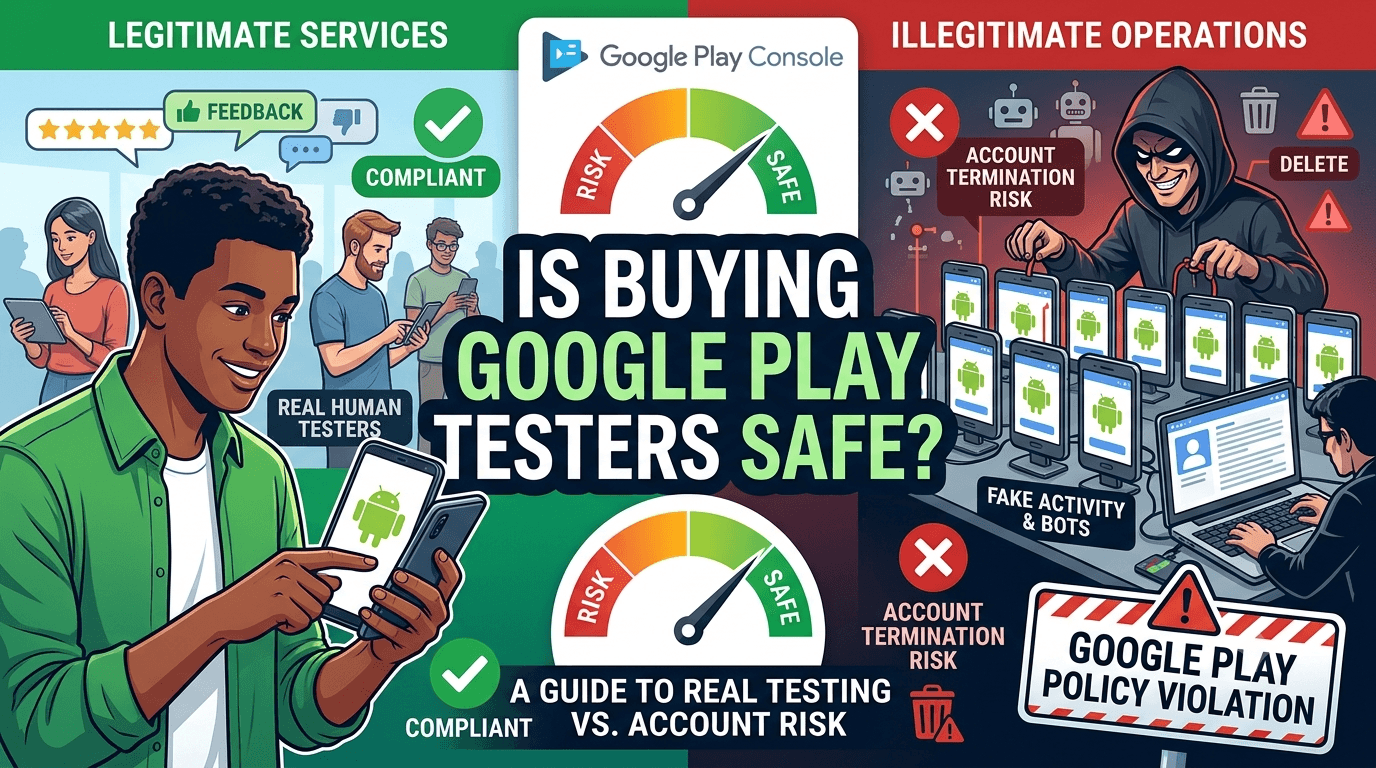
Faced with the challenge of finding 12 testers for 14 days, many developers search for a shortcut and land on offers to "buy Google Play testers." But this phrase covers two very different things: legitimate services that supply real, engaged human testers, and illegitimate operations that sell fake installs or bot activity. One is a reasonable way to meet the requirement; the other can get your app rejected and your account terminated. Understanding the difference is essential before you pay anyone. Because any app from a new personal account must complete a closed test with at least 12 testers opted in for 14 continuous days before production access, this guide explains whether buying testers is safe and how to do it without risking your account.
The requirement demands real testing, so the safety of "buying testers" comes down entirely to whether you are buying real testers or fake activity. Getting this distinction right protects the app and account you are working to launch.
What the requirement actually wants
The closed-testing requirement is tied to your developer account type, so any app on a new personal account must complete a closed test with 12+ testers for 14 continuous days before production access. See the closed testing guide. Crucially, the requirement exists to ensure real people actually use your app before it reaches the public — so its entire purpose is genuine testing. Any approach that fakes this (bots, install farms, fabricated activity) is not just against the rules; it defeats the reason the requirement exists and is exactly what Google's systems look for.
This framing answers the safety question directly: paying for genuine human testers who really use your app aligns with the requirement, while paying for fake activity works against it and puts you at risk. The rest of this guide is about telling the two apart.
Legitimate testing services
A legitimate service solves the sourcing problem by supplying verified, real testers — actual people with real Android devices who opt into your closed test correctly and use your app across the window. You pay for the reliability, device diversity, and time savings that your personal network may not provide, not for gaming the system. These testers count exactly as any real tester would, because that is what they are. For many developers, this is the fastest, lowest-hassle way to meet the requirement, and it is entirely consistent with Google's rules because the testing is real.
The value is straightforward: no chasing disengaged friends, no reciprocity obligations from exchange groups, and a device-diverse group that previews the real market. If your bottleneck is finding committed testers, a legitimate service removes it safely. You can submit your app to get started. The key is verifying that a service provides genuine testers, which we cover below. See services vs community testing.
The dangerous kind: fake installs and bots
The unsafe kind of "buying testers" is any service selling fake installs, bot activity, or fabricated engagement to tick the box without real testing. These directly violate Google's policies against fake installs, artificially inflated activity, and manipulation of Play's systems, and Google invests heavily in detecting exactly this behavior. The consequences are severe: your app can be rejected, your test invalidated, and your developer account suspended or terminated — losing not just this app but your entire Play presence and any future you planned on it.
| Signal of a risky offer | Why it's dangerous |
|---|---|
| "Instant" installs / bots | Fake activity Google detects and penalizes |
| No real device diversity | Suggests emulated or farmed installs |
| Suspiciously cheap, huge numbers | Not real human testing |
| No engagement, just "counts" | Defeats the requirement's purpose |
No shortcut is worth your account. See account termination risks.
How Google detects fakery
Google's systems analyze patterns that distinguish real testers from fake activity: device fingerprints and whether devices are genuine or emulated, geographic and behavioral patterns, install and engagement signals, and correlations that reveal install farms serving many apps. Fake installs tend to share telltale signatures — clustered devices, unnatural timing, no genuine usage — that automated detection flags. Because detection improves continuously and enforcement can be retroactive, an approach that seems to work today can trigger a penalty later, sometimes after you have launched and built a user base you then lose.
This is why fake testers are a false economy: the apparent time saved is dwarfed by the risk of losing your app and account. Real testers, by contrast, generate the natural, varied, genuine patterns that raise no flags — because they are exactly what the system expects to see. Choosing genuine testing is not only compliant but sidesteps this entire category of risk. See how Google detects fake testers.
How to vet a service before paying
Before paying any service, verify it supplies real testers. Ask how they source testers and whether they are genuine humans with real devices; a trustworthy service will explain this clearly. Be wary of anyone promising "instant" completion, absurdly low prices for large numbers, or language about bots or automated installs. Look for evidence of real engagement — that testers actually use your app and can provide feedback — rather than mere install counts. Reputable services emphasize genuine testing and compliance with Google's policies, not gaming them.
Red flags include vagueness about tester sourcing, guarantees that sound too good to be true, and any hint of emulated or farmed activity. Green flags include transparency about real testers, device diversity, engagement, and alignment with the requirement's intent. Doing this due diligence protects you from paying for something that endangers your account. If in doubt, favor services and communities whose testers are demonstrably real people. See real testers vs fake testers.
Safe alternatives to consider
If you would rather not pay, safe alternatives exist: recruit from your personal and professional network with heavy over-recruiting and active follow-up; participate genuinely in reputable developer communities and tester-exchange groups; and use the internal testing track to stabilize your build first. These take more effort and coordination than a service, and carry their own reliability challenges, but they are legitimate because the testing is real. The point is that safe options — whether free effort or paid real testers — all share one trait: genuine human testing.
Combining sources often works well: a few trusted contacts, a reputable community, and perhaps a service to guarantee your numbers and device diversity. Whatever mix you choose, the safety rule is constant — real testers are safe, fake activity is not. See getting 12 testers without friends or family.
Making a safe choice
The safe answer to "is buying testers safe?" is: yes, if you are buying real, engaged human testers from a legitimate service, and no, if you are buying fake installs or bots. Frame your decision around that distinction. A legitimate service is a reasonable, compliant way to solve the hardest part of the requirement, especially when your network cannot deliver committed, device-diverse testers. Fake-install operations, however cheap or fast, are never worth risking the account your app's future depends on.
Choose genuine testing in whatever form fits your budget and time, keep a buffer above 12, prioritize device diversity, and engage your testers well. Do that, and you meet the requirement both safely and in the spirit intended. See the Play Console beginner guide.
Use internal testing to protect your investment
Whether you pay for testers or recruit them free, their attention is valuable, so do not waste it on a broken build. Use the internal testing track first to catch obvious crashes and confirm the app installs and runs, then bring your (real) closed testers a build that already works. This makes every tester's participation count toward real feedback and requirement progress rather than reporting bugs you could have caught privately. Respecting testers' time this way also keeps them engaged for the full window. See internal vs closed testing.
Then promote to the closed track where your genuine, device-diverse testers provide the validation the requirement is about. See updating mid-testing.
After launch: keep it clean
The same principle extends beyond the requirement. Never buy fake installs, reviews, or ratings after launch either, since Google detects and penalizes these just as it does fake testing, and the same account-loss risk applies. Grow your app through genuine users, honest marketing, and real reviews. An app built on real engagement is durable and safe; one propped up by purchased fake activity lives under constant threat of enforcement. The safe path during closed testing is the safe path forever. See post-launch monitoring.
What you are actually paying for
It helps to be clear about what a legitimate testing fee buys, because framed correctly it is obviously reasonable rather than suspicious. You are paying for sourcing and reliability: the service has assembled a pool of real, verified testers with diverse devices, handles onboarding them onto your test, and ensures they stay active for the window. That is genuine work and genuine value — the same value you would create yourself by spending hours recruiting and managing volunteers, except done for you. Paying someone to solve a real logistics problem is ordinary commerce, not rule-breaking.
Contrast this with what a fake-install operation "sells": nothing real, just detectable activity that endangers your account. The price might even be similar, but one delivers value and safety while the other delivers liability. When you understand that a legitimate fee is for real people's time and real coordination, the safety question answers itself — you are buying testing, not buying your way around it. See tester cost analysis.
Protecting your developer reputation
Beyond the immediate app, your developer account is a long-term asset that fake testing puts at risk, and this is worth weighing heavily. Everything you might build on Google Play — this app, future apps, your revenue, your standing — depends on an account in good health. A single decision to use fake installs can jeopardize all of it, and account termination is often difficult or impossible to reverse. No individual app launch is worth gambling your entire platform presence, which is exactly what fake activity does.
Legitimate testing, whether free effort or a paid service, carries none of this risk, because it is simply real testing. Choosing it protects not just this launch but everything you plan to do on the platform afterward. Viewing the decision through the lens of your long-term reputation, rather than just getting past this one requirement, makes the safe choice clearly the right one. See account termination risks.
Key takeaways
- Real, engaged testers are safe to pay for; fake installs and bots are not.
- Fake activity violates Google's policies and can cost you your app and account.
- Google actively detects fake installs, and enforcement can be retroactive.
- Vet any service for genuine testers, device diversity, and real engagement.
- The requirement wants real testing — that is the whole safety principle.
Frequently asked questions
Is it safe to buy Google Play testers?
Yes if you buy real, engaged human testers from a legitimate service; no if you buy fake installs or bot activity, which risks your account.
What happens if I use fake installs?
Your app can be rejected, your test invalidated, and your developer account suspended or terminated, potentially losing everything you publish.
How does Google detect fake testers?
By analyzing device authenticity, behavioral and geographic patterns, engagement signals, and install-farm correlations that distinguish real users from fakes.
How do I know a service is legitimate?
It transparently supplies real testers with real devices and genuine engagement, avoids promising instant or bot-based completion, and emphasizes policy compliance.
Are there free safe alternatives?
Yes — your network, reputable communities, and tester exchanges are legitimate because the testing is real, though they take more effort and coordination.
Can enforcement happen after I launch?
Yes. Detection can be retroactive, so fake activity that seems to work now can trigger a penalty later, after you have built a user base.
Does paying for real testers break any rules?
No. Paying for genuine testers who really use your app is compliant, because the testing is real, which is exactly what the requirement intends.
What am I actually paying a service for?
For sourcing and reliability — a pool of verified, device-diverse real testers, onboarded onto your test and kept active for the window. It is real work, not rule-breaking.
Why does my developer reputation matter here?
Your account underpins every app and dollar you make on Play. Fake activity can get it terminated, so no single launch is worth that risk.
Expanded for topical authority — additional practical sections below. Original guide content above is unchanged.
Quick answer
Buy Google Play Testers: Is It Safe? matters because Google Play production access for many new personal developer accounts depends on a successful closed test: at least 12 real testers opted in for 14 continuous days, plus a policy-compliant, stable app. Use this guide to execute the steps correctly, avoid streak-breaking mistakes, and decide whether DIY recruitment or a managed closed testing service is the better path for your deadline.
Real-world scenarios: who this matters for
The guidance in this article on Buy Google Play Testers: Is It Safe? applies across many Android product types. Use these scenarios to map the advice to your situation.
| Developer type | Typical challenge | Practical focus |
|---|---|---|
| Indie / solo | Limited tester network and time | Start closed testing early; keep a buffer above 12 opted-in testers; parallelize listing + Data safety work |
| Startup | Launch deadline vs 14-day rule | Treat the window as fixed; recruit in parallel with QA; avoid last-minute track setup |
| Agency / white-label | Multiple client apps, each needing its own test | One closed test per app; standardize opt-in onboarding; track eligibility dates per client |
| Flutter / React Native | Cross-platform build + Play Console quirks | Ship a signed AAB to closed testing; verify installs from Play, not sideload; watch vitals on mid-range devices |
| Native Kotlin | Device/API fragmentation | Cover API levels and OEMs in your tester mix; fix crashes before requesting production |
| Game / Unity | Performance + retention during 14 days | Keep testers engaged so count never dips below 12; monitor ANRs and battery |
| E-commerce / fintech | Policy + payment flows | Test checkout, permissions, and declarations carefully before production access |
| Healthcare / kids / education | Sensitive policies (Families, data) | Align listing, privacy, and content rating with real app behavior during the test window |
Visual placeholder: Scenario matrix infographic — Indie / Startup / Agency / Cross-platform paths for Buy Google Play Testers: Is It Safe?.
Comparison: DIY recruitment vs managed closed testing
When your goal is Google Play production access, the path you choose for testers affects time, risk, and feedback quality. Use this comparison while deciding how to apply Buy Google Play Testers: Is It Safe?.
| Approach | Time to 12 opted-in | Cost | Dropout risk | Feedback quality | Best when |
|---|---|---|---|---|---|
| Friends & family | Days–weeks | $0 | High | Mixed | Tiny MVP, flexible timeline |
| Reddit / Discord / Telegram | Unpredictable | $0–low | High | Variable | You can manage onboarding daily |
| Peer community exchange | Variable | $0 | Medium | Developer-biased | You can test others’ apps in return |
| Managed closed testing (e.g. Fast Testers) | ~1 hour after valid link | $15 one-time / app | Low (buffer of 15) | Real Play installs | You need speed + continuity for 14 days |
Decision tip: If a broken streak would delay revenue or a client deadline, prioritize reliability over $0 recruitment. DIY is fine when you already have engaged testers and can monitor Play Console daily.
Visual placeholder: Comparison diagram — DIY vs community vs managed testing for Buy Google Play Testers: Is It Safe?.
Common mistakes (and how to avoid them)
These mistakes repeatedly show up when developers work through Buy Google Play Testers: Is It Safe?:
- Confusing invited vs opted-in testers — Only testers who open the opt-in link and install from Play count toward 12. Check the opted-in number in Play Console, not your email list.
- Recruiting exactly 12 with no buffer — One uninstall can break continuity. Aim for ~15 active opted-in testers.
- Starting the counted clock late — Listing assets, Data safety, and privacy work should run during the 14 days, not after.
- Using sideloaded APKs or fake installs — They do not satisfy Play’s closed testing expectations and can create account risk.
- Ignoring tester feedback until day 14 — Crashes that drive uninstalls threaten your streak and your review outcome.
- Requesting production access before the continuous streak completes — Eligibility checks fail even if calendar time has passed.
Troubleshooting checklist
If something feels “stuck” while applying Buy Google Play Testers: Is It Safe?, walk this list before changing strategy:
| Symptom | Likely cause | Fix |
|---|---|---|
| Console shows < 12 testers | Invites sent but not opted in | Resend opt-in link; confirm install from Play |
| “Not eligible” after 14 calendar days | Count dipped below 12 mid-window | Restore 12+ and complete a full continuous streak |
| Tester cannot join | Wrong account, Group lag, or track not published | Verify Google account, Group membership, track release |
| App fails to install | Device/API mismatch or signing issue | Check AAB, minSDK, Play App Signing |
| Production still rejected after testing | Policy, declarations, or stability — not the clock | Read the exact reason; fix that category completely |
Visual placeholder: Troubleshooting flowchart for Buy Google Play Testers: Is It Safe?.
Action checklist
Use this checklist alongside the rest of this guide on Buy Google Play Testers: Is It Safe?:
- ☐ Closed testing track created with a signed release (AAB)
- ☐ Opt-in link tested on a fresh Google account
- ☐ At least 12 testers opted in (prefer ~15)
- ☐ Daily check that opted-in count stays ≥ 12 for 14 continuous days
- ☐ Core flows exercised (login, main feature, permissions, offline/online)
- ☐ Crashes / ANRs triaged from tester reports and vitals
- ☐ Store listing, screenshots, and feature graphic drafted
- ☐ Privacy policy + Data safety + content rating aligned with real behavior
- ☐ Production access requested only after eligibility is green
- ☐ Staged rollout plan ready for first public release
Additional FAQs developers ask about Buy Google Play Testers: Is It Safe?
Quick answer: what should I do first?
Confirm you are on a closed testing track with real opted-in installs, keep 12+ testers for 14 continuous days, and fix policy/stability issues in parallel. Then use the detailed sections above for Buy Google Play Testers: Is It Safe?.
Does this apply to organization (company) accounts?
The classic 12×14 closed testing gate is primarily associated with new personal developer accounts. Always verify your account type and current Play Console eligibility messaging for your app.
Do friends and family count as testers?
Yes — if they opt in via your closed testing link and install from Google Play. They only help if they stay opted in for the continuous period.
Can I update the app during the 14 days?
You can usually push updates on the closed track, but unstable releases that cause uninstalls can threaten your tester count. Prefer polishing via internal testing first when possible.
What if production access is still rejected?
Read the exact reason. Incomplete testing is only one category — policy, Data safety mismatches, and crashes are common. Fix the cited issue fully before reapplying.
Is paying for testers allowed?
Using real people who install from Play is what matters. Avoid fake install farms. A one-time managed service that supplies real closed testers is a practical option when DIY recruitment is too slow.
How is Fast Testers different from free communities?
Free communities trade time and mutual availability. Fast Testers assigns about 15 real testers after you submit a valid closed testing link (one-time $15 per app) and includes a production access guarantee under its refund terms.
Where should I go next?
Review the related guides below, then either finish DIY recruitment or start closed testing if you need speed and continuity.
Sources, updates, and how to use this guide
This article on Buy Google Play Testers: Is It Safe? is maintained for Android developers preparing Google Play closed testing and production access. Always cross-check eligibility text inside your own Play Console, because Google’s UI labels and account rules can vary by account type and date.
- Primary official references: Google Play closed testing help, Developer Program Policies, and Play Console eligibility messaging for your app.
- Practical experience lens: guidance here reflects common failure modes indie developers and agencies hit when recruiting testers, maintaining the 14-day streak, and recovering from production-access rejections.
- Last reviewed focus: 12×14 closed testing continuity, real vs fake testers, and parallel listing/compliance work during the window.
Related guides and next steps
Continue building topical depth around Buy Google Play Testers: Is It Safe? with these Fast Testers resources:
- Do Friends Count As Google Play Testers
- Google Play 12 Testers Explained For Indie Developers
- Google Play 12 Testers Policy
- Google Play Closed Testing Email Templates For Testers
- Google Play Closed Testing Guide How To Get 12 Testers For 14 Days
- Google Play Says Not Enough Testers
- How Many Testers Do You Need For Google Play
- Is Buying Google Play Testers Worth It
- Pricing — $15 closed testing
- How Fast Testers works
- FAQ
- Developer reviews
- Case studies
- Submit your app / start closed testing
Need reliable testers so your 14-day streak does not stall? Educate first with the guides above, then start when you are ready — one-time pricing, real Play installs, dashboard tracking.
Internal navigation hub — added to strengthen topical connections. Original article content above is unchanged.
Topic cluster: Finding Android Beta Testers
Pillar guide: Start with How to Find Beta Testers for Your Android App for the full overview, then use the supporting guides below.
- How to Find Beta Testers for Your Android App (pillar)
- Best Way to Find Android Beta Testers in 2026
- Where to Find Real Android App Testers
- How to Hire Android App Testers
- Reddit Beta Testers: Pros and Cons for Play Store
- Paid Testers vs Free Testers for Google Play
- Real Testers vs Fake Testers: What Google Play Rewards
- Professional Testing Services vs Community Testing
- Android Beta Testing Best Practices
Continue learning
- Is Buying Google Play Testers Worth It? — Is buying Google Play testers worth it? An honest look at the value, ROI, and trade-offs of paying for real te.
- Agency Guide: Testing Client Apps on Google Play — Learn about agency multi-app testing for Google Play closed testing. Complete guide for Android developers pub.
- Closed Testing vs Open Testing on Google Play — Learn about testing track differences for Google Play closed testing. Complete guide for Android developers pu.
- FastTesters vs Reddit Testers: Which Is Better? — FastTesters vs Reddit testers for Google Play closed testing: compare speed, reliability, cost, and effort to .
- Fitness Apps and Google Play Beta Testing Rules — Learn about health app testing for Google Play closed testing. Complete guide for Android developers publishin.
- Google Play Closed Testing Service: What It Is and How It Works — What a Google Play closed testing service does, how it works, what to expect, and how it helps you get 12 real.
Next steps
- Ready to run closed testing with real Android testers? Submit your app or see pricing ($15 one-time).
- Compare options on our testing service comparison page, or read developer reviews and case studies.
- Still deciding? Review how Fast Testers works and the FAQ.