
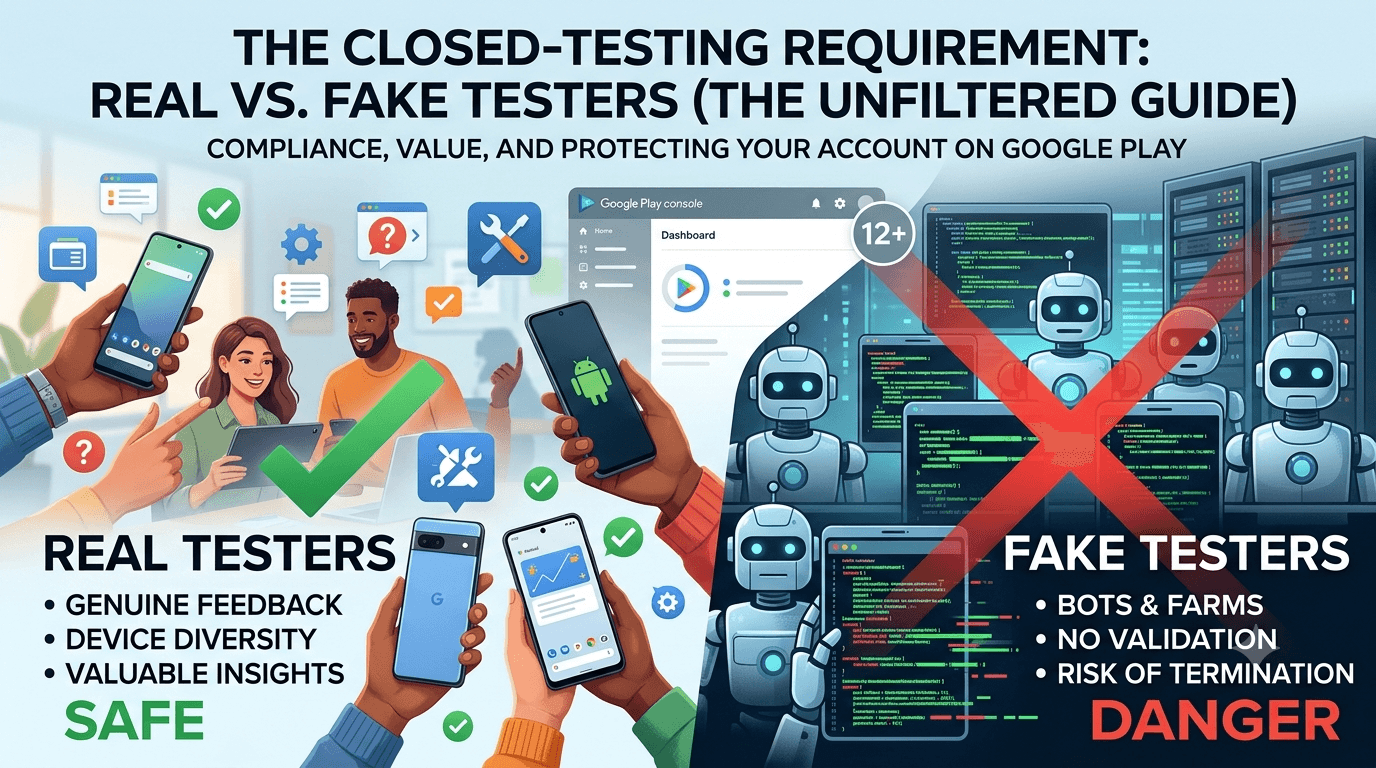
Under pressure to meet the 12-tester requirement, some developers are tempted by fake testers — bots, emulated installs, or farmed activity that promises to satisfy the count without the effort of real recruitment. Understanding the difference between real and fake testers, and why it matters so much, is essential to making a safe decision. Real testers are people; fake testers are fabricated activity, and Google treats the two very differently. Because any app from a new personal account must complete a closed test with at least 12 testers opted in for 14 continuous days before production access, this guide contrasts real and fake testers and explains why only real ones are worth using.
The requirement's entire purpose is genuine testing, so the real-versus-fake distinction is not a technicality — it determines whether you are meeting the requirement or gaming it, and whether your account is safe or at risk.
The requirement assumes real testing
The closed-testing requirement is tied to your developer account type, so any app on a new personal account must complete a closed test with 12+ testers for 14 continuous days before production access. See the closed testing guide. Google introduced it to ensure real people actually use apps before they reach the public, raising quality and accountability. Fake testers fundamentally contradict this purpose, which is why they are both against the rules and pointless: they give you a number but none of the validation the requirement is meant to produce.
Seen this way, the choice is not "real testers (hard) versus fake testers (easy)" but "real testers (compliant and valuable) versus fake testers (risky and worthless)." The rest of this guide unpacks that.
What real testers give you
Real testers are genuine people using your app on real devices, and they deliver far more than a count. They surface actual bugs and crashes across diverse hardware, provide qualitative feedback on what confuses or delights them, exercise real flows like login and payment, and generate authentic stability data in Android vitals. This is the whole point of testing: to learn what is wrong before the public does. A real tester who reports that your onboarding is baffling or that the app crashes on their phone has just saved you from bad reviews and uninstalls at launch.
Real testers also generate the natural, varied engagement patterns that Google's systems expect, so they raise no flags. And they can become your first advocates, leaving honest reviews and spreading word of mouth. In short, real testers satisfy the requirement and make your app better and your launch safer — the fake alternative does neither. See fixing crashes before production.
What fake testers actually are
Fake testers are fabricated activity dressed up as testing: bots, emulators, or install farms that register opt-ins and installs without any genuine human using your app. They produce a number and nothing else — no bug reports, no feedback, no real device coverage, no authentic usage. Worse, they carry the telltale signatures Google is built to detect, and using them exposes you to rejection and account termination.
| Aspect | Real testers | Fake testers |
|---|---|---|
| Who/what | Genuine people, real devices | Bots, emulators, farms |
| Feedback | Bug reports, real insight | None |
| Device coverage | Diverse, realistic | Fake or clustered |
| Compliance | Fully compliant | Policy violation |
| Account risk | None | Suspension/termination |
Fake testers are all risk and no reward. See is buying testers safe.
Why fake testers get caught
Google invests heavily in distinguishing real users from fake activity, analyzing device authenticity (real hardware vs emulators), behavioral patterns (genuine usage vs scripted or absent activity), geographic and timing signals, and correlations that expose install farms serving many apps at once. Fake testers cluster around these detectable signatures, while real testers scatter naturally across the patterns the system expects. Because detection keeps improving and can be applied retroactively, fake activity is a liability that can surface at any time — even after a seemingly successful launch.
This means fake testers are not merely against the rules in principle; they are practically likely to be caught, and the penalty — losing your app and possibly your account — is catastrophic relative to the effort you were trying to save. Real testers, generating authentic signals, simply never raise this issue. Choosing real testing sidesteps the entire cat-and-mouse game. See how Google detects fake testers.
The false economy of faking it
It is worth dwelling on why fake testers are a bad deal even setting aside ethics. The apparent benefit is time saved on recruitment; the actual costs are: no feedback (so your app ships with undiscovered bugs), no real device coverage (so hardware-specific problems reach users), and a standing risk of enforcement that can erase everything you build. You pay for a count and receive a hidden liability, while forgoing all the value real testing provides. Even purely selfishly, that is a terrible trade.
Meanwhile, the "hard part" of real recruitment is a solved problem: your network, communities, and legitimate services can all supply real testers, the last of which removes the effort entirely for a fee. Given that real testers cost roughly the same effort or money as some fake schemes but deliver value instead of risk, there is simply no rational case for faking it. See services vs community testing.
How to get real testers reliably
Since only real testers make sense, focus your energy on sourcing them: recruit from your personal and professional network with a healthy buffer, participate in reputable developer communities and exchanges, or use a legitimate service that supplies verified real testers with device diversity. Combine sources if needed to reach a comfortable margin above 12. Whatever you choose, ensure the testers are genuine people who will actually use your app, since that is what makes them both compliant and valuable.
If recruitment is your bottleneck, a service that provides real testers is the most direct fix, letting you meet the requirement quickly without touching anything fake. You can submit your app to get started, and read where to find real testers and getting 12 testers without friends or family.
Making real testing count
Once you have real testers, make the most of them: give clear instructions, ask specific questions, act on their feedback, fix the crashes they surface, and keep them engaged across the window. Real testers are a resource, not just a requirement to satisfy, and treating them as collaborators produces a materially better, more stable app. This is the reward fake testers can never provide, and it is the entire reason the requirement exists.
Enter production having genuinely validated your app with real people on real devices, and you launch stronger and safer than any fake shortcut could ever make you. Real testing is both the compliant choice and the smart one. See the Play Console beginner guide.
Real testing starts on internal testing
To respect your real testers' time, use the internal testing track first to fix obvious issues before your counted window. Real testers, whether friends, community members, or paid participants, invest real effort, so bring them a build that already works. This keeps their feedback focused on genuine quality and keeps them engaged, maximizing the value real testing provides. Wasting real testers on a broken build is the one way to squander the advantage they offer. See internal vs closed testing.
Then promote to the closed track where your real, device-diverse testers deliver the validation and feedback that make the window worthwhile. See updating mid-testing.
After launch: stay real
The real-versus-fake principle does not end with the requirement. Never buy fake installs, reviews, or ratings after launch, since the same detection and the same account-loss risk apply, and grow through genuine users instead. An app built and grown on real engagement is durable and safe; one propped up by fake activity lives under constant threat. Choosing real testers now sets the honest, sustainable pattern that protects your app for its whole life. See post-launch monitoring and handling reviews.
The compounding value of real testers
The value real testers provide compounds in ways a count never could. Each genuine tester is a chance to catch a bug on a device you do not own, to hear how a real person interprets your onboarding, and to validate that a critical flow like sign-in or checkout works outside your development bubble. Across a dozen testers over two weeks, that adds up to a body of real-world evidence about your app's quality that is simply unavailable from fake activity. You are not just satisfying a rule; you are getting a preview of your production reception while there is still time to fix things.
Fake testers, by definition, deliver none of this. A bot that "installs" your app tells you nothing about whether the app works, is understandable, or performs well on varied hardware. So even ignoring the account risk entirely, choosing fake over real means forgoing all the information the window is designed to give you — trading a genuine quality opportunity for an empty number. Framed as value gained versus value forfeited, real testers win decisively. See fixing crashes before production.
Where fake testing quietly fails you
Consider what happens after a fake test "succeeds." You reach production having learned nothing, so the bugs your app carries — the crash on a popular budget phone, the confusing signup, the broken payment on some configuration — all reach real users at once. The early reviews that shape your app's trajectory turn negative, uninstalls spike, and you are now debugging in public under pressure, with your reputation already dented. The fake test did not save you effort; it deferred and amplified the cost, landing it at the worst possible moment.
A real test inverts this: you absorb the bad news privately, from testers who signed up to help, and you launch having already fixed the worst issues. The difference between these two launch experiences is enormous, and it traces directly back to whether your testers were real. This is the practical reason, beyond compliance and risk, that real testing is worth doing properly. See handling user reviews.
Adopting the right mindset
Ultimately the real-versus-fake choice reflects a mindset. Developers who see closed testing as a box to check are tempted by anything that ticks it fastest, including fakery. Developers who see it as a genuine opportunity to harden their app before launch naturally choose real testers and get value from the window. The requirement rewards the second mindset, because it was designed to produce real testing, and adopting that view turns an obligation into an advantage.
Approach your test as a quality exercise with real people whose feedback you want, and every downstream decision — sourcing, engagement, iteration — follows sensibly. The count takes care of itself when you focus on genuine testing, and you end up with both a satisfied requirement and a better app. That is the whole case for real over fake, in one shift of perspective. See the Play Console beginner guide.
Key takeaways
- Real testers are genuine people who provide feedback, device coverage, and real usage.
- Fake testers are bots or farms that give only a count and a huge risk.
- Google detects fake activity and enforcement can be retroactive.
- Fake testers are a false economy — all risk, no value.
- Source real testers via your network, communities, or a legitimate service.
Frequently asked questions
What is the difference between real and fake testers?
Real testers are genuine people using your app on real devices; fake testers are bots, emulators, or farms that fabricate activity without real usage.
Why aren't fake testers worth it?
They give only a count — no feedback, no real device coverage — while risking rejection and account termination. Real testers deliver value and safety.
Can Google tell real from fake testers?
Yes. It analyzes device authenticity, behavior, geography, and install-farm patterns to distinguish genuine users from fabricated activity.
What do real testers give me besides a count?
Bug reports, qualitative feedback, real device coverage, authentic vitals data, and potentially early advocacy — everything the requirement intends.
How do I get real testers?
Through your network, reputable communities and exchanges, or a legitimate service that supplies verified real, device-diverse testers.
Is paying for real testers allowed?
Yes. Paying for genuine testers who really use your app is compliant; only fake installs and bot activity violate the rules.
Does the risk end after launch?
No. Detection can be retroactive, so fake activity remains a liability even after you launch. Stay with real engagement throughout.
What do I forgo by using fake testers?
All the value of the window — real bug reports, device coverage, flow validation, and feedback — leaving your app's real issues to surface after launch.
How does a fake test hurt my launch?
You reach production having learned nothing, so bugs hit all real users at once, negative early reviews pile up, and you debug in public under pressure.
What mindset should I have about closed testing?
Treat it as a genuine chance to harden your app, not a box to check. That perspective naturally leads to real testers and real value.
Expanded for topical authority — additional practical sections below. Original guide content above is unchanged.
Quick answer
Real Testers vs Fake Testers: What Google Play Rewards matters because Google Play production access for many new personal developer accounts depends on a successful closed test: at least 12 real testers opted in for 14 continuous days, plus a policy-compliant, stable app. Use this guide to execute the steps correctly, avoid streak-breaking mistakes, and decide whether DIY recruitment or a managed closed testing service is the better path for your deadline.
Real-world scenarios: who this matters for
The guidance in this article on Real Testers vs Fake Testers: What Google Play Rewards applies across many Android product types. Use these scenarios to map the advice to your situation.
| Developer type | Typical challenge | Practical focus |
|---|---|---|
| Indie / solo | Limited tester network and time | Start closed testing early; keep a buffer above 12 opted-in testers; parallelize listing + Data safety work |
| Startup | Launch deadline vs 14-day rule | Treat the window as fixed; recruit in parallel with QA; avoid last-minute track setup |
| Agency / white-label | Multiple client apps, each needing its own test | One closed test per app; standardize opt-in onboarding; track eligibility dates per client |
| Flutter / React Native | Cross-platform build + Play Console quirks | Ship a signed AAB to closed testing; verify installs from Play, not sideload; watch vitals on mid-range devices |
| Native Kotlin | Device/API fragmentation | Cover API levels and OEMs in your tester mix; fix crashes before requesting production |
| Game / Unity | Performance + retention during 14 days | Keep testers engaged so count never dips below 12; monitor ANRs and battery |
| E-commerce / fintech | Policy + payment flows | Test checkout, permissions, and declarations carefully before production access |
| Healthcare / kids / education | Sensitive policies (Families, data) | Align listing, privacy, and content rating with real app behavior during the test window |
Visual placeholder: Scenario matrix infographic — Indie / Startup / Agency / Cross-platform paths for Real Testers vs Fake Testers: What Google Play Rewards.
Comparison: DIY recruitment vs managed closed testing
When your goal is Google Play production access, the path you choose for testers affects time, risk, and feedback quality. Use this comparison while deciding how to apply Real Testers vs Fake Testers: What Google Play Rewards.
| Approach | Time to 12 opted-in | Cost | Dropout risk | Feedback quality | Best when |
|---|---|---|---|---|---|
| Friends & family | Days–weeks | $0 | High | Mixed | Tiny MVP, flexible timeline |
| Reddit / Discord / Telegram | Unpredictable | $0–low | High | Variable | You can manage onboarding daily |
| Peer community exchange | Variable | $0 | Medium | Developer-biased | You can test others’ apps in return |
| Managed closed testing (e.g. Fast Testers) | ~1 hour after valid link | $15 one-time / app | Low (buffer of 15) | Real Play installs | You need speed + continuity for 14 days |
Decision tip: If a broken streak would delay revenue or a client deadline, prioritize reliability over $0 recruitment. DIY is fine when you already have engaged testers and can monitor Play Console daily.
Visual placeholder: Comparison diagram — DIY vs community vs managed testing for Real Testers vs Fake Testers: What Google Play Rewards.
Common mistakes (and how to avoid them)
These mistakes repeatedly show up when developers work through Real Testers vs Fake Testers: What Google Play Rewards:
- Confusing invited vs opted-in testers — Only testers who open the opt-in link and install from Play count toward 12. Check the opted-in number in Play Console, not your email list.
- Recruiting exactly 12 with no buffer — One uninstall can break continuity. Aim for ~15 active opted-in testers.
- Starting the counted clock late — Listing assets, Data safety, and privacy work should run during the 14 days, not after.
- Using sideloaded APKs or fake installs — They do not satisfy Play’s closed testing expectations and can create account risk.
- Ignoring tester feedback until day 14 — Crashes that drive uninstalls threaten your streak and your review outcome.
- Requesting production access before the continuous streak completes — Eligibility checks fail even if calendar time has passed.
Troubleshooting checklist
If something feels “stuck” while applying Real Testers vs Fake Testers: What Google Play Rewards, walk this list before changing strategy:
| Symptom | Likely cause | Fix |
|---|---|---|
| Console shows < 12 testers | Invites sent but not opted in | Resend opt-in link; confirm install from Play |
| “Not eligible” after 14 calendar days | Count dipped below 12 mid-window | Restore 12+ and complete a full continuous streak |
| Tester cannot join | Wrong account, Group lag, or track not published | Verify Google account, Group membership, track release |
| App fails to install | Device/API mismatch or signing issue | Check AAB, minSDK, Play App Signing |
| Production still rejected after testing | Policy, declarations, or stability — not the clock | Read the exact reason; fix that category completely |
Visual placeholder: Troubleshooting flowchart for Real Testers vs Fake Testers: What Google Play Rewards.
Action checklist
Use this checklist alongside the rest of this guide on Real Testers vs Fake Testers: What Google Play Rewards:
- ☐ Closed testing track created with a signed release (AAB)
- ☐ Opt-in link tested on a fresh Google account
- ☐ At least 12 testers opted in (prefer ~15)
- ☐ Daily check that opted-in count stays ≥ 12 for 14 continuous days
- ☐ Core flows exercised (login, main feature, permissions, offline/online)
- ☐ Crashes / ANRs triaged from tester reports and vitals
- ☐ Store listing, screenshots, and feature graphic drafted
- ☐ Privacy policy + Data safety + content rating aligned with real behavior
- ☐ Production access requested only after eligibility is green
- ☐ Staged rollout plan ready for first public release
Additional FAQs developers ask about Real Testers vs Fake Testers: What Google Play Rewards
Quick answer: what should I do first?
Confirm you are on a closed testing track with real opted-in installs, keep 12+ testers for 14 continuous days, and fix policy/stability issues in parallel. Then use the detailed sections above for Real Testers vs Fake Testers: What Google Play Rewards.
Does this apply to organization (company) accounts?
The classic 12×14 closed testing gate is primarily associated with new personal developer accounts. Always verify your account type and current Play Console eligibility messaging for your app.
Do friends and family count as testers?
Yes — if they opt in via your closed testing link and install from Google Play. They only help if they stay opted in for the continuous period.
Can I update the app during the 14 days?
You can usually push updates on the closed track, but unstable releases that cause uninstalls can threaten your tester count. Prefer polishing via internal testing first when possible.
What if production access is still rejected?
Read the exact reason. Incomplete testing is only one category — policy, Data safety mismatches, and crashes are common. Fix the cited issue fully before reapplying.
Is paying for testers allowed?
Using real people who install from Play is what matters. Avoid fake install farms. A one-time managed service that supplies real closed testers is a practical option when DIY recruitment is too slow.
How is Fast Testers different from free communities?
Free communities trade time and mutual availability. Fast Testers assigns about 15 real testers after you submit a valid closed testing link (one-time $15 per app) and includes a production access guarantee under its refund terms.
Where should I go next?
Review the related guides below, then either finish DIY recruitment or start closed testing if you need speed and continuity.
Sources, updates, and how to use this guide
This article on Real Testers vs Fake Testers: What Google Play Rewards is maintained for Android developers preparing Google Play closed testing and production access. Always cross-check eligibility text inside your own Play Console, because Google’s UI labels and account rules can vary by account type and date.
- Primary official references: Google Play closed testing help, Developer Program Policies, and Play Console eligibility messaging for your app.
- Practical experience lens: guidance here reflects common failure modes indie developers and agencies hit when recruiting testers, maintaining the 14-day streak, and recovering from production-access rejections.
- Last reviewed focus: 12×14 closed testing continuity, real vs fake testers, and parallel listing/compliance work during the window.
Related guides and next steps
Continue building topical depth around Real Testers vs Fake Testers: What Google Play Rewards with these Fast Testers resources:
- Fast Testers Vs Reddit Testers
- How Google Detects Fake Testers And Install Farms
- Paid Testers Vs Free Testers
- Where To Find Real Android App Testers
- Best Way To Find Android Beta Testers In 2026
- Buy Google Play Testers Is It Safe
- Case Study First App Published In 16 Days With Fast Testers
- Developer Interview Why I Chose Professional Testers
- Pricing — $15 closed testing
- How Fast Testers works
- FAQ
- Developer reviews
- Case studies
- Submit your app / start closed testing
Need reliable testers so your 14-day streak does not stall? Educate first with the guides above, then start when you are ready — one-time pricing, real Play installs, dashboard tracking.
Further expansion — case study, decisions, and expert recommendations. Prior sections remain unchanged.
Case study: indie app that needed 12 testers in under a day
Problem: A Flutter indie developer had a client demo in three weeks. Friends-and-family recruitment stalled at 6 opted-in testers after five days of chasing messages.
Solution: They kept DIY outreach running, but also submitted a valid closed testing opt-in link to a managed service to reach ~15 real Play installs quickly. They used this guide on Real Testers Vs Fake Testers: What Google Play Rewards to brief testers on what to exercise (onboarding, permissions, offline mode) and monitored Play Console daily so the continuous streak would not break.
Result: Opted-in count stabilized above 12 within hours of assignment; 14 continuous days completed; production access requested on schedule.
Lessons learned:
- Recruit a buffer early — waiting until day 10 is the expensive mistake.
- Real Play installs beat large invite lists.
- Managed testing is a timeline tool, not a substitute for fixing product quality.
Decision guide: what should you do next?
Use this decision path when applying Real Testers Vs Fake Testers: What Google Play Rewards:
- Is your account a new personal developer account that still needs production access?
If yes, plan for closed testing with 12+ opted-in testers for 14 continuous days. If no, still test — but confirm the exact eligibility text in Play Console. - Do you already have 12+ reliable people who will install from Play and stay for two weeks?
If yes, DIY can work — add a buffer and monitor daily. If no, use community exchange or a managed closed testing service. - Is your build stable enough that testers will not churn?
If no, run internal testing first. Entering the counted window with crash loops is how streaks die. - Are Data safety, privacy policy, permissions, and listing aligned with real behavior?
If no, fix during the window so production review does not bounce you after the clock. - Has production access been rejected?
Classify: eligibility vs policy vs declarations vs stability. Fix that category completely, then re-test / re-request.
Visual placeholder: Decision tree diagram for Real Testers Vs Fake Testers: What Google Play Rewards (DIY vs managed vs fix-and-retry).
Expert recommendations
- Instrument the streak: Check opted-in count daily for the first week; replace dropouts same day.
- Brief testers once: Send a short checklist (install from Play, open app daily, try core flow, report crashes). Silent testers still count if opted in — engaged testers protect quality.
- Never “solve” recruitment with fake installs: It fails the intent of closed testing and can create account risk.
- Ship a boring-stable build to closed testing: Save experimental features for internal tracks.
- Educate first, then accelerate: If your blocker is simply finding real testers fast, a one-time managed option (Fast Testers: 15 testers, $15/app) is often cheaper than slipping a launch.
For hands-on setup after reading about Real Testers Vs Fake Testers: What Google Play Rewards, see how it works and pricing, or submit your closed testing link when you are ready.
Internal navigation hub — added to strengthen topical connections. Original article content above is unchanged.
Topic cluster: Finding Android Beta Testers
Pillar guide: Start with How to Find Beta Testers for Your Android App for the full overview, then use the supporting guides below.
- How to Find Beta Testers for Your Android App (pillar)
- Best Way to Find Android Beta Testers in 2026
- Where to Find Real Android App Testers
- How to Hire Android App Testers
- Reddit Beta Testers: Pros and Cons for Play Store
- Paid Testers vs Free Testers for Google Play
- Professional Testing Services vs Community Testing
- Android Beta Testing Best Practices
- Buy Google Play Testers: Is It Safe?
Continue learning
- FastTesters vs Reddit Testers: Which Is Better? — FastTesters vs Reddit testers for Google Play closed testing: compare speed, reliability, cost, and effort to .
- Paid Testers vs Free Testers for Google Play — Paid testers vs free testers for Google Play closed testing: real costs, speed, reliability, and which option .
- Where to Find Real Android App Testers — Where to find real Android app testers for Google Play closed testing: the best free and paid sources, how to .
- Best Way to Find Android Beta Testers in 2026 — Learn about tester recruitment strategies for Google Play closed testing. Complete guide for Android developer.
- Buy Google Play Testers: Is It Safe? — Is it safe to buy Google Play testers for closed testing? Learn what Google actually allows, the difference be.
- FastTesters vs Facebook Groups for App Testing — FastTesters vs Facebook groups for Google Play closed testing: compare reliability, safety, speed, and effort .
Next steps
- Ready to run closed testing with real Android testers? Submit your app or see pricing ($15 one-time).
- Compare options on our testing service comparison page, or read developer reviews and case studies.
- Still deciding? Review how Fast Testers works and the FAQ.