
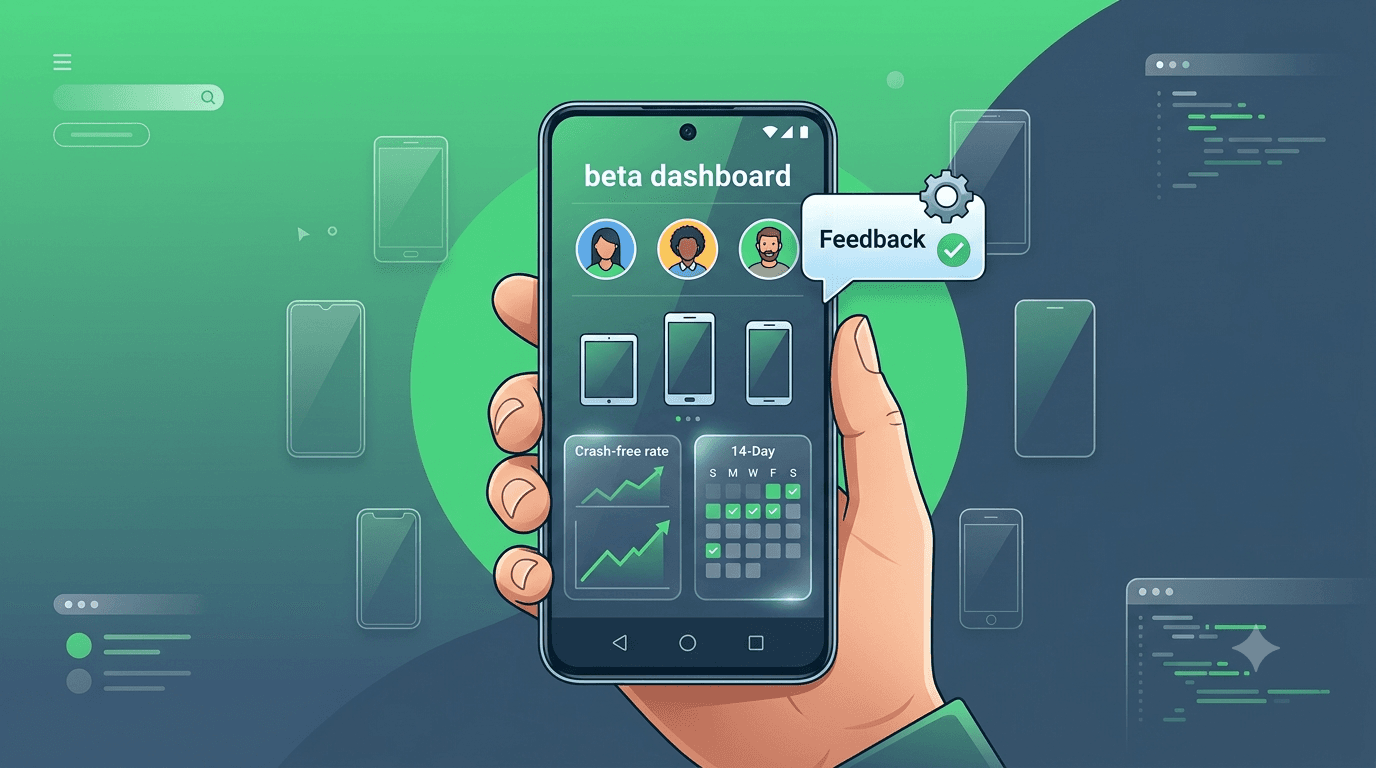
Beta testing is where your app meets reality — real users, real devices, and real usage patterns you never anticipated. Done well, it hardens your app and satisfies Google Play's requirements at the same time. Done poorly, it produces noise, dropouts, and a stalled launch. These Android beta testing best practices distill what separates a smooth beta from a frustrating one.
Contents
Quick answer
Featured answer: The best Android beta testing follows a few principles: pick the track that matches your goal, recruit real testers on diverse devices, make feedback effortless, keep testers engaged so you do not drop below the required count, and act quickly on what you learn. For new personal accounts, closed testing with 12 testers for 14 days is mandatory.
Choose the right track
Google Play offers internal, closed, and open testing tracks, each suited to a different stage. Internal testing is for a tiny trusted group and rapid iteration. Closed testing is the track that counts toward production access for new personal accounts and is where most serious beta work happens. Open testing exposes your app to a wide public audience once you are confident it is stable.
Match the track to your goal rather than defaulting to whatever is easiest. If your aim is production access, closed testing is non-negotiable — see internal vs closed testing for the distinctions that trip people up.
Recruit real, reliable testers
The quality of your beta depends entirely on the quality of your testers. You want real people, on real devices, who will actually open and use the app across the testing window. Fake or inactive accounts do not count toward Google's requirement and produce no useful signal — see real vs fake testers.
Aim for diversity: different Android versions, screen sizes, and device tiers, including budget hardware that a large share of users run. Recruit a buffer above the minimum so that inevitable dropouts never pull you below the required count mid-window.
Tip: Recruiting reliable testers fast is the hardest part of beta testing. Submit your app to get real, worldwide testers assigned within about an hour, with retention managed for the full 14 days.
Make feedback easy
Testers give more and better feedback when it costs them almost nothing. Provide a single, obvious channel — an in-app form, a short survey, or a dedicated email — and tell testers exactly what you want them to try. Vague instructions produce vague feedback; specific prompts ("try signing up, then upgrading to premium") produce actionable reports. Where possible, capture crash and performance data automatically so you are not relying solely on testers to notice and report problems.
Prevent dropout
The single most common reason a closed test fails is falling below the required tester count partway through. People uninstall, forget, or lose interest. Combat this with clear onboarding, gentle reminders, and — most importantly — a recruiting buffer so a few dropouts do not break compliance. For a deeper playbook, see avoiding tester dropout.
Act on what you learn
Feedback is only valuable if you use it. Triage incoming reports by severity, fix crashes and blocking issues first, and resist the urge to add brand-new features mid-test — a moving target produces messy results. Freeze functionality, stabilize, and let the beta validate a build you actually intend to ship.
Key takeaways
- Closed testing is mandatory for production access on new personal accounts.
- Real testers on diverse, real devices are the foundation of a useful beta.
- Make feedback effortless and give testers specific things to try.
- Recruit a buffer above 12 so dropouts never break compliance.
- Freeze features, fix the important bugs, and ship a stable build.
Why beta testing decides your launch
Beta testing is the last stage where problems are cheap to fix. Once your app is live on the Play Store, every bug, crash, or confusing flow is experienced by real users who can leave one-star reviews, uninstall, and never return — and negative reviews in the first days permanently shape your app's trajectory. A strong beta catches these issues while they are still private, when fixing them costs you a code change rather than your reputation. For apps created on a personal Google account, beta testing is also mandatory: Google requires at least 12 testers running your closed test for 14 continuous days before you can apply for production access, making beta the literal gate to launch.
Treating beta as a box to tick is a costly mistake. A well-run beta is one of the highest-leverage investments you can make: it surfaces device-specific crashes, validates that your onboarding actually makes sense to newcomers, and gives you real-world stability data before the stakes are high. The best practices below turn beta from a bureaucratic hurdle into a genuine quality gate that protects your launch.
Recruiting the right testers
The quality of your beta depends entirely on who is testing. You want testers who will actually open the app, use it across its real features, and report what they find — not names on a list who install once and disappear. Diversity matters too: testers on different Android versions, screen sizes, and manufacturers surface device-specific issues that a uniform group would miss entirely. A crash that only appears on a particular Samsung build or a layout that breaks on a small screen will only be caught if someone in your group has that configuration.
Recruiting engaged, diverse testers is exactly where most solo developers get stuck. Friends and family rarely provide enough people or enough device variety, and public testing communities are slow, unreliable, and full of reciprocal installers who never really engage. This is why many developers turn to a dedicated service that supplies verified real testers on varied devices quickly — it solves the recruitment problem in one step and ensures the group is genuinely active. See where to find real testers for a full comparison of the options.
Giving testers clear direction
Testers perform far better when they know what to do. Rather than a vague "please try the app," give a short list of the key flows you want exercised and any known rough edges to watch. Provide clear release notes with each build so testers understand what changed and what to focus on. Make reporting easy — a simple channel where they can describe issues, ideally with screenshots — because friction in reporting means valuable feedback goes unspoken. A few minutes spent orienting your testers dramatically increases the quality and quantity of what you learn.
Set expectations about cadence as well. Tell testers roughly how often you will ship updates and what you would like them to check each time. This keeps engagement high across the 14-day window rather than front-loading all activity in the first day and going quiet. Consistent daily activity is also what Google's requirement is designed to encourage, so structuring your beta this way serves both goals at once.
Iterating on feedback
A beta is a conversation, not a broadcast. When testers report an issue, acknowledge it, fix it, and ship an updated build — then let them confirm the fix. This loop does two things: it improves your app, and it keeps testers engaged because they see their input matters. A beta where feedback disappears into a void quickly loses momentum, and disengaged testers put your 14-day requirement at risk. Prioritize fixes that affect stability and core flows first, since those have the biggest impact on your eventual store rating.
Watch your crash and stability data closely throughout. The Play Console surfaces crashes and ANRs (application not responding) from your testers, and these are gold — they point you directly to the problems most likely to hurt you at launch. Aim to enter production with a clean crash profile and confidence that your core flows are solid across the devices in your beta. That is the real deliverable of a good beta, beyond simply satisfying the requirement.
Key takeaways
- Beta is the last cheap chance to fix problems before real users see them.
- Recruit engaged, device-diverse testers — quality of testers determines quality of feedback.
- Give clear instructions and release notes so testers know what to check.
- Iterate on feedback in a fast loop to keep testers engaged and the app improving.
- Enter production with a clean crash profile and validated core flows.
Handled well, beta testing is not a hurdle standing between you and launch — it is the single best opportunity you have to make sure that launch succeeds. A structured, phased beta with engaged, device-diverse testers turns the mandatory 14-day window into real quality assurance, catching the crashes, confusion, and device-specific issues that would otherwise become public one-star reviews. Invest in it accordingly, and you reach production with an app that is genuinely ready for the users who will decide its fate.
Structuring your beta in phases
A beta is more effective when you think of it in phases rather than as a single undifferentiated block of time. The opening phase is about stability: you want to confirm the app installs, launches, and survives the core flows on your testers' varied devices without crashing. Resist the urge to gather detailed feedback here — if the app is crashing on certain devices, that noise drowns out everything else. Fix the show-stoppers first, ship a clean build, and only then move on.
The middle phase is where the real learning happens. With a stable foundation, testers can explore deeper features, and you can start soliciting opinions on usability, clarity, and whether the app delivers its promised value. The final phase is confirmation: you have made changes based on feedback, and now you want to verify those changes landed well and that no regressions crept in. Framing your 14-day window this way turns it from a countdown into a structured quality process, and it maps naturally onto the continuous-testing requirement Google imposes for closed testing.
Metrics that tell you beta is working
| Signal | What good looks like |
|---|---|
| Crash-free rate | Trending up toward near-100% |
| Active testers | Consistent daily engagement, not a single spike |
| Feedback volume | Steady reports early, tapering as issues resolve |
| Return usage | Testers coming back across multiple days |
Watch these signals rather than just counting down the days. A rising crash-free rate and steady daily engagement mean your beta is genuinely validating the app; a flat line of no activity means testers have disengaged and your requirement is at risk even if the calendar is progressing. If engagement is the problem, that is usually a recruitment issue at its root — testers who were never truly invested. Sourcing verified, motivated testers from the start is the most reliable way to keep these metrics healthy across the full window.
Frequently asked questions
How many testers do I need?
At least 12 for closed testing, held for 14 consecutive days. Recruiting 15+ gives a safety buffer.
What if my testers stop engaging partway through?
Disengagement usually traces back to recruitment — testers who were never truly invested. Keep engagement high with clear instructions, fast iteration on feedback, and, ideally, verified testers who are motivated to participate for the full window.
Does the 14-day requirement need to be continuous?
Yes. Google requires at least 12 testers opted in and testing for 14 consecutive days. If engagement lapses and testers drop below the threshold, the clock effectively resets, which is why sustained daily activity matters more than a single burst of installs.
Which track should I use for beta?
Closed testing if you need production access; open testing for a wider public beta once stable.
How do I get honest feedback?
Make it easy, ask specific questions, and capture crash data automatically.
What if testers drop out?
A recruiting buffer protects you. Services also manage retention so your count stays compliant.
Should I add features during the beta?
No. Freeze features so results reflect the build you intend to release.
Does beta testing guarantee approval?
It satisfies the testing requirement and hardens your app, but policy review still applies.
Conclusion
Great Android beta testing is disciplined: the right track, real and diverse testers, effortless feedback, active retention, and fast action on what you learn. Nail these and your beta both improves your app and clears Google's requirement. Want reliable testers without the recruiting grind? Submit your app today.
Expanded for topical authority — additional practical sections below. Original guide content above is unchanged.
Real-world scenarios: who this matters for
The guidance in this article on Android Beta Testing Best Practices applies across many Android product types. Use these scenarios to map the advice to your situation.
| Developer type | Typical challenge | Practical focus |
|---|---|---|
| Indie / solo | Limited tester network and time | Start closed testing early; keep a buffer above 12 opted-in testers; parallelize listing + Data safety work |
| Startup | Launch deadline vs 14-day rule | Treat the window as fixed; recruit in parallel with QA; avoid last-minute track setup |
| Agency / white-label | Multiple client apps, each needing its own test | One closed test per app; standardize opt-in onboarding; track eligibility dates per client |
| Flutter / React Native | Cross-platform build + Play Console quirks | Ship a signed AAB to closed testing; verify installs from Play, not sideload; watch vitals on mid-range devices |
| Native Kotlin | Device/API fragmentation | Cover API levels and OEMs in your tester mix; fix crashes before requesting production |
| Game / Unity | Performance + retention during 14 days | Keep testers engaged so count never dips below 12; monitor ANRs and battery |
| E-commerce / fintech | Policy + payment flows | Test checkout, permissions, and declarations carefully before production access |
| Healthcare / kids / education | Sensitive policies (Families, data) | Align listing, privacy, and content rating with real app behavior during the test window |
Visual placeholder: Scenario matrix infographic — Indie / Startup / Agency / Cross-platform paths for Android Beta Testing Best Practices.
Comparison: DIY recruitment vs managed closed testing
When your goal is Google Play production access, the path you choose for testers affects time, risk, and feedback quality. Use this comparison while deciding how to apply Android Beta Testing Best Practices.
| Approach | Time to 12 opted-in | Cost | Dropout risk | Feedback quality | Best when |
|---|---|---|---|---|---|
| Friends & family | Days–weeks | $0 | High | Mixed | Tiny MVP, flexible timeline |
| Reddit / Discord / Telegram | Unpredictable | $0–low | High | Variable | You can manage onboarding daily |
| Peer community exchange | Variable | $0 | Medium | Developer-biased | You can test others’ apps in return |
| Managed closed testing (e.g. Fast Testers) | ~1 hour after valid link | $15 one-time / app | Low (buffer of 15) | Real Play installs | You need speed + continuity for 14 days |
Decision tip: If a broken streak would delay revenue or a client deadline, prioritize reliability over $0 recruitment. DIY is fine when you already have engaged testers and can monitor Play Console daily.
Visual placeholder: Comparison diagram — DIY vs community vs managed testing for Android Beta Testing Best Practices.
Common mistakes (and how to avoid them)
These mistakes repeatedly show up when developers work through Android Beta Testing Best Practices:
- Confusing invited vs opted-in testers — Only testers who open the opt-in link and install from Play count toward 12. Check the opted-in number in Play Console, not your email list.
- Recruiting exactly 12 with no buffer — One uninstall can break continuity. Aim for ~15 active opted-in testers.
- Starting the counted clock late — Listing assets, Data safety, and privacy work should run during the 14 days, not after.
- Using sideloaded APKs or fake installs — They do not satisfy Play’s closed testing expectations and can create account risk.
- Ignoring tester feedback until day 14 — Crashes that drive uninstalls threaten your streak and your review outcome.
- Requesting production access before the continuous streak completes — Eligibility checks fail even if calendar time has passed.
Troubleshooting checklist
If something feels “stuck” while applying Android Beta Testing Best Practices, walk this list before changing strategy:
| Symptom | Likely cause | Fix |
|---|---|---|
| Console shows < 12 testers | Invites sent but not opted in | Resend opt-in link; confirm install from Play |
| “Not eligible” after 14 calendar days | Count dipped below 12 mid-window | Restore 12+ and complete a full continuous streak |
| Tester cannot join | Wrong account, Group lag, or track not published | Verify Google account, Group membership, track release |
| App fails to install | Device/API mismatch or signing issue | Check AAB, minSDK, Play App Signing |
| Production still rejected after testing | Policy, declarations, or stability — not the clock | Read the exact reason; fix that category completely |
Visual placeholder: Troubleshooting flowchart for Android Beta Testing Best Practices.
Action checklist
Use this checklist alongside the rest of this guide on Android Beta Testing Best Practices:
- ☐ Closed testing track created with a signed release (AAB)
- ☐ Opt-in link tested on a fresh Google account
- ☐ At least 12 testers opted in (prefer ~15)
- ☐ Daily check that opted-in count stays ≥ 12 for 14 continuous days
- ☐ Core flows exercised (login, main feature, permissions, offline/online)
- ☐ Crashes / ANRs triaged from tester reports and vitals
- ☐ Store listing, screenshots, and feature graphic drafted
- ☐ Privacy policy + Data safety + content rating aligned with real behavior
- ☐ Production access requested only after eligibility is green
- ☐ Staged rollout plan ready for first public release
Additional FAQs developers ask about Android Beta Testing Best Practices
Quick answer: what should I do first?
Confirm you are on a closed testing track with real opted-in installs, keep 12+ testers for 14 continuous days, and fix policy/stability issues in parallel. Then use the detailed sections above for Android Beta Testing Best Practices.
Does this apply to organization (company) accounts?
The classic 12×14 closed testing gate is primarily associated with new personal developer accounts. Always verify your account type and current Play Console eligibility messaging for your app.
Do friends and family count as testers?
Yes — if they opt in via your closed testing link and install from Google Play. They only help if they stay opted in for the continuous period.
Can I update the app during the 14 days?
You can usually push updates on the closed track, but unstable releases that cause uninstalls can threaten your tester count. Prefer polishing via internal testing first when possible.
What if production access is still rejected?
Read the exact reason. Incomplete testing is only one category — policy, Data safety mismatches, and crashes are common. Fix the cited issue fully before reapplying.
Is paying for testers allowed?
Using real people who install from Play is what matters. Avoid fake install farms. A one-time managed service that supplies real closed testers is a practical option when DIY recruitment is too slow.
How is Fast Testers different from free communities?
Free communities trade time and mutual availability. Fast Testers assigns about 15 real testers after you submit a valid closed testing link (one-time $15 per app) and includes a production access guarantee under its refund terms.
Where should I go next?
Review the related guides below, then either finish DIY recruitment or start closed testing if you need speed and continuity.
Sources, updates, and how to use this guide
This article on Android Beta Testing Best Practices is maintained for Android developers preparing Google Play closed testing and production access. Always cross-check eligibility text inside your own Play Console, because Google’s UI labels and account rules can vary by account type and date.
- Primary official references: Google Play closed testing help, Developer Program Policies, and Play Console eligibility messaging for your app.
- Practical experience lens: guidance here reflects common failure modes indie developers and agencies hit when recruiting testers, maintaining the 14-day streak, and recovering from production-access rejections.
- Last reviewed focus: 12×14 closed testing continuity, real vs fake testers, and parallel listing/compliance work during the window.
Related guides and next steps
Continue building topical depth around Android Beta Testing Best Practices with these Fast Testers resources:
- Kotlin Android Apps Closed Testing Best Practices
- Best Way To Find Android Beta Testers In 2026
- Offline First Apps And Closed Testing Best Practices
- Analytics Sdk Testing During Closed Testing
- Android Tv Apps And Google Play Testing Tracks
- Ar Vr Android Apps And Closed Testing Requirements
- Closed Testing Vs Open Testing On Google Play
- Dark Mode And Theme Testing On Android
- Pricing — $15 closed testing
- How Fast Testers works
- FAQ
- Developer reviews
- Case studies
- Submit your app / start closed testing
Need reliable testers so your 14-day streak does not stall? Educate first with the guides above, then start when you are ready — one-time pricing, real Play installs, dashboard tracking.
Further expansion — case study, decisions, and expert recommendations. Prior sections remain unchanged.
Case study: indie app that needed 12 testers in under a day
Problem: A Flutter indie developer had a client demo in three weeks. Friends-and-family recruitment stalled at 6 opted-in testers after five days of chasing messages.
Solution: They kept DIY outreach running, but also submitted a valid closed testing opt-in link to a managed service to reach ~15 real Play installs quickly. They used this guide on Android Beta Testing Best Practices to brief testers on what to exercise (onboarding, permissions, offline mode) and monitored Play Console daily so the continuous streak would not break.
Result: Opted-in count stabilized above 12 within hours of assignment; 14 continuous days completed; production access requested on schedule.
Lessons learned:
- Recruit a buffer early — waiting until day 10 is the expensive mistake.
- Real Play installs beat large invite lists.
- Managed testing is a timeline tool, not a substitute for fixing product quality.
Decision guide: what should you do next?
Use this decision path when applying Android Beta Testing Best Practices:
- Is your account a new personal developer account that still needs production access?
If yes, plan for closed testing with 12+ opted-in testers for 14 continuous days. If no, still test — but confirm the exact eligibility text in Play Console. - Do you already have 12+ reliable people who will install from Play and stay for two weeks?
If yes, DIY can work — add a buffer and monitor daily. If no, use community exchange or a managed closed testing service. - Is your build stable enough that testers will not churn?
If no, run internal testing first. Entering the counted window with crash loops is how streaks die. - Are Data safety, privacy policy, permissions, and listing aligned with real behavior?
If no, fix during the window so production review does not bounce you after the clock. - Has production access been rejected?
Classify: eligibility vs policy vs declarations vs stability. Fix that category completely, then re-test / re-request.
Visual placeholder: Decision tree diagram for Android Beta Testing Best Practices (DIY vs managed vs fix-and-retry).
Expert recommendations
- Instrument the streak: Check opted-in count daily for the first week; replace dropouts same day.
- Brief testers once: Send a short checklist (install from Play, open app daily, try core flow, report crashes). Silent testers still count if opted in — engaged testers protect quality.
- Never “solve” recruitment with fake installs: It fails the intent of closed testing and can create account risk.
- Ship a boring-stable build to closed testing: Save experimental features for internal tracks.
- Educate first, then accelerate: If your blocker is simply finding real testers fast, a one-time managed option (Fast Testers: 15 testers, $15/app) is often cheaper than slipping a launch.
For hands-on setup after reading about Android Beta Testing Best Practices, see how it works and pricing, or submit your closed testing link when you are ready.
Internal navigation hub — added to strengthen topical connections. Original article content above is unchanged.
Topic cluster: Finding Android Beta Testers
Pillar guide: Start with How to Find Beta Testers for Your Android App for the full overview, then use the supporting guides below.
- How to Find Beta Testers for Your Android App (pillar)
- Best Way to Find Android Beta Testers in 2026
- Where to Find Real Android App Testers
- How to Hire Android App Testers
- Reddit Beta Testers: Pros and Cons for Play Store
- Paid Testers vs Free Testers for Google Play
- Real Testers vs Fake Testers: What Google Play Rewards
- Professional Testing Services vs Community Testing
- Buy Google Play Testers: Is It Safe?
Continue learning
- Best Way to Find Android Beta Testers in 2026 — Learn about tester recruitment strategies for Google Play closed testing. Complete guide for Android developer.
- Closed Testing vs Open Testing on Google Play — Learn about testing track differences for Google Play closed testing. Complete guide for Android developers pu.
- Fitness Apps and Google Play Beta Testing Rules — Learn about health app testing for Google Play closed testing. Complete guide for Android developers publishin.
- How to Find Beta Testers for Your Android App — Discover 7 proven methods for finding reliable beta testers..
- Professional Testing Services vs Community Testing — Professional testing services vs community testing for Google Play: compare reliability, speed, effort, and qu.
- Testing Android Games for Google Play Production — Learn about game app testing for Google Play closed testing. Complete guide for Android developers publishing .
Next steps
- Ready to run closed testing with real Android testers? Submit your app or see pricing ($15 one-time).
- Compare options on our testing service comparison page, or read developer reviews and case studies.
- Still deciding? Review how Fast Testers works and the FAQ.