
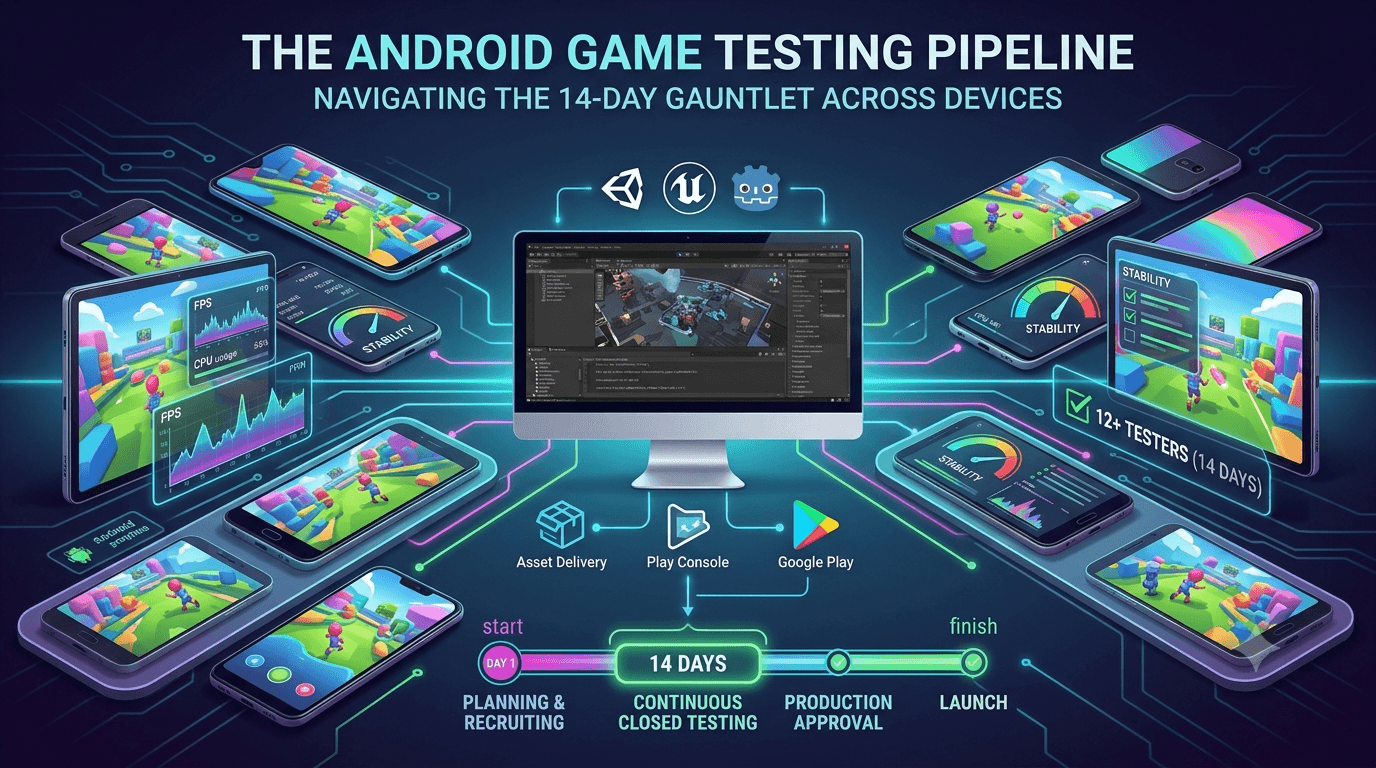
Games are the most demanding category of app to test, and getting a game ready for Google Play production means clearing both the mandatory closed-testing requirement and a high bar for performance and stability across a fragmented device landscape. Whether you built with Unity, Unreal, Godot, or native code, your game on a new personal account must complete a closed test with at least 12 testers for 14 continuous days — and games benefit more than almost any other category from a genuine, device-diverse test. This guide covers how to test an Android game thoroughly on the road to production.
The closed-testing process is the same as for any app, but games stress devices in unique ways that make real-device testing essential rather than optional. Handle performance, stability, and size well during your window, and you launch a game that earns good reviews instead of complaints about lag and crashes.
Games must meet the requirement too
There is no exemption for games. The closed-testing requirement is tied to your developer account type, so a game on a new personal account must complete a closed test with 12+ testers for 14 continuous days before production access. See the closed testing guide and, for engine-specific notes, Unity games and the 14-day rule.
Standard advice applies, with device diversity elevated to top priority given how hardware-dependent game performance is. Recruit committed testers on varied devices, keep your count above 12, and prepare your listing in parallel.
Performance testing is paramount
For games, performance is not a nice-to-have — it defines the experience. Frame rate, load times, input latency, and smoothness during intense moments all determine whether players enjoy or abandon your game. These metrics vary enormously across devices because games lean heavily on the GPU, CPU, and memory. A game locked at a smooth frame rate on your flagship may struggle on a mid-range or budget device, which is exactly where a large share of players are.
| Metric | What to check |
|---|---|
| Frame rate | Smooth on low/mid devices, not just flagships |
| Load times | Fast enough to keep players from quitting |
| Input latency | Responsive controls across devices |
| Memory | No crashes on low-RAM hardware |
| Battery & heat | Sustainable during long sessions |
Test on the mid-range and older devices your players actually own. See performance testing and low-end device testing.
Stability under sustained load
Games run continuously and intensely, which exposes stability issues that short interactions never would. Memory leaks accumulate over a long session and can crash the game; thermal throttling degrades performance as the device heats up; and edge cases in real-time systems surface only during extended, varied play. Testing must therefore include long sessions and intense scenarios, not just brief checks, to reveal these accumulating problems before players do.
During your closed test, encourage testers to play extended sessions and report any crashes, slowdowns over time, or overheating. The Play Console's Android vitals will surface crash and ANR data from real devices, pointing you to the stability problems most likely to hurt your rating. Aim to enter production with a clean crash profile across diverse hardware. See Android vitals.
Device diversity is non-negotiable
No category depends on device diversity more than games. Because performance is so hardware-dependent, testing on a narrow set of devices tells you almost nothing about how most players will experience your game. GPU tiers, RAM, refresh rates, and thermal designs vary widely, and only a broad range of real devices reveals whether your game performs acceptably across the market. This is the single most important testing principle for games.
Prioritize a device-diverse tester group above nearly everything else. Twelve testers on identical high-end phones will not surface the frame drops and crashes that budget devices expose. If assembling varied hardware yourself is impractical, a service that supplies device-diverse testers is especially valuable for games — you can submit your app to get exactly that coverage.
Size and asset delivery
Games are often large, and size affects install conversion and retention. Use app bundles and Play Asset Delivery to minimize the base download and stream large assets, and test that asset delivery works correctly across devices and network conditions. A broken or slow asset download can strand players at a loading screen, so validate this critical flow during testing. See network condition testing and app bundle vs APK.
Confirm players can download, install, and start your game quickly on real devices and varied connections. Efficient delivery is launch-critical for games, and your closed test is the time to prove it works.
Finding game testers
The requirement is identical, and for games the emphasis on device diversity makes recruitment especially important. You need 12+ committed testers on varied hardware for 14 continuous days. Options include your network, gaming communities, freelance platforms, or a dedicated service. Given how much games benefit from diverse real devices, a service that provides that coverage can be decisive.
To get device-diverse, committed testers quickly, you can submit your app, and read where to find real testers.
Setting up testing tracks for your game
After producing your optimized release build, you create a closed-testing track in the Play Console and upload the AAB. Testers are added by email or through a Google Group, and Play generates an opt-in link each tester must use to join before installing. Correct configuration matters because the 14-day clock counts only opted-in testers, and a misconfigured track is a common reason developers discover late that their timer never started. For a large game, also confirm the upload finishes and any asset packs process before you invite testers. See how to create a closed testing track.
Install the game from the Play listing on a real device — ideally a mid-range one — and confirm it downloads, unpacks streamed assets, and launches before inviting your full group. This catches broken asset delivery and startup problems, among the most damaging launch issues for games, before they strand any tester. Tell testers the download size and that Wi-Fi may be needed, so a large download does not deter them at the opt-in stage.
Write clear onboarding instructions covering the opt-in flow, since non-technical players stumble on it often and every failed opt-in is a tester who does not count toward your 12. Smooth onboarding gets more invitees to become active, counted testers on day one, protecting your buffer above the minimum and giving you a stronger, more diverse pool of real feedback from the start.
Keeping game testers engaged
The requirement is 14 continuous days with at least 12 opted-in testers maintained throughout, not simply 12 at one moment. Games risk losing testers who exhaust the available content or hit a frustrating performance issue, so attrition is real; experienced developers recruit a buffer of 15 to 20 so ordinary drop-off never pushes them below the line during the window.
Keep testers playing with regular, light touches: notes on what each update changes, specific levels or challenges to try, and quick acknowledgement of reported bugs. Concrete goals sustain engagement far better than a vague request to "just play it," and they produce more useful reports about the performance and stability differences across testers' diverse devices — the feedback a game most needs before a public launch.
Monitor your active tester count and recruit replacements the moment it slips toward the minimum, prioritizing varied hardware when you do, since games depend so heavily on device diversity. Actively managing the window, rather than treating it as set-and-forget, is the biggest factor in clearing it on the first attempt. See how to keep testers engaged.
From closed test to launch
Once your 14 continuous days with 12+ testers complete, you request production access in the Play Console. Preparing your store listing, screenshots, trailer, content rating, data-safety form, and declarations in parallel during the window lets you submit for review immediately rather than starting that work after the timer expires. For games, a strong listing with gameplay footage heavily influences conversion, so investing in it during the window pays off directly at launch. See what happens after 14 days.
Why real devices beat emulators for games
Emulators help you iterate on gameplay, but they tell you almost nothing about how your game will actually perform for players. Real performance depends on the physical GPU, the device's thermal design, the memory genuinely available after the system takes its share, and the panel's real refresh rate — none of which an emulator reproduces faithfully. A game that runs smoothly in an emulator on a strong desktop can stutter on the mid-range phones most players own, and the emulator will never warn you.
This is exactly why the closed-testing requirement, built on real opt-in testers, delivers real value for games. Testers on varied hardware surface the frame drops, overheating, long loads, and out-of-memory crashes that determine whether players stay or uninstall. The 14-day window is your structured opportunity to collect that evidence before launch, and treating it as genuine performance QA rather than a formality is what distinguishes well-reviewed games from those drowning in complaints about lag and crashes.
It follows that device diversity is the most valuable property of your tester group. Twelve testers on identical high-end phones reveal far less than twelve spread across GPU tiers, RAM levels, and price points. Prioritizing varied real hardware — through your own network or a service that supplies device-diverse testers — is the highest-value choice you can make when testing any Android game before production.
A realistic timeline for launch
Plan backward from the 14-day minimum. Expect several days up front to finalize your optimized build, verify asset delivery, and recruit, onboard, and confirm opt-ins before your continuous window truly begins. The 14 days then run while you fix issues and ship updates, and production review after you request access takes additional days. Budgeting three to four weeks end to end, rather than exactly 14, keeps your expectations realistic — particularly for a game, where cross-device performance fixes often need several iterations before you are confident.
The developers who hit their dates front-load recruitment and listing work, including trailers and screenshots, so nothing blocks them when the window closes. Because games depend so heavily on device diversity and that coverage is hard to assemble alone, resolving your tester source early — via your network or a service providing verified real testers on varied devices — is the highest-leverage step for keeping your launch on schedule.
Gathering and acting on tester feedback
For a game, the raw crash and performance data in Android vitals is invaluable, but qualitative feedback from testers is what tells you whether the game is actually fun and playable on their hardware. Give testers an easy, low-friction way to report problems — a simple form or chat channel — and ask specific questions: does it feel smooth, do loads take too long, does the device get hot, did anything confuse you? Vague requests yield vague answers, while concrete prompts produce the actionable reports that let you fix the issues most likely to generate one-star reviews.
Then close the loop. When you ship a build that addresses reported issues, tell testers what changed and ask them to confirm the fix on their device. This both validates your fixes across the diverse hardware that matters and keeps testers engaged, since people who see their feedback acted on stay invested through the full window. A game that enters production having already resolved the crashes and performance cliffs its real testers found launches far stronger than one that treated the window as a formality. See Android vitals during closed testing.
Key takeaways
- Games must meet the 12-tester, 14-day requirement like any app.
- Performance testing is paramount — frame rate, load, latency, across devices.
- Test stability under sustained, intense play to catch leaks and throttling.
- Device diversity is non-negotiable for games.
- Optimize size and validate asset delivery across devices and networks.
Frequently asked questions
Do games need closed testing?
Yes. Games on new personal accounts must complete the same 12-tester, 14-day closed test as any app.
What is the most important thing to test in a game?
Performance across diverse devices — frame rate, load times, and stability, especially on mid-range and budget hardware.
How long should test sessions be?
Include extended sessions, since memory leaks and thermal throttling only appear over time, not in brief checks.
How do I handle large game downloads?
Use app bundles and Play Asset Delivery, and test asset delivery across devices and network conditions.
Why is device diversity critical for games?
Game performance is highly hardware-dependent, so only a broad device range reveals how most players will experience it.
Expanded for topical authority — additional practical sections below. Original guide content above is unchanged.
Quick answer
Testing Android Games for Google Play Production matters because Google Play production access for many new personal developer accounts depends on a successful closed test: at least 12 real testers opted in for 14 continuous days, plus a policy-compliant, stable app. Use this guide to execute the steps correctly, avoid streak-breaking mistakes, and decide whether DIY recruitment or a managed closed testing service is the better path for your deadline.
Real-world scenarios: who this matters for
The guidance in this article on Testing Android Games for Google Play Production applies across many Android product types. Use these scenarios to map the advice to your situation.
| Developer type | Typical challenge | Practical focus |
|---|---|---|
| Indie / solo | Limited tester network and time | Start closed testing early; keep a buffer above 12 opted-in testers; parallelize listing + Data safety work |
| Startup | Launch deadline vs 14-day rule | Treat the window as fixed; recruit in parallel with QA; avoid last-minute track setup |
| Agency / white-label | Multiple client apps, each needing its own test | One closed test per app; standardize opt-in onboarding; track eligibility dates per client |
| Flutter / React Native | Cross-platform build + Play Console quirks | Ship a signed AAB to closed testing; verify installs from Play, not sideload; watch vitals on mid-range devices |
| Native Kotlin | Device/API fragmentation | Cover API levels and OEMs in your tester mix; fix crashes before requesting production |
| Game / Unity | Performance + retention during 14 days | Keep testers engaged so count never dips below 12; monitor ANRs and battery |
| E-commerce / fintech | Policy + payment flows | Test checkout, permissions, and declarations carefully before production access |
| Healthcare / kids / education | Sensitive policies (Families, data) | Align listing, privacy, and content rating with real app behavior during the test window |
Visual placeholder: Scenario matrix infographic — Indie / Startup / Agency / Cross-platform paths for Testing Android Games for Google Play Production.
Comparison: DIY recruitment vs managed closed testing
When your goal is Google Play production access, the path you choose for testers affects time, risk, and feedback quality. Use this comparison while deciding how to apply Testing Android Games for Google Play Production.
| Approach | Time to 12 opted-in | Cost | Dropout risk | Feedback quality | Best when |
|---|---|---|---|---|---|
| Friends & family | Days–weeks | $0 | High | Mixed | Tiny MVP, flexible timeline |
| Reddit / Discord / Telegram | Unpredictable | $0–low | High | Variable | You can manage onboarding daily |
| Peer community exchange | Variable | $0 | Medium | Developer-biased | You can test others’ apps in return |
| Managed closed testing (e.g. Fast Testers) | ~1 hour after valid link | $15 one-time / app | Low (buffer of 15) | Real Play installs | You need speed + continuity for 14 days |
Decision tip: If a broken streak would delay revenue or a client deadline, prioritize reliability over $0 recruitment. DIY is fine when you already have engaged testers and can monitor Play Console daily.
Visual placeholder: Comparison diagram — DIY vs community vs managed testing for Testing Android Games for Google Play Production.
Common mistakes (and how to avoid them)
These mistakes repeatedly show up when developers work through Testing Android Games for Google Play Production:
- Confusing invited vs opted-in testers — Only testers who open the opt-in link and install from Play count toward 12. Check the opted-in number in Play Console, not your email list.
- Recruiting exactly 12 with no buffer — One uninstall can break continuity. Aim for ~15 active opted-in testers.
- Starting the counted clock late — Listing assets, Data safety, and privacy work should run during the 14 days, not after.
- Using sideloaded APKs or fake installs — They do not satisfy Play’s closed testing expectations and can create account risk.
- Ignoring tester feedback until day 14 — Crashes that drive uninstalls threaten your streak and your review outcome.
- Requesting production access before the continuous streak completes — Eligibility checks fail even if calendar time has passed.
Troubleshooting checklist
If something feels “stuck” while applying Testing Android Games for Google Play Production, walk this list before changing strategy:
| Symptom | Likely cause | Fix |
|---|---|---|
| Console shows < 12 testers | Invites sent but not opted in | Resend opt-in link; confirm install from Play |
| “Not eligible” after 14 calendar days | Count dipped below 12 mid-window | Restore 12+ and complete a full continuous streak |
| Tester cannot join | Wrong account, Group lag, or track not published | Verify Google account, Group membership, track release |
| App fails to install | Device/API mismatch or signing issue | Check AAB, minSDK, Play App Signing |
| Production still rejected after testing | Policy, declarations, or stability — not the clock | Read the exact reason; fix that category completely |
Visual placeholder: Troubleshooting flowchart for Testing Android Games for Google Play Production.
Action checklist
Use this checklist alongside the rest of this guide on Testing Android Games for Google Play Production:
- ☐ Closed testing track created with a signed release (AAB)
- ☐ Opt-in link tested on a fresh Google account
- ☐ At least 12 testers opted in (prefer ~15)
- ☐ Daily check that opted-in count stays ≥ 12 for 14 continuous days
- ☐ Core flows exercised (login, main feature, permissions, offline/online)
- ☐ Crashes / ANRs triaged from tester reports and vitals
- ☐ Store listing, screenshots, and feature graphic drafted
- ☐ Privacy policy + Data safety + content rating aligned with real behavior
- ☐ Production access requested only after eligibility is green
- ☐ Staged rollout plan ready for first public release
Additional FAQs developers ask about Testing Android Games for Google Play Production
Quick answer: what should I do first?
Confirm you are on a closed testing track with real opted-in installs, keep 12+ testers for 14 continuous days, and fix policy/stability issues in parallel. Then use the detailed sections above for Testing Android Games for Google Play Production.
Does this apply to organization (company) accounts?
The classic 12×14 closed testing gate is primarily associated with new personal developer accounts. Always verify your account type and current Play Console eligibility messaging for your app.
Do friends and family count as testers?
Yes — if they opt in via your closed testing link and install from Google Play. They only help if they stay opted in for the continuous period.
Can I update the app during the 14 days?
You can usually push updates on the closed track, but unstable releases that cause uninstalls can threaten your tester count. Prefer polishing via internal testing first when possible.
What if production access is still rejected?
Read the exact reason. Incomplete testing is only one category — policy, Data safety mismatches, and crashes are common. Fix the cited issue fully before reapplying.
Is paying for testers allowed?
Using real people who install from Play is what matters. Avoid fake install farms. A one-time managed service that supplies real closed testers is a practical option when DIY recruitment is too slow.
How is Fast Testers different from free communities?
Free communities trade time and mutual availability. Fast Testers assigns about 15 real testers after you submit a valid closed testing link (one-time $15 per app) and includes a production access guarantee under its refund terms.
Where should I go next?
Review the related guides below, then either finish DIY recruitment or start closed testing if you need speed and continuity.
Sources, updates, and how to use this guide
This article on Testing Android Games for Google Play Production is maintained for Android developers preparing Google Play closed testing and production access. Always cross-check eligibility text inside your own Play Console, because Google’s UI labels and account rules can vary by account type and date.
- Primary official references: Google Play closed testing help, Developer Program Policies, and Play Console eligibility messaging for your app.
- Practical experience lens: guidance here reflects common failure modes indie developers and agencies hit when recruiting testers, maintaining the 14-day streak, and recovering from production-access rejections.
- Last reviewed focus: 12×14 closed testing continuity, real vs fake testers, and parallel listing/compliance work during the window.
Related guides and next steps
Continue building topical depth around Testing Android Games for Google Play Production with these Fast Testers resources:
- Android Tv Apps And Google Play Testing Tracks
- Closed Testing Vs Open Testing On Google Play
- Deep Link Testing Before Google Play Production
- Google Play Android Vitals During Closed Testing
- Google Play Closed Testing For Saas Android Apps
- Google Play Internal Testing Vs Closed Testing
- Unity Games And Google Play 14 Day Testing Rule
- Ad Supported Apps And Google Play Ad Policy Testing
- Pricing — $15 closed testing
- How Fast Testers works
- FAQ
- Developer reviews
- Case studies
- Submit your app / start closed testing
Need reliable testers so your 14-day streak does not stall? Educate first with the guides above, then start when you are ready — one-time pricing, real Play installs, dashboard tracking.
Internal navigation hub — added to strengthen topical connections. Original article content above is unchanged.
Continue learning
- Closed Testing vs Open Testing on Google Play — Learn about testing track differences for Google Play closed testing. Complete guide for Android developers pu.
- Agency Guide: Testing Client Apps on Google Play — Learn about agency multi-app testing for Google Play closed testing. Complete guide for Android developers pub.
- Fitness Apps and Google Play Beta Testing Rules — Learn about health app testing for Google Play closed testing. Complete guide for Android developers publishin.
- Google Play Closed Testing Service: What It Is and How It Works — What a Google Play closed testing service does, how it works, what to expect, and how it helps you get 12 real.
- Google Play Testing for Startups on a Deadline — Google Play testing for startups on a deadline: how to meet the 12-tester, 14-day requirement without derailin.
- Google Play Testing Service vs DIY: Which Should You Choose? — Google Play testing service vs DIY: compare time, cost, reliability, and outcomes of recruiting your own teste.
Next steps
- Ready to run closed testing with real Android testers? Submit your app or see pricing ($15 one-time).
- Compare options on our testing service comparison page, or read developer reviews and case studies.
- Still deciding? Review how Fast Testers works and the FAQ.