
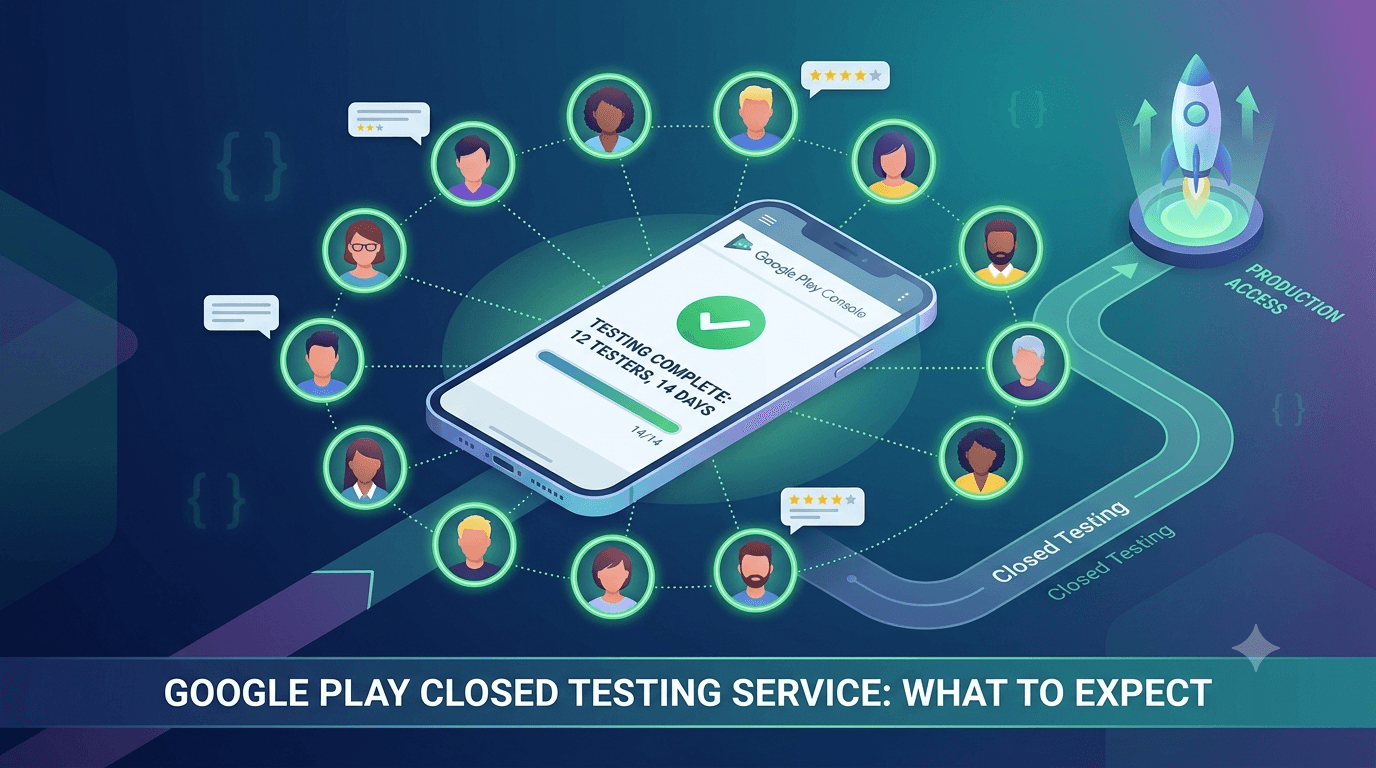
If you have hit Google Play's requirement to run closed testing with 12 testers for 14 days, you have probably searched for help. A Google Play closed testing service exists precisely to solve this problem: it supplies real testers and manages the process so you can unlock production access without begging friends and family. This guide explains what such a service does, how it works, and what to expect.
Contents
Quick answer
Featured answer: A Google Play closed testing service provides real, opted-in testers who install your app from Google Play and stay active for the full 14-day window, satisfying the requirement for production access. A good service manages retention and provides feedback, so you avoid the dropout and recruitment problems of doing it alone.
What a closed testing service is
Google requires new personal developer accounts to run a closed test — at least 12 testers, active for 14 consecutive days — before they can apply for production access. For most solo developers and small teams, finding a dozen real people willing to install and keep an app for two weeks is genuinely hard. A closed testing service bridges that gap by connecting your app with a pool of real Android testers who opt in through the official Play flow.
The key word is real. A legitimate service uses actual people on actual devices — not bots or install farms, which Google detects and which do not count. See real vs fake testers for why this distinction matters so much.
How it works
The typical flow is straightforward:
- You set up your closed testing track and generate an opt-in link, often via a Google Group.
- You submit your app and link to the service.
- The service assigns real testers who opt in and install from Google Play.
- Testers use the app across the 14-day window, and the service maintains the count against dropouts.
- You receive feedback and, after 14 days, apply for production access.
Tip: With FastTesters, testers are typically assigned within about an hour, so your 14-day clock starts the same day. Submit your app to begin.
What to expect
A quality service should provide real testers quickly, maintain at least 12 active testers for the entire window, and give you visibility into progress. Better services also provide genuine feedback reports rather than silent installs, helping you catch crashes and confusing flows before Google's review. Pricing is usually a one-time fee per testing cycle — see pricing — which is small compared to the time cost of recruiting testers yourself.
Is it legitimate?
Using a service is legitimate as long as the testers are real people who genuinely opt in through Google Play. What violates policy is fake installs, emulated devices, and install farms designed to game the system. Choose a service that is transparent about using real testers, and you stay firmly on the right side of Google's rules. For a deeper look, see is buying testers safe?
Key takeaways
- A service supplies real testers for the 12-tester, 14-day requirement.
- It manages retention so you do not drop below the minimum.
- Only real, opted-in Play installs count — avoid bots and farms.
- Expect a one-time fee, fast assignment, and feedback.
- Using a legitimate service is policy-compliant.
The problem a testing service solves
Since Google introduced the closed testing requirement for new personal developer accounts, every solo developer faces the same wall right before launch: you need at least 12 real testers who install your app from Google Play and stay actively opted in for 14 continuous days before you can even apply for production access. For a company account this is one hurdle; for an individual with no existing user base, it is often the single hardest part of shipping an app. You have built the product, you are ready to launch, and suddenly you need a dozen committed strangers to test it for two weeks.
This is exactly the gap a closed testing service fills. Rather than spending days or weeks begging friends, posting in forums, or trading installs in reciprocal groups, you get verified real testers who understand the requirement and reliably stay engaged for the full window. The service exists because the requirement created a genuine, widespread pain point, and solving it well saves developers the two things they have least of: time and certainty about their launch date.
How a closed testing service works
The mechanics are straightforward once you understand the requirement it serves. You upload your app to a closed testing track in the Play Console and get an opt-in link. The service provides real testers who use that link to join your test, install your app from Google Play, and keep it installed and opted in for the required 14 days. Because Google counts only genuine, opted-in testers, the entire value depends on those testers being real people with real Google accounts — not bots or fake installs that Google's systems detect and discount.
Good services handle the coordination that would otherwise fall on you: recruiting enough testers to comfortably clear the 12-tester minimum (usually with a buffer), making sure they opt in correctly, and keeping them active across the full window so the count does not lapse. The result is that you can focus on your app while the tester side of the requirement is handled reliably in the background. You can submit your app and have real testers begin the process quickly.
What to look for in a service
| Criterion | Why it matters |
|---|---|
| Real, opted-in testers | Only genuine testers count toward the requirement |
| Enough testers plus buffer | Covers dropouts so you never fall below 12 |
| Device diversity | Surfaces device-specific bugs, not just a count |
| Fast start | Begins the fixed 14-day clock sooner |
| Clear pricing | No surprises; you know the total cost upfront |
| Support | Help if something goes wrong mid-test |
The non-negotiable is that testers are real and properly opted in, because everything else is worthless if the installs do not count. Beyond that, a buffer above the 12-tester minimum protects you from dropouts, device diversity turns the requirement into genuine quality signal, and a fast start matters because the 14 days are fixed — the sooner they begin, the sooner you launch.
Service versus the alternatives
You have three broad options for meeting the requirement: recruit testers yourself, trade installs in tester communities, or use a dedicated service. Recruiting your own works if you happen to have a dozen willing, device-diverse friends who will stay engaged for two weeks — most people do not. Community swap groups are free but slow and unreliable, full of people who install once for a reciprocal favor and then drop off, putting your continuous-14-day count at constant risk. A service costs money but buys speed, reliability, and freedom from managing the tester side yourself.
The right choice depends on what you value most. If you have abundant time and a ready network, DIY can work. If your launch date matters, your time is valuable, or you have been burned by unreliable swap groups, a service is usually the better economics once you price in your own hours and the cost of delay. For a deeper comparison, see testing service vs DIY.
Key takeaways
- The closed testing requirement is the hardest launch step for solo developers with no user base.
- A service supplies real, opted-in testers who stay active for the full 14 days.
- Only genuine testers count — real people with real Google accounts are essential.
- Look for a tester buffer, device diversity, fast start, and clear pricing.
- A service buys speed and certainty; DIY trades money for time and risk.
For most solo developers, the closed testing requirement is the last real obstacle between a finished app and a live listing, and a good service exists precisely to remove it. By supplying real, opted-in, device-diverse testers who stay engaged for the full window, it turns the hardest part of launching into a solved problem — letting you focus on your app while the requirement is handled reliably in the background and your path to production access stays clear and on schedule.
Beyond compliance: the quality benefit
It is tempting to view a closed testing service purely as a way to tick Google's box, but the best outcomes come from treating it as genuine pre-launch quality assurance. Real testers on varied devices do not just satisfy a count — they actually use your app, and in doing so they surface crashes, layout problems, and confusing flows that you, testing alone on your own device, would never encounter. This is the difference between scraping together the twelve least-engaged people you can find and getting meaningful coverage from a diverse, active group.
Because Android runs on thousands of device and OS combinations, this real-world exposure is uniquely valuable right before launch. A crash that only appears on a particular manufacturer's build, or a screen that breaks at a certain size, will only be caught if someone with that configuration actually runs your app. A closed testing service that provides device diversity turns the mandatory 14 days into a genuine safety net, letting you fix problems while they are still private rather than after they become one-star reviews.
What to prepare before you start
To get the most from a closed testing service, do a little preparation so the window is productive from day one. Make sure your build is stable enough that testers can actually use the core features — a test where the app crashes on launch wastes everyone's time and teaches you nothing. Set up your closed testing track in the Play Console and confirm your opt-in link works. Write brief notes on what you would like testers to focus on and any known rough edges, so their attention goes where it is most useful.
Also get your surrounding launch materials underway before the clock starts, because the 14-day window is a perfect time to work on them in parallel. Your store listing, screenshots, Data Safety declarations, and production build can all be prepared while testing runs, so that when the window closes you can apply for production access immediately. This bit of upfront organization is what separates a smooth, on-schedule launch from a scramble, and it costs nothing but a little planning.
Frequently asked questions
What does a closed testing service do?
It provides real testers who install from Play and stay active for 14 days, satisfying the requirement for production access.
Do the testers actually use my app or just install it?
With a good service, they genuinely use it. While the core requirement is that they stay opted in for the full window, real, engaged testers on varied devices also surface crashes and usability issues — turning compliance into genuine pre-launch quality coverage.
How many testers will a service provide?
A reliable service provides enough to comfortably clear Google's 12-tester minimum with a buffer, so that normal dropouts never drop you below the threshold and reset your progress.
Can a service guarantee my app gets approved?
No legitimate service can guarantee production approval, because approval depends on your app meeting Google's policies. A service can reliably get you through the testing requirement; passing review is about your app's compliance.
Is it safe to use one?
Yes, if it uses real, opted-in testers. Fake installs and farms are what break policy.
How fast can I get testers?
Good services assign testers within about an hour, so your clock starts immediately.
How much does it cost?
Typically a one-time fee per cycle — see pricing.
Do I still need to set up the track?
Yes. You create the closed track and opt-in link; the service supplies testers.
Will I get feedback?
Quality services provide feedback reports, not just silent installs.
Conclusion
A Google Play closed testing service removes the hardest part of launching: finding and keeping 12 real testers for 14 days. Choose one that uses genuine testers, manages retention, and provides feedback, and you turn a two-week bottleneck into a smooth, predictable step. Ready to start today? Submit your app.
Expanded for topical authority — additional practical sections below. Original guide content above is unchanged.
Real-world scenarios: who this matters for
The guidance in this article on Google Play Closed Testing Service: What It Is and How It Works applies across many Android product types. Use these scenarios to map the advice to your situation.
| Developer type | Typical challenge | Practical focus |
|---|---|---|
| Indie / solo | Limited tester network and time | Start closed testing early; keep a buffer above 12 opted-in testers; parallelize listing + Data safety work |
| Startup | Launch deadline vs 14-day rule | Treat the window as fixed; recruit in parallel with QA; avoid last-minute track setup |
| Agency / white-label | Multiple client apps, each needing its own test | One closed test per app; standardize opt-in onboarding; track eligibility dates per client |
| Flutter / React Native | Cross-platform build + Play Console quirks | Ship a signed AAB to closed testing; verify installs from Play, not sideload; watch vitals on mid-range devices |
| Native Kotlin | Device/API fragmentation | Cover API levels and OEMs in your tester mix; fix crashes before requesting production |
| Game / Unity | Performance + retention during 14 days | Keep testers engaged so count never dips below 12; monitor ANRs and battery |
| E-commerce / fintech | Policy + payment flows | Test checkout, permissions, and declarations carefully before production access |
| Healthcare / kids / education | Sensitive policies (Families, data) | Align listing, privacy, and content rating with real app behavior during the test window |
Visual placeholder: Scenario matrix infographic — Indie / Startup / Agency / Cross-platform paths for Google Play Closed Testing Service: What It Is and How It Works.
Comparison: DIY recruitment vs managed closed testing
When your goal is Google Play production access, the path you choose for testers affects time, risk, and feedback quality. Use this comparison while deciding how to apply Google Play Closed Testing Service: What It Is and How It Works.
| Approach | Time to 12 opted-in | Cost | Dropout risk | Feedback quality | Best when |
|---|---|---|---|---|---|
| Friends & family | Days–weeks | $0 | High | Mixed | Tiny MVP, flexible timeline |
| Reddit / Discord / Telegram | Unpredictable | $0–low | High | Variable | You can manage onboarding daily |
| Peer community exchange | Variable | $0 | Medium | Developer-biased | You can test others’ apps in return |
| Managed closed testing (e.g. Fast Testers) | ~1 hour after valid link | $15 one-time / app | Low (buffer of 15) | Real Play installs | You need speed + continuity for 14 days |
Decision tip: If a broken streak would delay revenue or a client deadline, prioritize reliability over $0 recruitment. DIY is fine when you already have engaged testers and can monitor Play Console daily.
Visual placeholder: Comparison diagram — DIY vs community vs managed testing for Google Play Closed Testing Service: What It Is and How It Works.
Common mistakes (and how to avoid them)
These mistakes repeatedly show up when developers work through Google Play Closed Testing Service: What It Is and How It Works:
- Confusing invited vs opted-in testers — Only testers who open the opt-in link and install from Play count toward 12. Check the opted-in number in Play Console, not your email list.
- Recruiting exactly 12 with no buffer — One uninstall can break continuity. Aim for ~15 active opted-in testers.
- Starting the counted clock late — Listing assets, Data safety, and privacy work should run during the 14 days, not after.
- Using sideloaded APKs or fake installs — They do not satisfy Play’s closed testing expectations and can create account risk.
- Ignoring tester feedback until day 14 — Crashes that drive uninstalls threaten your streak and your review outcome.
- Requesting production access before the continuous streak completes — Eligibility checks fail even if calendar time has passed.
Troubleshooting checklist
If something feels “stuck” while applying Google Play Closed Testing Service: What It Is and How It Works, walk this list before changing strategy:
| Symptom | Likely cause | Fix |
|---|---|---|
| Console shows < 12 testers | Invites sent but not opted in | Resend opt-in link; confirm install from Play |
| “Not eligible” after 14 calendar days | Count dipped below 12 mid-window | Restore 12+ and complete a full continuous streak |
| Tester cannot join | Wrong account, Group lag, or track not published | Verify Google account, Group membership, track release |
| App fails to install | Device/API mismatch or signing issue | Check AAB, minSDK, Play App Signing |
| Production still rejected after testing | Policy, declarations, or stability — not the clock | Read the exact reason; fix that category completely |
Visual placeholder: Troubleshooting flowchart for Google Play Closed Testing Service: What It Is and How It Works.
Action checklist
Use this checklist alongside the rest of this guide on Google Play Closed Testing Service: What It Is and How It Works:
- ☐ Closed testing track created with a signed release (AAB)
- ☐ Opt-in link tested on a fresh Google account
- ☐ At least 12 testers opted in (prefer ~15)
- ☐ Daily check that opted-in count stays ≥ 12 for 14 continuous days
- ☐ Core flows exercised (login, main feature, permissions, offline/online)
- ☐ Crashes / ANRs triaged from tester reports and vitals
- ☐ Store listing, screenshots, and feature graphic drafted
- ☐ Privacy policy + Data safety + content rating aligned with real behavior
- ☐ Production access requested only after eligibility is green
- ☐ Staged rollout plan ready for first public release
Additional FAQs developers ask about Google Play Closed Testing Service: What It Is and How It Works
Quick answer: what should I do first?
Confirm you are on a closed testing track with real opted-in installs, keep 12+ testers for 14 continuous days, and fix policy/stability issues in parallel. Then use the detailed sections above for Google Play Closed Testing Service: What It Is and How It Works.
Does this apply to organization (company) accounts?
The classic 12×14 closed testing gate is primarily associated with new personal developer accounts. Always verify your account type and current Play Console eligibility messaging for your app.
Do friends and family count as testers?
Yes — if they opt in via your closed testing link and install from Google Play. They only help if they stay opted in for the continuous period.
Can I update the app during the 14 days?
You can usually push updates on the closed track, but unstable releases that cause uninstalls can threaten your tester count. Prefer polishing via internal testing first when possible.
What if production access is still rejected?
Read the exact reason. Incomplete testing is only one category — policy, Data safety mismatches, and crashes are common. Fix the cited issue fully before reapplying.
Is paying for testers allowed?
Using real people who install from Play is what matters. Avoid fake install farms. A one-time managed service that supplies real closed testers is a practical option when DIY recruitment is too slow.
How is Fast Testers different from free communities?
Free communities trade time and mutual availability. Fast Testers assigns about 15 real testers after you submit a valid closed testing link (one-time $15 per app) and includes a production access guarantee under its refund terms.
Where should I go next?
Review the related guides below, then either finish DIY recruitment or start closed testing if you need speed and continuity.
Sources, updates, and how to use this guide
This article on Google Play Closed Testing Service: What It Is and How It Works is maintained for Android developers preparing Google Play closed testing and production access. Always cross-check eligibility text inside your own Play Console, because Google’s UI labels and account rules can vary by account type and date.
- Primary official references: Google Play closed testing help, Developer Program Policies, and Play Console eligibility messaging for your app.
- Practical experience lens: guidance here reflects common failure modes indie developers and agencies hit when recruiting testers, maintaining the 14-day streak, and recovering from production-access rejections.
- Last reviewed focus: 12×14 closed testing continuity, real vs fake testers, and parallel listing/compliance work during the window.
Related guides and next steps
Continue building topical depth around Google Play Closed Testing Service: What It Is and How It Works with these Fast Testers resources:
- Closed Testing Vs Open Testing On Google Play
- Google Play Internal Testing Vs Closed Testing
- Common Google Play Closed Testing Mistakes
- Google Play Android Vitals During Closed Testing
- Google Play Closed Testing
- Google Play Closed Testing Dashboard Metrics Explained
- Google Play Closed Testing Email Templates For Testers
- Google Play Closed Testing Faq 50 Answers
- Pricing — $15 closed testing
- How Fast Testers works
- FAQ
- Developer reviews
- Case studies
- Submit your app / start closed testing
Need reliable testers so your 14-day streak does not stall? Educate first with the guides above, then start when you are ready — one-time pricing, real Play installs, dashboard tracking.
Further expansion — case study, decisions, and expert recommendations. Prior sections remain unchanged.
Case study: indie app that needed 12 testers in under a day
Problem: A Flutter indie developer had a client demo in three weeks. Friends-and-family recruitment stalled at 6 opted-in testers after five days of chasing messages.
Solution: They kept DIY outreach running, but also submitted a valid closed testing opt-in link to a managed service to reach ~15 real Play installs quickly. They used this guide on Google Play Closed Testing Service: What It Is And How It Works to brief testers on what to exercise (onboarding, permissions, offline mode) and monitored Play Console daily so the continuous streak would not break.
Result: Opted-in count stabilized above 12 within hours of assignment; 14 continuous days completed; production access requested on schedule.
Lessons learned:
- Recruit a buffer early — waiting until day 10 is the expensive mistake.
- Real Play installs beat large invite lists.
- Managed testing is a timeline tool, not a substitute for fixing product quality.
Decision guide: what should you do next?
Use this decision path when applying Google Play Closed Testing Service: What It Is And How It Works:
- Is your account a new personal developer account that still needs production access?
If yes, plan for closed testing with 12+ opted-in testers for 14 continuous days. If no, still test — but confirm the exact eligibility text in Play Console. - Do you already have 12+ reliable people who will install from Play and stay for two weeks?
If yes, DIY can work — add a buffer and monitor daily. If no, use community exchange or a managed closed testing service. - Is your build stable enough that testers will not churn?
If no, run internal testing first. Entering the counted window with crash loops is how streaks die. - Are Data safety, privacy policy, permissions, and listing aligned with real behavior?
If no, fix during the window so production review does not bounce you after the clock. - Has production access been rejected?
Classify: eligibility vs policy vs declarations vs stability. Fix that category completely, then re-test / re-request.
Visual placeholder: Decision tree diagram for Google Play Closed Testing Service: What It Is And How It Works (DIY vs managed vs fix-and-retry).
Expert recommendations
- Instrument the streak: Check opted-in count daily for the first week; replace dropouts same day.
- Brief testers once: Send a short checklist (install from Play, open app daily, try core flow, report crashes). Silent testers still count if opted in — engaged testers protect quality.
- Never “solve” recruitment with fake installs: It fails the intent of closed testing and can create account risk.
- Ship a boring-stable build to closed testing: Save experimental features for internal tracks.
- Educate first, then accelerate: If your blocker is simply finding real testers fast, a one-time managed option (Fast Testers: 15 testers, $15/app) is often cheaper than slipping a launch.
For hands-on setup after reading about Google Play Closed Testing Service: What It Is And How It Works, see how it works and pricing, or submit your closed testing link when you are ready.
Internal navigation hub — added to strengthen topical connections. Original article content above is unchanged.
Topic cluster: Testing Services & Comparisons
This is the pillar page for Testing Services & Comparisons. Explore supporting guides to go deeper on specific steps, troubleshooting, and comparisons.
- Google Play Testing Service vs DIY: Which Should You Choose?
- How to Choose a Google Play Testing Service
- How Much Does Google Play Closed Testing Cost?
- Is Buying Google Play Testers Worth It?
- FastTesters vs Reddit Testers: Which Is Better?
- FastTesters vs Telegram Communities for Testing
- FastTesters vs Facebook Groups for App Testing
- Why Professional Testers Improve Production Approval Chances
Continue learning
- Closed Testing vs Open Testing on Google Play — Learn about testing track differences for Google Play closed testing. Complete guide for Android developers pu.
- Google Play Testing Service vs DIY: Which Should You Choose? — Google Play testing service vs DIY: compare time, cost, reliability, and outcomes of recruiting your own teste.
- How Much Does Google Play Closed Testing Cost? — How much does Google Play closed testing cost? The real costs of DIY vs a testing service, hidden time costs, .
- How to Choose a Google Play Testing Service — How to choose a Google Play testing service: the criteria that matter — real testers, retention, speed, feedba.
- Agency Guide: Testing Client Apps on Google Play — Learn about agency multi-app testing for Google Play closed testing. Complete guide for Android developers pub.
- Fitness Apps and Google Play Beta Testing Rules — Learn about health app testing for Google Play closed testing. Complete guide for Android developers publishin.
Next steps
- Ready to run closed testing with real Android testers? Submit your app or see pricing ($15 one-time).
- Compare options on our testing service comparison page, or read developer reviews and case studies.
- Still deciding? Review how Fast Testers works and the FAQ.