
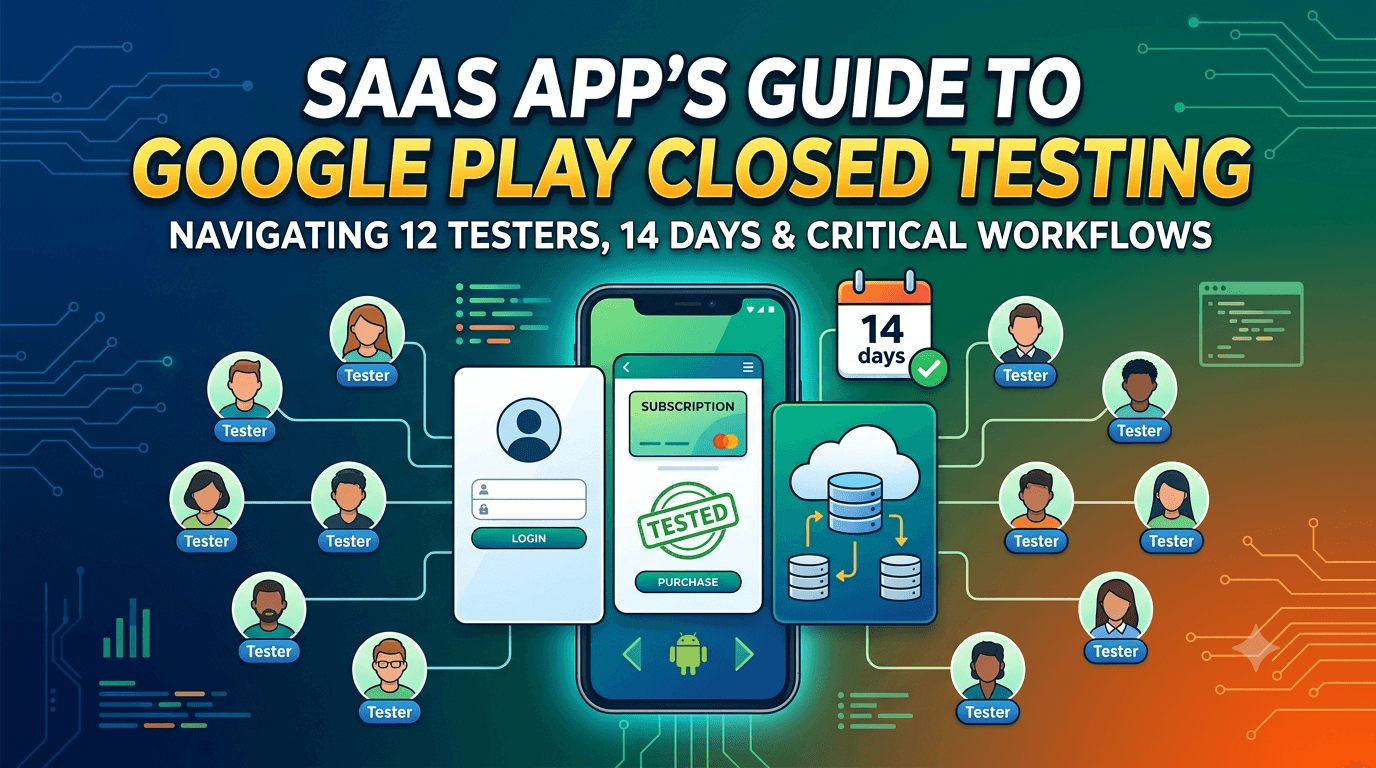
SaaS companies increasingly ship an Android app as part of their product, whether to complement a web dashboard, deliver push notifications, or capture mobile-first users. But if you publish that app from a new personal Google Play account, you face the same gate as every other developer: a closed test with at least 12 testers opted in for 14 continuous days before you can request production access. For SaaS teams used to shipping web software instantly, this fixed waiting period can be a surprise, and planning for it is essential. This guide covers what SaaS developers specifically need to know about closed testing, from account choices to the flows that matter most for subscription software.
The closed-testing process itself is identical to any app, but SaaS apps bring particular considerations around authentication, subscriptions, data handling, and the relationship between your mobile app and your existing backend. Getting these right during your testing window turns the mandatory delay into genuine quality assurance for a critical part of your product.
The requirement applies to SaaS apps
There is no exemption for business or SaaS software. The closed-testing requirement is tied to your developer account type, so a SaaS app on a new personal account must complete a closed test with 12+ testers for 14 continuous days before production access. Only organizations that qualify and register as a verified business account under the relevant conditions may see different requirements, so most individual SaaS founders publishing personally will face the standard rule. See the closed testing guide for the full requirement.
For SaaS teams, the key implication is scheduling: you cannot ship your Android app the day it is ready. Build the 14-day window (plus recruitment, onboarding, and review time) into your launch plan so it does not derail a coordinated product release or marketing push. Treating it as a known fixed cost rather than a surprise keeps your roadmap realistic.
Choosing the right account type
Before you even begin, decide whether to publish under a personal account or a verified organization account. Many SaaS companies should publish under a business identity for branding, trust, and continuity reasons, and the account type affects both verification requirements and, potentially, testing obligations. Making this decision early avoids the painful scenario of building your listing and testing under the wrong account and having to migrate later. Review developer identity verification and consider your long-term needs before committing.
Whichever you choose, complete the required identity verification promptly, since delays there can hold up your launch independently of testing. For a SaaS product that may live for years and be maintained by a team rather than one person, the durability and professionalism of an organization account is often worth the extra setup. Decide deliberately rather than defaulting to whatever is fastest today.
What to test in a SaaS app
SaaS apps have distinctive flows that demand focused testing: sign-up and login (often via SSO or OAuth), subscription purchase and management, syncing with your backend, and correct handling of different account states and permission tiers. These are exactly the paths where bugs are most costly, because they gate access to the product a customer is paying for. A broken login or a subscription that fails to unlock features will drive churn and refunds, so validating them across real devices is critical.
| SaaS test focus | Why it matters |
|---|---|
| Authentication / SSO | Gates all access; must work across devices |
| Subscription purchase | Revenue depends on it working reliably |
| Backend sync | Data must stay consistent across clients |
| Account tiers / permissions | Features must unlock correctly per plan |
| Offline / poor network | Graceful behavior when connectivity drops |
Real testers exercising these flows on varied devices and networks surface the failures your own clean environment hides. See network condition testing.
Testing subscriptions and billing
Most SaaS apps monetize through subscriptions, and Google Play Billing has specific behaviors you must test thoroughly. Purchase flows, upgrades and downgrades, cancellations, restorations after reinstall, and correct entitlement unlocking all need validation, and the closed-testing environment lets you test purchases without real charges using license testers. Because billing bugs directly cost revenue and generate support load, this is one of the highest-value areas to exercise during your window. Follow Google's Play Billing documentation and, if you use Play Billing, comply with its policy requirements.
Confirm that entitlements sync correctly between your Android app and your backend, so a customer who subscribes on mobile sees their access reflected everywhere and vice versa. Test edge cases like expired subscriptions, payment failures, and grace periods, since these determine whether a temporary billing hiccup gracefully preserves access or wrongly locks a paying customer out. Real-device testing of the full billing lifecycle is what makes your monetization dependable at launch.
Data safety and privacy
SaaS apps typically handle user data, and Google requires an accurate Data safety form declaring what you collect, how you use it, and how you protect it. Getting this right is both a policy obligation and a trust signal to customers. Use your testing period to confirm your declarations match your app's actual behavior, since mismatches between what you declare and what your app does are a common cause of enforcement. See the data safety form guide and privacy policy requirements.
If your SaaS product serves business customers or operates in regulated contexts, your data handling may need to satisfy additional standards, so ensure your privacy policy and data practices are accurate and complete before launch. Testing is the right time to verify that data flows between app and backend are secure and that your public declarations are truthful. Accurate, honest data-safety information protects both your users and your account.
Setting up your closed-testing track
Once your signed release build is ready, you create a closed-testing track in the Play Console and upload it. You add testers by email or via a Google Group, and Play generates an opt-in link each tester must use before installing. Correct configuration matters because the 14-day clock counts only opted-in testers, and a misconfigured track is a frequent reason teams discover late that their timer never really started. For a SaaS app, provision test accounts or a sandbox so testers can actually exercise the product without needing a real paid subscription. See how to create a closed testing track.
Install the app from the Play listing on a real device and run through sign-up, login, and a test purchase before inviting your full group, so you catch configuration problems privately. Provide testers with clear onboarding instructions covering both the Play opt-in flow and how to access your product, since SaaS apps often require an account that testers need help setting up. Smooth onboarding maximizes how many invitees become active, counted testers from day one.
Recruiting the right testers
You need 12+ committed, device-diverse testers for 14 continuous days, and for a SaaS app it helps if testers can meaningfully use the product — ideally people resembling your target users who will exercise real workflows rather than just opening the app once. That said, the requirement is about maintaining the tester count and window, so any reliable testers satisfy the rule; the closer they are to real users, the more valuable their feedback. Your options are your network, communities, freelance platforms, or a dedicated service.
If assembling a reliable, device-diverse group is your bottleneck — common for lean SaaS teams focused on product rather than logistics — a service that supplies verified real testers solves it quickly. You can submit your app to get started, and read where to find real testers.
Managing the 14-day window
The requirement is 14 continuous days with at least 12 opted-in testers maintained throughout, not merely 12 at one moment. If testers drift away midway, Google may not treat the window as satisfied and you can effectively restart, so recruit a buffer — commonly 15 to 20 — to absorb ordinary attrition. For a SaaS team, treating this as a managed process with a clear owner, rather than an afterthought, is what keeps the launch on schedule.
Keep testers engaged with brief update notes, clear release notes, and quick responses to feedback, and point them at the workflows most important to your product. Monitor your active tester count in the Play Console rather than assuming it holds, and recruit replacements the moment it slips toward the minimum. Actively managing the window is the single biggest factor in clearing it on the first attempt. See how to keep testers engaged.
From closed testing to production
When your 14 continuous days with 12+ testers complete, you request production access in the Play Console. If you have prepared your store listing, screenshots, content rating, Data safety form, and declarations in parallel during the window, you can submit for production review immediately rather than starting that work only after the timer expires. For a SaaS launch coordinated with marketing or a funding milestone, this parallel preparation is what lets you hit your target date rather than slipping another week. See what happens after 14 days.
Why real-device testing matters for SaaS apps
It is easy for a SaaS team, accustomed to browser dev tools and a couple of test phones, to underestimate how differently an Android app behaves across the real device landscape. Manufacturer skins alter default behavior, budget devices expose performance problems your development hardware hides, background process limits vary by vendor and can silently kill your sync, and network conditions on real cellular connections are far messier than office Wi-Fi. The authentication and sync flows at the heart of a SaaS product are exactly the areas where these differences bite, and only real testers on varied devices reveal them before your customers do.
This is precisely why Google built the closed-testing requirement around real opt-in testers rather than automated checks: real usage on real hardware surfaces the issues that matter. For a SaaS app, the practical payoff is discovering that your OAuth redirect fails on a particular browser default, or that your background sync is throttled on a specific manufacturer's build, while you still have time to fix it quietly. Treating the window as genuine device-diverse QA converts a mandatory delay into a materially more reliable product for the customers you are asking to pay.
Common reasons SaaS apps get rejected
Beyond the testing requirement, SaaS apps hit a recognizable set of rejection causes. Inaccurate or incomplete Data safety declarations are common, since SaaS apps handle user data and any mismatch with actual behavior is flagged. Incorrect handling of subscriptions — for example, not using Play Billing where required for digital services — is another frequent problem. Missing or inadequate privacy policies, broken login flows discovered during review, and permissions requested without clear justification round out the list. Each is avoidable with careful preparation during your window.
Use the 14 days to audit your app against these pitfalls deliberately: confirm your declarations match behavior, verify your billing approach is policy-correct, ensure your privacy policy is complete and linked, and check that every permission your app requests is genuinely needed and justified. Catching these before you request production access saves you the multi-day round trip of a rejection, which for a SaaS launch tied to a marketing date can be costly. See app not eligible for production access.
Turning tester feedback into fixes
The value of your closed test scales with how well you capture and act on feedback. Give testers a frictionless way to report problems — a short form or chat channel — and ask specific questions about the flows you care about most: did sign-up work, did your subscription unlock the right features, did anything feel slow or confusing? Vague prompts yield vague answers, while concrete questions produce the actionable reports that let you fix the issues most likely to cause churn or refunds after launch.
Then close the loop: when you ship a build that addresses reported problems, tell testers what changed and ask them to confirm the fix on their device. This validates your fixes across diverse hardware and keeps testers engaged, since people who see their input acted on stay invested through the window. A SaaS app that enters production having already resolved the friction its real testers found launches far stronger than one that treated the window as a formality. See fixing crashes before production.
A realistic timeline for your launch
Plan backward from the 14-day minimum. Expect a few days up front to finalize and validate your release build, provision test accounts, recruit and onboard testers, and confirm opt-ins before your continuous window truly begins. The 14 days then run while you fix issues and ship updates, and production review after you request access takes additional days. Budgeting three to four weeks end to end, rather than exactly 14, keeps a SaaS launch aligned with reality and prevents committing to a public date you cannot actually hit.
Teams that hit their dates front-load tester recruitment and listing preparation so nothing blocks them when the window closes. If recruitment is your uncertain variable — as it often is for lean SaaS teams focused on product — resolving it early through your network or a service that supplies verified real testers is the highest-leverage step for keeping your launch on schedule. See getting 12 testers without friends or family.
Key takeaways
- SaaS apps must meet the 12-tester, 14-day requirement on new personal accounts.
- Choose your account type deliberately — personal vs verified organization.
- Test authentication, subscriptions, and backend sync thoroughly across devices.
- Validate Play Billing and entitlement syncing using license testers.
- Keep your Data safety declarations accurate and manage the window actively.
Frequently asked questions
Do SaaS apps need closed testing?
Yes. On a new personal account, a SaaS app must complete the 12-tester, 14-day closed test before production access.
Should I publish under a personal or business account?
Many SaaS companies benefit from a verified organization account for trust and continuity. Decide early, as migrating later is painful.
Can I test subscriptions without real charges?
Yes. Use license testers to exercise Play Billing purchase, upgrade, cancellation, and restoration flows without real money.
What's the biggest risk area for SaaS apps?
Authentication and billing — the flows that gate access to a paid product. Test them across real devices and networks.
How do I find testers for a SaaS app?
Use your network, communities, or a service. Testers resembling your users add the most value, but any reliable testers satisfy the rule.
Expanded for topical authority — additional practical sections below. Original guide content above is unchanged.
Quick answer
Google Play Closed Testing for SaaS Android Apps matters because Google Play production access for many new personal developer accounts depends on a successful closed test: at least 12 real testers opted in for 14 continuous days, plus a policy-compliant, stable app. Use this guide to execute the steps correctly, avoid streak-breaking mistakes, and decide whether DIY recruitment or a managed closed testing service is the better path for your deadline.
Real-world scenarios: who this matters for
The guidance in this article on Google Play Closed Testing for SaaS Android Apps applies across many Android product types. Use these scenarios to map the advice to your situation.
| Developer type | Typical challenge | Practical focus |
|---|---|---|
| Indie / solo | Limited tester network and time | Start closed testing early; keep a buffer above 12 opted-in testers; parallelize listing + Data safety work |
| Startup | Launch deadline vs 14-day rule | Treat the window as fixed; recruit in parallel with QA; avoid last-minute track setup |
| Agency / white-label | Multiple client apps, each needing its own test | One closed test per app; standardize opt-in onboarding; track eligibility dates per client |
| Flutter / React Native | Cross-platform build + Play Console quirks | Ship a signed AAB to closed testing; verify installs from Play, not sideload; watch vitals on mid-range devices |
| Native Kotlin | Device/API fragmentation | Cover API levels and OEMs in your tester mix; fix crashes before requesting production |
| Game / Unity | Performance + retention during 14 days | Keep testers engaged so count never dips below 12; monitor ANRs and battery |
| E-commerce / fintech | Policy + payment flows | Test checkout, permissions, and declarations carefully before production access |
| Healthcare / kids / education | Sensitive policies (Families, data) | Align listing, privacy, and content rating with real app behavior during the test window |
Visual placeholder: Scenario matrix infographic — Indie / Startup / Agency / Cross-platform paths for Google Play Closed Testing for SaaS Android Apps.
Comparison: DIY recruitment vs managed closed testing
When your goal is Google Play production access, the path you choose for testers affects time, risk, and feedback quality. Use this comparison while deciding how to apply Google Play Closed Testing for SaaS Android Apps.
| Approach | Time to 12 opted-in | Cost | Dropout risk | Feedback quality | Best when |
|---|---|---|---|---|---|
| Friends & family | Days–weeks | $0 | High | Mixed | Tiny MVP, flexible timeline |
| Reddit / Discord / Telegram | Unpredictable | $0–low | High | Variable | You can manage onboarding daily |
| Peer community exchange | Variable | $0 | Medium | Developer-biased | You can test others’ apps in return |
| Managed closed testing (e.g. Fast Testers) | ~1 hour after valid link | $15 one-time / app | Low (buffer of 15) | Real Play installs | You need speed + continuity for 14 days |
Decision tip: If a broken streak would delay revenue or a client deadline, prioritize reliability over $0 recruitment. DIY is fine when you already have engaged testers and can monitor Play Console daily.
Visual placeholder: Comparison diagram — DIY vs community vs managed testing for Google Play Closed Testing for SaaS Android Apps.
Common mistakes (and how to avoid them)
These mistakes repeatedly show up when developers work through Google Play Closed Testing for SaaS Android Apps:
- Confusing invited vs opted-in testers — Only testers who open the opt-in link and install from Play count toward 12. Check the opted-in number in Play Console, not your email list.
- Recruiting exactly 12 with no buffer — One uninstall can break continuity. Aim for ~15 active opted-in testers.
- Starting the counted clock late — Listing assets, Data safety, and privacy work should run during the 14 days, not after.
- Using sideloaded APKs or fake installs — They do not satisfy Play’s closed testing expectations and can create account risk.
- Ignoring tester feedback until day 14 — Crashes that drive uninstalls threaten your streak and your review outcome.
- Requesting production access before the continuous streak completes — Eligibility checks fail even if calendar time has passed.
Troubleshooting checklist
If something feels “stuck” while applying Google Play Closed Testing for SaaS Android Apps, walk this list before changing strategy:
| Symptom | Likely cause | Fix |
|---|---|---|
| Console shows < 12 testers | Invites sent but not opted in | Resend opt-in link; confirm install from Play |
| “Not eligible” after 14 calendar days | Count dipped below 12 mid-window | Restore 12+ and complete a full continuous streak |
| Tester cannot join | Wrong account, Group lag, or track not published | Verify Google account, Group membership, track release |
| App fails to install | Device/API mismatch or signing issue | Check AAB, minSDK, Play App Signing |
| Production still rejected after testing | Policy, declarations, or stability — not the clock | Read the exact reason; fix that category completely |
Visual placeholder: Troubleshooting flowchart for Google Play Closed Testing for SaaS Android Apps.
Action checklist
Use this checklist alongside the rest of this guide on Google Play Closed Testing for SaaS Android Apps:
- ☐ Closed testing track created with a signed release (AAB)
- ☐ Opt-in link tested on a fresh Google account
- ☐ At least 12 testers opted in (prefer ~15)
- ☐ Daily check that opted-in count stays ≥ 12 for 14 continuous days
- ☐ Core flows exercised (login, main feature, permissions, offline/online)
- ☐ Crashes / ANRs triaged from tester reports and vitals
- ☐ Store listing, screenshots, and feature graphic drafted
- ☐ Privacy policy + Data safety + content rating aligned with real behavior
- ☐ Production access requested only after eligibility is green
- ☐ Staged rollout plan ready for first public release
Additional FAQs developers ask about Google Play Closed Testing for SaaS Android Apps
Quick answer: what should I do first?
Confirm you are on a closed testing track with real opted-in installs, keep 12+ testers for 14 continuous days, and fix policy/stability issues in parallel. Then use the detailed sections above for Google Play Closed Testing for SaaS Android Apps.
Does this apply to organization (company) accounts?
The classic 12×14 closed testing gate is primarily associated with new personal developer accounts. Always verify your account type and current Play Console eligibility messaging for your app.
Do friends and family count as testers?
Yes — if they opt in via your closed testing link and install from Google Play. They only help if they stay opted in for the continuous period.
Can I update the app during the 14 days?
You can usually push updates on the closed track, but unstable releases that cause uninstalls can threaten your tester count. Prefer polishing via internal testing first when possible.
What if production access is still rejected?
Read the exact reason. Incomplete testing is only one category — policy, Data safety mismatches, and crashes are common. Fix the cited issue fully before reapplying.
Is paying for testers allowed?
Using real people who install from Play is what matters. Avoid fake install farms. A one-time managed service that supplies real closed testers is a practical option when DIY recruitment is too slow.
How is Fast Testers different from free communities?
Free communities trade time and mutual availability. Fast Testers assigns about 15 real testers after you submit a valid closed testing link (one-time $15 per app) and includes a production access guarantee under its refund terms.
Where should I go next?
Review the related guides below, then either finish DIY recruitment or start closed testing if you need speed and continuity.
Sources, updates, and how to use this guide
This article on Google Play Closed Testing for SaaS Android Apps is maintained for Android developers preparing Google Play closed testing and production access. Always cross-check eligibility text inside your own Play Console, because Google’s UI labels and account rules can vary by account type and date.
- Primary official references: Google Play closed testing help, Developer Program Policies, and Play Console eligibility messaging for your app.
- Practical experience lens: guidance here reflects common failure modes indie developers and agencies hit when recruiting testers, maintaining the 14-day streak, and recovering from production-access rejections.
- Last reviewed focus: 12×14 closed testing continuity, real vs fake testers, and parallel listing/compliance work during the window.
Related guides and next steps
Continue building topical depth around Google Play Closed Testing for SaaS Android Apps with these Fast Testers resources:
- Android Tv Apps And Google Play Testing Tracks
- Closed Testing Vs Open Testing On Google Play
- Google Play Android Vitals During Closed Testing
- Google Play Closed Testing For Flutter Apps
- Google Play Closed Testing For React Native Apps
- Google Play Closed Testing For White Label Apps
- Google Play Internal Testing Vs Closed Testing
- Multi Language Apps And Google Play Closed Testing
- Pricing — $15 closed testing
- How Fast Testers works
- FAQ
- Developer reviews
- Case studies
- Submit your app / start closed testing
Need reliable testers so your 14-day streak does not stall? Educate first with the guides above, then start when you are ready — one-time pricing, real Play installs, dashboard tracking.
Internal navigation hub — added to strengthen topical connections. Original article content above is unchanged.
Continue learning
- Google Play Android Vitals During Closed Testing — Learn about vitals monitoring for Google Play closed testing. Complete guide for Android developers publishing.
- Google Play Closed Testing for Flutter Apps — Learn about Flutter app testing for Google Play closed testing. Complete guide for Android developers publishi.
- Google Play Closed Testing for React Native Apps — Learn about React Native testing for Google Play closed testing. Complete guide for Android developers publish.
- Google Play Closed Testing for White-Label Apps — Learn about white-label testing for Google Play closed testing. Complete guide for Android developers publishi.
- VPN Apps and Google Play Closed Testing Challenges — Learn about VPN app testing for Google Play closed testing. Complete guide for Android developers publishing o.
- Common Google Play Closed Testing Mistakes to Avoid — The most common Google Play closed testing mistakes — wrong track, too few testers, dropouts, sideloading — an.
Next steps
- Ready to run closed testing with real Android testers? Submit your app or see pricing ($15 one-time).
- Compare options on our testing service comparison page, or read developer reviews and case studies.
- Still deciding? Review how Fast Testers works and the FAQ.