
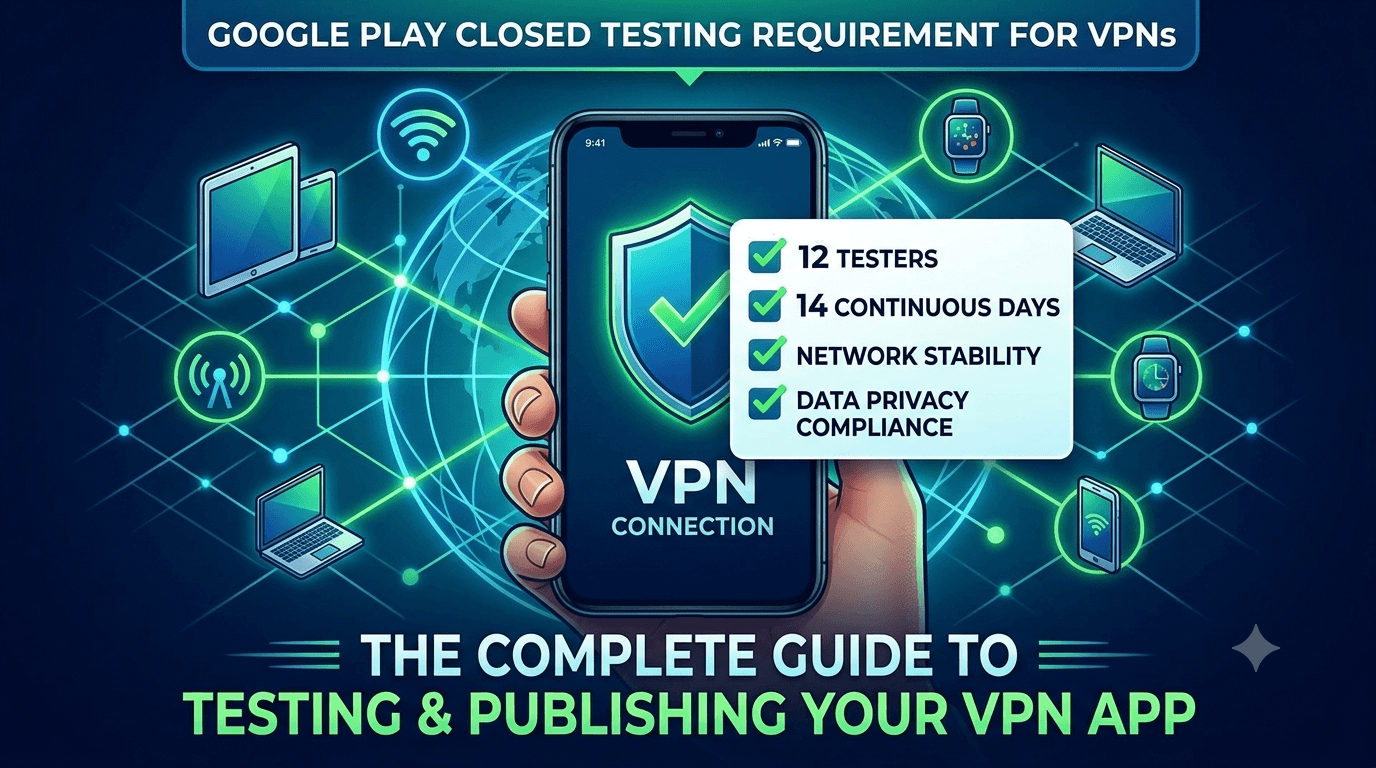
VPN apps are useful and popular, but they occupy one of the most heavily scrutinized categories on Google Play. Because a VPN can intercept and route user traffic, Google applies specific policy requirements to apps using the VpnService API, and it reviews them carefully for privacy and security. On top of that, a VPN app published from a new personal account must complete a closed test with at least 12 testers opted in for 14 continuous days before production access. This guide covers the particular challenges of testing and publishing a VPN app and how to navigate both the requirement and the policies.
The closed-testing process is the same as for any app, but VPN apps face heightened policy obligations and demanding technical testing across networks and devices. Using your testing window to validate both functionality and compliance is essential in a category where mistakes trigger rejection or removal.
The requirement applies to VPN apps
There is no exemption for VPN apps. The closed-testing requirement is tied to your developer account type, so a VPN app on a new personal account must complete a closed test with 12+ testers for 14 continuous days before production access. See the closed testing guide. Given the extra policy scrutiny VPNs face, prepare compliance in parallel with testing and start early.
Standard advice applies: recruit committed, device-diverse testers, keep your count above 12, and prepare your listing in parallel. VPN apps additionally need network-diverse testing, since behavior varies across connection types and regions.
VPN policy requirements
Google has specific requirements for apps that use the VpnService API. Such apps must use it to provide a genuine VPN service (not to intercept or collect user traffic for other purposes), must be transparent about data handling, and must comply with privacy requirements. Misusing VpnService — for example, to serve ads, monitor traffic, or collect data unrelated to the VPN function — violates policy. You must clearly declare your use and honor user trust. Review Google's policy on VPN and VpnService use.
Because VPNs handle all of a user's traffic, transparency about what you do (and do not) log and collect is both a policy obligation and a trust essential. Use your testing window to confirm your app uses VpnService legitimately, that your data practices match your declarations, and that your privacy policy is thorough and truthful. Any gap here is a serious risk in this category. See the data safety form guide.
What to test in a VPN app
VPN apps have demanding technical testing needs: connection establishment and stability, correct routing of traffic, behavior when the connection drops, reconnection logic, and a kill switch if you offer one. These must work reliably across network types (Wi-Fi, cellular, different carriers) and devices, since a VPN that leaks traffic on disconnect or fails to reconnect undermines the entire purpose and can expose users. Reliability and correctness are paramount because users depend on the VPN for privacy and security.
| VPN test focus | Why it matters |
|---|---|
| Connection stability | Dropouts break the core promise |
| Kill switch / leak prevention | Traffic must not leak on disconnect |
| Reconnection logic | Must recover gracefully across networks |
| Battery impact | Always-on VPNs can drain battery |
| Cross-network behavior | Wi-Fi/cellular handoff must work |
Real testers across diverse networks and devices reveal the leaks and dropouts that matter. See network condition testing.
Testing reliability across networks
A VPN's value depends on reliable behavior across the messy reality of mobile networks. Test how your app handles switching between Wi-Fi and cellular, moving between different networks, losing connectivity entirely, and returning online. Confirm that traffic does not leak during these transitions and that reconnection is prompt and correct. These scenarios are exactly where VPN apps most often fail, and they only surface with real testers on real networks in real conditions rather than in a stable lab environment.
Battery is another key concern, since an always-on VPN runs continuously and can drain the battery if inefficient. Test battery impact during realistic use across devices, and tune your implementation accordingly. Users abandon a VPN that kills their battery, so efficiency matters alongside reliability. A closed test with network- and device-diverse testers is the only realistic way to validate that your VPN performs dependably for the range of conditions users will actually encounter. See battery usage testing.
Privacy transparency and trust
Trust is central to a VPN, and both users and Google expect clear, honest disclosure of your data practices. Your Data safety form and privacy policy must accurately describe what you log, what you collect, and how you handle traffic. Given that users choose a VPN specifically for privacy, any discrepancy between your claims and your behavior is both a policy violation and a betrayal of the core value proposition. Be scrupulously accurate. See privacy policy requirements.
Use your testing window to verify that your app's actual data behavior matches every declaration, and that your privacy policy is complete and truthful. VPN apps are frequently scrutinized for hidden data collection, so a transparent, verifiable privacy posture is your best protection against both enforcement and user distrust. Getting this right before launch is as important as any technical test in this category.
Setting up your closed-testing track
Once your signed release build is ready, create a closed-testing track in the Play Console and upload it, add testers by email or Google Group, and share the opt-in link each tester must use before installing. Correct configuration matters because the 14-day clock counts only opted-in testers, and a misconfigured track is a common reason developers realize late that their timer never started. Install from the listing on a real device and confirm the VPN connects and routes traffic correctly before inviting your full group. See how to create a closed testing track.
Give testers clear onboarding instructions covering the opt-in flow and what to test — connecting, switching networks, and checking for dropouts. Every failed opt-in is a tester who does not count toward your 12, so smooth guidance maximizes active testers from day one and gives you the network-diverse coverage a VPN app critically needs.
Recruiting and managing the window
You need 12+ committed, network- and device-diverse testers for 14 continuous days. Recruit a buffer above 12, keep testers engaged with clear instructions and quick responses, and ask them to exercise the connection across different networks and conditions. Monitor your active count in the Play Console and recruit replacements early if it slips toward the minimum.
If assembling a diverse group is your bottleneck, a service that supplies verified real testers solves it quickly and provides the network and device variety a VPN needs. You can submit your app to get started, and read where to find real testers.
From closed testing to production
When your 14 continuous days with 12+ testers complete, request production access in the Play Console. For a VPN app, ensure your VpnService use, data declarations, and privacy policy are fully compliant and truthful before you submit, since VPN apps face intensive review. Preparing everything in parallel during the window lets you submit immediately rather than losing more time. See what happens after 14 days.
Why real-device testing matters for VPN apps
A VPN's core behavior — establishing a tunnel, routing all traffic, handling network changes, preventing leaks — is deeply dependent on the device and the network, which makes real-device, real-network testing indispensable. VpnService behavior can differ across manufacturers and Android versions, battery-optimization settings vary by vendor and can interfere with an always-on connection, and the messy reality of switching between carriers and Wi-Fi networks is impossible to reproduce faithfully in a lab. A VPN that holds a stable, leak-free connection on your development phone can fail on another device or when a real network hiccups.
This is why the closed-testing requirement, built on real opt-in testers, delivers genuine value for VPN apps. Real testers connecting from varied devices across varied networks surface the dropouts, leaks, reconnection failures, and battery problems that determine whether your VPN actually protects users or quietly fails them. The window is your structured opportunity to validate reliability across the conditions users will really encounter, and prioritizing network and device diversity in your tester group is the most valuable decision you can make for a VPN.
Common reasons VPN apps get rejected
VPN apps hit a recognizable set of rejection causes tied to their heightened scrutiny. Misusing the VpnService API — using it for anything other than a genuine VPN, or in ways that collect or intercept traffic improperly — is a leading cause. Inaccurate or incomplete data declarations, inadequate privacy policies, and any hint of hidden data collection also cause rejections, since VPNs are reviewed closely for exactly these abuses. Undisclosed logging and vague privacy claims are red flags in this category.
Use your window to audit against these pitfalls: confirm your VpnService use is legitimate and clearly declared, verify your data practices match your declarations exactly, and ensure your privacy policy is thorough and truthful about what you do and do not log. Because VPN apps carry an elevated burden of proving they are trustworthy, meticulous transparency before you request production access is your best protection against rejection and removal. See app not eligible for production access.
Turning tester feedback into fixes
The value of your closed test scales with how well you capture and act on feedback. Give testers a frictionless way to report problems and ask specific questions about VPN behavior: did the connection stay stable, did it reconnect cleanly after switching networks, did you notice any traffic leaking when it dropped, did it drain the battery, was performance acceptable? Concrete questions produce the actionable reports that let you fix the reliability issues that define a VPN's trustworthiness.
Then close the loop: when you ship a build addressing reported issues, tell testers what changed and ask them to reconfirm across their networks and devices. This validates fixes across the varied conditions that matter and keeps testers engaged. A VPN that enters production having already resolved its leak and reconnection problems launches with the reliability its privacy-focused users demand. See fixing crashes before production.
A realistic timeline for your launch
Plan backward from the 14-day minimum. Expect several days up front to finalize your build, recruit and onboard network- and device-diverse testers, and confirm opt-ins before your continuous window begins; the 14 days then run while you fix issues; and review, which is close for VPN apps, takes additional days. Budgeting three to four weeks end to end, rather than exactly 14, keeps your VPN launch aligned with reality.
Developers who hit their dates front-load recruitment and compliance preparation. Because VPN apps depend so heavily on network and device diversity and that coverage is hard to assemble alone, resolving your tester source early — through your network or a service supplying verified real testers — is the highest-leverage step for keeping your launch on schedule. See getting 12 testers without friends or family.
Key takeaways
- VPN apps must meet the 12-tester, 14-day requirement like any app.
- Use VpnService legitimately and declare it accurately — misuse violates policy.
- Test connection stability, leak prevention, and reconnection across networks.
- Watch battery impact of an always-on VPN.
- Be scrupulously transparent about data and logging practices.
Frequently asked questions
Do VPN apps need closed testing?
Yes. On a new personal account, the 12-tester, 14-day requirement applies to VPN apps.
What are the VpnService policy rules?
You must use VpnService to provide a genuine VPN, not to intercept or collect traffic for other purposes, and declare it transparently.
What's the biggest technical risk for VPN apps?
Traffic leaks on disconnect and failed reconnection across networks. Test these across real networks and devices.
Why is transparency so important for VPNs?
Users choose a VPN for privacy, and Google scrutinizes VPNs for hidden data collection. Declarations must match behavior exactly.
How do I find VPN app testers?
Use your network, communities, or a service, prioritizing network and device diversity to validate connection behavior.
Expanded for topical authority — additional practical sections below. Original guide content above is unchanged.
Quick answer
VPN Apps and Google Play Closed Testing Challenges matters because Google Play production access for many new personal developer accounts depends on a successful closed test: at least 12 real testers opted in for 14 continuous days, plus a policy-compliant, stable app. Use this guide to execute the steps correctly, avoid streak-breaking mistakes, and decide whether DIY recruitment or a managed closed testing service is the better path for your deadline.
Real-world scenarios: who this matters for
The guidance in this article on VPN Apps and Google Play Closed Testing Challenges applies across many Android product types. Use these scenarios to map the advice to your situation.
| Developer type | Typical challenge | Practical focus |
|---|---|---|
| Indie / solo | Limited tester network and time | Start closed testing early; keep a buffer above 12 opted-in testers; parallelize listing + Data safety work |
| Startup | Launch deadline vs 14-day rule | Treat the window as fixed; recruit in parallel with QA; avoid last-minute track setup |
| Agency / white-label | Multiple client apps, each needing its own test | One closed test per app; standardize opt-in onboarding; track eligibility dates per client |
| Flutter / React Native | Cross-platform build + Play Console quirks | Ship a signed AAB to closed testing; verify installs from Play, not sideload; watch vitals on mid-range devices |
| Native Kotlin | Device/API fragmentation | Cover API levels and OEMs in your tester mix; fix crashes before requesting production |
| Game / Unity | Performance + retention during 14 days | Keep testers engaged so count never dips below 12; monitor ANRs and battery |
| E-commerce / fintech | Policy + payment flows | Test checkout, permissions, and declarations carefully before production access |
| Healthcare / kids / education | Sensitive policies (Families, data) | Align listing, privacy, and content rating with real app behavior during the test window |
Visual placeholder: Scenario matrix infographic — Indie / Startup / Agency / Cross-platform paths for VPN Apps and Google Play Closed Testing Challenges.
Comparison: DIY recruitment vs managed closed testing
When your goal is Google Play production access, the path you choose for testers affects time, risk, and feedback quality. Use this comparison while deciding how to apply VPN Apps and Google Play Closed Testing Challenges.
| Approach | Time to 12 opted-in | Cost | Dropout risk | Feedback quality | Best when |
|---|---|---|---|---|---|
| Friends & family | Days–weeks | $0 | High | Mixed | Tiny MVP, flexible timeline |
| Reddit / Discord / Telegram | Unpredictable | $0–low | High | Variable | You can manage onboarding daily |
| Peer community exchange | Variable | $0 | Medium | Developer-biased | You can test others’ apps in return |
| Managed closed testing (e.g. Fast Testers) | ~1 hour after valid link | $15 one-time / app | Low (buffer of 15) | Real Play installs | You need speed + continuity for 14 days |
Decision tip: If a broken streak would delay revenue or a client deadline, prioritize reliability over $0 recruitment. DIY is fine when you already have engaged testers and can monitor Play Console daily.
Visual placeholder: Comparison diagram — DIY vs community vs managed testing for VPN Apps and Google Play Closed Testing Challenges.
Common mistakes (and how to avoid them)
These mistakes repeatedly show up when developers work through VPN Apps and Google Play Closed Testing Challenges:
- Confusing invited vs opted-in testers — Only testers who open the opt-in link and install from Play count toward 12. Check the opted-in number in Play Console, not your email list.
- Recruiting exactly 12 with no buffer — One uninstall can break continuity. Aim for ~15 active opted-in testers.
- Starting the counted clock late — Listing assets, Data safety, and privacy work should run during the 14 days, not after.
- Using sideloaded APKs or fake installs — They do not satisfy Play’s closed testing expectations and can create account risk.
- Ignoring tester feedback until day 14 — Crashes that drive uninstalls threaten your streak and your review outcome.
- Requesting production access before the continuous streak completes — Eligibility checks fail even if calendar time has passed.
Troubleshooting checklist
If something feels “stuck” while applying VPN Apps and Google Play Closed Testing Challenges, walk this list before changing strategy:
| Symptom | Likely cause | Fix |
|---|---|---|
| Console shows < 12 testers | Invites sent but not opted in | Resend opt-in link; confirm install from Play |
| “Not eligible” after 14 calendar days | Count dipped below 12 mid-window | Restore 12+ and complete a full continuous streak |
| Tester cannot join | Wrong account, Group lag, or track not published | Verify Google account, Group membership, track release |
| App fails to install | Device/API mismatch or signing issue | Check AAB, minSDK, Play App Signing |
| Production still rejected after testing | Policy, declarations, or stability — not the clock | Read the exact reason; fix that category completely |
Visual placeholder: Troubleshooting flowchart for VPN Apps and Google Play Closed Testing Challenges.
Action checklist
Use this checklist alongside the rest of this guide on VPN Apps and Google Play Closed Testing Challenges:
- ☐ Closed testing track created with a signed release (AAB)
- ☐ Opt-in link tested on a fresh Google account
- ☐ At least 12 testers opted in (prefer ~15)
- ☐ Daily check that opted-in count stays ≥ 12 for 14 continuous days
- ☐ Core flows exercised (login, main feature, permissions, offline/online)
- ☐ Crashes / ANRs triaged from tester reports and vitals
- ☐ Store listing, screenshots, and feature graphic drafted
- ☐ Privacy policy + Data safety + content rating aligned with real behavior
- ☐ Production access requested only after eligibility is green
- ☐ Staged rollout plan ready for first public release
Additional FAQs developers ask about VPN Apps and Google Play Closed Testing Challenges
Quick answer: what should I do first?
Confirm you are on a closed testing track with real opted-in installs, keep 12+ testers for 14 continuous days, and fix policy/stability issues in parallel. Then use the detailed sections above for VPN Apps and Google Play Closed Testing Challenges.
Does this apply to organization (company) accounts?
The classic 12×14 closed testing gate is primarily associated with new personal developer accounts. Always verify your account type and current Play Console eligibility messaging for your app.
Do friends and family count as testers?
Yes — if they opt in via your closed testing link and install from Google Play. They only help if they stay opted in for the continuous period.
Can I update the app during the 14 days?
You can usually push updates on the closed track, but unstable releases that cause uninstalls can threaten your tester count. Prefer polishing via internal testing first when possible.
What if production access is still rejected?
Read the exact reason. Incomplete testing is only one category — policy, Data safety mismatches, and crashes are common. Fix the cited issue fully before reapplying.
Is paying for testers allowed?
Using real people who install from Play is what matters. Avoid fake install farms. A one-time managed service that supplies real closed testers is a practical option when DIY recruitment is too slow.
How is Fast Testers different from free communities?
Free communities trade time and mutual availability. Fast Testers assigns about 15 real testers after you submit a valid closed testing link (one-time $15 per app) and includes a production access guarantee under its refund terms.
Where should I go next?
Review the related guides below, then either finish DIY recruitment or start closed testing if you need speed and continuity.
Sources, updates, and how to use this guide
This article on VPN Apps and Google Play Closed Testing Challenges is maintained for Android developers preparing Google Play closed testing and production access. Always cross-check eligibility text inside your own Play Console, because Google’s UI labels and account rules can vary by account type and date.
- Primary official references: Google Play closed testing help, Developer Program Policies, and Play Console eligibility messaging for your app.
- Practical experience lens: guidance here reflects common failure modes indie developers and agencies hit when recruiting testers, maintaining the 14-day streak, and recovering from production-access rejections.
- Last reviewed focus: 12×14 closed testing continuity, real vs fake testers, and parallel listing/compliance work during the window.
Related guides and next steps
Continue building topical depth around VPN Apps and Google Play Closed Testing Challenges with these Fast Testers resources:
- Closed Testing Vs Open Testing On Google Play
- Google Play Closed Testing For Flutter Apps
- Google Play Closed Testing For React Native Apps
- Google Play Closed Testing For Saas Android Apps
- Google Play Closed Testing For White Label Apps
- Google Play Internal Testing Vs Closed Testing
- Multi Language Apps And Google Play Closed Testing
- Social Apps And Google Play Closed Testing Volume
- Pricing — $15 closed testing
- How Fast Testers works
- FAQ
- Developer reviews
- Case studies
- Submit your app / start closed testing
Need reliable testers so your 14-day streak does not stall? Educate first with the guides above, then start when you are ready — one-time pricing, real Play installs, dashboard tracking.
Internal navigation hub — added to strengthen topical connections. Original article content above is unchanged.
Continue learning
- Google Play Closed Testing for Flutter Apps — Learn about Flutter app testing for Google Play closed testing. Complete guide for Android developers publishi.
- Google Play Closed Testing for React Native Apps — Learn about React Native testing for Google Play closed testing. Complete guide for Android developers publish.
- Google Play Closed Testing for SaaS Android Apps — Learn about SaaS app testing for Google Play closed testing. Complete guide for Android developers publishing .
- Google Play Closed Testing for White-Label Apps — Learn about white-label testing for Google Play closed testing. Complete guide for Android developers publishi.
- Common Google Play Closed Testing Mistakes to Avoid — The most common Google Play closed testing mistakes — wrong track, too few testers, dropouts, sideloading — an.
- Google Play Android Vitals During Closed Testing — Learn about vitals monitoring for Google Play closed testing. Complete guide for Android developers publishing.
Next steps
- Ready to run closed testing with real Android testers? Submit your app or see pricing ($15 one-time).
- Compare options on our testing service comparison page, or read developer reviews and case studies.
- Still deciding? Review how Fast Testers works and the FAQ.