
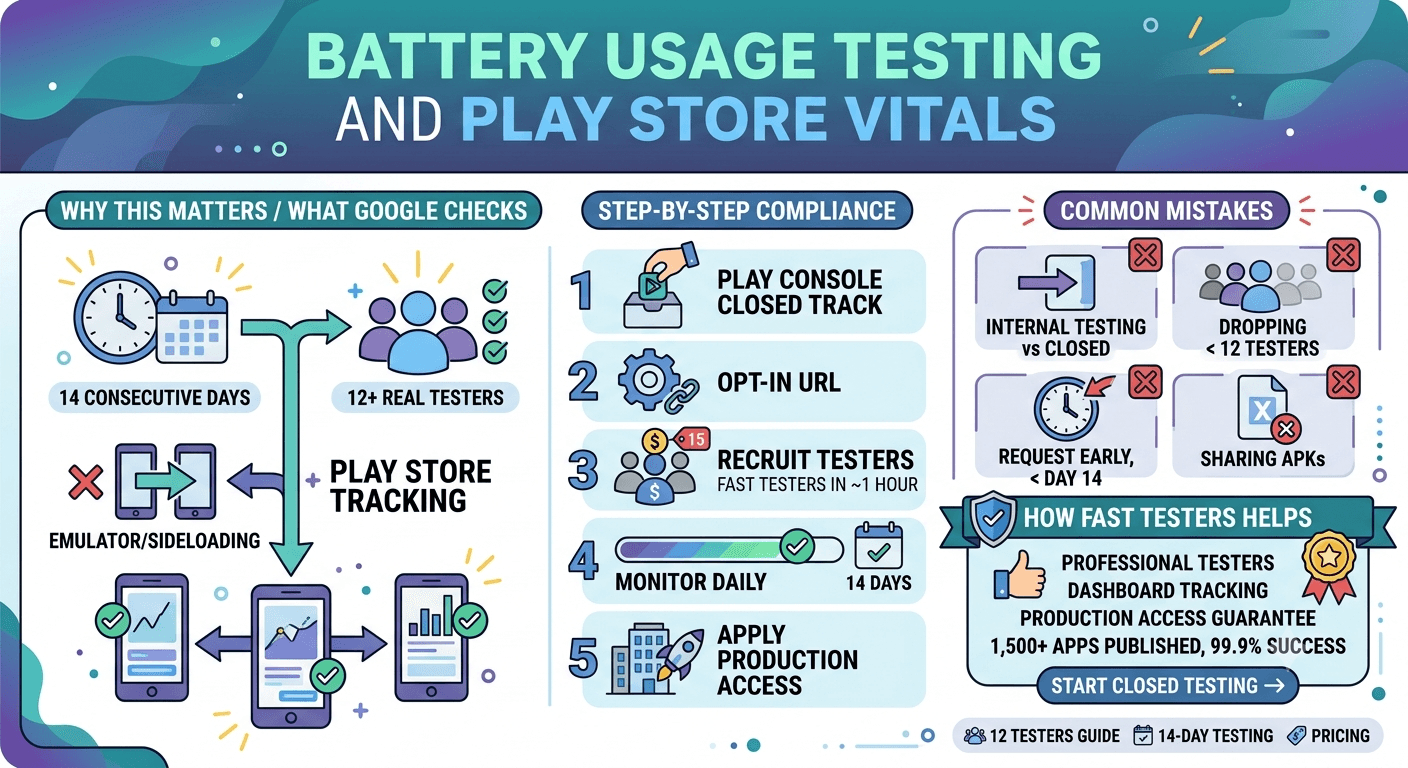
Launching an Android application on the modern Google Play Store requires clearing strict technical and behavioral baselines. Google Play closed testing is now a mandatory step for most new personal developer accounts, designed to ensure apps are stable, performant, and resource-efficient before hitting production tracks.
Among the core telemetry datasets evaluated during this period, Android Vitals—specifically metrics tracking background battery drain and processing inefficiencies—holds massive weight over your app's long-term organic visibility.
Why Google Play Closed Testing Matters
Personal developer accounts created after November 2023 must run a rigorous closed testing track containing at least 12 to 20 testers for 14 consecutive days before requesting production access. Skipping, executing poorly, or attempting to spoof this step results in immediate production application rejections and multi-week launch delays.
Google implements this phase to actively force real-world usage behavior. During this testing window, underlying operational systems capture performance metrics to ensure your app won't degrade consumer hardware cycles or aggressively deplete system resources.
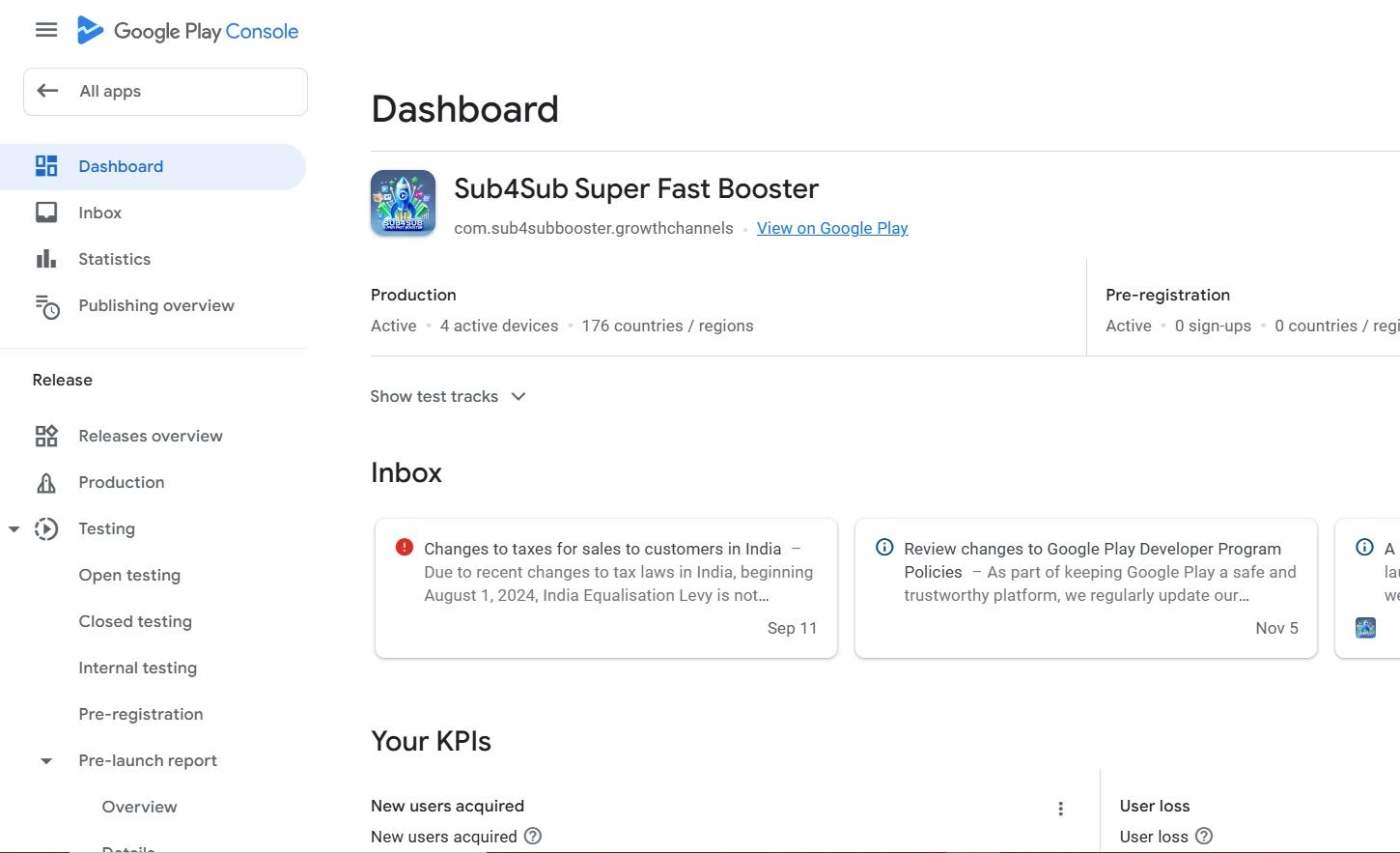
What Google Checks: Deconstructing Android Vitals
Google verifies that real users dynamically opt into your closed testing track, download the bundle via standard Play Store delivery mechanics, and remain engaged with the application. Emulators, local sideloaded APK files, and industrial install farms fail integrity checks.
Simultaneously, the platform logs system performance through Android Vitals. When analyzing battery usage testing, Google monitors specific device indicators that indicate broken code architectures:
- Stuck Partial Wake Locks: Keeping the device CPU awake in the background indefinitely after the user has cleared the interface.
- Excessive Background Wakeups: Repetitive alarms triggering systemic device wakeups over tight intervals, harming total battery capacity.
- Background Network Usage: Ungoverned cellular and data transfers occurring while the app is un-focused.
- Background Location Tracking: Continuous GPS ping loops failing to comply with modern standby restrictions.

Key Insight: Apps exceeding the bad behavior threshold in Android Vitals (e.g., more than 0.10% of sessions exhibiting stuck partial wake locks) experience severe penalties, including reduced visibility in algorithmic app rankings and higher user uninstalls.
Step-by-Step Optimization & Compliance Flow
- Build Optimization: Audit your background background workers using Jetpack WorkManager to ensure proper grouping of network calls and scheduled jobs.
- Console Upload: Deploy your verified production-ready app bundle onto the designated Closed testing track inside the Google Play Developer Console.
- Opt-In Distribution: Generate your specific testing web join link via the track management panel. Testers must accept via this exact URL to register historical telemetry.
- Maintain Tester Retention: Keep your continuous tester network engaged. Ensure a cohort of users interacts with the software regularly across the full 14-day tracking framework.
- Analyze & Apply: Evaluate daily Vitals reports for crashes, App Not Responding (ANR) flags, or battery metrics before clicking the Request Production Access button.
Common Release Bottlenecks to Avoid
- Testing Type Confusion: Using internal testing pools instead of configuring a compliant structural closed track track. Internal testing does not advance production permissions.
- Cohort Decay: Dropping below the minimum mandated tester threshold midway through your track timeline. If counts drop, the 14-day calculation window resets.
- Early Submissions: Trying to file production applications on day 12 or 13. The full time window must register absolute completion.
- Bypassing Play Infrastructure: Distributing raw APK development files directly to friends or networks instead of routing installations directly through standard Google Play Store systems.
Streamlining Deployment Dynamics
Sourcing and keeping over a dozen individual real-world targets focused on providing data for two solid weeks is a structural bottleneck for independent operations. Utilizing curated provisioning platforms safely scales distribution loops.
Professional asset compliance pipelines like Fast Testers offer a clean path. They deliver high-fidelity, verified human testing nodes that interface directly through native storefront systems, preventing resource-allocation issues while validating crucial battery metrics safely before final review phases.
Frequently Asked Questions
Accelerate Your Google Play Production Approval
Don't let tester management slow down your deployment calendar. Secure 15 professional, real-world Android testers instantly and guarantee your compliance metrics remain flawless.
Start Closed Testing Now →The closed-testing window is your battery lab
The mandatory closed test — 12 testers opted in for 14 continuous days before production for new personal accounts — gives you something a lab cannot: your app running on many real devices, in real conditions, for two weeks. That is exactly what you need to catch excessive battery drain, wakelocks, and background activity that would otherwise surface only after launch as bad reviews and poor Android vitals. Use the window deliberately to profile power behavior across your testers' devices. See our closed testing guide and Google's Android vitals documentation.
Device diversity is the key: battery behavior varies enormously across chipsets, Android versions, and manufacturer power-management layers. A tester group spanning old and new, flagship and budget phones reveals drain issues a single test device hides. If you need that diversity, you can submit your app to source verified real testers. See low-end device testing.
Common battery drains to hunt for
The usual culprits are unnecessary background work, frequent wakeups, aggressive location polling, unbatched network calls, and wakelocks that are acquired but never released. During the window, use profiling tools and battery historian data to find these, and ask testers to report any device that runs hot or drains fast. Excessive background activity also triggers Google's bad-behavior vitals, which can reduce your visibility, so fixing it protects both users and discovery. See Google's power performance guidance and network condition testing.
Modern Android also enforces background limits, so verify your app respects Doze, app standby, and background execution restrictions. An app that fights the platform's power management will drain batteries and may be throttled; one that cooperates runs efficiently. Confirm this behavior on the varied devices in your test. See target API level requirements.
Why vitals matter for your ranking
Android vitals are not just diagnostics — poor metrics like excessive wakeups or high crash and ANR rates can hurt your Play Store visibility and lead to warnings. Battery-related bad behavior falls into this category, so keeping power usage lean is part of protecting your ranking, not merely a UX nicety. Enter production with clean vitals confirmed during your window, then keep monitoring them after launch. See post-launch monitoring and staged rollouts.
Treat battery efficiency as a continuous commitment: every update can reintroduce drain, so re-profile power behavior before shipping changes, using your testing tracks. An app that stays efficient keeps its vitals green and its reviews positive over its whole life. See updating after release.
Related guides and resources
- Network condition testing for Android apps
- Low-end device testing
- Android vitals during closed testing
- Android power performance (Google)
Tools and techniques for power profiling
Effective battery testing combines the right tools with real-world usage. Android Studio's Energy Profiler, Battery Historian, and the Play Console's Android vitals dashboard together reveal wakelocks, excessive wakeups, and background drain. During your window, ask testers to use the app normally and then check their device battery settings for your app's consumption ranking — a simple signal that flags obvious offenders. Correlate what you see in profiling with what testers report to pinpoint the real drains. See Google's power performance guidance and Android vitals during closed testing.
Test realistic scenarios, not just idle time: the app in active use, in the background, after being backgrounded for hours, and across a full day. Drain patterns differ across these states, and users judge you on all of them. The two-week window is long enough to observe multi-day battery behavior that a short lab test would miss. See network condition testing.
Balancing features and efficiency
Battery efficiency often trades off against features like frequent syncing, precise location, and rich notifications, so design these deliberately. Batch network calls, use efficient location APIs at the coarsest acceptable precision, and defer non-urgent work to opportune moments such as charging. Respect the platform's background limits rather than fighting them. The goal is delivering your app's value without becoming the app users blame for their dying battery, a reputation that shows up quickly in reviews and vitals. See background location testing and push notification testing.
Re-evaluate this balance on every update, since a new feature can quietly reintroduce drain. Profiling power behavior before each release, using your testing tracks, keeps efficiency from regressing over your app's life. See updating after release.
Battery testing FAQ
Can battery drain hurt my Play Store ranking?
Yes. Excessive background activity and wakeups register in Android vitals as bad behavior, which can reduce visibility and trigger warnings.
Why test battery on many devices?
Power behavior varies by chipset, Android version, and manufacturer power management. Diverse devices reveal drain a single test phone hides.
What are the most common battery drains?
Unnecessary background work, frequent wakeups, aggressive location polling, unbatched network calls, and wakelocks that are never released.
What tools help with power profiling?
Android Studio's Energy Profiler, Battery Historian, and the Play Console's Android vitals dashboard, correlated with what testers report.
Which scenarios should I test?
Active use, background, long-idle-after-background, and a full day, since drain patterns differ across states and users judge you on all of them.
Should I re-test battery on every update?
Yes. New features can reintroduce drain, so profile power behavior on your testing tracks before each release to prevent regressions.
Bottom line
Battery efficiency protects both your users and your Play Store standing, and the closed-testing window — with real devices in real hands for two weeks — is the ideal place to find and fix drain before launch. Profile power behavior across diverse devices, hunt the common culprits, respect the platform's background limits, and keep re-testing on every update. If you need a device-diverse tester group to surface battery issues you cannot reproduce alone, you can submit your app. See Android vitals during closed testing to tie it together.
Expanded for topical authority — additional practical sections below. Original guide content above is unchanged.
Quick answer
Battery Usage Testing and Play Store Vitals matters because Google Play production access for many new personal developer accounts depends on a successful closed test: at least 12 real testers opted in for 14 continuous days, plus a policy-compliant, stable app. Use this guide to execute the steps correctly, avoid streak-breaking mistakes, and decide whether DIY recruitment or a managed closed testing service is the better path for your deadline.
Key takeaways
- Battery Usage Testing and Play Store Vitals should be treated as a practical Play Console workflow, not just theory.
- For many new personal accounts, 12 opted-in testers × 14 continuous days on closed testing gates production access.
- Opt-in + install from Play beats “emails invited” every time — verify counts in Console.
- Use the window for QA, listing, and compliance work so review is the only remaining gate.
- Prefer real testers and a buffer above 12; avoid anything that looks like fake engagement.
Real-world scenarios: who this matters for
The guidance in this article on Battery Usage Testing and Play Store Vitals applies across many Android product types. Use these scenarios to map the advice to your situation.
| Developer type | Typical challenge | Practical focus |
|---|---|---|
| Indie / solo | Limited tester network and time | Start closed testing early; keep a buffer above 12 opted-in testers; parallelize listing + Data safety work |
| Startup | Launch deadline vs 14-day rule | Treat the window as fixed; recruit in parallel with QA; avoid last-minute track setup |
| Agency / white-label | Multiple client apps, each needing its own test | One closed test per app; standardize opt-in onboarding; track eligibility dates per client |
| Flutter / React Native | Cross-platform build + Play Console quirks | Ship a signed AAB to closed testing; verify installs from Play, not sideload; watch vitals on mid-range devices |
| Native Kotlin | Device/API fragmentation | Cover API levels and OEMs in your tester mix; fix crashes before requesting production |
| Game / Unity | Performance + retention during 14 days | Keep testers engaged so count never dips below 12; monitor ANRs and battery |
| E-commerce / fintech | Policy + payment flows | Test checkout, permissions, and declarations carefully before production access |
| Healthcare / kids / education | Sensitive policies (Families, data) | Align listing, privacy, and content rating with real app behavior during the test window |
Visual placeholder: Scenario matrix infographic — Indie / Startup / Agency / Cross-platform paths for Battery Usage Testing and Play Store Vitals.
Comparison: DIY recruitment vs managed closed testing
When your goal is Google Play production access, the path you choose for testers affects time, risk, and feedback quality. Use this comparison while deciding how to apply Battery Usage Testing and Play Store Vitals.
| Approach | Time to 12 opted-in | Cost | Dropout risk | Feedback quality | Best when |
|---|---|---|---|---|---|
| Friends & family | Days–weeks | $0 | High | Mixed | Tiny MVP, flexible timeline |
| Reddit / Discord / Telegram | Unpredictable | $0–low | High | Variable | You can manage onboarding daily |
| Peer community exchange | Variable | $0 | Medium | Developer-biased | You can test others’ apps in return |
| Managed closed testing (e.g. Fast Testers) | ~1 hour after valid link | $15 one-time / app | Low (buffer of 15) | Real Play installs | You need speed + continuity for 14 days |
Decision tip: If a broken streak would delay revenue or a client deadline, prioritize reliability over $0 recruitment. DIY is fine when you already have engaged testers and can monitor Play Console daily.
Visual placeholder: Comparison diagram — DIY vs community vs managed testing for Battery Usage Testing and Play Store Vitals.
Common mistakes (and how to avoid them)
These mistakes repeatedly show up when developers work through Battery Usage Testing and Play Store Vitals:
- Confusing invited vs opted-in testers — Only testers who open the opt-in link and install from Play count toward 12. Check the opted-in number in Play Console, not your email list.
- Recruiting exactly 12 with no buffer — One uninstall can break continuity. Aim for ~15 active opted-in testers.
- Starting the counted clock late — Listing assets, Data safety, and privacy work should run during the 14 days, not after.
- Using sideloaded APKs or fake installs — They do not satisfy Play’s closed testing expectations and can create account risk.
- Ignoring tester feedback until day 14 — Crashes that drive uninstalls threaten your streak and your review outcome.
- Requesting production access before the continuous streak completes — Eligibility checks fail even if calendar time has passed.
Troubleshooting checklist
If something feels “stuck” while applying Battery Usage Testing and Play Store Vitals, walk this list before changing strategy:
| Symptom | Likely cause | Fix |
|---|---|---|
| Console shows < 12 testers | Invites sent but not opted in | Resend opt-in link; confirm install from Play |
| “Not eligible” after 14 calendar days | Count dipped below 12 mid-window | Restore 12+ and complete a full continuous streak |
| Tester cannot join | Wrong account, Group lag, or track not published | Verify Google account, Group membership, track release |
| App fails to install | Device/API mismatch or signing issue | Check AAB, minSDK, Play App Signing |
| Production still rejected after testing | Policy, declarations, or stability — not the clock | Read the exact reason; fix that category completely |
Visual placeholder: Troubleshooting flowchart for Battery Usage Testing and Play Store Vitals.
Action checklist
Use this checklist alongside the rest of this guide on Battery Usage Testing and Play Store Vitals:
- ☐ Closed testing track created with a signed release (AAB)
- ☐ Opt-in link tested on a fresh Google account
- ☐ At least 12 testers opted in (prefer ~15)
- ☐ Daily check that opted-in count stays ≥ 12 for 14 continuous days
- ☐ Core flows exercised (login, main feature, permissions, offline/online)
- ☐ Crashes / ANRs triaged from tester reports and vitals
- ☐ Store listing, screenshots, and feature graphic drafted
- ☐ Privacy policy + Data safety + content rating aligned with real behavior
- ☐ Production access requested only after eligibility is green
- ☐ Staged rollout plan ready for first public release
Additional FAQs developers ask about Battery Usage Testing and Play Store Vitals
Quick answer: what should I do first?
Confirm you are on a closed testing track with real opted-in installs, keep 12+ testers for 14 continuous days, and fix policy/stability issues in parallel. Then use the detailed sections above for Battery Usage Testing and Play Store Vitals.
Does this apply to organization (company) accounts?
The classic 12×14 closed testing gate is primarily associated with new personal developer accounts. Always verify your account type and current Play Console eligibility messaging for your app.
Do friends and family count as testers?
Yes — if they opt in via your closed testing link and install from Google Play. They only help if they stay opted in for the continuous period.
Can I update the app during the 14 days?
You can usually push updates on the closed track, but unstable releases that cause uninstalls can threaten your tester count. Prefer polishing via internal testing first when possible.
What if production access is still rejected?
Read the exact reason. Incomplete testing is only one category — policy, Data safety mismatches, and crashes are common. Fix the cited issue fully before reapplying.
Is paying for testers allowed?
Using real people who install from Play is what matters. Avoid fake install farms. A one-time managed service that supplies real closed testers is a practical option when DIY recruitment is too slow.
How is Fast Testers different from free communities?
Free communities trade time and mutual availability. Fast Testers assigns about 15 real testers after you submit a valid closed testing link (one-time $15 per app) and includes a production access guarantee under its refund terms.
Where should I go next?
Review the related guides below, then either finish DIY recruitment or start closed testing if you need speed and continuity.
Sources, updates, and how to use this guide
This article on Battery Usage Testing and Play Store Vitals is maintained for Android developers preparing Google Play closed testing and production access. Always cross-check eligibility text inside your own Play Console, because Google’s UI labels and account rules can vary by account type and date.
- Primary official references: Google Play closed testing help, Developer Program Policies, and Play Console eligibility messaging for your app.
- Practical experience lens: guidance here reflects common failure modes indie developers and agencies hit when recruiting testers, maintaining the 14-day streak, and recovering from production-access rejections.
- Last reviewed focus: 12×14 closed testing continuity, real vs fake testers, and parallel listing/compliance work during the window.
Related guides and next steps
Continue building topical depth around Battery Usage Testing and Play Store Vitals with these Fast Testers resources:
- Accessibility Testing Before Play Store Launch
- Closed Testing Vs Open Testing On Google Play
- E Commerce Android Apps Play Store Testing Tips
- Google Play Android Vitals During Closed Testing
- Google Play Internal Testing Vs Closed Testing
- Low End Device Testing For Global Play Store Launch
- Sideloading Vs Play Store Testing Why It Matters
- Testing Utility Apps Play Store Compliance Tips
- Pricing — $15 closed testing
- How Fast Testers works
- FAQ
- Developer reviews
- Case studies
- Submit your app / start closed testing
Need reliable testers so your 14-day streak does not stall? Educate first with the guides above, then start when you are ready — one-time pricing, real Play installs, dashboard tracking.
Internal navigation hub — added to strengthen topical connections. Original article content above is unchanged.
Continue learning
- Google Play Internal Testing vs Closed Testing — Learn about internal vs closed tracks for Google Play closed testing. Complete guide for Android developers pu.
- Low-End Device Testing for Global Play Store Launch — Learn about device compatibility for Google Play closed testing. Complete guide for Android developers publish.
- Sideloading vs Play Store Testing: Why It Matters — Learn about install method compliance for Google Play closed testing. Complete guide for Android developers pu.
- Finance Apps: Google Play Testing and Compliance — Learn about finance app requirements for Google Play closed testing. Complete guide for Android developers pub.
- Google Play Testing Requirements by Country — Learn about regional requirements for Google Play closed testing. Complete guide for Android developers publis.
- Kids Apps and Google Play Families Policy Testing — Learn about family policy apps for Google Play closed testing. Complete guide for Android developers publishin.
Next steps
- Ready to run closed testing with real Android testers? Submit your app or see pricing ($15 one-time).
- Compare options on our testing service comparison page, or read developer reviews and case studies.
- Still deciding? Review how Fast Testers works and the FAQ.