
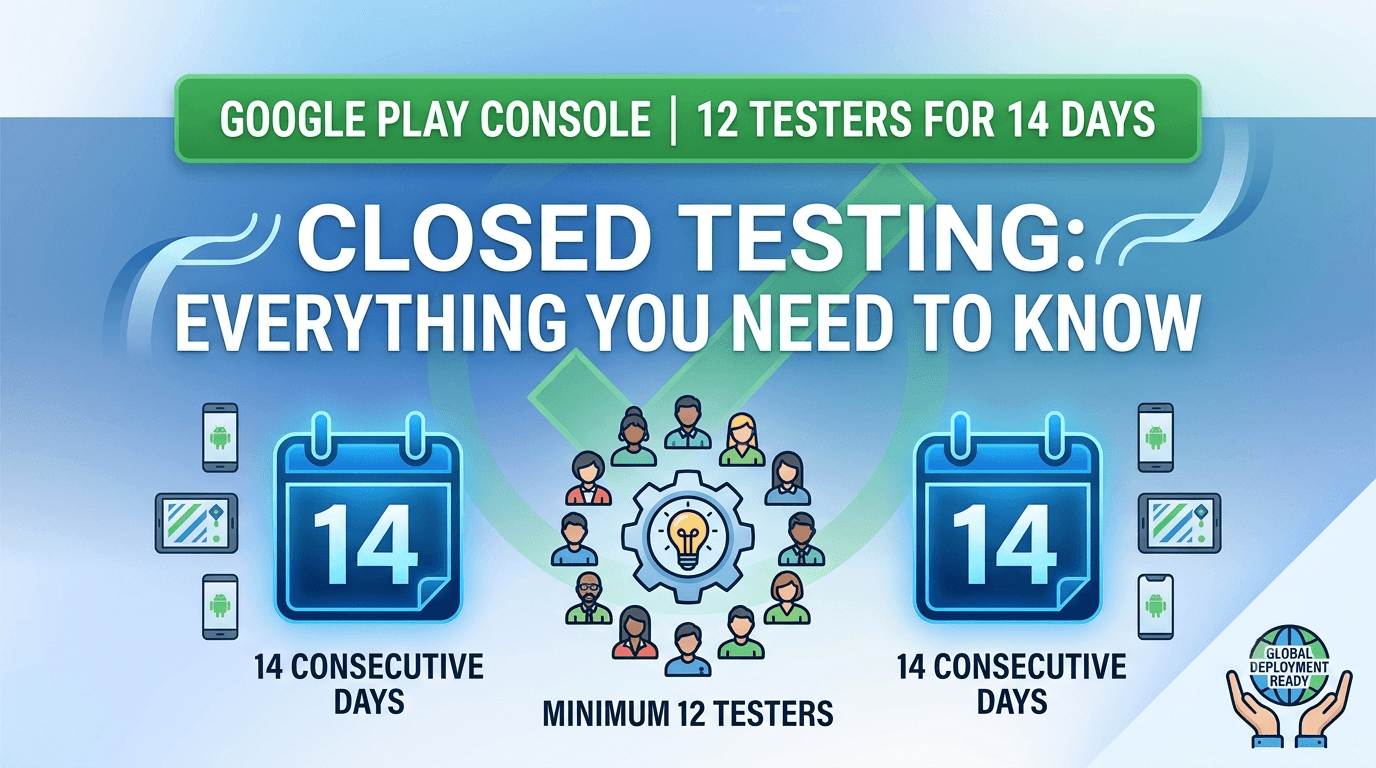
Navigating the paths to launch a commercial app on the Google Play Store has grown increasingly complex for indie creators, side-hustlers, and boot-strapped operations. To fortify app health, optimize retention loops, and curb immediate algorithmic churn, Google utilizes strict testing frameworks. Specifically, developers operating personal developer accounts must successfully pass the 12 testers for 14 consecutive days closed testing hurdle before production distribution features clear.
Failing to execute this step properly remains the single most prominent reason why mobile software publishers encounter validation delays, sudden dashboard resets, or outright rejections during the human review gate. This structural handbook acts as your definitive baseline guide to planning, executing, and finalizing this mandatory benchmarking track smoothly.
| Account Category | Registration Date Window | Policy Enforcement Status |
|---|---|---|
| Personal Developer Account | Created on or after November 13, 2023 | Mandatory Active |
| Personal Developer Account | Created prior to November 13, 2023 | Exempt / Legacy |
| Commercial / Organization Account | Any Registration Date | Exempt |
The Core Tracking Architecture: What Google's Telemetry Monitors
A widespread mistake made by emerging publishers is adding a dozen friends or family members, coordinating a single install run, and leaving the software idle for two weeks. This pattern causes automated, unappealable infrastructure rejections. Google Play Console's core telemetry monitors user engagement depth via distinct data markers:
- 1. Play Store Opt-In Integrity
- Testers must explicitly register through the uniquely generated web opt-in pathway (
https://play.google.com/apps/testing/[your.package.name]). Distributing localized side-loaded files (APKs) or using the fast-track Internal Testing channel skips the core tracking layer, yielding zero progress towards the 14-day requirement. - 2. Unbroken Concurrent Headcount
- You must maintain a baseline minimum of 12 active, registered testers simultaneously. If your pool drops to 11 because a user manually leaves the track, clears their Play Store profile data, or processes an uninstallation on day 12, your evaluation timeline immediately freezes or fully resets.
- 3. Device Hardware Integrity
- Google correlates device fingerprints, IP blocks, and account telemetry signatures. Creating dozen dummy Google accounts to launch your app via emulation frameworks or multiple profiles on a single hardware unit flags anti-abuse systems, stalling deployment permanently.
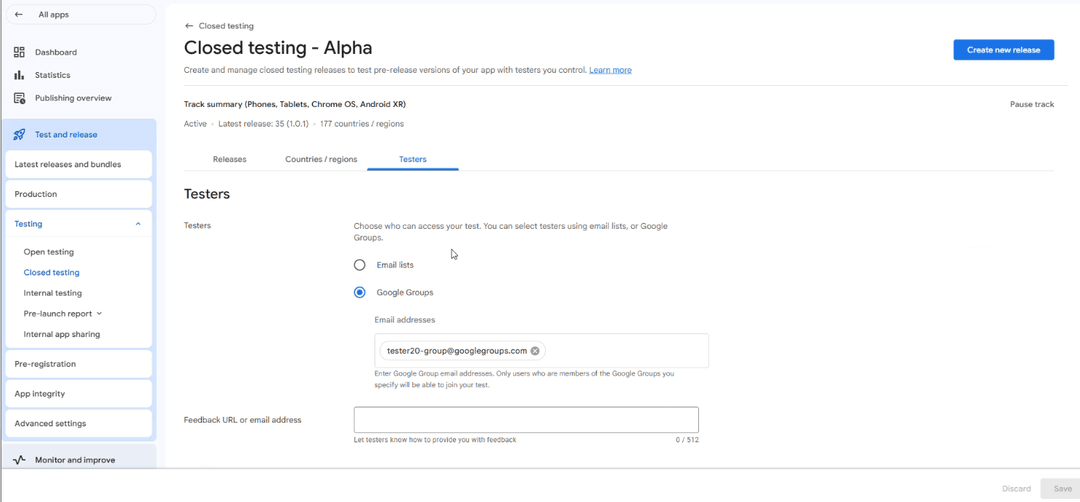
Technical Phase Blueprint: Step-by-Step Configuration
To minimize structural tracking friction, adopt a production-ready operational workflow from the beginning:
Phase 1: Binary Preparation & Upload
Compile your finalized Android App Bundle (.aab) ensuring minifyEnabled and ProGuard structures are accurately configured to reflect a true production environment. Inside the Console interface, select Testing > Closed testing, create a new tracking instance, and upload your package asset securely.
Phase 2: Defining Target Testing Populations
Under your active track, select the Testers interface component. Here, you define your management preferences:
- Email Lists: Ideal for specific, small-scale groups where individual tracking is easy.
- Google Groups: The preferred scalable method. You invite testers to a central Google Group (e.g.,
your-app-testers@googlegroups.com), and any group member automatically gains access to opt into the track.
Never run a closed optimization track with exactly 12 testers. Human error, hardware updates, and device losses happen frequently. Always operate with a minimum buffer pool of 15 to 20 users to ensure that your daily active configuration stays safely above the required minimum.
Phase 3: Launching Opt-In Frameworks
After your initial closed track build passes the automated security and policy scan, copy the tracking link labeled "Join on the web" or "Join on Android". Direct your target testing team to this URL. Each tester must select "Become a Tester" to officially link their hardware profile to your evaluation track.
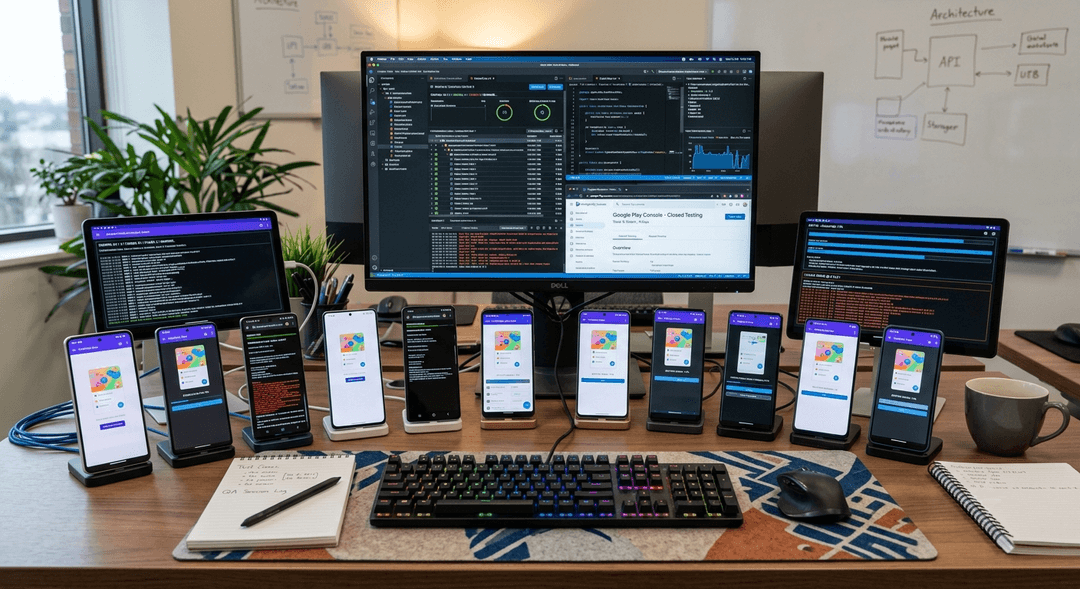
Maintaining Legitimate Tester Interaction Loops
Google's QA evaluation panels assess usage data to verify that genuine quality assurance checking is occurring. Implement these structured guidelines across your testing group to maintain valid metric logs:
Daily Workflow Runs
Instruct users to open the app regularly throughout the 14-day window. They should explore sub-menus, trigger events, and save local variations rather than letting the application remain stagnant.
Continuous Code Iteration
Deploy at least one incremental build update (e.g., moving from v1.0.0 to v1.0.1) mid-way through your track. This clearly indicates to reviewer logs that you are managing crash inputs and actively modifying performance.
Crash Logging & Feedback
Ensure testers utilize the native "Send Feedback" capability found right on the Google Play Store interface. Generating explicit feedback entries demonstrates a transparent, healthy preview phase.
Surviving the Production Application Review
When the system recognizes that your track has completed 14 consecutive days with 12 or more active testers, the "Apply for production" option dynamically unlocks on your main dashboard. This triggers a human review process based on a comprehensive questionnaire. Ensure your written answers map accurately to your system metrics:
1. Sourcing Strategy Breakdown
Describe exactly how you assembled your core testing team. Authentic, detailed explanations perform best here.
Acceptable Framework: "We recruited 18 active developer peers from engineering groups and independent communities to test across varied consumer networks."
2. Engagement Path Analysis
Detail the explicit functionality pathways your users focused on throughout the testing window.
Acceptable Framework: "Testers focused on assessing our authentication flows, validating local database storage, and checking UI rendering consistency across both tablet and standard mobile form factors."
3. Bug Remediation Proof
Itemize the concrete issues, display glitches, or logic errors discovered during the 14-day window, along with the specific patches you implemented to address them. This demonstrates to Google's engineering team that your app is thoroughly vetted and fully prepared for a stable, global production launch.
If you lack direct access to 15 reliable testers, focus your recruitment efforts on trusted peer-to-peer communities such as Reddit's r/AndroidDev or organic Discord developer hubs. Avoid low-quality, automated click-farm services. Coordinated installations from flagged, suspicious networks often result in permanent console account suspensions.
Recruiting 12 testers quickly and reliably
The hardest part of the requirement for most solo developers is not the 14 days themselves but assembling 12 real testers who will opt in and stay engaged throughout. If you have a network, start there, but be honest that friends and family are prone to drifting away, which risks your continuous-day streak. Recruit a buffer well above 12 so ordinary attrition never drops you below the threshold, and onboard testers with crystal-clear opt-in instructions since every failed opt-in is a tester who does not count. See how to get 12 testers without friends or family and where to find real testers.
If recruiting and retaining a reliable, device-diverse group is your bottleneck, a service that supplies verified real testers removes it entirely and lets your clock start immediately. You can submit your app to get started, and always use genuine testers rather than fake installs, which risk your account. See real vs fake testers.
Keeping testers engaged for 14 continuous days
Because the clock counts only continuous days with 12+ testers opted in, retention matters as much as recruitment. Keep testers engaged with a clear task list, quick responses to their questions, and occasional check-ins so they stay opted in and keep the app installed. A tester who uninstalls or opts out mid-window can break your streak, so treat engagement as active work, not a set-and-forget step. Monitor your opted-in count in the Play Console daily and act the moment it drifts toward 12. See keeping testers engaged and email templates for testers.
Give testers a reason to stay: respond to their feedback, fix issues they report, and show that their input matters. Engaged testers not only protect your count but also give you the genuine feedback that makes the window worthwhile. See turning feedback into improvements.
Avoiding a reset of the 14-day clock
Many developers lose time by inadvertently breaking their continuous-day streak. The clock requires 12+ opted-in testers every day for 14 days; if your count dips below 12 at any point, the streak can restart from when you return above the threshold. Guard against this by keeping a buffer, monitoring daily, and replacing any tester who drops off promptly. Note that updating your app mid-window does not reset the clock — the counter tracks opted-in testers over continuous days, not build versions — so you can and should fix bugs during the test. See updating mid-testing and closed testing completed but still rejected.
Confirm you are counting opted-in testers, not merely invited ones, since this is the most common reason a developer thinks they have 12 but does not. Verify the opted-in number in the Console throughout the window. See app not eligible for production access.
Finishing the window and requesting production
Use the 14 days to complete everything else your launch needs — store listing, screenshots, privacy policy, Data safety form, content rating, and pricing — so that when the streak completes, only Google's review stands between you and launch. Once you have maintained 12+ testers for 14 continuous days, request production access, allow for review time, and then use a staged rollout to release gradually while monitoring vitals. This parallel approach compresses your total timeline to near the 14-day floor. See the first-app checklist and staged rollouts.
After launch, keep a pool of reliable testers for validating updates, and reuse your tracks and staged rollouts for every release. The process that satisfied the requirement becomes your repeatable launch and update workflow. See updating after release.
Related guides and resources
- How to get 12 testers without friends or family
- Keeping testers engaged
- The 12-testers policy
- Closed testing (Google)
Closed testing FAQ
How many testers should I recruit?
More than 12 — a buffer — so attrition never drops your opted-in count below the threshold and breaks the continuous-day streak.
Does updating my app reset the 14 days?
No. The clock counts continuous days with 12+ opted-in testers, not build versions, so you can fix bugs during the window without resetting it.
Why am I still not eligible after two weeks?
Your count likely dipped below 12, breaking continuity, or testers never opted in. Maintain 12+ opted-in testers continuously for a full 14 days.
Bottom line
Meeting the 12-testers-for-14-days requirement comes down to recruiting a buffer of real testers, keeping them engaged so your count never dips below 12, avoiding a streak reset, and finishing all other launch work in parallel. Do that and you reach production near the 14-day floor. If tester recruitment is your bottleneck, you can submit your app for verified real testers so your window starts immediately. See keeping testers engaged to protect your streak.
Expanded for topical authority — additional practical sections below. Original guide content above is unchanged.
Quick answer
Google Play Closed Testing Guide: How to Get 12 Testers for 14 Days matters because Google Play production access for many new personal developer accounts depends on a successful closed test: at least 12 real testers opted in for 14 continuous days, plus a policy-compliant, stable app. Use this guide to execute the steps correctly, avoid streak-breaking mistakes, and decide whether DIY recruitment or a managed closed testing service is the better path for your deadline.
Key takeaways
- Google Play Closed Testing Guide: How to Get 12 Testers for 14 Days should be treated as a practical Play Console workflow, not just theory.
- For many new personal accounts, 12 opted-in testers × 14 continuous days on closed testing gates production access.
- Opt-in + install from Play beats “emails invited” every time — verify counts in Console.
- Use the window for QA, listing, and compliance work so review is the only remaining gate.
- Prefer real testers and a buffer above 12; avoid anything that looks like fake engagement.
Real-world scenarios: who this matters for
The guidance in this article on Google Play Closed Testing Guide: How to Get 12 Testers for 14 Days applies across many Android product types. Use these scenarios to map the advice to your situation.
| Developer type | Typical challenge | Practical focus |
|---|---|---|
| Indie / solo | Limited tester network and time | Start closed testing early; keep a buffer above 12 opted-in testers; parallelize listing + Data safety work |
| Startup | Launch deadline vs 14-day rule | Treat the window as fixed; recruit in parallel with QA; avoid last-minute track setup |
| Agency / white-label | Multiple client apps, each needing its own test | One closed test per app; standardize opt-in onboarding; track eligibility dates per client |
| Flutter / React Native | Cross-platform build + Play Console quirks | Ship a signed AAB to closed testing; verify installs from Play, not sideload; watch vitals on mid-range devices |
| Native Kotlin | Device/API fragmentation | Cover API levels and OEMs in your tester mix; fix crashes before requesting production |
| Game / Unity | Performance + retention during 14 days | Keep testers engaged so count never dips below 12; monitor ANRs and battery |
| E-commerce / fintech | Policy + payment flows | Test checkout, permissions, and declarations carefully before production access |
| Healthcare / kids / education | Sensitive policies (Families, data) | Align listing, privacy, and content rating with real app behavior during the test window |
Visual placeholder: Scenario matrix infographic — Indie / Startup / Agency / Cross-platform paths for Google Play Closed Testing Guide: How to Get 12 Testers for 14 Days.
Comparison: DIY recruitment vs managed closed testing
When your goal is Google Play production access, the path you choose for testers affects time, risk, and feedback quality. Use this comparison while deciding how to apply Google Play Closed Testing Guide: How to Get 12 Testers for 14 Days.
| Approach | Time to 12 opted-in | Cost | Dropout risk | Feedback quality | Best when |
|---|---|---|---|---|---|
| Friends & family | Days–weeks | $0 | High | Mixed | Tiny MVP, flexible timeline |
| Reddit / Discord / Telegram | Unpredictable | $0–low | High | Variable | You can manage onboarding daily |
| Peer community exchange | Variable | $0 | Medium | Developer-biased | You can test others’ apps in return |
| Managed closed testing (e.g. Fast Testers) | ~1 hour after valid link | $15 one-time / app | Low (buffer of 15) | Real Play installs | You need speed + continuity for 14 days |
Decision tip: If a broken streak would delay revenue or a client deadline, prioritize reliability over $0 recruitment. DIY is fine when you already have engaged testers and can monitor Play Console daily.
Visual placeholder: Comparison diagram — DIY vs community vs managed testing for Google Play Closed Testing Guide: How to Get 12 Testers for 14 Days.
Common mistakes (and how to avoid them)
These mistakes repeatedly show up when developers work through Google Play Closed Testing Guide: How to Get 12 Testers for 14 Days:
- Confusing invited vs opted-in testers — Only testers who open the opt-in link and install from Play count toward 12. Check the opted-in number in Play Console, not your email list.
- Recruiting exactly 12 with no buffer — One uninstall can break continuity. Aim for ~15 active opted-in testers.
- Starting the counted clock late — Listing assets, Data safety, and privacy work should run during the 14 days, not after.
- Using sideloaded APKs or fake installs — They do not satisfy Play’s closed testing expectations and can create account risk.
- Ignoring tester feedback until day 14 — Crashes that drive uninstalls threaten your streak and your review outcome.
- Requesting production access before the continuous streak completes — Eligibility checks fail even if calendar time has passed.
Troubleshooting checklist
If something feels “stuck” while applying Google Play Closed Testing Guide: How to Get 12 Testers for 14 Days, walk this list before changing strategy:
| Symptom | Likely cause | Fix |
|---|---|---|
| Console shows < 12 testers | Invites sent but not opted in | Resend opt-in link; confirm install from Play |
| “Not eligible” after 14 calendar days | Count dipped below 12 mid-window | Restore 12+ and complete a full continuous streak |
| Tester cannot join | Wrong account, Group lag, or track not published | Verify Google account, Group membership, track release |
| App fails to install | Device/API mismatch or signing issue | Check AAB, minSDK, Play App Signing |
| Production still rejected after testing | Policy, declarations, or stability — not the clock | Read the exact reason; fix that category completely |
Visual placeholder: Troubleshooting flowchart for Google Play Closed Testing Guide: How to Get 12 Testers for 14 Days.
Action checklist
Use this checklist alongside the rest of this guide on Google Play Closed Testing Guide: How to Get 12 Testers for 14 Days:
- ☐ Closed testing track created with a signed release (AAB)
- ☐ Opt-in link tested on a fresh Google account
- ☐ At least 12 testers opted in (prefer ~15)
- ☐ Daily check that opted-in count stays ≥ 12 for 14 continuous days
- ☐ Core flows exercised (login, main feature, permissions, offline/online)
- ☐ Crashes / ANRs triaged from tester reports and vitals
- ☐ Store listing, screenshots, and feature graphic drafted
- ☐ Privacy policy + Data safety + content rating aligned with real behavior
- ☐ Production access requested only after eligibility is green
- ☐ Staged rollout plan ready for first public release
Frequently asked questions about Google Play Closed Testing Guide: How to Get 12 Testers for 14 Days
Quick answer: what should I do first?
Confirm you are on a closed testing track with real opted-in installs, keep 12+ testers for 14 continuous days, and fix policy/stability issues in parallel. Then use the detailed sections above for Google Play Closed Testing Guide: How to Get 12 Testers for 14 Days.
Does this apply to organization (company) accounts?
The classic 12×14 closed testing gate is primarily associated with new personal developer accounts. Always verify your account type and current Play Console eligibility messaging for your app.
Do friends and family count as testers?
Yes — if they opt in via your closed testing link and install from Google Play. They only help if they stay opted in for the continuous period.
Can I update the app during the 14 days?
You can usually push updates on the closed track, but unstable releases that cause uninstalls can threaten your tester count. Prefer polishing via internal testing first when possible.
What if production access is still rejected?
Read the exact reason. Incomplete testing is only one category — policy, Data safety mismatches, and crashes are common. Fix the cited issue fully before reapplying.
Is paying for testers allowed?
Using real people who install from Play is what matters. Avoid fake install farms. A one-time managed service that supplies real closed testers is a practical option when DIY recruitment is too slow.
How is Fast Testers different from free communities?
Free communities trade time and mutual availability. Fast Testers assigns about 15 real testers after you submit a valid closed testing link (one-time $15 per app) and includes a production access guarantee under its refund terms.
Where should I go next?
Review the related guides below, then either finish DIY recruitment or start closed testing if you need speed and continuity.
Sources, updates, and how to use this guide
This article on Google Play Closed Testing Guide: How to Get 12 Testers for 14 Days is maintained for Android developers preparing Google Play closed testing and production access. Always cross-check eligibility text inside your own Play Console, because Google’s UI labels and account rules can vary by account type and date.
- Primary official references: Google Play closed testing help, Developer Program Policies, and Play Console eligibility messaging for your app.
- Practical experience lens: guidance here reflects common failure modes indie developers and agencies hit when recruiting testers, maintaining the 14-day streak, and recovering from production-access rejections.
- Last reviewed focus: 12×14 closed testing continuity, real vs fake testers, and parallel listing/compliance work during the window.
Related guides and next steps
Continue building topical depth around Google Play Closed Testing Guide: How to Get 12 Testers for 14 Days with these Fast Testers resources:
- Closed Testing Vs Open Testing On Google Play
- Google Play Closed Testing Email Templates For Testers
- Google Play Internal Testing Vs Closed Testing
- Agency Guide Testing Client Apps On Google Play
- Common Google Play Closed Testing Mistakes
- Google Play Android Vitals During Closed Testing
- Google Play Closed Testing
- Google Play Closed Testing Dashboard Metrics Explained
- Pricing — $15 closed testing
- How Fast Testers works
- FAQ
- Developer reviews
- Case studies
- Submit your app / start closed testing
Need reliable testers so your 14-day streak does not stall? Educate first with the guides above, then start when you are ready — one-time pricing, real Play installs, dashboard tracking.
Further expansion — case study, decisions, and expert recommendations. Prior sections remain unchanged.
Case study: indie app that needed 12 testers in under a day
Problem: A Flutter indie developer had a client demo in three weeks. Friends-and-family recruitment stalled at 6 opted-in testers after five days of chasing messages.
Solution: They kept DIY outreach running, but also submitted a valid closed testing opt-in link to a managed service to reach ~15 real Play installs quickly. They used this guide on Google Play Closed Testing Guide: How To Get 12 Testers For 14 Days to brief testers on what to exercise (onboarding, permissions, offline mode) and monitored Play Console daily so the continuous streak would not break.
Result: Opted-in count stabilized above 12 within hours of assignment; 14 continuous days completed; production access requested on schedule.
Lessons learned:
- Recruit a buffer early — waiting until day 10 is the expensive mistake.
- Real Play installs beat large invite lists.
- Managed testing is a timeline tool, not a substitute for fixing product quality.
Decision guide: what should you do next?
Use this decision path when applying Google Play Closed Testing Guide: How To Get 12 Testers For 14 Days:
- Is your account a new personal developer account that still needs production access?
If yes, plan for closed testing with 12+ opted-in testers for 14 continuous days. If no, still test — but confirm the exact eligibility text in Play Console. - Do you already have 12+ reliable people who will install from Play and stay for two weeks?
If yes, DIY can work — add a buffer and monitor daily. If no, use community exchange or a managed closed testing service. - Is your build stable enough that testers will not churn?
If no, run internal testing first. Entering the counted window with crash loops is how streaks die. - Are Data safety, privacy policy, permissions, and listing aligned with real behavior?
If no, fix during the window so production review does not bounce you after the clock. - Has production access been rejected?
Classify: eligibility vs policy vs declarations vs stability. Fix that category completely, then re-test / re-request.
Visual placeholder: Decision tree diagram for Google Play Closed Testing Guide: How To Get 12 Testers For 14 Days (DIY vs managed vs fix-and-retry).
Expert recommendations
- Instrument the streak: Check opted-in count daily for the first week; replace dropouts same day.
- Brief testers once: Send a short checklist (install from Play, open app daily, try core flow, report crashes). Silent testers still count if opted in — engaged testers protect quality.
- Never “solve” recruitment with fake installs: It fails the intent of closed testing and can create account risk.
- Ship a boring-stable build to closed testing: Save experimental features for internal tracks.
- Educate first, then accelerate: If your blocker is simply finding real testers fast, a one-time managed option (Fast Testers: 15 testers, $15/app) is often cheaper than slipping a launch.
For hands-on setup after reading about Google Play Closed Testing Guide: How To Get 12 Testers For 14 Days, see how it works and pricing, or submit your closed testing link when you are ready.
Internal navigation hub — added to strengthen topical connections. Original article content above is unchanged.
Topic cluster: Google Play Closed Testing
Pillar guide: Start with Google Play Closed Testing Complete Guide for the full overview, then use the supporting guides below.
- Google Play Closed Testing Complete Guide (pillar)
- Google Play Closed Testing Requirements in 2026
- How to Create a Closed Testing Track in Play Console
- Google Play Closed Testing Opt-In Link Setup
- How Long Does Google Play Closed Testing Take?
- Common Google Play Closed Testing Mistakes to Avoid
- How to Pass Google Play Closed Testing on the First Try
- Updating Your App Mid Closed Testing Period
- Google Play Closed Testing FAQ: 50 Answers
- Avoiding Tester Dropout During 14-Day Testing
Continue learning
- Google Play Data Safety Form and Closed Testing — Learn about data safety requirements for Google Play closed testing. Complete guide for Android developers pub.
- Google Play – 12 Testers for 14 Days — Everything you need to know about Google Play's closed testing requirement..
- Google Play Compliance Guide for Developers — A Google Play compliance guide covering data safety, privacy, permissions, content policy, target API level, a.
- Google Play Developer Account Guide — A complete Google Play developer account guide: registration, identity verification, personal vs organization .
- Closed Testing vs Open Testing on Google Play — Learn about testing track differences for Google Play closed testing. Complete guide for Android developers pu.
- Google Play Closed Testing Email Templates for Testers — Learn about tester communication for Google Play closed testing. Complete guide for Android developers publish.
Next steps
- Ready to run closed testing with real Android testers? Submit your app or see pricing ($15 one-time).
- Compare options on our testing service comparison page, or read developer reviews and case studies.
- Still deciding? Review how Fast Testers works and the FAQ.