
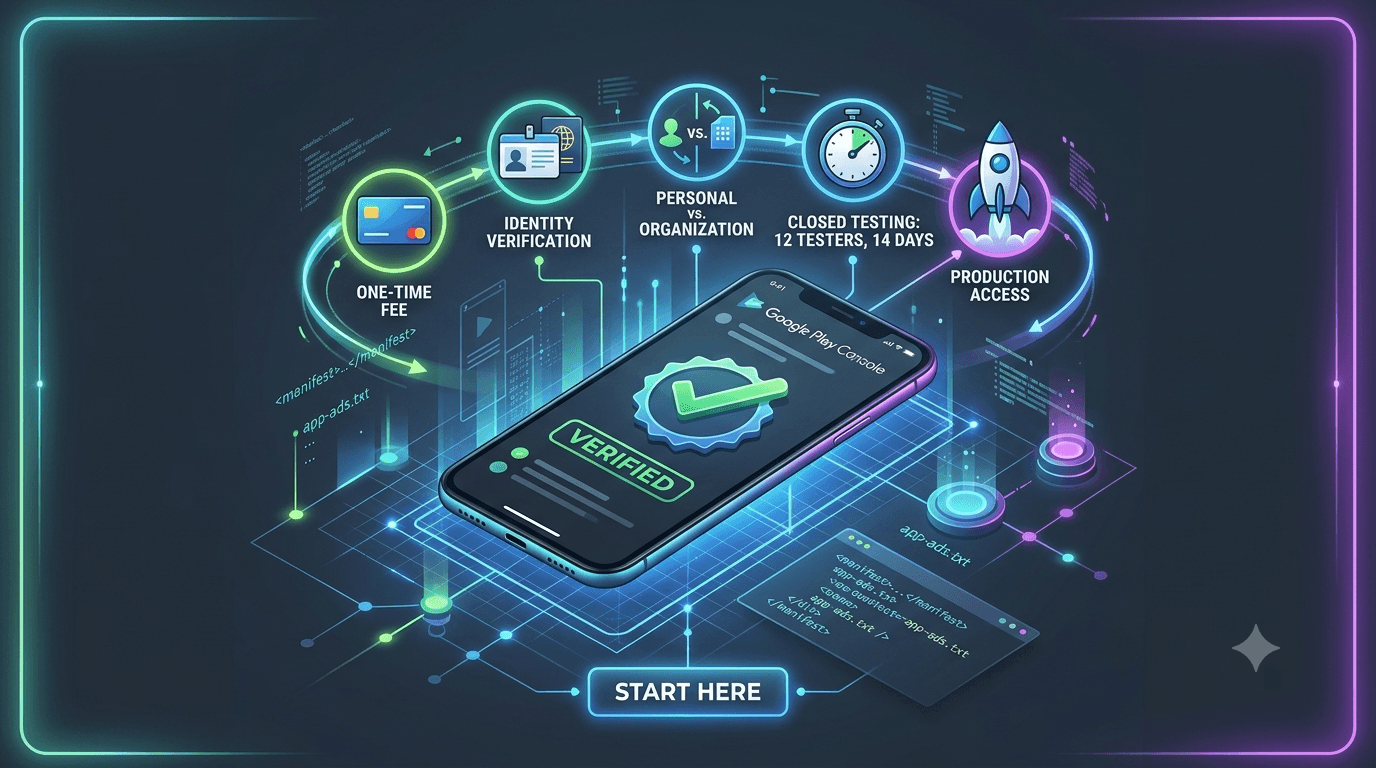
Your Google Play developer account is the foundation for everything you publish. Setting it up correctly — and understanding the rules attached to it — prevents delays later. This guide covers registration, verification, account types, fees, and the closed testing requirement that applies to new personal accounts.
Contents
Quick answer
Featured answer: A Google Play developer account requires a one-time registration fee, identity verification, and a choice between a personal or organization account. New personal accounts must complete closed testing with 12 testers for 14 days before production access.
Registering your account
- Sign up at the Play Console with a Google account.
- Pay the one-time registration fee.
- Provide your developer details and accept the agreements.
- Choose your account type (personal or organization).
Identity verification
Google requires developers to verify their identity. Complete this early, because an unverified account can block publishing regardless of your testing progress. Details: developer identity verification 2026.
Personal vs organization
| Aspect | Personal | Organization |
|---|---|---|
| Who it is for | Individuals | Businesses |
| Verification | Personal identity | Business (D-U-N-S, etc.) |
| Closed testing rule | Applies to new accounts | Often not required |
| Display name | Individual/brand | Organization name |
Full comparison: personal vs organization account.
Fees and requirements
- A one-time developer registration fee.
- Valid identity (and business documents for organizations).
- Compliance with all Play policies — compliance guide.
The closed testing requirement
The rule most likely to surprise new account holders: personal accounts must run closed testing before production. That means 12+ real testers for 14 consecutive days.
- Set up the closed testing track.
- Recruit 12+ testers — how many.
- Understand the full rules — requirements 2026.
Tip: If recruiting 12 testers is the blocker, submit your app to get real testers within about an hour and start your 14-day clock immediately.
Setting up for long-term success
Your account is not just for one app — it is the home for everything you will publish. A little foresight at setup pays dividends later:
- Choose the right account type early. Switching later is limited, so weigh personal vs organization carefully — especially because the closed testing rule applies to new personal accounts.
- Complete verification immediately. An unverified account can block publishing no matter how far along your app is.
- Use a stable, dedicated Google account. Avoid tying your developer presence to an account you might lose access to.
- Keep good standing. Policy violations follow the account, so protect it from day one — see account termination risks.
If you plan to publish multiple apps, a single well-maintained account can host them all — see testing multiple apps on one account. Treating your account as long-term infrastructure, rather than a hurdle for one launch, keeps future releases smooth and your reputation intact.
Personal versus organization accounts
One of the first and most consequential decisions is whether to register a personal or an organization account, because it affects your obligations from day one. A personal account is the natural choice for individual developers and hobbyists; it is straightforward to set up but is subject to the closed testing requirement — 12 testers for 14 days before production access. An organization account represents a registered business, requires business verification (such as a D-U-N-S number), and is often not subject to the 12-tester rule.
Choose based on who you genuinely are, not on trying to dodge a requirement. If you operate as a real business, an organization account may streamline your path and is worth setting up correctly from the start, since changing account type later is limited. If you are an individual, a personal account plus closed testing is the normal, manageable route. Do not misrepresent yourself as a business solely to skip testing; the closed test is not difficult once you solve the tester problem. Compare the options in personal vs organization account.
Identity verification: do it early
Google requires developers to verify their identity, and this step deserves attention at the very start rather than the end. Verification can take time to complete and confirm, and an unverified account can block you from publishing even when your app is otherwise ready. Because it runs on its own timeline, leaving it until the finish line is a common and avoidable cause of delay — developers finish their closed test only to find verification now stands between them and launch.
Gather any required documents, submit your verification promptly, and treat its confirmation as a prerequisite you clear well ahead of applying for production. Ideally, complete it during your setup phase or in parallel with your 14-day testing window, so it never becomes a bottleneck. Handling verification early is one of the simplest timeline optimizations available to a new developer. See developer identity verification for what the process involves.
Setting up your account step by step
- Register your account and pay the one-time registration fee.
- Complete identity verification promptly, providing any required documents.
- Set up your payment profile if you plan to sell apps or offer in-app purchases.
- Configure account details — developer name, contact information, and settings.
- Create your first app and begin building its listing and forms.
- Plan for the testing requirement if you are on a new personal account.
Working through these in order gives you a clean foundation. The most common early mistake is rushing to create an app before completing verification and account setup, then hitting administrative blockers at the worst moment. Front-loading the setup means that when your app is ready, nothing on the account side stands in your way.
The testing requirement for new accounts
If you register a new personal account, you must understand the closed testing requirement from the outset, because it shapes your entire path to launch. Before you can apply for production access, you need 12 testers running your app for 14 consecutive days on a closed testing track. This is a fixed requirement that depends on having a dozen reliable Android testers, and it is the single most common reason first launches are delayed — not because the rule is complex, but because recruiting testers is hard.
Plan for it from the beginning. Decide early how you will source testers — your own network, a community, or a professional service that can assign real testers within about an hour — and start the 14-day window as soon as your build is stable. Using that time to complete verification, forms, and your listing in parallel is the most efficient path. Treating the requirement as a known phase rather than a surprise is the difference between a smooth launch and a frustrating scramble. See how long closed testing takes.
Protecting your account long term
Your developer account is long-term infrastructure — the home for this app and every app you will publish — so protecting its standing is a priority from day one. Account standing is affected by your policy history: warnings and strikes can influence future submissions, and repeated or serious violations can escalate to enforcement, including termination. The safest path is consistent compliance: accurate declarations, justified permissions, honest listings, and genuine testing.
The most important account-protection principle for new developers is to never use fake installs, bots, or self-created accounts to satisfy the testing requirement. Google's anti-abuse systems detect these, and the resulting signals can attach to your account and jeopardize your entire publishing future — not just one app. Always use real testers, whether recruited yourself or supplied by a legitimate service. A clean history compounds over time into a trusted account that experiences smoother reviews. See account termination risks.
Understanding the costs involved
New developers often want a clear picture of what an account and launch actually cost, and it is more modest than many expect. The primary cost is the one-time Google Play developer registration fee, which grants you lifetime access to publish apps — there is no recurring subscription simply to have an account. Beyond that, costs depend on your choices: an organization account may involve business verification steps, and if you sell apps or offer in-app purchases, Google takes a service fee on those transactions. Otherwise, publishing free apps carries no ongoing platform fee.
The costs that catch developers off guard are usually not the account fee but the surrounding launch expenses — and the biggest hidden one is the time cost of meeting the testing requirement. Recruiting 12 reliable testers yourself can consume days or weeks of effort, which is a real cost even if no money changes hands. This is why many developers weigh a modest one-time testing service fee against the value of their time. Seen in the context of the whole launch, the registration fee is small and the tester-sourcing decision is where the meaningful cost trade-off actually lies.
Your account as long-term infrastructure
It helps to think of your developer account not as a one-app purchase but as long-term infrastructure that will host everything you publish. This framing shapes how you should treat it from day one. Set it up correctly — the right account type, complete verification, accurate details — because these foundations affect every future app. Protect its standing rigorously, since policy history follows the account and a clean record compounds into smoother reviews over time, while strikes accumulate against you.
The most important long-term protection is to never compromise your account with shortcuts like fake installs to satisfy the testing requirement. Abuse signals can attach to your account and jeopardize not just one app but your entire publishing future. Always use real testers, and keep your compliance consistently accurate. Investing in a clean, well-maintained account early pays dividends across every app you will ever ship, turning your account into a trusted asset rather than a liability you have to work around. See account termination risks.
Account setup mistakes to avoid
A few account setup mistakes cause outsized problems, and avoiding them from the start saves considerable frustration. The most common is delaying identity verification until the finish line, only to find it blocking publication after the app is otherwise ready — verify early instead. Another is choosing the wrong account type: registering personal when a genuine business would benefit from an organization account, or misrepresenting yourself as a business to dodge the testing requirement, which is neither wise nor necessary. Choose honestly based on who you actually are.
Other pitfalls include leaving your payment and tax profile incomplete when you intend to monetize, which blocks paid distribution, and neglecting to plan for the closed testing requirement on a new personal account until it becomes a last-minute scramble. Each of these is entirely avoidable with a little foresight. Setting up your account deliberately and completely at the outset — right type, full verification, payment profile if needed, and a plan for testers — means that when your app is ready, nothing administrative stands in your way. A clean setup is the foundation that makes the rest of your publishing journey smooth.
Key takeaways
- Choose personal or organization honestly — it determines whether the 12-tester rule applies.
- Verify identity early so it never blocks your launch.
- Set up the account in order before creating your first app.
- Plan the closed testing requirement from the start on new personal accounts.
- Protect account standing with consistent compliance and only real testers.
Frequently asked questions
How much is a developer account?
There is a one-time registration fee to create the account.
Do I need a business to publish?
No. A personal account works but is subject to the closed testing requirement.
Is identity verification mandatory?
Yes. Complete it early to avoid publishing delays.
Can I switch account types later?
Account type changes are limited, so choose carefully at signup.
Does an organization account skip closed testing?
Verified organization accounts are often not subject to the 12-tester rule.
Can I change my developer display name later?
You can update some account details after setup, but changes to name and account type are limited and may require verification, so it is best to get them right at registration.
How many apps can one account publish?
Multiple — see testing multiple apps.
Key takeaways
- Creating an account requires a one-time fee and identity verification.
- Choose between personal and organization at signup — changing later is limited.
- New personal accounts must complete closed testing before production access.
- Verify your identity early, since an unverified account can block publishing.
- Treat the account as long-term infrastructure that can host many apps.
Conclusion
Set up your Google Play developer account correctly — pay the fee, verify identity, and pick the right account type — and you avoid downstream delays. For new personal accounts, plan for closed testing from the start. Ready to satisfy it with real testers? Submit your app today.
Expanded for topical authority — additional practical sections below. Original guide content above is unchanged.
Real-world scenarios: who this matters for
The guidance in this article on Google Play Developer Account Guide applies across many Android product types. Use these scenarios to map the advice to your situation.
| Developer type | Typical challenge | Practical focus |
|---|---|---|
| Indie / solo | Limited tester network and time | Start closed testing early; keep a buffer above 12 opted-in testers; parallelize listing + Data safety work |
| Startup | Launch deadline vs 14-day rule | Treat the window as fixed; recruit in parallel with QA; avoid last-minute track setup |
| Agency / white-label | Multiple client apps, each needing its own test | One closed test per app; standardize opt-in onboarding; track eligibility dates per client |
| Flutter / React Native | Cross-platform build + Play Console quirks | Ship a signed AAB to closed testing; verify installs from Play, not sideload; watch vitals on mid-range devices |
| Native Kotlin | Device/API fragmentation | Cover API levels and OEMs in your tester mix; fix crashes before requesting production |
| Game / Unity | Performance + retention during 14 days | Keep testers engaged so count never dips below 12; monitor ANRs and battery |
| E-commerce / fintech | Policy + payment flows | Test checkout, permissions, and declarations carefully before production access |
| Healthcare / kids / education | Sensitive policies (Families, data) | Align listing, privacy, and content rating with real app behavior during the test window |
Visual placeholder: Scenario matrix infographic — Indie / Startup / Agency / Cross-platform paths for Google Play Developer Account Guide.
Closed testing vs other Play tracks (quick reference)
Context for Google Play Developer Account Guide: choose the right track so you do not waste the 14-day window on the wrong workflow.
| Track | Purpose | Counts toward 12×14? | Typical use |
|---|---|---|---|
| Internal testing | Fast private builds | No | Shake out bugs before the counted window |
| Closed testing | Private / invite testers | Yes (for new personal accounts) | Meet production-access requirement + QA |
| Open testing | Public beta | Not a substitute for the closed requirement | Broader feedback after closed eligibility |
| Production | Public release | N/A | After access approved + review |
Visual placeholder: Timeline — Internal → Closed (14 days) → Production request → Staged rollout.
Common mistakes (and how to avoid them)
These mistakes repeatedly show up when developers work through Google Play Developer Account Guide:
- Confusing invited vs opted-in testers — Only testers who open the opt-in link and install from Play count toward 12. Check the opted-in number in Play Console, not your email list.
- Recruiting exactly 12 with no buffer — One uninstall can break continuity. Aim for ~15 active opted-in testers.
- Starting the counted clock late — Listing assets, Data safety, and privacy work should run during the 14 days, not after.
- Using sideloaded APKs or fake installs — They do not satisfy Play’s closed testing expectations and can create account risk.
- Ignoring tester feedback until day 14 — Crashes that drive uninstalls threaten your streak and your review outcome.
- Requesting production access before the continuous streak completes — Eligibility checks fail even if calendar time has passed.
Troubleshooting checklist
If something feels “stuck” while applying Google Play Developer Account Guide, walk this list before changing strategy:
| Symptom | Likely cause | Fix |
|---|---|---|
| Console shows < 12 testers | Invites sent but not opted in | Resend opt-in link; confirm install from Play |
| “Not eligible” after 14 calendar days | Count dipped below 12 mid-window | Restore 12+ and complete a full continuous streak |
| Tester cannot join | Wrong account, Group lag, or track not published | Verify Google account, Group membership, track release |
| App fails to install | Device/API mismatch or signing issue | Check AAB, minSDK, Play App Signing |
| Production still rejected after testing | Policy, declarations, or stability — not the clock | Read the exact reason; fix that category completely |
Visual placeholder: Troubleshooting flowchart for Google Play Developer Account Guide.
Action checklist
Use this checklist alongside the rest of this guide on Google Play Developer Account Guide:
- ☐ Closed testing track created with a signed release (AAB)
- ☐ Opt-in link tested on a fresh Google account
- ☐ At least 12 testers opted in (prefer ~15)
- ☐ Daily check that opted-in count stays ≥ 12 for 14 continuous days
- ☐ Core flows exercised (login, main feature, permissions, offline/online)
- ☐ Crashes / ANRs triaged from tester reports and vitals
- ☐ Store listing, screenshots, and feature graphic drafted
- ☐ Privacy policy + Data safety + content rating aligned with real behavior
- ☐ Production access requested only after eligibility is green
- ☐ Staged rollout plan ready for first public release
Additional FAQs developers ask about Google Play Developer Account Guide
Quick answer: what should I do first?
Confirm you are on a closed testing track with real opted-in installs, keep 12+ testers for 14 continuous days, and fix policy/stability issues in parallel. Then use the detailed sections above for Google Play Developer Account Guide.
Does this apply to organization (company) accounts?
The classic 12×14 closed testing gate is primarily associated with new personal developer accounts. Always verify your account type and current Play Console eligibility messaging for your app.
Do friends and family count as testers?
Yes — if they opt in via your closed testing link and install from Google Play. They only help if they stay opted in for the continuous period.
Can I update the app during the 14 days?
You can usually push updates on the closed track, but unstable releases that cause uninstalls can threaten your tester count. Prefer polishing via internal testing first when possible.
What if production access is still rejected?
Read the exact reason. Incomplete testing is only one category — policy, Data safety mismatches, and crashes are common. Fix the cited issue fully before reapplying.
Is paying for testers allowed?
Using real people who install from Play is what matters. Avoid fake install farms. A one-time managed service that supplies real closed testers is a practical option when DIY recruitment is too slow.
How is Fast Testers different from free communities?
Free communities trade time and mutual availability. Fast Testers assigns about 15 real testers after you submit a valid closed testing link (one-time $15 per app) and includes a production access guarantee under its refund terms.
Where should I go next?
Review the related guides below, then either finish DIY recruitment or start closed testing if you need speed and continuity.
Sources, updates, and how to use this guide
This article on Google Play Developer Account Guide is maintained for Android developers preparing Google Play closed testing and production access. Always cross-check eligibility text inside your own Play Console, because Google’s UI labels and account rules can vary by account type and date.
- Primary official references: Google Play closed testing help, Developer Program Policies, and Play Console eligibility messaging for your app.
- Practical experience lens: guidance here reflects common failure modes indie developers and agencies hit when recruiting testers, maintaining the 14-day streak, and recovering from production-access rejections.
- Last reviewed focus: 12×14 closed testing continuity, real vs fake testers, and parallel listing/compliance work during the window.
Related guides and next steps
Continue building topical depth around Google Play Developer Account Guide with these Fast Testers resources:
- Google Play Personal Account Vs Organization Account
- Agency Guide Testing Client Apps On Google Play
- Google Play Closed Testing Guide How To Get 12 Testers For 14 Days
- Google Play Compliance Guide
- Google Play Console Beginner Guide
- Google Play Developer Identity Verification 2026
- Google Play Store Submission Guide
- Webview Wrapper Apps Google Play Testing Guide
- Pricing — $15 closed testing
- How Fast Testers works
- FAQ
- Developer reviews
- Case studies
- Submit your app / start closed testing
Need reliable testers so your 14-day streak does not stall? Educate first with the guides above, then start when you are ready — one-time pricing, real Play installs, dashboard tracking.
Further expansion — case study, decisions, and expert recommendations. Prior sections remain unchanged.
Case study: first Play launch planned around the closed testing window
Problem: A small SaaS team treated Google Play publishing like iOS TestFlight — they expected to upload and go public the same week. They discovered the personal-account closed testing gate mid-sprint.
Solution: They reframed the sprint around Google Play Developer Account Guide: internal testing for crash triage first, then closed testing with a buffer of testers, while design finished screenshots and legal finished privacy/Data safety in parallel.
Result: The 14-day requirement stopped feeling like “dead time.” When eligibility flipped green, listing and declarations were already ready, so production review was the only remaining gate.
Lessons learned:
- Start the closed track as soon as the build is stable enough to keep installed.
- Parallelize compliance work inside the window.
- Protect the streak like a production SLA.
Decision guide: what should you do next?
Use this decision path when applying Google Play Developer Account Guide:
- Is your account a new personal developer account that still needs production access?
If yes, plan for closed testing with 12+ opted-in testers for 14 continuous days. If no, still test — but confirm the exact eligibility text in Play Console. - Do you already have 12+ reliable people who will install from Play and stay for two weeks?
If yes, DIY can work — add a buffer and monitor daily. If no, use community exchange or a managed closed testing service. - Is your build stable enough that testers will not churn?
If no, run internal testing first. Entering the counted window with crash loops is how streaks die. - Are Data safety, privacy policy, permissions, and listing aligned with real behavior?
If no, fix during the window so production review does not bounce you after the clock. - Has production access been rejected?
Classify: eligibility vs policy vs declarations vs stability. Fix that category completely, then re-test / re-request.
Visual placeholder: Decision tree diagram for Google Play Developer Account Guide (DIY vs managed vs fix-and-retry).
Expert recommendations
- Instrument the streak: Check opted-in count daily for the first week; replace dropouts same day.
- Brief testers once: Send a short checklist (install from Play, open app daily, try core flow, report crashes). Silent testers still count if opted in — engaged testers protect quality.
- Never “solve” recruitment with fake installs: It fails the intent of closed testing and can create account risk.
- Ship a boring-stable build to closed testing: Save experimental features for internal tracks.
- Educate first, then accelerate: If your blocker is simply finding real testers fast, a one-time managed option (Fast Testers: 15 testers, $15/app) is often cheaper than slipping a launch.
For hands-on setup after reading about Google Play Developer Account Guide, see how it works and pricing, or submit your closed testing link when you are ready.
Internal navigation hub — added to strengthen topical connections. Original article content above is unchanged.
Continue learning
- Google Play Personal Account vs Organization Account — Learn about account type differences for Google Play closed testing. Complete guide for Android developers pub.
- Google Play Closed Testing Guide: How to Get 12 Testers for 14 Days — Stuck on the Google Play Console closed testing track? Learn how to successfully recruit 12 active testers, ma.
- Google Play Compliance Guide for Developers — A Google Play compliance guide covering data safety, privacy, permissions, content policy, target API level, a.
- COPPA and Kids Apps on Google Play Store — Learn about COPPA compliance for Google Play closed testing. Complete guide for Android developers publishing .
- GDPR Compliance for Android Apps on Google Play — Learn about GDPR requirements for Google Play closed testing. Complete guide for Android developers publishing.
- Google Play – 12 Testers for 14 Days — Everything you need to know about Google Play's closed testing requirement..
Next steps
- Ready to run closed testing with real Android testers? Submit your app or see pricing ($15 one-time).
- Compare options on our testing service comparison page, or read developer reviews and case studies.
- Still deciding? Review how Fast Testers works and the FAQ.