
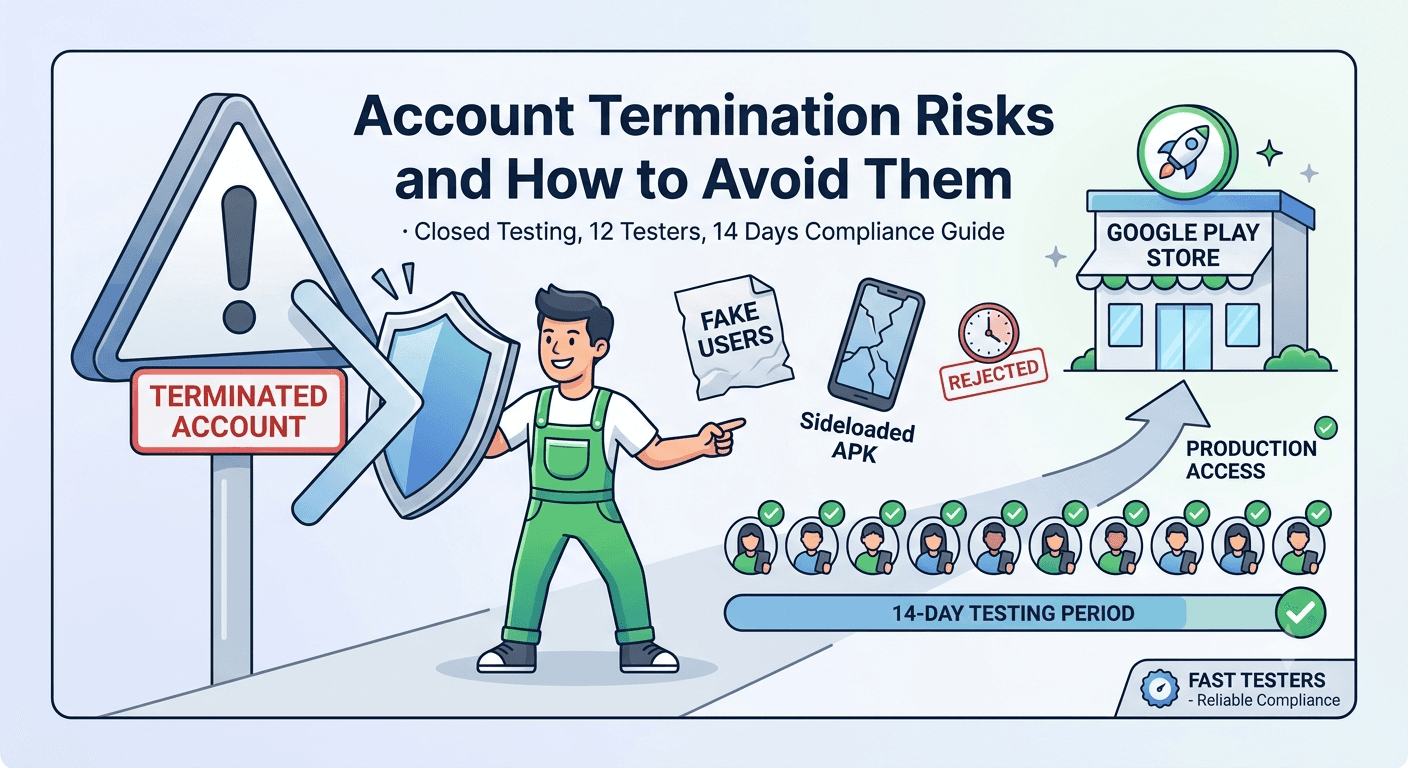
A Definitive Compliance Guide for Android Developers Navigation the Google Play Closed Testing Update.
Google Play closed testing is now a mandatory milestone for most newly registered personal developer accounts. While designed to foster high-quality applications on the marketplace, navigating this system incorrectly poses severe account termination risks. This guide addresses critical account safety steps and outlines how to fulfill compliance metrics cleanly without wasting months manually recruiting individual test groups.
Why Google Play Closed Testing Metrics Matter
For personal developer accounts provisioned after November 2023, Google requires a minimum of 20 testers actively opted into your closed track for 14 consecutive days before production deployment requests are unlocked. Skipping or intentionally gaming this system leads to permanent flag placement against your developer footprint.
Google evaluates telemetry beyond basic installation numbers. They look closely at regional distribution consistency, active app interaction rates, opt-in patterns, and hardware variety to verify validity.
 The Google Play Console deployment dashboard tracking live opt-in statuses for closed testing compliance rules.
What Google Looks For During Quality Verification
Google’s automated review protocols check that natural users choose to join your release tracks. The assessment factors include:
- Authentic Play Store Links: Testers must join natively through your unique Web or Android opt-in tracking URLs.
- Active Continuous Enrollment: Dropping below the minimum criteria number at any point mid-cycle resets your 14-day timeline progress.
- Hardware Legitimacy: True physical device fingerprints must match global user trends. Sideloaded APK distributions or systematic emulator groups will void your timeline parameters.
The Safest Step-by-Step Path to Production
- Upload Build Files: Push your native app package bundle to the formal Closed testing lane inside your Play Console account window.
- Configure Tracking Links: Grab your assigned opt-in link using the designated Testers control dashboard panel.
- Scale Your Testing Pool: Recruit real, verifiable Android consumers. Services like Fast Testers can map 15 to 20 dedicated human user tracks onto your profile panel in less than an hour for a one-time flat $15 fee.
- Review Retention Telemetry: Maintain consistent active device coverage across a solid, continuous 14-day verification window.
- Request Global Production Access: Submit your production review profile along with clear documentation detailing feedback processing insights.
Crucial Mistakes to Dodge
Many indie developers accidentally trip compliance traps by making preventable deployment slip-ups:
- Confusing the Internal testing lane with the strictly audited Closed testing parameters.
- Submitting final production approval reviews on Day 13 or earlier.
- Sharing manual APK/AAB distribution files directly with users rather than utilizing protected, formal Google Play Store track URLs.
How Fast Testers Secures Your App and Account Integrity
Fast Testers offers a secure, policy-compliant solution to the closed testing requirement with a flat **$15 per app** rate and no recurring monthly subscription costs.
Frequently Asked Questions
How quickly do my test streams initialize?
On average, real human interaction begins within one hour after submitting your valid Play Store closed testing link to our platform dashboard.
Does this method conflict with standard Google Developer agreements?
No. Standard Play Console documentation encourages inviting external independent groups via safe web tracking links to stress-test software before wide-scale commercial release.
What happens if my production request is rejected for alternative policy reasons?
If Google highlights structural content issues, fix those specific design points and update your app. Your completed testing period remains valid and counts toward the baseline requirements.
Ready to Clear Your Closed Testing Track Safely?
Protect your developer footprint and launch with confidence using a verified network of real human testers.
Start Closed Testing NowTesting choices that protect your account
Account termination is the outcome every developer fears most, and many of the behaviors that trigger it are tied to how you handle testing. The mandatory closed test — 12 testers opted in for 14 continuous days before production for new personal accounts — is meant to be satisfied with genuine testers, and trying to shortcut it with fake installs or bought bot accounts is one of the fastest routes to a strike. Google's systems are specifically tuned to detect install farms and inauthentic engagement, so the "shortcut" is really a direct risk to the account you are trying to launch on. See how Google detects fake testers and Google's developer policies.
The safe path is to meet the requirement with real, engaged testers, which both satisfies the rule and protects your standing. If recruiting a reliable, device-diverse group is difficult, use a service that supplies verified real testers rather than a fake-install provider — you can submit your app to get started. See is buying testers safe and real vs fake testers.
Common termination triggers to avoid
Beyond fake engagement, terminations commonly stem from repeated policy violations, inaccurate declarations, deceptive behavior, and impersonation. An app whose Data safety form or privacy policy misrepresents what it collects can trigger enforcement when Google detects the mismatch, and repeated or serious violations can escalate to account-level action. Keeping your declarations honest and your app compliant is not just about passing review once; it is about maintaining the trust that keeps your account alive. See the Data safety form guide and privacy policy requirements.
Another underappreciated risk is linking a new account to one that was previously terminated, since Google associates accounts and can extend enforcement across them. Treat every account with care from day one, because the platform's memory is long and its associations are broad. See identity verification.
If enforcement happens: response and appeal
If you receive a warning or suspension, respond deliberately rather than reactively. Read the exact notice, identify the cited policy, and correct the underlying issue before appealing. A well-documented appeal that demonstrates you understand and have fixed the problem stands a far better chance than an angry or vague one. Preserve evidence of your legitimate testing and compliance, since that documentation supports your case. See recovering from a rejection.
Prevention remains far cheaper than recovery. Build habits that keep you safely inside policy — real testers, accurate declarations, careful updates via staged rollouts, and ongoing post-launch monitoring — and account termination becomes a risk you have engineered away rather than one you must fight.
Related guides and resources
- How Google detects fake testers and install farms
- Closed testing guide
- App rejected on Google Play
- Google Play policy enforcement
Early warning signs to watch
Enforcement rarely arrives without precursors, so learn to read the signals. Policy declaration prompts you keep dismissing, review rejections that cite the same issue repeatedly, unusual patterns in your install or engagement data, and messages in the Play Console inbox all deserve immediate attention. An account that accumulates unresolved warnings is on a trajectory toward suspension, whereas one that addresses each notice promptly stays healthy. Treat every Console notification as actionable rather than noise. See policy changes to watch and Google's policy enforcement guidance.
Be especially wary of anything that artificially inflates engagement, because Google's detection is designed to catch exactly that, and the resulting strike can be severe. If your testing numbers look "too good," verify they come from genuine activity, since inauthentic patterns are a classic trigger. See how Google detects fake testers.
Building a compliance-first habit
The developers who never face termination are not lucky — they have made compliance a habit rather than an afterthought. That means reading policies before building features that touch sensitive areas, keeping declarations accurate as the app evolves, using real testers, and rolling out updates carefully. Each habit individually is small; together they keep your account comfortably inside the rules for its entire life. Compliance is cheaper as a routine than as an emergency. See the first-app checklist and updating after release.
This mindset also future-proofs you against policy changes, which arrive regularly. A developer who already errs toward transparency and genuine engagement absorbs new rules easily, while one who operates near the edge is repeatedly exposed. Build the habit now and account safety becomes something you rarely have to think about. See policy changes to watch.
Account safety FAQ
Can buying testers get my account terminated?
Buying fake installs or bot accounts can, because Google detects inauthentic engagement. Use real, verified testers instead to stay safe.
Do inaccurate declarations risk my account?
Yes. Misrepresenting data practices can trigger enforcement, and repeated or serious violations can escalate to account-level action.
Can a new account be affected by an old terminated one?
Yes. Google associates linked accounts and can extend enforcement, so avoid tying a fresh account to a previously terminated one.
What should I do if I get a policy warning?
Read the exact notice, fix the cited issue, and address it promptly. Unresolved warnings accumulate toward suspension, so treat each as actionable.
Are policy changes a termination risk?
They can be if you ignore them. Staying current with policy updates and erring toward transparency keeps new rules from catching your account off guard.
Is real testing safer than buying installs?
Far safer. Genuine testers satisfy the requirement without the detection risk that fake installs carry, protecting your account while giving real feedback.
Bottom line
Account termination is almost always the end of a pattern, not a bolt from the blue, which means it is largely preventable. Meet the closed-testing requirement with real testers, keep your declarations honest, address warnings immediately, and roll out updates carefully, and you build an account that stays safely inside Google's rules. If the temptation to shortcut testing with fake installs is what puts you at risk, remove it by sourcing genuine testers instead — you can submit your app for verified real testers. See how Google detects fake testers to understand why the safe path is also the only reliable one.
Expanded for topical authority — additional practical sections below. Original guide content above is unchanged.
Quick answer
Account Termination Risks and How to Avoid Them matters because Google Play production access for many new personal developer accounts depends on a successful closed test: at least 12 real testers opted in for 14 continuous days, plus a policy-compliant, stable app. Use this guide to execute the steps correctly, avoid streak-breaking mistakes, and decide whether DIY recruitment or a managed closed testing service is the better path for your deadline.
Key takeaways
- Account Termination Risks and How to Avoid Them should be treated as a practical Play Console workflow, not just theory.
- For many new personal accounts, 12 opted-in testers × 14 continuous days on closed testing gates production access.
- Opt-in + install from Play beats “emails invited” every time — verify counts in Console.
- Use the window for QA, listing, and compliance work so review is the only remaining gate.
- Prefer real testers and a buffer above 12; avoid anything that looks like fake engagement.
Real-world scenarios: who this matters for
The guidance in this article on Account Termination Risks and How to Avoid Them applies across many Android product types. Use these scenarios to map the advice to your situation.
| Developer type | Typical challenge | Practical focus |
|---|---|---|
| Indie / solo | Limited tester network and time | Start closed testing early; keep a buffer above 12 opted-in testers; parallelize listing + Data safety work |
| Startup | Launch deadline vs 14-day rule | Treat the window as fixed; recruit in parallel with QA; avoid last-minute track setup |
| Agency / white-label | Multiple client apps, each needing its own test | One closed test per app; standardize opt-in onboarding; track eligibility dates per client |
| Flutter / React Native | Cross-platform build + Play Console quirks | Ship a signed AAB to closed testing; verify installs from Play, not sideload; watch vitals on mid-range devices |
| Native Kotlin | Device/API fragmentation | Cover API levels and OEMs in your tester mix; fix crashes before requesting production |
| Game / Unity | Performance + retention during 14 days | Keep testers engaged so count never dips below 12; monitor ANRs and battery |
| E-commerce / fintech | Policy + payment flows | Test checkout, permissions, and declarations carefully before production access |
| Healthcare / kids / education | Sensitive policies (Families, data) | Align listing, privacy, and content rating with real app behavior during the test window |
Visual placeholder: Scenario matrix infographic — Indie / Startup / Agency / Cross-platform paths for Account Termination Risks and How to Avoid Them.
Comparison: rejection / eligibility categories
Problems related to Account Termination Risks and How to Avoid Them usually fall into a few buckets. Classify first, then fix — mixing categories wastes review cycles.
| Category | What Google is signaling | Primary fix | Avoid |
|---|---|---|---|
| Testing eligibility | Closed test incomplete / not continuous | Restore 12+ opted-in for 14 continuous days | Requesting production early |
| Policy / content | App or listing violates Play policy | Change product/listing to comply | Resubmitting unchanged |
| Declarations | Data safety, permissions, or rating mismatch | Align forms with real behavior | Copy-pasting inaccurate answers |
| Stability / quality | Crashes, broken core flows | Fix build; re-test on closed track | Ignoring tester crash reports |
| Metadata / listing | Misleading or stuffed listing | Clean title, description, graphics | Keyword stuffing |
Visual placeholder: Flowchart — diagnose rejection category → fix → retest → re-request.
Common mistakes (and how to avoid them)
These mistakes repeatedly show up when developers work through Account Termination Risks and How to Avoid Them:
- Confusing invited vs opted-in testers — Only testers who open the opt-in link and install from Play count toward 12. Check the opted-in number in Play Console, not your email list.
- Recruiting exactly 12 with no buffer — One uninstall can break continuity. Aim for ~15 active opted-in testers.
- Starting the counted clock late — Listing assets, Data safety, and privacy work should run during the 14 days, not after.
- Using sideloaded APKs or fake installs — They do not satisfy Play’s closed testing expectations and can create account risk.
- Ignoring tester feedback until day 14 — Crashes that drive uninstalls threaten your streak and your review outcome.
- Requesting production access before the continuous streak completes — Eligibility checks fail even if calendar time has passed.
Troubleshooting checklist
If something feels “stuck” while applying Account Termination Risks and How to Avoid Them, walk this list before changing strategy:
| Symptom | Likely cause | Fix |
|---|---|---|
| Console shows < 12 testers | Invites sent but not opted in | Resend opt-in link; confirm install from Play |
| “Not eligible” after 14 calendar days | Count dipped below 12 mid-window | Restore 12+ and complete a full continuous streak |
| Tester cannot join | Wrong account, Group lag, or track not published | Verify Google account, Group membership, track release |
| App fails to install | Device/API mismatch or signing issue | Check AAB, minSDK, Play App Signing |
| Production still rejected after testing | Policy, declarations, or stability — not the clock | Read the exact reason; fix that category completely |
Visual placeholder: Troubleshooting flowchart for Account Termination Risks and How to Avoid Them.
Action checklist
Use this checklist alongside the rest of this guide on Account Termination Risks and How to Avoid Them:
- ☐ Closed testing track created with a signed release (AAB)
- ☐ Opt-in link tested on a fresh Google account
- ☐ At least 12 testers opted in (prefer ~15)
- ☐ Daily check that opted-in count stays ≥ 12 for 14 continuous days
- ☐ Core flows exercised (login, main feature, permissions, offline/online)
- ☐ Crashes / ANRs triaged from tester reports and vitals
- ☐ Store listing, screenshots, and feature graphic drafted
- ☐ Privacy policy + Data safety + content rating aligned with real behavior
- ☐ Production access requested only after eligibility is green
- ☐ Staged rollout plan ready for first public release
Additional FAQs developers ask about Account Termination Risks and How to Avoid Them
Quick answer: what should I do first?
Confirm you are on a closed testing track with real opted-in installs, keep 12+ testers for 14 continuous days, and fix policy/stability issues in parallel. Then use the detailed sections above for Account Termination Risks and How to Avoid Them.
Does this apply to organization (company) accounts?
The classic 12×14 closed testing gate is primarily associated with new personal developer accounts. Always verify your account type and current Play Console eligibility messaging for your app.
Do friends and family count as testers?
Yes — if they opt in via your closed testing link and install from Google Play. They only help if they stay opted in for the continuous period.
Can I update the app during the 14 days?
You can usually push updates on the closed track, but unstable releases that cause uninstalls can threaten your tester count. Prefer polishing via internal testing first when possible.
What if production access is still rejected?
Read the exact reason. Incomplete testing is only one category — policy, Data safety mismatches, and crashes are common. Fix the cited issue fully before reapplying.
Is paying for testers allowed?
Using real people who install from Play is what matters. Avoid fake install farms. A one-time managed service that supplies real closed testers is a practical option when DIY recruitment is too slow.
How is Fast Testers different from free communities?
Free communities trade time and mutual availability. Fast Testers assigns about 15 real testers after you submit a valid closed testing link (one-time $15 per app) and includes a production access guarantee under its refund terms.
Where should I go next?
Review the related guides below, then either finish DIY recruitment or start closed testing if you need speed and continuity.
Sources, updates, and how to use this guide
This article on Account Termination Risks and How to Avoid Them is maintained for Android developers preparing Google Play closed testing and production access. Always cross-check eligibility text inside your own Play Console, because Google’s UI labels and account rules can vary by account type and date.
- Primary official references: Google Play closed testing help, Developer Program Policies, and Play Console eligibility messaging for your app.
- Practical experience lens: guidance here reflects common failure modes indie developers and agencies hit when recruiting testers, maintaining the 14-day streak, and recovering from production-access rejections.
- Last reviewed focus: 12×14 closed testing continuity, real vs fake testers, and parallel listing/compliance work during the window.
Related guides and next steps
Continue building topical depth around Account Termination Risks and How to Avoid Them with these Fast Testers resources:
- Google Play Personal Account Vs Organization Account
- Google Play Developer Account Guide
- Testing Multiple Apps On One Developer Account
- Accessibility Testing Before Play Store Launch
- Ad Supported Apps And Google Play Ad Policy Testing
- Agency Guide Testing Client Apps On Google Play
- Analytics Sdk Testing During Closed Testing
- Android App Release Checklist
- Pricing — $15 closed testing
- How Fast Testers works
- FAQ
- Developer reviews
- Case studies
- Submit your app / start closed testing
Need reliable testers so your 14-day streak does not stall? Educate first with the guides above, then start when you are ready — one-time pricing, real Play installs, dashboard tracking.
Internal navigation hub — added to strengthen topical connections. Original article content above is unchanged.
Topic cluster: App Rejection & Eligibility
Pillar guide: Start with App Rejected by Google Play? Here's What to Do for the full overview, then use the supporting guides below.
- App Rejected by Google Play? Here's What to Do (pillar)
- Why Google Rejects Android Apps (and How to Avoid It)
- Google Play Production Access Rejection Reasons
- App Not Eligible for Production Access? Here Is Why
- Why Google Rejected My Production Access Request
- Closed Testing Completed but Still Rejected? Do This
- App Rejected for Insufficient Testing: What to Do
- Case Study: Recovering from Google Play Rejection
- Google Play Policy Violations During Closed Testing
Continue learning
- App Not Eligible for Production Access? Here Is Why — Seeing "app not eligible for production access" in Play Console? Here are the exact reasons the button is lock.
- App Rejected for Insufficient Testing: What to Do — Learn about insufficient testing rejections for Google Play closed testing. Complete guide for Android develop.
- App Rejected by Google Play? Here's What to Do — Got your app rejected? This guide walks you through the most common rejection reasons..
- Case Study: Recovering from Google Play Rejection — Learn about rejection recovery for Google Play closed testing. Complete guide for Android developers publishin.
- Closed Testing Completed but Still Rejected? Do This — Completed closed testing but Google still rejected production access? Here are the real reasons and a step-by-.
- Crash Reports During Closed Testing: Fix Before Production — Learn about ANR and crash handling for Google Play closed testing. Complete guide for Android developers publi.
Next steps
- Ready to run closed testing with real Android testers? Submit your app or see pricing ($15 one-time).
- Compare options on our testing service comparison page, or read developer reviews and case studies.
- Still deciding? Review how Fast Testers works and the FAQ.