
Few messages are as frustrating as being told your app was rejected or is ineligible because of insufficient testing, especially when you thought you had done everything right. This specific rejection means Google does not consider your closed-testing requirement genuinely satisfied — and the good news is that it is one of the most straightforward rejections to diagnose and fix. This guide explains exactly what "insufficient testing" means, why it happens, and the concrete steps to resolve it and get your production access approved.
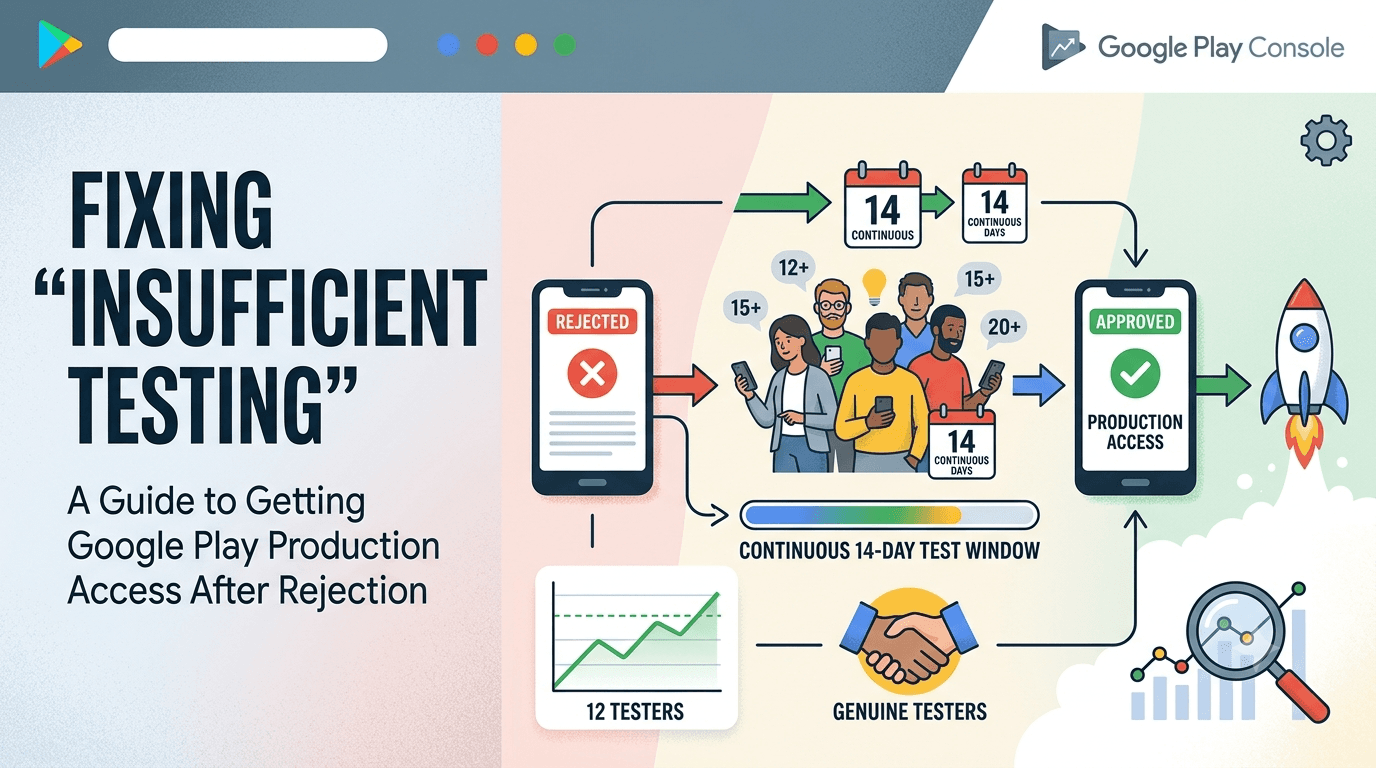
The core requirement for a new personal account is at least 12 testers opted in and maintained for 14 continuous days. When Google flags insufficient testing, it almost always means one of those conditions was not truly met, even if it appeared to be. Let us break down each cause and its fix.
What "insufficient testing" actually means
"Insufficient testing" is Google's way of saying your closed test did not genuinely meet the threshold that unlocks production access. It is not a judgment about how thoroughly you personally tested the app; it is about the measurable participation of your tester group. The system tracks how many real, opted-in testers you had and for how long, and if those numbers fall short of 12 testers across 14 continuous days, you are considered to have insufficient testing regardless of your own effort.
This distinction matters because developers often respond by testing harder themselves, when the actual problem is the tester count or continuity. The requirement is specifically about a group of real testers participating over time, so the fix must address that, not your personal QA. Understanding this reframes the problem from "test more" to "get and keep enough real testers for the full window."
Cause 1: Not enough testers
The most obvious cause is simply having fewer than 12 opted-in testers. This can happen if you recruited only a handful, if some people you invited never actually opted in, or if you counted installs or expressions of interest rather than genuine opt-ins. Only real Google accounts that opt into your closed track count, so an invitation list of 20 that produced only 8 actual opt-ins leaves you short.
The fix is to recruit more real, opted-in testers — ideally 15 to 20 so you comfortably clear the minimum with a buffer. Confirm each tester has actually opted in, not merely been invited. If finding this many committed people is your obstacle, a service can supply verified real testers quickly; you can submit your app, and see how to get 12 testers without friends or family.
Cause 2: The 14 days were not continuous
A subtler and very common cause is that your tester count dipped below 12 partway through the window. The requirement is for 14 continuous days with the count maintained, so if you started with 12 and two people dropped off on day six, you fell below the threshold and broke continuity — even though 14 calendar days passed. Google measures sustained participation, not just elapsed time.
| Scenario | Result |
|---|---|
| 12 testers, all stay 14 days | Requirement met |
| 12 testers, 2 leave on day 6 | Continuity broken; insufficient |
| 18 testers, 3 leave, 15 remain | Requirement met (buffer worked) |
The fix is the buffer again: start with more than 12 so attrition never drops you below the line, and monitor your count so you can top up if needed. See avoiding tester dropout.
Cause 3: Testers were not genuine
If you used cheap "installs" or fake accounts to inflate your numbers, Google's systems can detect and discount them, leaving your genuine count below the requirement — and potentially flagging your account. Fake or install-farm testers do not satisfy the requirement no matter how many you buy, because they are not real, sustained participants. This is a self-inflicted cause of insufficient-testing rejection that is entirely avoidable.
The fix is to use only real, engaged testers. If you were tempted by bargain "tester" offers, recognize them as a trap that costs money and still fails the requirement. Legitimate services supply genuine testers who actually count; see real vs fake testers and is buying testers safe.
The step-by-step fix
To resolve an insufficient-testing rejection, first confirm your current genuine, opted-in tester count in the Play Console. If it is below 12, recruit more real testers to comfortably exceed the minimum. Ensure they all actually opt in and install. Then run a clean, continuous 14-day window with the count maintained above 12 throughout — this may mean effectively restarting the clock with a solid, buffered group. Once you have genuinely satisfied the requirement, reapply for production access.
The key is to treat this as a fresh, properly resourced test rather than a patch. A buffered group of committed, real testers run continuously for 14 days will satisfy the requirement cleanly. If assembling and sustaining that group is the hard part, that is exactly what a service handles — you can submit your app to get a reliable roster and avoid a repeat rejection.
Preventing it next time
Prevention is simple once you understand the requirement: recruit a buffer above 12, use only real and engaged testers, keep the window genuinely continuous, and monitor your count throughout. Do these and insufficient-testing rejections become impossible. Combine that with addressing the other production-access requirements — compliance, declarations, permissions, and a complete app — and your path to approval is clear. See all production-access rejection reasons for the complete picture.
Most developers who hit this rejection once clear it easily on the next attempt simply by running a properly buffered, genuine test. The frustration is real, but the fix is well understood and reliable.
Key takeaways
- "Insufficient testing" means the 12/14 requirement was not genuinely met, not that you tested too little.
- Common causes: too few opt-ins, broken continuity, or fake testers.
- Recruit a buffer (15–20) of real, engaged testers.
- Keep the 14-day window continuous with the count above 12 throughout.
- Run a clean, genuine test and reapply — most developers pass on the next try.
Restarting the right way
If an insufficient-testing rejection means you need to run the window again, the worst thing you can do is repeat the exact process that failed the first time. A restart is an opportunity to fix the underlying weakness — almost always a fragile tester group — rather than simply hoping for a better outcome with the same fragile inputs. Approaching the restart deliberately, with a properly resourced and committed group, is what ensures you clear the requirement cleanly on the second attempt instead of grinding through a third.
Begin by honestly diagnosing why the first window fell short. Did you never reach 12 genuine opt-ins, or did you reach it and then lose people as the days passed? Did you count invitations rather than confirmed opt-ins, or rely on cheap installs that were discounted? The specific failure mode tells you exactly what to strengthen. If the problem was numbers, recruit more; if it was continuity, focus on commitment and a buffer; if it was authenticity, replace fake activity with real testers. A restart built on a clear diagnosis is far more likely to succeed.
When you relaunch the window, front-load your safety margin. Rather than starting again at exactly 12, begin with 15 to 20 committed, real testers so that the normal attrition that likely sank you last time becomes harmless. Brief every tester clearly on the two-week commitment so they understand what they are signing up for, and set up a simple way for them to report issues so they stay engaged. Engagement is the antidote to the silent drift that breaks continuity, so treat your testers as collaborators from day one of the restart.
Throughout the new window, monitor your count closely so you are never caught out again. Check the Play Console every day or two, and if the count starts trending down, act immediately by reminding testers or topping up with additional ones before you fall below the minimum. This proactive monitoring, combined with a healthy buffer, means you enter the end of the 14 days with the requirement genuinely and verifiably satisfied — not merely hoped for. The difference between a first attempt that failed and a second that succeeds is almost always this shift from passive to active management.
Finally, recognize that if assembling and sustaining a committed group is precisely the thing you could not do the first time, willpower alone may not fix it the second time either. This is the situation a testing service is designed for: it supplies verified, engaged, device-diverse testers with a built-in buffer who stay for the full window, removing the exact failure mode that caused your rejection. Rather than risk a third attempt, you can submit your app to run a clean, reliable window, and see how to get 12 testers without friends or family for the full range of options.
The right mindset after a setback
Beyond the mechanics, recovering from an insufficient-testing rejection is partly a matter of mindset, because the developers who bounce back fastest are the ones who treat the setback as information rather than failure. A rejection is Google telling you precisely what to fix, which is far more useful than a vague sense that something went wrong. Approached this way, the rejection becomes a clear, actionable brief: strengthen the tester side, run a clean window, and reapply. That reframing turns frustration into a concrete plan and prevents the paralysis that traps some developers after a first denial.
It also helps to remember how common this particular rejection is. The closed-testing requirement is relatively new, its "continuous 14 days" nuance trips up huge numbers of first-time publishers, and the majority who hit it clear it easily on a second, better-resourced attempt. You are not in unusual trouble; you have encountered the single most common stumbling block on the path to production, and it has a well-understood fix. Knowing that others routinely recover — and that the fix is simply a properly buffered, committed, genuine tester group run continuously — takes most of the sting out of the setback.
Finally, use the setback as a prompt to build a more robust process rather than a slightly-less-fragile version of the one that failed. If you scraped together a bare-minimum group last time and watched it crumble, the lesson is not to scrape together twelve-plus-one this time but to change your approach to sourcing testers entirely — toward committed people who accept the two-week commitment, with a real buffer and active monitoring. That structural change is what guarantees you never see this rejection again. If the reliable-tester problem is the crux, you can submit your app to solve it at the source, and read closed testing completed but still rejected for adjacent issues.
Frequently asked questions
Do I have to restart the 14 days?
If your window did not genuinely meet 12 testers for 14 continuous days, you effectively need a clean, buffered window that does. Then reapply.
Why is this rejection so common?
The "continuous 14 days" nuance trips up many first-time publishers whose count dips mid-window. Most clear it easily on a second, better-buffered attempt.
Do invitations count if testers didn't opt in?
No. Only real accounts that actually opt in count. Confirm opt-ins, not just invitations.
How do I check my genuine tester count?
Open your closed testing track in the Play Console, which shows how many testers have opted in. Verify this reflects real, sustained participation, not just invitations sent.
Can buying cheap installs fix this?
No. Fake or install-farm activity is detected, does not count, and can harm your account. Use real testers.
How many testers should I use to be safe?
Recruit 15–20 committed, real testers so normal dropouts never take you below the minimum of 12.
Will fixing testing guarantee approval?
It resolves the testing rejection, but your app must also comply with policies and have accurate declarations to be approved.
Can a service prevent this rejection?
A service supplies verified, engaged, buffered testers who stay the full window, which directly removes the fragile-tester cause behind most insufficient-testing rejections.
Expanded for topical authority — additional practical sections below. Original guide content above is unchanged.
Quick answer
App Rejected for Insufficient Testing: What to Do matters because Google Play production access for many new personal developer accounts depends on a successful closed test: at least 12 real testers opted in for 14 continuous days, plus a policy-compliant, stable app. Use this guide to execute the steps correctly, avoid streak-breaking mistakes, and decide whether DIY recruitment or a managed closed testing service is the better path for your deadline.
Real-world scenarios: who this matters for
The guidance in this article on App Rejected for Insufficient Testing: What to Do applies across many Android product types. Use these scenarios to map the advice to your situation.
| Developer type | Typical challenge | Practical focus |
|---|---|---|
| Indie / solo | Limited tester network and time | Start closed testing early; keep a buffer above 12 opted-in testers; parallelize listing + Data safety work |
| Startup | Launch deadline vs 14-day rule | Treat the window as fixed; recruit in parallel with QA; avoid last-minute track setup |
| Agency / white-label | Multiple client apps, each needing its own test | One closed test per app; standardize opt-in onboarding; track eligibility dates per client |
| Flutter / React Native | Cross-platform build + Play Console quirks | Ship a signed AAB to closed testing; verify installs from Play, not sideload; watch vitals on mid-range devices |
| Native Kotlin | Device/API fragmentation | Cover API levels and OEMs in your tester mix; fix crashes before requesting production |
| Game / Unity | Performance + retention during 14 days | Keep testers engaged so count never dips below 12; monitor ANRs and battery |
| E-commerce / fintech | Policy + payment flows | Test checkout, permissions, and declarations carefully before production access |
| Healthcare / kids / education | Sensitive policies (Families, data) | Align listing, privacy, and content rating with real app behavior during the test window |
Visual placeholder: Scenario matrix infographic — Indie / Startup / Agency / Cross-platform paths for App Rejected for Insufficient Testing: What to Do.
Comparison: rejection / eligibility categories
Problems related to App Rejected for Insufficient Testing: What to Do usually fall into a few buckets. Classify first, then fix — mixing categories wastes review cycles.
| Category | What Google is signaling | Primary fix | Avoid |
|---|---|---|---|
| Testing eligibility | Closed test incomplete / not continuous | Restore 12+ opted-in for 14 continuous days | Requesting production early |
| Policy / content | App or listing violates Play policy | Change product/listing to comply | Resubmitting unchanged |
| Declarations | Data safety, permissions, or rating mismatch | Align forms with real behavior | Copy-pasting inaccurate answers |
| Stability / quality | Crashes, broken core flows | Fix build; re-test on closed track | Ignoring tester crash reports |
| Metadata / listing | Misleading or stuffed listing | Clean title, description, graphics | Keyword stuffing |
Visual placeholder: Flowchart — diagnose rejection category → fix → retest → re-request.
Common mistakes (and how to avoid them)
These mistakes repeatedly show up when developers work through App Rejected for Insufficient Testing: What to Do:
- Confusing invited vs opted-in testers — Only testers who open the opt-in link and install from Play count toward 12. Check the opted-in number in Play Console, not your email list.
- Recruiting exactly 12 with no buffer — One uninstall can break continuity. Aim for ~15 active opted-in testers.
- Starting the counted clock late — Listing assets, Data safety, and privacy work should run during the 14 days, not after.
- Using sideloaded APKs or fake installs — They do not satisfy Play’s closed testing expectations and can create account risk.
- Ignoring tester feedback until day 14 — Crashes that drive uninstalls threaten your streak and your review outcome.
- Requesting production access before the continuous streak completes — Eligibility checks fail even if calendar time has passed.
Troubleshooting checklist
If something feels “stuck” while applying App Rejected for Insufficient Testing: What to Do, walk this list before changing strategy:
| Symptom | Likely cause | Fix |
|---|---|---|
| Console shows < 12 testers | Invites sent but not opted in | Resend opt-in link; confirm install from Play |
| “Not eligible” after 14 calendar days | Count dipped below 12 mid-window | Restore 12+ and complete a full continuous streak |
| Tester cannot join | Wrong account, Group lag, or track not published | Verify Google account, Group membership, track release |
| App fails to install | Device/API mismatch or signing issue | Check AAB, minSDK, Play App Signing |
| Production still rejected after testing | Policy, declarations, or stability — not the clock | Read the exact reason; fix that category completely |
Visual placeholder: Troubleshooting flowchart for App Rejected for Insufficient Testing: What to Do.
Action checklist
Use this checklist alongside the rest of this guide on App Rejected for Insufficient Testing: What to Do:
- ☐ Closed testing track created with a signed release (AAB)
- ☐ Opt-in link tested on a fresh Google account
- ☐ At least 12 testers opted in (prefer ~15)
- ☐ Daily check that opted-in count stays ≥ 12 for 14 continuous days
- ☐ Core flows exercised (login, main feature, permissions, offline/online)
- ☐ Crashes / ANRs triaged from tester reports and vitals
- ☐ Store listing, screenshots, and feature graphic drafted
- ☐ Privacy policy + Data safety + content rating aligned with real behavior
- ☐ Production access requested only after eligibility is green
- ☐ Staged rollout plan ready for first public release
Additional FAQs developers ask about App Rejected for Insufficient Testing: What to Do
Quick answer: what should I do first?
Confirm you are on a closed testing track with real opted-in installs, keep 12+ testers for 14 continuous days, and fix policy/stability issues in parallel. Then use the detailed sections above for App Rejected for Insufficient Testing: What to Do.
Does this apply to organization (company) accounts?
The classic 12×14 closed testing gate is primarily associated with new personal developer accounts. Always verify your account type and current Play Console eligibility messaging for your app.
Do friends and family count as testers?
Yes — if they opt in via your closed testing link and install from Google Play. They only help if they stay opted in for the continuous period.
Can I update the app during the 14 days?
You can usually push updates on the closed track, but unstable releases that cause uninstalls can threaten your tester count. Prefer polishing via internal testing first when possible.
What if production access is still rejected?
Read the exact reason. Incomplete testing is only one category — policy, Data safety mismatches, and crashes are common. Fix the cited issue fully before reapplying.
Is paying for testers allowed?
Using real people who install from Play is what matters. Avoid fake install farms. A one-time managed service that supplies real closed testers is a practical option when DIY recruitment is too slow.
How is Fast Testers different from free communities?
Free communities trade time and mutual availability. Fast Testers assigns about 15 real testers after you submit a valid closed testing link (one-time $15 per app) and includes a production access guarantee under its refund terms.
Where should I go next?
Review the related guides below, then either finish DIY recruitment or start closed testing if you need speed and continuity.
Sources, updates, and how to use this guide
This article on App Rejected for Insufficient Testing: What to Do is maintained for Android developers preparing Google Play closed testing and production access. Always cross-check eligibility text inside your own Play Console, because Google’s UI labels and account rules can vary by account type and date.
- Primary official references: Google Play closed testing help, Developer Program Policies, and Play Console eligibility messaging for your app.
- Practical experience lens: guidance here reflects common failure modes indie developers and agencies hit when recruiting testers, maintaining the 14-day streak, and recovering from production-access rejections.
- Last reviewed focus: 12×14 closed testing continuity, real vs fake testers, and parallel listing/compliance work during the window.
Related guides and next steps
Continue building topical depth around App Rejected for Insufficient Testing: What to Do with these Fast Testers resources:
- Analytics Sdk Testing During Closed Testing
- Closed Testing Completed But Still Rejected
- Closed Testing Vs Open Testing On Google Play
- Google Play Internal Testing Vs Closed Testing
- Manual Testing Vs Automated Testing
- Professional Testing Services Vs Community Testing
- What Happens After 14 Days Of Closed Testing
- Accessibility Testing Before Play Store Launch
- Pricing — $15 closed testing
- How Fast Testers works
- FAQ
- Developer reviews
- Case studies
- Submit your app / start closed testing
Need reliable testers so your 14-day streak does not stall? Educate first with the guides above, then start when you are ready — one-time pricing, real Play installs, dashboard tracking.
Further expansion — case study, decisions, and expert recommendations. Prior sections remain unchanged.
Case study: recovering production access after a rejection
Problem: A solo developer finished what they thought was “14 days of testing,” requested production access, and was told the app was not eligible / rejected. Their invite list had 18 emails, but only 9 had opted in for the full window — and a crash on day 6 caused three uninstalls.
Solution: They paused the production request, fixed the crash on an internal track first, then rebuilt closed testing with ~15 real opted-in testers. During the new 14-day streak they also corrected a Data safety mismatch that would have failed review later. Guidance from articles like this one on App Rejected For Insufficient Testing: What To Do helped them classify the issue as eligibility + stability, not “random Google rejection.”
Result: Continuous 12+ streak completed, production access approved on the next request, staged rollout to 10% with clean vitals.
Lessons learned:
- Count opted-in installs, not invites.
- Fix crash-driven churn before you burn another 14 days.
- Use the window to clear declarations — not only the tester clock.
Decision guide: what should you do next?
Use this decision path when applying App Rejected For Insufficient Testing: What To Do:
- Is your account a new personal developer account that still needs production access?
If yes, plan for closed testing with 12+ opted-in testers for 14 continuous days. If no, still test — but confirm the exact eligibility text in Play Console. - Do you already have 12+ reliable people who will install from Play and stay for two weeks?
If yes, DIY can work — add a buffer and monitor daily. If no, use community exchange or a managed closed testing service. - Is your build stable enough that testers will not churn?
If no, run internal testing first. Entering the counted window with crash loops is how streaks die. - Are Data safety, privacy policy, permissions, and listing aligned with real behavior?
If no, fix during the window so production review does not bounce you after the clock. - Has production access been rejected?
Classify: eligibility vs policy vs declarations vs stability. Fix that category completely, then re-test / re-request.
Visual placeholder: Decision tree diagram for App Rejected For Insufficient Testing: What To Do (DIY vs managed vs fix-and-retry).
Expert recommendations
- Instrument the streak: Check opted-in count daily for the first week; replace dropouts same day.
- Brief testers once: Send a short checklist (install from Play, open app daily, try core flow, report crashes). Silent testers still count if opted in — engaged testers protect quality.
- Never “solve” recruitment with fake installs: It fails the intent of closed testing and can create account risk.
- Ship a boring-stable build to closed testing: Save experimental features for internal tracks.
- Educate first, then accelerate: If your blocker is simply finding real testers fast, a one-time managed option (Fast Testers: 15 testers, $15/app) is often cheaper than slipping a launch.
For hands-on setup after reading about App Rejected For Insufficient Testing: What To Do, see how it works and pricing, or submit your closed testing link when you are ready.
Internal navigation hub — added to strengthen topical connections. Original article content above is unchanged.
Topic cluster: App Rejection & Eligibility
Pillar guide: Start with App Rejected by Google Play? Here's What to Do for the full overview, then use the supporting guides below.
- App Rejected by Google Play? Here's What to Do (pillar)
- Why Google Rejects Android Apps (and How to Avoid It)
- Google Play Production Access Rejection Reasons
- App Not Eligible for Production Access? Here Is Why
- Why Google Rejected My Production Access Request
- Closed Testing Completed but Still Rejected? Do This
- Case Study: Recovering from Google Play Rejection
- Google Play Policy Violations During Closed Testing
- Account Termination Risks and How to Avoid Them
Continue learning
- Closed Testing Completed but Still Rejected? Do This — Completed closed testing but Google still rejected production access? Here are the real reasons and a step-by-.
- App Rejected by Google Play? Here's What to Do — Got your app rejected? This guide walks you through the most common rejection reasons..
- Crash Reports During Closed Testing: Fix Before Production — Learn about ANR and crash handling for Google Play closed testing. Complete guide for Android developers publi.
- Google Play Policy Violations During Closed Testing — Can you get policy violations during closed testing? Yes. Learn which Google Play policies apply during testin.
- Why Google Rejected My Production Access Request — Google rejected your production access request? Here are the real reasons Google denies production access afte.
- Account Termination Risks and How to Avoid Them — Learn about account safety for Google Play closed testing. Complete guide for Android developers publishing on.
Next steps
- Ready to run closed testing with real Android testers? Submit your app or see pricing ($15 one-time).
- Compare options on our testing service comparison page, or read developer reviews and case studies.
- Still deciding? Review how Fast Testers works and the FAQ.