
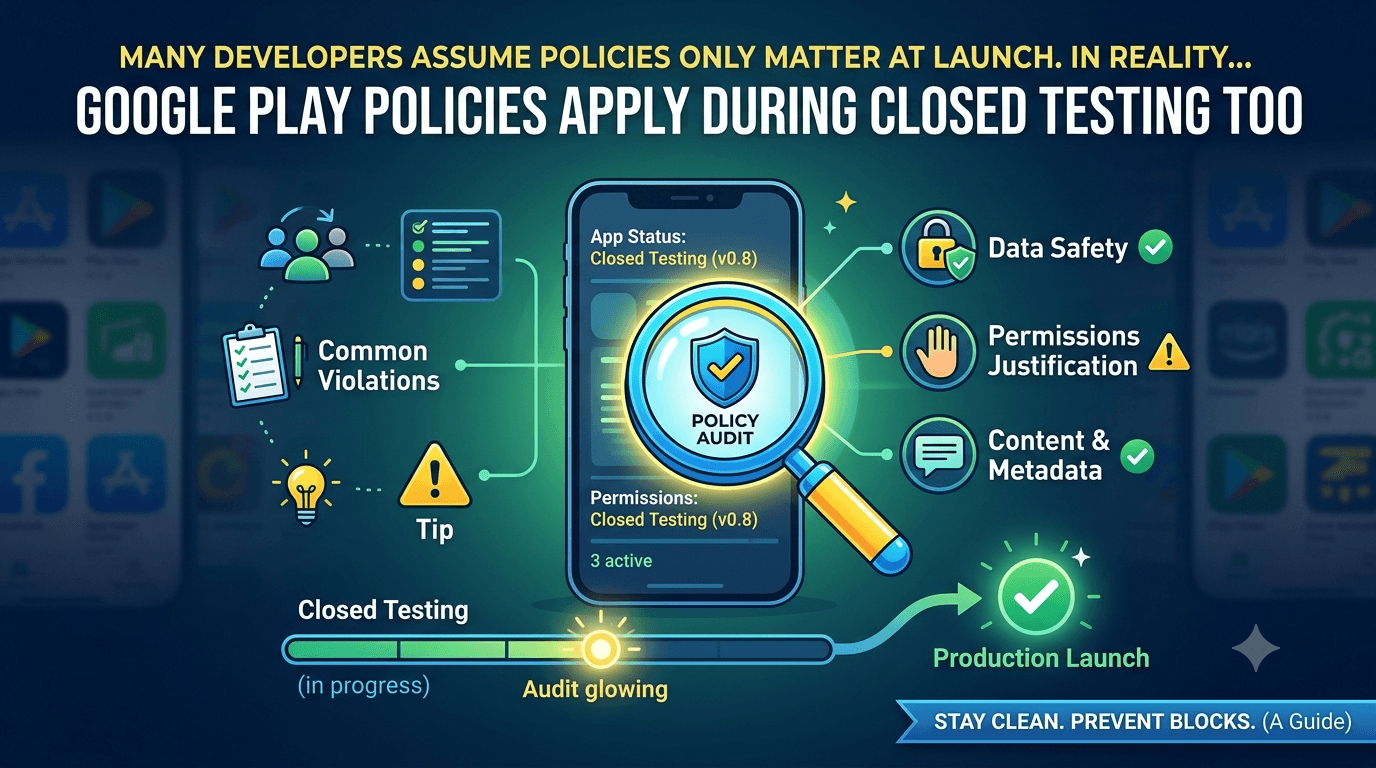
Many developers assume policies only matter at production launch. In reality, Google Play policies apply during closed testing too, and violations flagged now can block your path to production later. This guide covers the policies that matter during testing, the most common violations, and how to stay clean.
Contents
Quick answer
Featured answer: Yes — Google Play policies apply during closed testing. Data safety accuracy, permissions justification, restricted content rules, and metadata policies are all enforced. Fixing violations during testing prevents them from blocking production access.
Which policies apply during testing
- Data safety: Your declared data practices must match reality — data safety form.
- Permissions: Sensitive permissions need justification — background location.
- Restricted content: Prohibited content rules apply from day one.
- Metadata: Misleading titles, descriptions, or screenshots.
- Target API level: Must meet the minimum — 2026 requirements.
Common violations
| Violation | Typical cause |
|---|---|
| Data safety mismatch | Collecting data not disclosed |
| Unjustified permissions | Requesting location/SMS without need |
| Missing privacy policy | No valid policy URL |
| Misleading listing | Screenshots not matching the app |
| Restricted content | Content breaking Play policy |
How to prevent violations
- Audit permissions — remove anything you cannot justify.
- Complete an accurate data safety form before testing.
- Publish a valid privacy policy.
- Match your listing to the real app.
- Use real testers who surface issues early — where to find real testers.
Warning: Repeated or serious violations can put your developer account at risk. See account termination risks.
Tip: Real human testers often catch policy-relevant issues (unexpected permission prompts, broken flows) before Google does. Submit your app to get testers plus feedback reports.
Why violations surface during testing
Developers are often surprised that policy problems appear during closed testing rather than only at production. The reason is simple: your app is now running on real devices, exercising real permissions and data flows. Behaviors that were invisible on your own machine — an unexpected permission prompt, an undisclosed analytics call, a broken consent screen — become visible when a dozen testers use the app. That visibility is a gift, not a threat, because it lets you correct issues while they are still cheap to fix.
How to self-audit before applying
A short audit during your 14-day test catches most policy problems before they reach a reviewer. Walk through each area deliberately:
- Permissions: Open your manifest and list every permission. For each, ask "does a user-facing feature genuinely need this?" Remove anything you cannot justify.
- Data flows: Trace what data your app collects and where it goes, then confirm every item is disclosed in the data safety form.
- Third-party SDKs: Analytics, ads, and crash tools often collect data on your behalf. Their behavior must also be reflected in your disclosures.
- Content: Review screenshots, descriptions, and in-app content against Play's restricted-content rules.
- Account access: If the app requires login, prepare reviewer credentials in advance.
Why testing is the right time to fix this
Fixing a policy issue during closed testing is cheap; fixing it after a production rejection costs you time and momentum. Because your testers are already exercising the app, this is the natural moment to notice an unexpected permission prompt or a broken flow. Treat every tester report as a chance to tighten compliance before the formal review.
The dangerous myth about testing
A widespread and costly misconception is that closed testing is a policy-free zone — a private sandbox where the rules do not yet apply. This is false, and believing it leads developers into avoidable trouble. Policy checks apply during closed testing, not only when you apply for production. Google can and does flag policy violations while your app is on a testing track, and problems found during testing can surface as blockers when you try to move to production. Treating testing as exempt from policy is one of the surest ways to be blindsided later.
The healthier mindset is to treat your testing build as if it were already public from a policy standpoint. Every disclosure should be accurate, every permission justified, and all content compliant, right from the first upload to the closed track. This is not extra work so much as doing the necessary work earlier — and doing it earlier means you discover and fix issues while there is still plenty of time, rather than at the production gate.
Common violations that surface during testing
Certain violations are especially likely to appear during closed testing, and knowing them lets you pre-empt them. Data safety mismatches top the list: if your declared data practices do not match what the app actually does, that discrepancy is a violation whether the app is in testing or production. Permission misuse is another — requesting sensitive permissions like location, SMS, or camera without a clear, visible need. Restricted or prohibited content, deceptive metadata, and undisclosed third-party SDK data collection round out the usual suspects.
Each of these is fixable, and fixing them during testing is far less painful than at production. Audit your permissions and remove anything unjustified. Make your data safety form exactly reflect reality, including what your SDKs collect. Ensure your content and listing comply with policy. Doing this early means your eventual production application is a formality rather than a gamble. For the data disclosure specifics, see the data safety form guide.
How to prevent violations before they happen
- Design compliance in from the start. Decide your data practices and permissions deliberately during development, not as an afterthought.
- Audit third-party SDKs. Know what every analytics, ads, or utility library collects, and disclose it.
- Justify every permission. If you cannot point to a visible feature that needs it, remove it.
- Keep declarations accurate. Update the data safety form whenever you add a dependency.
- Review policy periodically. Policies evolve; stay current with Google's announcements.
Prevention is dramatically cheaper than cure. A few deliberate decisions during development eliminate most of the violations that would otherwise surface during testing or block production. The developers who sail through are simply the ones who treated compliance as part of building the app rather than a hurdle at the end.
What to do if you are flagged during testing
If a violation is flagged while you are in closed testing, treat it as an early warning gift rather than a setback. Read the exact notice to identify the specific policy involved, reproduce or locate the issue in your app or declarations, fix the root cause, and update the affected build or form. Because you are still in testing, you have time to correct it thoroughly before it can block your production application. Document what you changed, and continue your testing window. Handling a testing-stage flag calmly and correctly often means your eventual production application faces no surprises at all.
Auditing third-party SDKs
One of the most overlooked sources of policy violations is the code you did not write yourself — the third-party SDKs bundled into your app. Analytics libraries, advertising networks, crash reporters, and social login kits frequently collect data in the background, and each collection you fail to declare becomes a data safety mismatch. Because these libraries operate quietly, developers often have no idea what data leaves their app, which is precisely how well-intentioned apps end up violating policy.
The fix is a deliberate SDK audit. List every third-party library your app includes, and for each one determine what data it collects, where that data goes, and whether it is shared with other parties. Then ensure your data safety form reflects all of it accurately. Consult each SDK's documentation, since reputable providers publish exactly what they collect to help you comply. This audit should be repeated whenever you add or update a dependency, because a single new library can silently introduce an undeclared data practice. Treating your SDKs as part of your compliance surface — not just your own code — closes one of the biggest gaps that lead to violations during testing and rejections at production.
Getting permissions right
Permissions are the other frequent trigger, and Google scrutinizes them closely. The governing principle is minimalism: request only the permissions your app genuinely needs, and be able to point to a visible feature that justifies each one. Sensitive permissions — location, camera, microphone, contacts, SMS — draw particular attention, and requesting them without an obvious, disclosed purpose is a common violation. Background location is an especially sensitive case with its own strict requirements; see background location and Play Store review.
Before you begin testing, audit your permissions the same way you audit your SDKs. For each permission, ask whether a user would understand why the app needs it based on its features. If you cannot justify a permission, remove it — unused or speculative permissions add risk with no benefit. Clear, minimal, justified permissions not only avoid violations but also build user trust, since people are increasingly wary of apps that ask for more access than they need.
Content and metadata compliance
Beyond data and permissions, two more areas frequently trigger policy issues during testing: your app's content and its store metadata. Content policy covers what your app actually contains and does — restricted categories, user-generated content without moderation, intellectual property you do not have rights to, and similar concerns. Even in a closed test, content that violates policy can be flagged, so your testing build should already comply with the content standards you will need for production. Do not treat testing as a stage where content rules are relaxed; they are not.
Metadata compliance concerns your store listing: the title, descriptions, screenshots, and graphics. Misleading metadata — screenshots that show features the app lacks, descriptions that overpromise, or keyword stuffing that reads as manipulation — is a policy violation. Your listing should accurately and honestly represent the app. This matters during testing because problems in your metadata are best caught and fixed early, well before they can block a production application.
The unifying principle across data, permissions, content, and metadata is honesty and accuracy. Google's policies are, at their core, about apps being what they claim to be and doing what users expect. If your declarations match your behavior, your permissions match your features, your content follows the rules, and your listing tells the truth, you have very little to fear from policy review — during testing or at production. Building with that principle from the start makes compliance a natural outcome rather than a scramble.
Key takeaways
- Policy applies during testing, not only at production.
- Treat your testing build as public from a policy standpoint.
- Data safety mismatches and permission misuse are the most common flags.
- Design compliance in early and audit your SDKs and permissions.
- A testing-stage flag is an early warning — fix it while you still have time.
Frequently asked questions
Can I get flagged during closed testing?
Yes. Policy checks apply during testing, not only at production.
Does fixing a violation reset my 14 days?
Fixing app content does not usually reset valid testing, but confirm your test still meets the requirement.
Which violation is most common?
Inaccurate data safety declarations and unjustified permissions.
Do testers cause policy violations?
No — violations come from your app or listing, not from who tests it.
How do I check my compliance?
Review the Policy section in Play Console and align every form with real behavior.
Do third-party SDKs affect my data safety form?
Yes. Analytics, ad, and crash-reporting SDKs may collect data on your behalf, and that collection must be disclosed in your data safety declarations.
Will fixing a violation delay my launch?
Fixing it during closed testing usually avoids delays. Discovering it only after a production rejection is what costs you the most time.
Conclusion
Treat closed testing as a live compliance checkpoint. Audit permissions, keep your data safety form accurate, publish a privacy policy, and match your listing to the app. Fix issues now and production access becomes a formality. Want testers who help surface problems early? Submit your app.
Expanded for topical authority — additional practical sections below. Original guide content above is unchanged.
Real-world scenarios: who this matters for
The guidance in this article on Google Play Policy Violations During Closed Testing applies across many Android product types. Use these scenarios to map the advice to your situation.
| Developer type | Typical challenge | Practical focus |
|---|---|---|
| Indie / solo | Limited tester network and time | Start closed testing early; keep a buffer above 12 opted-in testers; parallelize listing + Data safety work |
| Startup | Launch deadline vs 14-day rule | Treat the window as fixed; recruit in parallel with QA; avoid last-minute track setup |
| Agency / white-label | Multiple client apps, each needing its own test | One closed test per app; standardize opt-in onboarding; track eligibility dates per client |
| Flutter / React Native | Cross-platform build + Play Console quirks | Ship a signed AAB to closed testing; verify installs from Play, not sideload; watch vitals on mid-range devices |
| Native Kotlin | Device/API fragmentation | Cover API levels and OEMs in your tester mix; fix crashes before requesting production |
| Game / Unity | Performance + retention during 14 days | Keep testers engaged so count never dips below 12; monitor ANRs and battery |
| E-commerce / fintech | Policy + payment flows | Test checkout, permissions, and declarations carefully before production access |
| Healthcare / kids / education | Sensitive policies (Families, data) | Align listing, privacy, and content rating with real app behavior during the test window |
Visual placeholder: Scenario matrix infographic — Indie / Startup / Agency / Cross-platform paths for Google Play Policy Violations During Closed Testing.
Comparison: rejection / eligibility categories
Problems related to Google Play Policy Violations During Closed Testing usually fall into a few buckets. Classify first, then fix — mixing categories wastes review cycles.
| Category | What Google is signaling | Primary fix | Avoid |
|---|---|---|---|
| Testing eligibility | Closed test incomplete / not continuous | Restore 12+ opted-in for 14 continuous days | Requesting production early |
| Policy / content | App or listing violates Play policy | Change product/listing to comply | Resubmitting unchanged |
| Declarations | Data safety, permissions, or rating mismatch | Align forms with real behavior | Copy-pasting inaccurate answers |
| Stability / quality | Crashes, broken core flows | Fix build; re-test on closed track | Ignoring tester crash reports |
| Metadata / listing | Misleading or stuffed listing | Clean title, description, graphics | Keyword stuffing |
Visual placeholder: Flowchart — diagnose rejection category → fix → retest → re-request.
Common mistakes (and how to avoid them)
These mistakes repeatedly show up when developers work through Google Play Policy Violations During Closed Testing:
- Confusing invited vs opted-in testers — Only testers who open the opt-in link and install from Play count toward 12. Check the opted-in number in Play Console, not your email list.
- Recruiting exactly 12 with no buffer — One uninstall can break continuity. Aim for ~15 active opted-in testers.
- Starting the counted clock late — Listing assets, Data safety, and privacy work should run during the 14 days, not after.
- Using sideloaded APKs or fake installs — They do not satisfy Play’s closed testing expectations and can create account risk.
- Ignoring tester feedback until day 14 — Crashes that drive uninstalls threaten your streak and your review outcome.
- Requesting production access before the continuous streak completes — Eligibility checks fail even if calendar time has passed.
Troubleshooting checklist
If something feels “stuck” while applying Google Play Policy Violations During Closed Testing, walk this list before changing strategy:
| Symptom | Likely cause | Fix |
|---|---|---|
| Console shows < 12 testers | Invites sent but not opted in | Resend opt-in link; confirm install from Play |
| “Not eligible” after 14 calendar days | Count dipped below 12 mid-window | Restore 12+ and complete a full continuous streak |
| Tester cannot join | Wrong account, Group lag, or track not published | Verify Google account, Group membership, track release |
| App fails to install | Device/API mismatch or signing issue | Check AAB, minSDK, Play App Signing |
| Production still rejected after testing | Policy, declarations, or stability — not the clock | Read the exact reason; fix that category completely |
Visual placeholder: Troubleshooting flowchart for Google Play Policy Violations During Closed Testing.
Action checklist
Use this checklist alongside the rest of this guide on Google Play Policy Violations During Closed Testing:
- ☐ Closed testing track created with a signed release (AAB)
- ☐ Opt-in link tested on a fresh Google account
- ☐ At least 12 testers opted in (prefer ~15)
- ☐ Daily check that opted-in count stays ≥ 12 for 14 continuous days
- ☐ Core flows exercised (login, main feature, permissions, offline/online)
- ☐ Crashes / ANRs triaged from tester reports and vitals
- ☐ Store listing, screenshots, and feature graphic drafted
- ☐ Privacy policy + Data safety + content rating aligned with real behavior
- ☐ Production access requested only after eligibility is green
- ☐ Staged rollout plan ready for first public release
Additional FAQs developers ask about Google Play Policy Violations During Closed Testing
Quick answer: what should I do first?
Confirm you are on a closed testing track with real opted-in installs, keep 12+ testers for 14 continuous days, and fix policy/stability issues in parallel. Then use the detailed sections above for Google Play Policy Violations During Closed Testing.
Does this apply to organization (company) accounts?
The classic 12×14 closed testing gate is primarily associated with new personal developer accounts. Always verify your account type and current Play Console eligibility messaging for your app.
Do friends and family count as testers?
Yes — if they opt in via your closed testing link and install from Google Play. They only help if they stay opted in for the continuous period.
Can I update the app during the 14 days?
You can usually push updates on the closed track, but unstable releases that cause uninstalls can threaten your tester count. Prefer polishing via internal testing first when possible.
What if production access is still rejected?
Read the exact reason. Incomplete testing is only one category — policy, Data safety mismatches, and crashes are common. Fix the cited issue fully before reapplying.
Is paying for testers allowed?
Using real people who install from Play is what matters. Avoid fake install farms. A one-time managed service that supplies real closed testers is a practical option when DIY recruitment is too slow.
How is Fast Testers different from free communities?
Free communities trade time and mutual availability. Fast Testers assigns about 15 real testers after you submit a valid closed testing link (one-time $15 per app) and includes a production access guarantee under its refund terms.
Where should I go next?
Review the related guides below, then either finish DIY recruitment or start closed testing if you need speed and continuity.
Sources, updates, and how to use this guide
This article on Google Play Policy Violations During Closed Testing is maintained for Android developers preparing Google Play closed testing and production access. Always cross-check eligibility text inside your own Play Console, because Google’s UI labels and account rules can vary by account type and date.
- Primary official references: Google Play closed testing help, Developer Program Policies, and Play Console eligibility messaging for your app.
- Practical experience lens: guidance here reflects common failure modes indie developers and agencies hit when recruiting testers, maintaining the 14-day streak, and recovering from production-access rejections.
- Last reviewed focus: 12×14 closed testing continuity, real vs fake testers, and parallel listing/compliance work during the window.
Related guides and next steps
Continue building topical depth around Google Play Policy Violations During Closed Testing with these Fast Testers resources:
- Closed Testing Vs Open Testing On Google Play
- Google Play Android Vitals During Closed Testing
- Google Play Internal Testing Vs Closed Testing
- Ad Supported Apps And Google Play Ad Policy Testing
- Analytics Sdk Testing During Closed Testing
- Common Google Play Closed Testing Mistakes
- Google Play Closed Testing
- Google Play Closed Testing Dashboard Metrics Explained
- Pricing — $15 closed testing
- How Fast Testers works
- FAQ
- Developer reviews
- Case studies
- Submit your app / start closed testing
Need reliable testers so your 14-day streak does not stall? Educate first with the guides above, then start when you are ready — one-time pricing, real Play installs, dashboard tracking.
Further expansion — case study, decisions, and expert recommendations. Prior sections remain unchanged.
Case study: recovering production access after a rejection
Problem: A solo developer finished what they thought was “14 days of testing,” requested production access, and was told the app was not eligible / rejected. Their invite list had 18 emails, but only 9 had opted in for the full window — and a crash on day 6 caused three uninstalls.
Solution: They paused the production request, fixed the crash on an internal track first, then rebuilt closed testing with ~15 real opted-in testers. During the new 14-day streak they also corrected a Data safety mismatch that would have failed review later. Guidance from articles like this one on Google Play Policy Violations During Closed Testing helped them classify the issue as eligibility + stability, not “random Google rejection.”
Result: Continuous 12+ streak completed, production access approved on the next request, staged rollout to 10% with clean vitals.
Lessons learned:
- Count opted-in installs, not invites.
- Fix crash-driven churn before you burn another 14 days.
- Use the window to clear declarations — not only the tester clock.
Decision guide: what should you do next?
Use this decision path when applying Google Play Policy Violations During Closed Testing:
- Is your account a new personal developer account that still needs production access?
If yes, plan for closed testing with 12+ opted-in testers for 14 continuous days. If no, still test — but confirm the exact eligibility text in Play Console. - Do you already have 12+ reliable people who will install from Play and stay for two weeks?
If yes, DIY can work — add a buffer and monitor daily. If no, use community exchange or a managed closed testing service. - Is your build stable enough that testers will not churn?
If no, run internal testing first. Entering the counted window with crash loops is how streaks die. - Are Data safety, privacy policy, permissions, and listing aligned with real behavior?
If no, fix during the window so production review does not bounce you after the clock. - Has production access been rejected?
Classify: eligibility vs policy vs declarations vs stability. Fix that category completely, then re-test / re-request.
Visual placeholder: Decision tree diagram for Google Play Policy Violations During Closed Testing (DIY vs managed vs fix-and-retry).
Expert recommendations
- Instrument the streak: Check opted-in count daily for the first week; replace dropouts same day.
- Brief testers once: Send a short checklist (install from Play, open app daily, try core flow, report crashes). Silent testers still count if opted in — engaged testers protect quality.
- Never “solve” recruitment with fake installs: It fails the intent of closed testing and can create account risk.
- Ship a boring-stable build to closed testing: Save experimental features for internal tracks.
- Educate first, then accelerate: If your blocker is simply finding real testers fast, a one-time managed option (Fast Testers: 15 testers, $15/app) is often cheaper than slipping a launch.
For hands-on setup after reading about Google Play Policy Violations During Closed Testing, see how it works and pricing, or submit your closed testing link when you are ready.
Internal navigation hub — added to strengthen topical connections. Original article content above is unchanged.
Topic cluster: App Rejection & Eligibility
Pillar guide: Start with App Rejected by Google Play? Here's What to Do for the full overview, then use the supporting guides below.
- App Rejected by Google Play? Here's What to Do (pillar)
- Why Google Rejects Android Apps (and How to Avoid It)
- Google Play Production Access Rejection Reasons
- App Not Eligible for Production Access? Here Is Why
- Why Google Rejected My Production Access Request
- Closed Testing Completed but Still Rejected? Do This
- App Rejected for Insufficient Testing: What to Do
- Case Study: Recovering from Google Play Rejection
- Account Termination Risks and How to Avoid Them
Continue learning
- Crash Reports During Closed Testing: Fix Before Production — Learn about ANR and crash handling for Google Play closed testing. Complete guide for Android developers publi.
- Closed Testing vs Open Testing on Google Play — Learn about testing track differences for Google Play closed testing. Complete guide for Android developers pu.
- Google Play Android Vitals During Closed Testing — Learn about vitals monitoring for Google Play closed testing. Complete guide for Android developers publishing.
- Google Play Internal Testing vs Closed Testing — Learn about internal vs closed tracks for Google Play closed testing. Complete guide for Android developers pu.
- App Rejected by Google Play? Here's What to Do — Got your app rejected? This guide walks you through the most common rejection reasons..
- Case Study: Recovering from Google Play Rejection — Learn about rejection recovery for Google Play closed testing. Complete guide for Android developers publishin.
Next steps
- Ready to run closed testing with real Android testers? Submit your app or see pricing ($15 one-time).
- Compare options on our testing service comparison page, or read developer reviews and case studies.
- Still deciding? Review how Fast Testers works and the FAQ.