
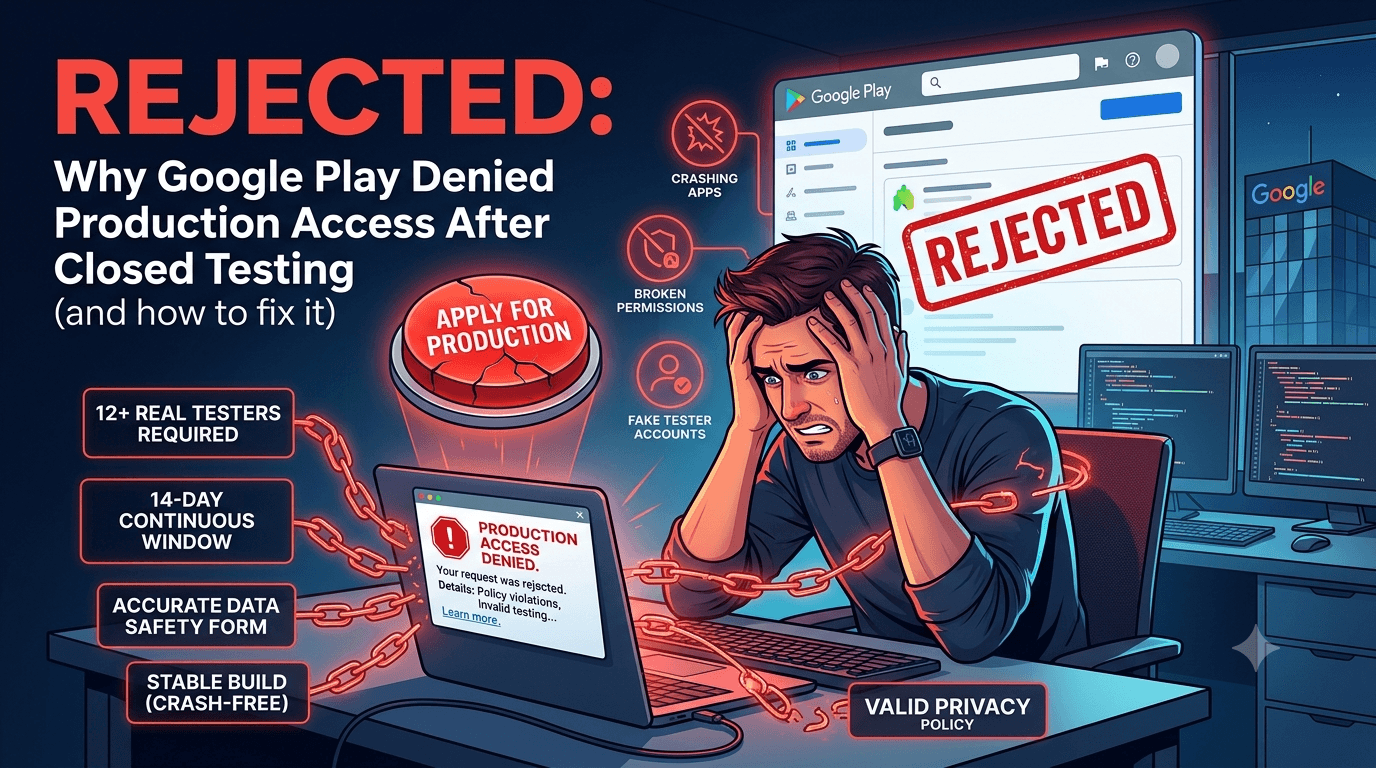
You finished 14 days of closed testing, clicked Apply for production, and Google said no. It is one of the most frustrating moments in Android app publishing — you did the testing, so why the rejection? The truth is that closed testing only unlocks the ability to apply. Google still reviews your app against every Play policy. This guide covers exactly why Google rejected your production access request and how to fix each cause.
Contents
Quick answer
Featured answer: Google most often rejects production access because the closed test did not truly meet the 12-tester/14-day rule, because the app violates a content or data policy, or because of technical quality and account verification issues. Completing closed testing does not bypass Play's normal policy review.
Testing-related rejections
Not enough genuine testers
If you dipped below 12 active testers, used self-controlled accounts, or relied on installs that Google flagged as fake, the testing requirement is considered unmet. Google can tell the difference between real engagement and hollow installs. See real testers vs fake testers.
Testing period broken or too short
The 14 days must be continuous with 12+ testers throughout. Removing testers early or applying before the window closes triggers a rejection. Review what happens after 14 days.
Low tester activity
Testers who opt in but never open the app create a weak signal. Encourage real usage — or use a service that provides manual testing and feedback reports so activity is genuine.
Tip: A buffer of 15+ active testers plus real usage is the simplest way to make your testing signal unambiguous. FastTesters provides real, worldwide testers who actually use your app and submit feedback.
Policy and content rejections
These are the most common non-testing reasons for a denial:
| Issue | What triggers it | Fix |
|---|---|---|
| Data safety mismatch | Declared data practices do not match app behavior | Update the Data safety form to be accurate |
| Missing privacy policy | No valid privacy policy URL | Publish one — see privacy policy requirements |
| Permissions misuse | Requesting sensitive permissions without justification | Remove or justify; see background location review |
| Restricted content | Content that breaks Play policies | Align content with Play policy |
| Misleading listing | Screenshots or claims not matching the app | Fix your store listing |
Technical and quality rejections
- Crashes and ANRs: Frequent crashes during review signal an unstable app. Fix them first — crash reports during closed testing.
- Broken core features: Login, payments, or navigation that fail on reviewer devices.
- Outdated target API level: Not meeting the required API level. See target API level requirements 2026.
- Login walls without test credentials: If your app requires an account, provide reviewer login details.
Account and verification rejections
- Incomplete identity verification: Developer identity must be verified. See developer identity verification 2026.
- Payment/tax profile issues for paid or in-app purchase apps.
- Account standing: Prior warnings or strikes can affect approval. Read account termination risks.
Warning: Do not repeatedly resubmit without changes. Multiple identical rejections can harm your account standing. Diagnose the specific reason first, fix it, then reapply.
How to fix and reapply
- Read the exact rejection message in Play Console — it usually names the policy or issue.
- Reproduce the problem on a real device (crash, broken flow, permission prompt).
- Correct the root cause — content, data safety, permissions, or stability.
- Verify your testing signal is solid: 12+ real testers, full 14 days, genuine usage.
- Resubmit with a clear changelog describing what you fixed.
If the rejection cited weak or insufficient testing, strengthen it with real testers before reapplying. See our step-by-step recovery walkthrough in recovering from a Google Play rejection.
Rejected for testing reasons? Re-run a clean closed test with real, active testers. FastTesters assigns 12+ genuine Android testers worldwide and provides feedback reports so your next application has an unambiguous testing signal. Start now →
How to diagnose your specific rejection
The most important skill after a rejection is correctly classifying its cause, because the fix is completely different depending on the category. Developers who stay stuck are usually treating the wrong problem — tweaking their store listing when the real issue was an inaccurate data safety form, or re-running testing when the real issue was a permission. Before changing anything, slow down and classify the rejection into one of four buckets.
| Category | Tell-tale signs | Where to focus |
|---|---|---|
| Testing | Message references insufficient or invalid testing | Rebuild a clean 12/14 test with real testers |
| Policy / content | Cites a specific policy, data safety, or permission | Fix the app behavior or declaration |
| Technical | Crashes, broken features, or API level | Stabilize the build and update targets |
| Account | Identity, payments, or standing | Complete verification and resolve strikes |
Reading the exact wording in Play Console is the fastest way to bucket the rejection. Google almost always names the policy or issue; the mistake is skimming the message and guessing. Once you know the category, the rest of this guide tells you exactly where to act.
The single most common surprise rejection
Among developers who "did everything right" and still got rejected, one cause dominates: the data safety form did not match the app's actual behavior. This happens innocently. You add an analytics SDK, or a crash reporter, or an ads library, and each of those quietly collects data you never declared. Google's review compares your declarations against observed behavior, and a mismatch reads as a policy violation even if you had no intent to mislead.
The fix is to audit every piece of data your app and its third-party libraries touch, then make your data safety declaration exactly reflect reality. This is tedious but decisive — it resolves a huge share of post-testing rejections. See the detailed walkthrough in the data safety form guide, and treat the form as a living document you update every time you add a dependency.
Rebuilding a weak testing signal
If your rejection falls into the testing bucket, the goal is to make your next test unambiguous. A weak testing signal usually comes from one of three sources: you dipped below 12 testers at some point, some of your testers were flagged as non-genuine, or your testers opted in but never actually used the app. Each of these makes Google's systems less confident that real people genuinely tested your product.
To rebuild it, run a fresh closed test with a comfortable buffer of real, active testers — aim well above 12 so a dropout never threatens the minimum — and make sure they genuinely use the app rather than just installing it. Real usage produces the behavioral signal that hollow installs never will. This is precisely where a service that provides real testers with feedback reports removes the guesswork, because the resulting signal is genuine by construction.
Avoiding the resubmission loop
One of the worst outcomes after a rejection is falling into a resubmission loop: submitting again with no real change, getting rejected again, and slowly eroding your account standing. Every rejection is a data point, not a dead end, but repeated identical submissions signal to Google that you are not addressing the underlying issue. Break the loop by making exactly one well-understood change per resubmission and documenting it clearly in your release notes, so both you and the reviewer can see what was addressed. Patience and precision beat speed and repetition every time.
Frequently asked questions
I passed closed testing — why was I still rejected?
Closed testing only unlocks the production application. Your app must still pass Play's policy and quality review. A policy, data safety, or stability issue can still cause a rejection.
Does a rejection reset my 14-day testing?
Not automatically. If your testing was valid, it still counts. Fix the cited issue and reapply. If the rejection was about testing, you must run a compliant test.
How long before I can reapply?
You can typically reapply once you have addressed the issue. Avoid resubmitting with no changes.
Can a bad Data safety form cause rejection?
Yes. Inaccurate data disclosures are a frequent cause. Make sure the form exactly matches your app's real behavior.
Will professional testers fix a policy rejection?
No — testers cannot fix a content or data policy violation. They solve testing rejections by giving you a real, verifiable testing signal. Policy issues must be fixed in the app or listing.
Preventing rejection before you apply
The best way to handle a rejection is to never receive one, and a short pre-application audit catches most issues before Google does. Before you click apply, walk through your app as if you were the reviewer. Does it launch without crashing on a couple of different devices? Do the core features work without hitting a login wall that a reviewer cannot pass? Are your requested permissions all clearly justified by visible features? Does your data safety form match what the app and its SDKs actually do? Is your privacy policy live and linked? Is your target API level current?
Each of these questions maps directly to a common rejection cause, so answering them honestly beforehand is like pre-screening your own submission. Developers who run this audit consistently reach production with far fewer round-trips. The ten minutes it takes to review your own app against the reviewer's likely checklist is the highest-return time you can spend in the entire process, because it converts reactive firefighting into proactive prevention.
How long recovery typically takes
When a rejection does happen, developers naturally want to know how much time it will cost them, and the honest answer depends entirely on the category. A metadata or listing fix — correcting a screenshot or a description — can often be resolved and resubmitted within a day. A data safety or permissions correction takes as long as it takes you to update your app or declaration accurately, usually a matter of hours to a couple of days. A technical fix depends on the complexity of the bug. The longest recovery is a testing-related rejection, because rebuilding a clean testing signal means running another qualifying window with real, active testers.
This variation is exactly why correctly diagnosing the rejection category first is so important: it sets your expectations and your plan. A policy fix and a testing fix live on completely different timelines, and confusing the two leads to either false urgency or dangerous complacency. Once you know the category, you can give a realistic estimate and communicate it to any stakeholders waiting on your launch.
When and how to contact Google
Most rejections are self-explanatory and self-fixable, but there are cases where reaching out to Google's developer support is appropriate — for instance, when the rejection message is genuinely ambiguous, when you believe a decision was made in error, or when you have fixed the cited issue but need clarification on what else is expected. When you do contact support, be specific and factual: reference your app, quote the exact rejection message, describe precisely what you changed, and ask a focused question. Vague, frustrated messages get slower, less useful responses than clear, well-documented ones. Keep records of your testing and your fixes so you can substantiate your case. Support is a tool for genuine ambiguity, not a substitute for reading and addressing the stated reason.
Key takeaways
- Closed testing does not skip review. Your app must still pass Play's full policy and quality review.
- Classify before you fix. Sort the rejection into testing, policy, technical, or account — the fix differs entirely.
- Data safety mismatches are the top surprise. Make the form match your app and every SDK exactly.
- Prevent with a pre-application audit. Ten minutes reviewing your own app avoids most round-trips.
- Avoid the resubmission loop. Make one understood change per resubmission and document it clearly.
Conclusion
A production access rejection is not the end — it is a checklist. Identify whether the cause is testing, policy, technical, or account related, fix that specific issue, and reapply with a clear changelog. If your testing signal was the weak link, run a clean closed test with real testers and apply again with confidence. Ready to strengthen your test? Submit your app and get real testers today.
Expanded for topical authority — additional practical sections below. Original guide content above is unchanged.
Real-world scenarios: who this matters for
The guidance in this article on Why Google Rejected My Production Access Request applies across many Android product types. Use these scenarios to map the advice to your situation.
| Developer type | Typical challenge | Practical focus |
|---|---|---|
| Indie / solo | Limited tester network and time | Start closed testing early; keep a buffer above 12 opted-in testers; parallelize listing + Data safety work |
| Startup | Launch deadline vs 14-day rule | Treat the window as fixed; recruit in parallel with QA; avoid last-minute track setup |
| Agency / white-label | Multiple client apps, each needing its own test | One closed test per app; standardize opt-in onboarding; track eligibility dates per client |
| Flutter / React Native | Cross-platform build + Play Console quirks | Ship a signed AAB to closed testing; verify installs from Play, not sideload; watch vitals on mid-range devices |
| Native Kotlin | Device/API fragmentation | Cover API levels and OEMs in your tester mix; fix crashes before requesting production |
| Game / Unity | Performance + retention during 14 days | Keep testers engaged so count never dips below 12; monitor ANRs and battery |
| E-commerce / fintech | Policy + payment flows | Test checkout, permissions, and declarations carefully before production access |
| Healthcare / kids / education | Sensitive policies (Families, data) | Align listing, privacy, and content rating with real app behavior during the test window |
Visual placeholder: Scenario matrix infographic — Indie / Startup / Agency / Cross-platform paths for Why Google Rejected My Production Access Request.
Comparison: rejection / eligibility categories
Problems related to Why Google Rejected My Production Access Request usually fall into a few buckets. Classify first, then fix — mixing categories wastes review cycles.
| Category | What Google is signaling | Primary fix | Avoid |
|---|---|---|---|
| Testing eligibility | Closed test incomplete / not continuous | Restore 12+ opted-in for 14 continuous days | Requesting production early |
| Policy / content | App or listing violates Play policy | Change product/listing to comply | Resubmitting unchanged |
| Declarations | Data safety, permissions, or rating mismatch | Align forms with real behavior | Copy-pasting inaccurate answers |
| Stability / quality | Crashes, broken core flows | Fix build; re-test on closed track | Ignoring tester crash reports |
| Metadata / listing | Misleading or stuffed listing | Clean title, description, graphics | Keyword stuffing |
Visual placeholder: Flowchart — diagnose rejection category → fix → retest → re-request.
Common mistakes (and how to avoid them)
These mistakes repeatedly show up when developers work through Why Google Rejected My Production Access Request:
- Confusing invited vs opted-in testers — Only testers who open the opt-in link and install from Play count toward 12. Check the opted-in number in Play Console, not your email list.
- Recruiting exactly 12 with no buffer — One uninstall can break continuity. Aim for ~15 active opted-in testers.
- Starting the counted clock late — Listing assets, Data safety, and privacy work should run during the 14 days, not after.
- Using sideloaded APKs or fake installs — They do not satisfy Play’s closed testing expectations and can create account risk.
- Ignoring tester feedback until day 14 — Crashes that drive uninstalls threaten your streak and your review outcome.
- Requesting production access before the continuous streak completes — Eligibility checks fail even if calendar time has passed.
Troubleshooting checklist
If something feels “stuck” while applying Why Google Rejected My Production Access Request, walk this list before changing strategy:
| Symptom | Likely cause | Fix |
|---|---|---|
| Console shows < 12 testers | Invites sent but not opted in | Resend opt-in link; confirm install from Play |
| “Not eligible” after 14 calendar days | Count dipped below 12 mid-window | Restore 12+ and complete a full continuous streak |
| Tester cannot join | Wrong account, Group lag, or track not published | Verify Google account, Group membership, track release |
| App fails to install | Device/API mismatch or signing issue | Check AAB, minSDK, Play App Signing |
| Production still rejected after testing | Policy, declarations, or stability — not the clock | Read the exact reason; fix that category completely |
Visual placeholder: Troubleshooting flowchart for Why Google Rejected My Production Access Request.
Action checklist
Use this checklist alongside the rest of this guide on Why Google Rejected My Production Access Request:
- ☐ Closed testing track created with a signed release (AAB)
- ☐ Opt-in link tested on a fresh Google account
- ☐ At least 12 testers opted in (prefer ~15)
- ☐ Daily check that opted-in count stays ≥ 12 for 14 continuous days
- ☐ Core flows exercised (login, main feature, permissions, offline/online)
- ☐ Crashes / ANRs triaged from tester reports and vitals
- ☐ Store listing, screenshots, and feature graphic drafted
- ☐ Privacy policy + Data safety + content rating aligned with real behavior
- ☐ Production access requested only after eligibility is green
- ☐ Staged rollout plan ready for first public release
Additional FAQs developers ask about Why Google Rejected My Production Access Request
Quick answer: what should I do first?
Confirm you are on a closed testing track with real opted-in installs, keep 12+ testers for 14 continuous days, and fix policy/stability issues in parallel. Then use the detailed sections above for Why Google Rejected My Production Access Request.
Does this apply to organization (company) accounts?
The classic 12×14 closed testing gate is primarily associated with new personal developer accounts. Always verify your account type and current Play Console eligibility messaging for your app.
Do friends and family count as testers?
Yes — if they opt in via your closed testing link and install from Google Play. They only help if they stay opted in for the continuous period.
Can I update the app during the 14 days?
You can usually push updates on the closed track, but unstable releases that cause uninstalls can threaten your tester count. Prefer polishing via internal testing first when possible.
What if production access is still rejected?
Read the exact reason. Incomplete testing is only one category — policy, Data safety mismatches, and crashes are common. Fix the cited issue fully before reapplying.
Is paying for testers allowed?
Using real people who install from Play is what matters. Avoid fake install farms. A one-time managed service that supplies real closed testers is a practical option when DIY recruitment is too slow.
How is Fast Testers different from free communities?
Free communities trade time and mutual availability. Fast Testers assigns about 15 real testers after you submit a valid closed testing link (one-time $15 per app) and includes a production access guarantee under its refund terms.
Where should I go next?
Review the related guides below, then either finish DIY recruitment or start closed testing if you need speed and continuity.
Sources, updates, and how to use this guide
This article on Why Google Rejected My Production Access Request is maintained for Android developers preparing Google Play closed testing and production access. Always cross-check eligibility text inside your own Play Console, because Google’s UI labels and account rules can vary by account type and date.
- Primary official references: Google Play closed testing help, Developer Program Policies, and Play Console eligibility messaging for your app.
- Practical experience lens: guidance here reflects common failure modes indie developers and agencies hit when recruiting testers, maintaining the 14-day streak, and recovering from production-access rejections.
- Last reviewed focus: 12×14 closed testing continuity, real vs fake testers, and parallel listing/compliance work during the window.
Related guides and next steps
Continue building topical depth around Why Google Rejected My Production Access Request with these Fast Testers resources:
- When Can You Request Google Play Production Access
- Fastest Way To Get Google Play Production Access
- Google Play Production Access Rejection Reasons
- App Not Eligible For Production Access
- App Rejected Google Play
- Deep Link Testing Before Google Play Production
- Launch Day Checklist After Production Access
- Staged Rollouts After Production Access Approval
- Pricing — $15 closed testing
- How Fast Testers works
- FAQ
- Developer reviews
- Case studies
- Submit your app / start closed testing
Need reliable testers so your 14-day streak does not stall? Educate first with the guides above, then start when you are ready — one-time pricing, real Play installs, dashboard tracking.
Further expansion — case study, decisions, and expert recommendations. Prior sections remain unchanged.
Case study: recovering production access after a rejection
Problem: A solo developer finished what they thought was “14 days of testing,” requested production access, and was told the app was not eligible / rejected. Their invite list had 18 emails, but only 9 had opted in for the full window — and a crash on day 6 caused three uninstalls.
Solution: They paused the production request, fixed the crash on an internal track first, then rebuilt closed testing with ~15 real opted-in testers. During the new 14-day streak they also corrected a Data safety mismatch that would have failed review later. Guidance from articles like this one on Why Google Rejected My Production Access Request helped them classify the issue as eligibility + stability, not “random Google rejection.”
Result: Continuous 12+ streak completed, production access approved on the next request, staged rollout to 10% with clean vitals.
Lessons learned:
- Count opted-in installs, not invites.
- Fix crash-driven churn before you burn another 14 days.
- Use the window to clear declarations — not only the tester clock.
Decision guide: what should you do next?
Use this decision path when applying Why Google Rejected My Production Access Request:
- Is your account a new personal developer account that still needs production access?
If yes, plan for closed testing with 12+ opted-in testers for 14 continuous days. If no, still test — but confirm the exact eligibility text in Play Console. - Do you already have 12+ reliable people who will install from Play and stay for two weeks?
If yes, DIY can work — add a buffer and monitor daily. If no, use community exchange or a managed closed testing service. - Is your build stable enough that testers will not churn?
If no, run internal testing first. Entering the counted window with crash loops is how streaks die. - Are Data safety, privacy policy, permissions, and listing aligned with real behavior?
If no, fix during the window so production review does not bounce you after the clock. - Has production access been rejected?
Classify: eligibility vs policy vs declarations vs stability. Fix that category completely, then re-test / re-request.
Visual placeholder: Decision tree diagram for Why Google Rejected My Production Access Request (DIY vs managed vs fix-and-retry).
Expert recommendations
- Instrument the streak: Check opted-in count daily for the first week; replace dropouts same day.
- Brief testers once: Send a short checklist (install from Play, open app daily, try core flow, report crashes). Silent testers still count if opted in — engaged testers protect quality.
- Never “solve” recruitment with fake installs: It fails the intent of closed testing and can create account risk.
- Ship a boring-stable build to closed testing: Save experimental features for internal tracks.
- Educate first, then accelerate: If your blocker is simply finding real testers fast, a one-time managed option (Fast Testers: 15 testers, $15/app) is often cheaper than slipping a launch.
For hands-on setup after reading about Why Google Rejected My Production Access Request, see how it works and pricing, or submit your closed testing link when you are ready.
Internal navigation hub — added to strengthen topical connections. Original article content above is unchanged.
Topic cluster: App Rejection & Eligibility
Pillar guide: Start with App Rejected by Google Play? Here's What to Do for the full overview, then use the supporting guides below.
- App Rejected by Google Play? Here's What to Do (pillar)
- Why Google Rejects Android Apps (and How to Avoid It)
- Google Play Production Access Rejection Reasons
- App Not Eligible for Production Access? Here Is Why
- Closed Testing Completed but Still Rejected? Do This
- App Rejected for Insufficient Testing: What to Do
- Case Study: Recovering from Google Play Rejection
- Google Play Policy Violations During Closed Testing
- Account Termination Risks and How to Avoid Them
Continue learning
- Google Play Production Access Rejection Reasons — Learn about common rejection causes for Google Play closed testing. Complete guide for Android developers publ.
- App Not Eligible for Production Access? Here Is Why — Seeing "app not eligible for production access" in Play Console? Here are the exact reasons the button is lock.
- App Rejected by Google Play? Here's What to Do — Got your app rejected? This guide walks you through the most common rejection reasons..
- When Can You Request Google Play Production Access? — Learn about production access timing for Google Play closed testing. Complete guide for Android developers pub.
- App Rejected for Insufficient Testing: What to Do — Learn about insufficient testing rejections for Google Play closed testing. Complete guide for Android develop.
- Case Study: Recovering from Google Play Rejection — Learn about rejection recovery for Google Play closed testing. Complete guide for Android developers publishin.
Next steps
- Ready to run closed testing with real Android testers? Submit your app or see pricing ($15 one-time).
- Compare options on our testing service comparison page, or read developer reviews and case studies.
- Still deciding? Review how Fast Testers works and the FAQ.