
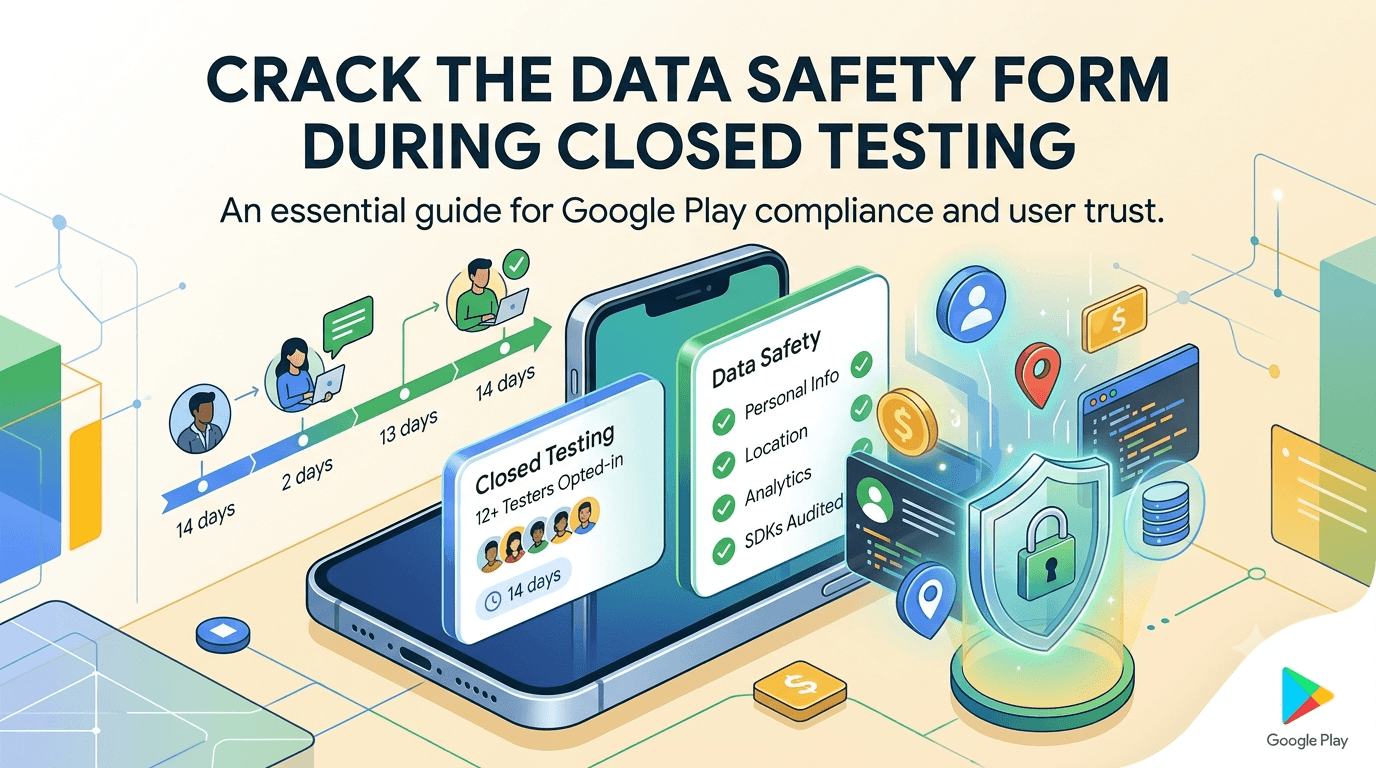
Every app on Google Play must complete the Data safety form, a public declaration of what data your app collects, why, how it is handled, and whether it is shared — and getting it accurate is both a policy requirement and a matter of user trust. Inaccurate declarations are a common cause of rejection and enforcement, so the Data safety form deserves real attention rather than a hurried guess. Your closed-testing period is the ideal time to complete it carefully, since you are already examining how your app behaves. Because any app from a new personal account must complete a closed test with at least 12 testers opted in for 14 continuous days before production access, this guide explains the Data safety form in the context of closed testing.
The closed-testing process is the same regardless of your data practices, but the window gives you time to audit exactly what your app and its SDKs collect and to align your declaration with reality. Using it that way turns the mandatory wait into an accurate, defensible Data safety declaration.
The requirement and data safety
The closed-testing requirement is tied to your developer account type, so any app on a new personal account must complete a closed test with 12+ testers for 14 continuous days before production access. See the closed testing guide. The Data safety form is a separate, universal requirement that applies to your app regardless of account type, and it must be accurate before you publish. Completing it during your window means it is ready and correct when you request production access. Review Google's Data safety guidance.
Standard advice applies: recruit committed, device-diverse testers, keep your count above 12, and prepare your listing and declarations in parallel. Treat the Data safety form as a real workstream during the window, not a launch-day formality.
What the Data safety form is
The Data safety form produces the "Data safety" section users see on your store listing, summarizing what data types your app collects and shares, the purposes, whether data is encrypted in transit, and whether users can request deletion. You complete it in the Play Console by answering structured questions about each category of data — personal info, location, financial info, messages, photos, identifiers, and more. Your answers must reflect your app's actual behavior and be consistent with your privacy policy, because Google can and does check for mismatches, and users rely on this section to decide whether to trust your app.
The form distinguishes data your app collects (transmitted off the device) from data merely processed on-device, and data you share with third parties from data you only use yourself. Understanding these distinctions is essential to answering correctly. Because the declaration is public and enforceable, accuracy protects both your users and your standing. See privacy policy requirements.
Auditing what your app actually collects
The hardest part of the form is knowing everything your app collects, because it is not just your own code — every third-party SDK (analytics, ads, crash reporting, attribution, social logins) may collect and share data that you must declare. Many developers under-declare simply because they do not realize an SDK is collecting an identifier or usage data. During your window, audit your dependencies: list every SDK, determine what each collects and whether it shares data, and include all of it in your declaration alongside your own collection.
| Data source | What to check |
|---|---|
| Your own code | What you send to your backend |
| Analytics SDKs | Usage events, identifiers |
| Ad SDKs | Identifiers, location, sharing |
| Crash/attribution SDKs | Device and diagnostic data |
| Login providers | Personal info collected |
Undeclared SDK collection is a leading cause of Data safety mismatches. See analytics and SDK testing.
Getting the declaration accurate
Accuracy means neither over- nor under-declaring. Under-declaring — omitting data you actually collect — is the more dangerous error, since it is a policy violation that can trigger rejection or enforcement when Google detects the discrepancy. Over-declaring is less risky but can needlessly alarm users and misrepresent your app. Work through each data category honestly: do you collect it, for what purpose, do you share it, is it required or optional, and is it encrypted in transit? Answer based on what your app truly does, verified against your code and your SDK audit, not on assumptions.
Consistency with your privacy policy is also checked, so ensure the two agree: the same data types, purposes, and sharing described in both places. If they conflict, you invite scrutiny. Because the form is enforceable and public, investing the time during your window to get every answer right — grounded in a real audit — is what keeps your declaration defensible and your users informed. See this guide's checklist above and GDPR compliance.
Using the window to verify behavior
Your closed test is a chance to verify your declaration against real behavior. As testers use the app, you can confirm what data actually flows — using your analytics debug views, network inspection, and knowledge of your SDKs — and ensure your form matches. If you discover during the window that an SDK collects something you had not declared, update the form accordingly before launch. This empirical check, made possible by having a real build exercised by real users, is more reliable than declaring from memory or documentation alone.
The window also lets you reconsider whether you need all the data you collect. If a feature or SDK collects data you do not truly use, minimizing collection simplifies your declaration and improves user trust and privacy. Using the closed-testing period to both verify and, where sensible, reduce your data collection produces a cleaner, more accurate Data safety section at launch. See the testing checklist.
Setting up your closed-testing track
Once your signed build is ready, create a closed-testing track in the Play Console and upload it, add testers by email or Google Group, and share the opt-in link each tester must use before installing. Correct configuration matters because the 14-day clock counts only opted-in testers, and a misconfigured track is a common reason developers realize late that their timer never started. While the window runs, complete the Data safety form and your privacy policy so both are ready for production. See how to create a closed testing track.
Give testers clear onboarding instructions and use their real usage to help verify your data flows. Every failed opt-in is a tester who does not count toward your 12, so smooth guidance maximizes active testers from day one while you finalize your declarations in parallel.
Recruiting and managing the window
You need 12+ committed, device-diverse testers for 14 continuous days. Recruit a buffer above 12, keep testers engaged with clear tasks and quick responses, and use the window to complete your Data safety audit. Monitor your active count in the Play Console and recruit replacements early if it slips.
If assembling a reliable, device-diverse group is your bottleneck, a service that supplies verified real testers solves it quickly. You can submit your app to get started, and read where to find real testers and how to keep testers engaged.
Special cases: kids and sensitive data
If your app targets children or collects sensitive data, the Data safety form and related requirements are stricter. Apps under the Families policy face additional obligations around what data may be collected from children and how, and sensitive categories (financial, health, precise location) draw closer scrutiny. Declare these with particular care, ensure your SDKs are compliant for your audience, and align with the specific policies that apply. Getting these special cases right is essential, since they are both heavily enforced and central to user trust.
During your window, pay extra attention to verifying and minimizing sensitive or child-directed data collection, and confirm every SDK meets the relevant standards. The stakes are higher here, so the accuracy and compliance of your declaration matter even more. See COPPA and kids apps and Families policy testing.
Making the 14-day window count
Because the requirement forces you to wait anyway, use the window to produce a Data safety declaration you can fully stand behind. Audit your own collection and every SDK, verify against real behavior during the test, align with your privacy policy, and minimize what you do not need. A well-run window means you enter production with an accurate, consistent, defensible declaration rather than a hurried guess that risks rejection.
Enter production having declared your data practices honestly and completely, and you avoid the enforcement that mismatches trigger while earning user trust through transparency. The 14 days are an investment in compliance and credibility. See the Play Console beginner guide.
Keeping the declaration current
Your Data safety form is not a one-time task; it must stay accurate as your app changes. Whenever you add a feature or SDK that collects new data, or change how you handle data, update your declaration and privacy policy to match before you ship that change. Treat the form as living documentation of your data practices, revisited with each significant update. An app whose declaration keeps pace with its behavior stays compliant; one whose form drifts out of date invites the mismatches Google penalizes.
During closed testing you establish the baseline; afterward you maintain it. Building the habit now — audit, declare, verify, update — sets you up to keep your Data safety section accurate for the life of your app. See updating your app after release.
Verify data flows on internal testing
The internal testing track lets you exercise your app and observe its data behavior quickly, before your counted window, so use it to begin your SDK audit and verify collection with a small trusted group. Confirming what your app actually sends on the internal track means your Data safety form is largely settled before your closed test even starts, leaving the window to finalize rather than discover. This staging keeps your declaration work ahead of your requirement clock. See internal vs closed testing.
Then use the broader closed test to confirm your declaration holds across more usage and devices before you request production access. See what happens after 14 days.
After launch: transparency builds trust
Once live, your Data safety section is visible to every prospective user, and an honest, clear declaration is a trust asset rather than a mere compliance box. Keep it accurate as you update the app, and treat transparency about data as part of your relationship with users. An app that declares its data practices honestly and keeps them current earns credibility; one caught with an inaccurate declaration damages both its standing with Google and its users' trust. Compliance and trust are two sides of the same coin here. See post-launch monitoring.
Key takeaways
- Every app must complete the Data safety form accurately before publishing.
- Audit every SDK, not just your own code — undeclared SDK collection is a common mismatch.
- Under-declaring is a policy violation; align the form with real behavior.
- Keep it consistent with your privacy policy, which Google checks.
- Use the window to verify and minimize data collection, and keep the form current after.
Frequently asked questions
Is the Data safety form required?
Yes. Every app on Google Play must complete an accurate Data safety declaration before publishing, separate from the closed-testing requirement.
Do I declare data collected by third-party SDKs?
Yes. Your declaration must include data collected or shared by SDKs, so audit every dependency and include it alongside your own collection.
What's the risk of under-declaring?
Under-declaring is a policy violation that can cause rejection or enforcement when Google detects the discrepancy between your form and your app's behavior.
Must the form match my privacy policy?
Yes. Google checks for consistency, so the same data types, purposes, and sharing should appear in both your form and your privacy policy.
What if my app targets children?
Stricter Families-policy obligations apply. Declare child-directed and sensitive data with extra care and ensure your SDKs are compliant for that audience.
Can I complete the form during closed testing?
Yes, and you should. The window is ideal for auditing your collection and verifying it against real behavior so the form is ready at launch.
Do I update the form when my app changes?
Yes. Update it whenever you add data collection or change data handling, keeping it accurate and consistent with your privacy policy.
Expanded for topical authority — additional practical sections below. Original guide content above is unchanged.
Quick answer
Google Play Data Safety Form and Closed Testing matters because Google Play production access for many new personal developer accounts depends on a successful closed test: at least 12 real testers opted in for 14 continuous days, plus a policy-compliant, stable app. Use this guide to execute the steps correctly, avoid streak-breaking mistakes, and decide whether DIY recruitment or a managed closed testing service is the better path for your deadline.
Real-world scenarios: who this matters for
The guidance in this article on Google Play Data Safety Form and Closed Testing applies across many Android product types. Use these scenarios to map the advice to your situation.
| Developer type | Typical challenge | Practical focus |
|---|---|---|
| Indie / solo | Limited tester network and time | Start closed testing early; keep a buffer above 12 opted-in testers; parallelize listing + Data safety work |
| Startup | Launch deadline vs 14-day rule | Treat the window as fixed; recruit in parallel with QA; avoid last-minute track setup |
| Agency / white-label | Multiple client apps, each needing its own test | One closed test per app; standardize opt-in onboarding; track eligibility dates per client |
| Flutter / React Native | Cross-platform build + Play Console quirks | Ship a signed AAB to closed testing; verify installs from Play, not sideload; watch vitals on mid-range devices |
| Native Kotlin | Device/API fragmentation | Cover API levels and OEMs in your tester mix; fix crashes before requesting production |
| Game / Unity | Performance + retention during 14 days | Keep testers engaged so count never dips below 12; monitor ANRs and battery |
| E-commerce / fintech | Policy + payment flows | Test checkout, permissions, and declarations carefully before production access |
| Healthcare / kids / education | Sensitive policies (Families, data) | Align listing, privacy, and content rating with real app behavior during the test window |
Visual placeholder: Scenario matrix infographic — Indie / Startup / Agency / Cross-platform paths for Google Play Data Safety Form and Closed Testing.
Closed testing vs other Play tracks (quick reference)
Context for Google Play Data Safety Form and Closed Testing: choose the right track so you do not waste the 14-day window on the wrong workflow.
| Track | Purpose | Counts toward 12×14? | Typical use |
|---|---|---|---|
| Internal testing | Fast private builds | No | Shake out bugs before the counted window |
| Closed testing | Private / invite testers | Yes (for new personal accounts) | Meet production-access requirement + QA |
| Open testing | Public beta | Not a substitute for the closed requirement | Broader feedback after closed eligibility |
| Production | Public release | N/A | After access approved + review |
Visual placeholder: Timeline — Internal → Closed (14 days) → Production request → Staged rollout.
Common mistakes (and how to avoid them)
These mistakes repeatedly show up when developers work through Google Play Data Safety Form and Closed Testing:
- Confusing invited vs opted-in testers — Only testers who open the opt-in link and install from Play count toward 12. Check the opted-in number in Play Console, not your email list.
- Recruiting exactly 12 with no buffer — One uninstall can break continuity. Aim for ~15 active opted-in testers.
- Starting the counted clock late — Listing assets, Data safety, and privacy work should run during the 14 days, not after.
- Using sideloaded APKs or fake installs — They do not satisfy Play’s closed testing expectations and can create account risk.
- Ignoring tester feedback until day 14 — Crashes that drive uninstalls threaten your streak and your review outcome.
- Requesting production access before the continuous streak completes — Eligibility checks fail even if calendar time has passed.
Troubleshooting checklist
If something feels “stuck” while applying Google Play Data Safety Form and Closed Testing, walk this list before changing strategy:
| Symptom | Likely cause | Fix |
|---|---|---|
| Console shows < 12 testers | Invites sent but not opted in | Resend opt-in link; confirm install from Play |
| “Not eligible” after 14 calendar days | Count dipped below 12 mid-window | Restore 12+ and complete a full continuous streak |
| Tester cannot join | Wrong account, Group lag, or track not published | Verify Google account, Group membership, track release |
| App fails to install | Device/API mismatch or signing issue | Check AAB, minSDK, Play App Signing |
| Production still rejected after testing | Policy, declarations, or stability — not the clock | Read the exact reason; fix that category completely |
Visual placeholder: Troubleshooting flowchart for Google Play Data Safety Form and Closed Testing.
Action checklist
Use this checklist alongside the rest of this guide on Google Play Data Safety Form and Closed Testing:
- ☐ Closed testing track created with a signed release (AAB)
- ☐ Opt-in link tested on a fresh Google account
- ☐ At least 12 testers opted in (prefer ~15)
- ☐ Daily check that opted-in count stays ≥ 12 for 14 continuous days
- ☐ Core flows exercised (login, main feature, permissions, offline/online)
- ☐ Crashes / ANRs triaged from tester reports and vitals
- ☐ Store listing, screenshots, and feature graphic drafted
- ☐ Privacy policy + Data safety + content rating aligned with real behavior
- ☐ Production access requested only after eligibility is green
- ☐ Staged rollout plan ready for first public release
Additional FAQs developers ask about Google Play Data Safety Form and Closed Testing
Quick answer: what should I do first?
Confirm you are on a closed testing track with real opted-in installs, keep 12+ testers for 14 continuous days, and fix policy/stability issues in parallel. Then use the detailed sections above for Google Play Data Safety Form and Closed Testing.
Does this apply to organization (company) accounts?
The classic 12×14 closed testing gate is primarily associated with new personal developer accounts. Always verify your account type and current Play Console eligibility messaging for your app.
Do friends and family count as testers?
Yes — if they opt in via your closed testing link and install from Google Play. They only help if they stay opted in for the continuous period.
Can I update the app during the 14 days?
You can usually push updates on the closed track, but unstable releases that cause uninstalls can threaten your tester count. Prefer polishing via internal testing first when possible.
What if production access is still rejected?
Read the exact reason. Incomplete testing is only one category — policy, Data safety mismatches, and crashes are common. Fix the cited issue fully before reapplying.
Is paying for testers allowed?
Using real people who install from Play is what matters. Avoid fake install farms. A one-time managed service that supplies real closed testers is a practical option when DIY recruitment is too slow.
How is Fast Testers different from free communities?
Free communities trade time and mutual availability. Fast Testers assigns about 15 real testers after you submit a valid closed testing link (one-time $15 per app) and includes a production access guarantee under its refund terms.
Where should I go next?
Review the related guides below, then either finish DIY recruitment or start closed testing if you need speed and continuity.
Sources, updates, and how to use this guide
This article on Google Play Data Safety Form and Closed Testing is maintained for Android developers preparing Google Play closed testing and production access. Always cross-check eligibility text inside your own Play Console, because Google’s UI labels and account rules can vary by account type and date.
- Primary official references: Google Play closed testing help, Developer Program Policies, and Play Console eligibility messaging for your app.
- Practical experience lens: guidance here reflects common failure modes indie developers and agencies hit when recruiting testers, maintaining the 14-day streak, and recovering from production-access rejections.
- Last reviewed focus: 12×14 closed testing continuity, real vs fake testers, and parallel listing/compliance work during the window.
Related guides and next steps
Continue building topical depth around Google Play Data Safety Form and Closed Testing with these Fast Testers resources:
- Closed Testing Vs Open Testing On Google Play
- Google Play Internal Testing Vs Closed Testing
- Common Google Play Closed Testing Mistakes
- Google Play Android Vitals During Closed Testing
- Google Play Closed Testing
- Google Play Closed Testing Dashboard Metrics Explained
- Google Play Closed Testing Email Templates For Testers
- Google Play Closed Testing Faq 50 Answers
- Pricing — $15 closed testing
- How Fast Testers works
- FAQ
- Developer reviews
- Case studies
- Submit your app / start closed testing
Need reliable testers so your 14-day streak does not stall? Educate first with the guides above, then start when you are ready — one-time pricing, real Play installs, dashboard tracking.
Further expansion — case study, decisions, and expert recommendations. Prior sections remain unchanged.
Case study: first Play launch planned around the closed testing window
Problem: A small SaaS team treated Google Play publishing like iOS TestFlight — they expected to upload and go public the same week. They discovered the personal-account closed testing gate mid-sprint.
Solution: They reframed the sprint around Google Play Data Safety Form And Closed Testing: internal testing for crash triage first, then closed testing with a buffer of testers, while design finished screenshots and legal finished privacy/Data safety in parallel.
Result: The 14-day requirement stopped feeling like “dead time.” When eligibility flipped green, listing and declarations were already ready, so production review was the only remaining gate.
Lessons learned:
- Start the closed track as soon as the build is stable enough to keep installed.
- Parallelize compliance work inside the window.
- Protect the streak like a production SLA.
Decision guide: what should you do next?
Use this decision path when applying Google Play Data Safety Form And Closed Testing:
- Is your account a new personal developer account that still needs production access?
If yes, plan for closed testing with 12+ opted-in testers for 14 continuous days. If no, still test — but confirm the exact eligibility text in Play Console. - Do you already have 12+ reliable people who will install from Play and stay for two weeks?
If yes, DIY can work — add a buffer and monitor daily. If no, use community exchange or a managed closed testing service. - Is your build stable enough that testers will not churn?
If no, run internal testing first. Entering the counted window with crash loops is how streaks die. - Are Data safety, privacy policy, permissions, and listing aligned with real behavior?
If no, fix during the window so production review does not bounce you after the clock. - Has production access been rejected?
Classify: eligibility vs policy vs declarations vs stability. Fix that category completely, then re-test / re-request.
Visual placeholder: Decision tree diagram for Google Play Data Safety Form And Closed Testing (DIY vs managed vs fix-and-retry).
Expert recommendations
- Instrument the streak: Check opted-in count daily for the first week; replace dropouts same day.
- Brief testers once: Send a short checklist (install from Play, open app daily, try core flow, report crashes). Silent testers still count if opted in — engaged testers protect quality.
- Never “solve” recruitment with fake installs: It fails the intent of closed testing and can create account risk.
- Ship a boring-stable build to closed testing: Save experimental features for internal tracks.
- Educate first, then accelerate: If your blocker is simply finding real testers fast, a one-time managed option (Fast Testers: 15 testers, $15/app) is often cheaper than slipping a launch.
For hands-on setup after reading about Google Play Data Safety Form And Closed Testing, see how it works and pricing, or submit your closed testing link when you are ready.
Internal navigation hub — added to strengthen topical connections. Original article content above is unchanged.
Continue learning
- Google Play Closed Testing Guide: How to Get 12 Testers for 14 Days — Stuck on the Google Play Console closed testing track? Learn how to successfully recruit 12 active testers, ma.
- Closed Testing vs Open Testing on Google Play — Learn about testing track differences for Google Play closed testing. Complete guide for Android developers pu.
- Google Play Internal Testing vs Closed Testing — Learn about internal vs closed tracks for Google Play closed testing. Complete guide for Android developers pu.
- COPPA and Kids Apps on Google Play Store — Learn about COPPA compliance for Google Play closed testing. Complete guide for Android developers publishing .
- GDPR Compliance for Android Apps on Google Play — Learn about GDPR requirements for Google Play closed testing. Complete guide for Android developers publishing.
- Google Play – 12 Testers for 14 Days — Everything you need to know about Google Play's closed testing requirement..
Next steps
- Ready to run closed testing with real Android testers? Submit your app or see pricing ($15 one-time).
- Compare options on our testing service comparison page, or read developer reviews and case studies.
- Still deciding? Review how Fast Testers works and the FAQ.