
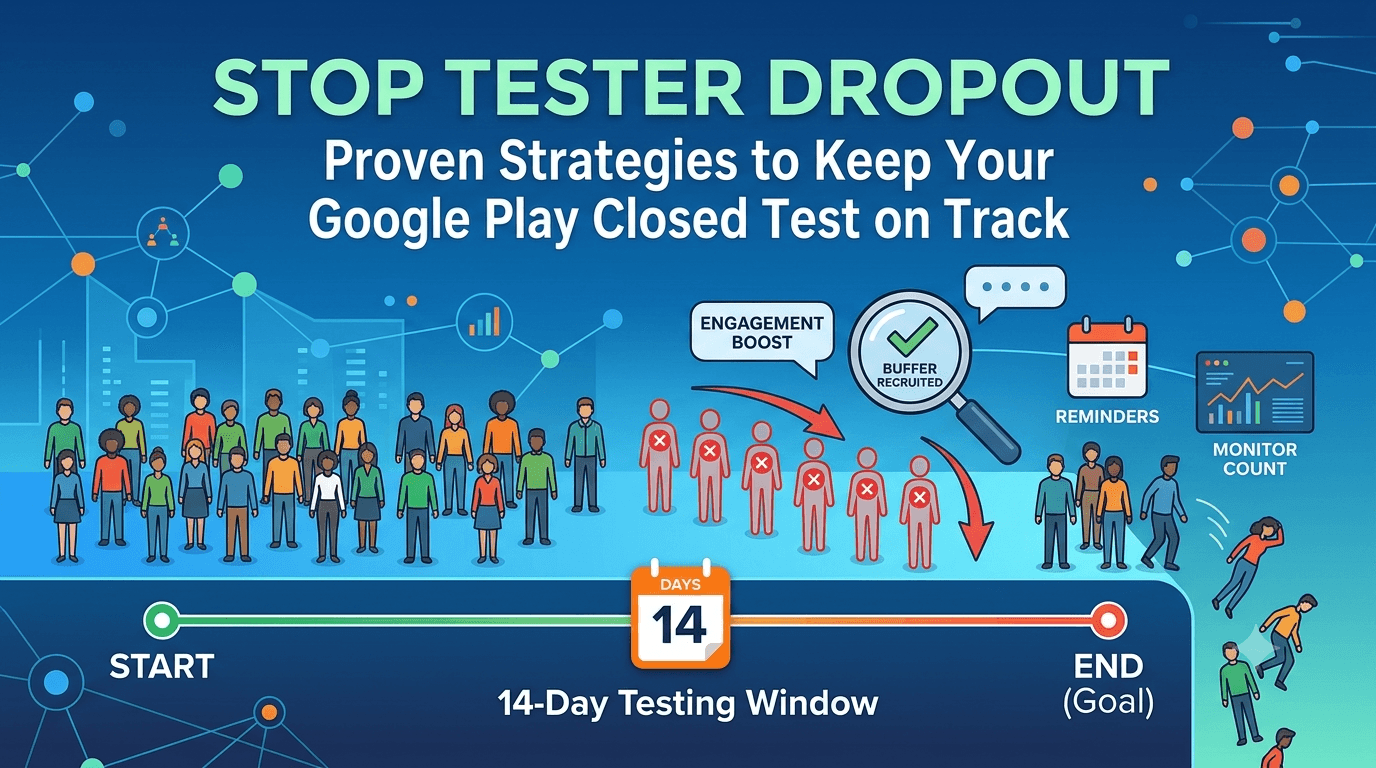
Tester dropout is the number one reason closed tests fail. You start strong with 12 or more testers, feel confident, and then watch your count quietly erode over two weeks until you slip below the minimum and jeopardize the entire 14-day requirement. Because Google requires continuous participation, even a few dropouts at the wrong moment can force you to restart the clock. This guide explains why dropout happens and gives you concrete, proven strategies to keep your testers engaged for the full window.
The good news is that dropout is largely predictable and preventable. It stems from a handful of understandable human causes, and each has a countermeasure. Master these and your window runs cleanly from day one to day fourteen.
Why testers drop out
Testers drop out for ordinary human reasons, not malice. Casual volunteers lose interest once the novelty fades. People forget the app is even installed and uninstall it to free space. Reciprocal testers from swap groups disengage once their obligation feels fulfilled. Some testers hit a bug, get frustrated, and quietly leave. And some simply get busy with life and stop opening the app. None of these are dramatic, but together they steadily erode your count over the two-week window.
Understanding these causes is the first step to countering them, because each points to a specific prevention strategy. The common thread is that passive, disengaged testers drift away, while engaged, committed testers stay. Your job is to maximize engagement and commitment from the start. See do friends count as testers for the friend-specific version of this challenge.
Strategy 1: recruit a buffer
The single most reliable defense against dropout is to recruit more testers than the minimum. If you start with exactly 12, a single dropout breaks the requirement. Start with 15 to 20, and you can lose several testers and still remain comfortably above the line. This buffer does not prevent dropout, but it makes normal attrition harmless, which is often all you need.
| Starting testers | Can lose before failing |
|---|---|
| 12 | 0 — any dropout breaks it |
| 15 | 3 |
| 18 | 6 |
| 20 | 8 |
A buffer is the cheapest insurance you can buy against the most common failure mode. Recruiting a few extra testers up front is far easier than scrambling to replace dropouts mid-window. See how many testers you need.
Strategy 2: keep testers engaged
Engaged testers do not drop out. Turn your testers from passive installers into active participants by treating them as collaborators. Send a clear welcome message explaining what to test and why their help matters. Push occasional updates with release notes so they have a reason to reopen the app. Acknowledge the issues they report and let them know when you fix something, because seeing their input matter is powerfully motivating. A little attention keeps people present through the full window.
Structure helps too: tell testers roughly how often you will update and what to focus on each time, so participation stays steady rather than front-loaded. This ongoing relationship is the difference between a group that fades in week two and one that stays engaged to the end. For messaging help, see tester email templates.
Strategy 3: gentle reminders and check-ins
Many dropouts are simply forgetfulness rather than deliberate abandonment. A gentle, well-timed reminder can bring a drifting tester back before they uninstall. Check in periodically — not so often that you annoy, but enough to keep your app on their radar. A friendly "here's what's new, thanks for testing" message mid-window can meaningfully reduce silent attrition.
The key is tone: reminders should feel appreciative, not demanding. Testers are helping you, so respect their time while keeping the app present in their mind. Combined with a buffer and genuine engagement, light reminders keep your count healthy without requiring you to constantly police participation.
Strategy 4: monitor and top up
You cannot react to dropout you do not notice, so monitor your tester count in the Play Console throughout the window. If you see it trending toward the minimum, act early — remind testers, or recruit additional ones to restore your buffer before you fall below 12. Waiting until you are already under the threshold is far riskier than proactively maintaining margin. Good monitoring turns dropout from a silent killer into a manageable, visible metric.
Set a habit of checking your count every day or two. Early awareness gives you time to respond calmly rather than scrambling at the last moment. See how to monitor closed testing progress.
The ultimate solution: reliable testers
All these strategies manage the symptoms of dropout, but the root cause is testers who were never truly committed. The most reliable way to avoid dropout entirely is to start with testers who understand and accept the 14-day commitment. Casual volunteers and reciprocal swappers are inherently prone to drift; committed testers — including verified testers from a service — stay by design because participation is what they signed up for.
This is why many developers who have been burned by dropout turn to a service that supplies engaged, buffered, device-diverse testers who remain for the full window. It removes the attrition problem at its source. If dropout has threatened your launch, you can submit your app to get reliable testers, and read where to find real testers.
Key takeaways
- Dropout is the top cause of failed closed tests, driven by disengagement and forgetfulness.
- Recruit a buffer (15–20) so normal attrition never breaks the requirement.
- Engage testers actively with welcomes, updates, and acknowledgment.
- Use gentle reminders and monitor your count so you can top up early.
- Committed testers are the real fix — casual volunteers inherently drift.
Understanding the dropout timeline
Dropout does not happen uniformly across your 14-day window; it follows a predictable pattern, and understanding that pattern lets you anticipate and counter it rather than being surprised. Most tests look perfectly healthy in the first few days, which lulls developers into complacency, and then attrition accelerates through the middle and later part of the window as novelty fades and testers get busy. Knowing where the danger zones are means you can concentrate your engagement efforts exactly when they matter most, instead of relaxing precisely when your count is most at risk.
The opening days are typically strong because testers just opted in and the app is fresh in their minds. This early health is real but misleading — it tells you nothing about whether people will still be engaged a week later. The mistake many developers make is to interpret a healthy day-two count as evidence the test is on track and then stop paying attention. In reality, the opening days are when you should be setting up the engagement habits — a welcome message, clear expectations, an easy feedback channel — that will keep people present through the harder middle stretch.
The middle of the window is where most damage occurs. Around the midpoint, the novelty has worn off, testers have settled back into their routines, and the app can slip from their attention entirely. This is when forgetful uninstalls and quiet disengagement peak, and it is precisely when a well-timed, appreciative check-in can rescue drifting testers before they leave. A short "here's what's new, thanks for sticking with it" message in this window has an outsized effect on retention because it re-surfaces the app right when it was about to fade. Treat the midpoint as your critical intervention point.
The final days carry a different risk: complacency on your side. Having made it most of the way, it is tempting to assume you are safe and stop monitoring, but a couple of late dropouts can still pull you below the minimum right before the finish line, breaking the continuity you worked two weeks to maintain. Keep monitoring your count all the way through the last day, and keep your buffer intact rather than letting it erode, so that a late departure or two cannot undo your progress at the worst possible moment.
Mapping your engagement and monitoring efforts to this timeline — establish habits early, intervene at the midpoint, stay vigilant to the end — is far more effective than treating all 14 days the same. And the deeper lesson is that this whole timeline is much smoother when your testers were committed from the start, because committed testers do not follow the drift curve the way casual volunteers do. If you would rather not manage the attrition timeline at all, verified testers from a service stay engaged by design; you can submit your app to get them, and see how to monitor progress for the tracking side.
A concrete engagement playbook
Preventing dropout comes down to engagement, and engagement is far more effective when it follows a concrete plan rather than vague good intentions. The developers who keep their testers to the end do not simply hope people stay; they run a deliberate sequence of light-touch communications and updates designed to keep the app present in testers' minds and to make participants feel their involvement matters. Turning "I should keep them engaged" into a specific playbook you actually execute is what converts good intentions into a stable tester count.
The playbook begins the moment testers opt in, with a warm, clear welcome. Thank them, explain in one or two sentences what the app does and what you would love them to try, and set the expectation that this is a two-week commitment with occasional updates. This opening sets the tone: it tells testers they are valued collaborators rather than anonymous numbers, and it front-loads the clarity that prevents the confusion and drift which otherwise set in later. A strong welcome is the cheapest, highest-impact engagement move available.
Through the middle of the window, the playbook calls for periodic, appreciative touchpoints that give testers a reason to reopen the app. Shipping an update with clear release notes is ideal, because it genuinely gives them something new to look at and signals that the project is active and their feedback is being used. Even without an update, a brief "here's how it's going, thanks for sticking with it" message re-surfaces the app right when attention typically wanes. The key is a tone of gratitude rather than demand — testers are doing you a favor, and treating them accordingly keeps them willing.
Closing the loop is the playbook's most powerful and most neglected element. When a tester reports an issue, acknowledge it, fix what you can, and tell them it is fixed. Nothing sustains engagement like seeing one's input produce visible change, and testers who feel heard become genuinely invested in your app's success rather than passive installers counting down their obligation. This reciprocal loop — they report, you act, they see the result — is what transforms a fragile group into a committed one over the course of the window.
Finally, the playbook includes knowing its own limits. Even the best engagement cannot fully overcome testers who were never really committed in the first place, such as reciprocal swappers with no interest in your app. If you find yourself running an excellent engagement playbook and still watching your count sag, the problem is upstream in who your testers are, not in your execution. In that case, starting with committed testers who accept the two-week commitment — including verified testers from a service — is what finally makes engagement easy. You can submit your app to begin with a committed group, and see tester email templates for ready-made messages.
Frequently asked questions
How many testers drop out on average?
It varies, but expecting some attrition is realistic — which is why a buffer above 12 is essential.
Does losing a tester reset my 14 days?
If your count falls below 12, you break the continuity requirement and can lose progress, so keep a buffer.
How often should I remind testers?
Occasionally and appreciatively — enough to stay on their radar without annoying them.
Can I add testers mid-window?
Yes, you can top up your roster. Monitor your count and add testers before you fall below the minimum.
How do I avoid dropout entirely?
Start with committed testers who accept the 14-day commitment, such as verified testers from a service.
Expanded for topical authority — additional practical sections below. Original guide content above is unchanged.
Quick answer
Avoiding Tester Dropout During 14-Day Testing matters because Google Play production access for many new personal developer accounts depends on a successful closed test: at least 12 real testers opted in for 14 continuous days, plus a policy-compliant, stable app. Use this guide to execute the steps correctly, avoid streak-breaking mistakes, and decide whether DIY recruitment or a managed closed testing service is the better path for your deadline.
Real-world scenarios: who this matters for
The guidance in this article on Avoiding Tester Dropout During 14-Day Testing applies across many Android product types. Use these scenarios to map the advice to your situation.
| Developer type | Typical challenge | Practical focus |
|---|---|---|
| Indie / solo | Limited tester network and time | Start closed testing early; keep a buffer above 12 opted-in testers; parallelize listing + Data safety work |
| Startup | Launch deadline vs 14-day rule | Treat the window as fixed; recruit in parallel with QA; avoid last-minute track setup |
| Agency / white-label | Multiple client apps, each needing its own test | One closed test per app; standardize opt-in onboarding; track eligibility dates per client |
| Flutter / React Native | Cross-platform build + Play Console quirks | Ship a signed AAB to closed testing; verify installs from Play, not sideload; watch vitals on mid-range devices |
| Native Kotlin | Device/API fragmentation | Cover API levels and OEMs in your tester mix; fix crashes before requesting production |
| Game / Unity | Performance + retention during 14 days | Keep testers engaged so count never dips below 12; monitor ANRs and battery |
| E-commerce / fintech | Policy + payment flows | Test checkout, permissions, and declarations carefully before production access |
| Healthcare / kids / education | Sensitive policies (Families, data) | Align listing, privacy, and content rating with real app behavior during the test window |
Visual placeholder: Scenario matrix infographic — Indie / Startup / Agency / Cross-platform paths for Avoiding Tester Dropout During 14-Day Testing.
Comparison: DIY recruitment vs managed closed testing
When your goal is Google Play production access, the path you choose for testers affects time, risk, and feedback quality. Use this comparison while deciding how to apply Avoiding Tester Dropout During 14-Day Testing.
| Approach | Time to 12 opted-in | Cost | Dropout risk | Feedback quality | Best when |
|---|---|---|---|---|---|
| Friends & family | Days–weeks | $0 | High | Mixed | Tiny MVP, flexible timeline |
| Reddit / Discord / Telegram | Unpredictable | $0–low | High | Variable | You can manage onboarding daily |
| Peer community exchange | Variable | $0 | Medium | Developer-biased | You can test others’ apps in return |
| Managed closed testing (e.g. Fast Testers) | ~1 hour after valid link | $15 one-time / app | Low (buffer of 15) | Real Play installs | You need speed + continuity for 14 days |
Decision tip: If a broken streak would delay revenue or a client deadline, prioritize reliability over $0 recruitment. DIY is fine when you already have engaged testers and can monitor Play Console daily.
Visual placeholder: Comparison diagram — DIY vs community vs managed testing for Avoiding Tester Dropout During 14-Day Testing.
Common mistakes (and how to avoid them)
These mistakes repeatedly show up when developers work through Avoiding Tester Dropout During 14-Day Testing:
- Confusing invited vs opted-in testers — Only testers who open the opt-in link and install from Play count toward 12. Check the opted-in number in Play Console, not your email list.
- Recruiting exactly 12 with no buffer — One uninstall can break continuity. Aim for ~15 active opted-in testers.
- Starting the counted clock late — Listing assets, Data safety, and privacy work should run during the 14 days, not after.
- Using sideloaded APKs or fake installs — They do not satisfy Play’s closed testing expectations and can create account risk.
- Ignoring tester feedback until day 14 — Crashes that drive uninstalls threaten your streak and your review outcome.
- Requesting production access before the continuous streak completes — Eligibility checks fail even if calendar time has passed.
Troubleshooting checklist
If something feels “stuck” while applying Avoiding Tester Dropout During 14-Day Testing, walk this list before changing strategy:
| Symptom | Likely cause | Fix |
|---|---|---|
| Console shows < 12 testers | Invites sent but not opted in | Resend opt-in link; confirm install from Play |
| “Not eligible” after 14 calendar days | Count dipped below 12 mid-window | Restore 12+ and complete a full continuous streak |
| Tester cannot join | Wrong account, Group lag, or track not published | Verify Google account, Group membership, track release |
| App fails to install | Device/API mismatch or signing issue | Check AAB, minSDK, Play App Signing |
| Production still rejected after testing | Policy, declarations, or stability — not the clock | Read the exact reason; fix that category completely |
Visual placeholder: Troubleshooting flowchart for Avoiding Tester Dropout During 14-Day Testing.
Action checklist
Use this checklist alongside the rest of this guide on Avoiding Tester Dropout During 14-Day Testing:
- ☐ Closed testing track created with a signed release (AAB)
- ☐ Opt-in link tested on a fresh Google account
- ☐ At least 12 testers opted in (prefer ~15)
- ☐ Daily check that opted-in count stays ≥ 12 for 14 continuous days
- ☐ Core flows exercised (login, main feature, permissions, offline/online)
- ☐ Crashes / ANRs triaged from tester reports and vitals
- ☐ Store listing, screenshots, and feature graphic drafted
- ☐ Privacy policy + Data safety + content rating aligned with real behavior
- ☐ Production access requested only after eligibility is green
- ☐ Staged rollout plan ready for first public release
Additional FAQs developers ask about Avoiding Tester Dropout During 14-Day Testing
Quick answer: what should I do first?
Confirm you are on a closed testing track with real opted-in installs, keep 12+ testers for 14 continuous days, and fix policy/stability issues in parallel. Then use the detailed sections above for Avoiding Tester Dropout During 14-Day Testing.
Does this apply to organization (company) accounts?
The classic 12×14 closed testing gate is primarily associated with new personal developer accounts. Always verify your account type and current Play Console eligibility messaging for your app.
Do friends and family count as testers?
Yes — if they opt in via your closed testing link and install from Google Play. They only help if they stay opted in for the continuous period.
Can I update the app during the 14 days?
You can usually push updates on the closed track, but unstable releases that cause uninstalls can threaten your tester count. Prefer polishing via internal testing first when possible.
What if production access is still rejected?
Read the exact reason. Incomplete testing is only one category — policy, Data safety mismatches, and crashes are common. Fix the cited issue fully before reapplying.
Is paying for testers allowed?
Using real people who install from Play is what matters. Avoid fake install farms. A one-time managed service that supplies real closed testers is a practical option when DIY recruitment is too slow.
How is Fast Testers different from free communities?
Free communities trade time and mutual availability. Fast Testers assigns about 15 real testers after you submit a valid closed testing link (one-time $15 per app) and includes a production access guarantee under its refund terms.
Where should I go next?
Review the related guides below, then either finish DIY recruitment or start closed testing if you need speed and continuity.
Sources, updates, and how to use this guide
This article on Avoiding Tester Dropout During 14-Day Testing is maintained for Android developers preparing Google Play closed testing and production access. Always cross-check eligibility text inside your own Play Console, because Google’s UI labels and account rules can vary by account type and date.
- Primary official references: Google Play closed testing help, Developer Program Policies, and Play Console eligibility messaging for your app.
- Practical experience lens: guidance here reflects common failure modes indie developers and agencies hit when recruiting testers, maintaining the 14-day streak, and recovering from production-access rejections.
- Last reviewed focus: 12×14 closed testing continuity, real vs fake testers, and parallel listing/compliance work during the window.
Related guides and next steps
Continue building topical depth around Avoiding Tester Dropout During 14-Day Testing with these Fast Testers resources:
- Analytics Sdk Testing During Closed Testing
- Closed Testing Vs Open Testing On Google Play
- Crash Reports During Closed Testing Fix Before Production
- Google Play Android Vitals During Closed Testing
- Google Play Internal Testing Vs Closed Testing
- Google Play Policy Violations During Closed Testing
- Manual Testing Vs Automated Testing
- Professional Testing Services Vs Community Testing
- Pricing — $15 closed testing
- How Fast Testers works
- FAQ
- Developer reviews
- Case studies
- Submit your app / start closed testing
Need reliable testers so your 14-day streak does not stall? Educate first with the guides above, then start when you are ready — one-time pricing, real Play installs, dashboard tracking.
Related: Also see Export Compliance and Encryption Declarations for more detail on this topic.
Internal navigation hub — added to strengthen topical connections. Original article content above is unchanged.
Topic cluster: Google Play Closed Testing
Pillar guide: Start with Google Play Closed Testing Complete Guide for the full overview, then use the supporting guides below.
- Google Play Closed Testing Complete Guide (pillar)
- Google Play Closed Testing Guide: How to Get 12 Testers for 14 Days
- Google Play Closed Testing Requirements in 2026
- How to Create a Closed Testing Track in Play Console
- Google Play Closed Testing Opt-In Link Setup
- How Long Does Google Play Closed Testing Take?
- Common Google Play Closed Testing Mistakes to Avoid
- How to Pass Google Play Closed Testing on the First Try
- Updating Your App Mid Closed Testing Period
- Google Play Closed Testing FAQ: 50 Answers
Continue learning
- Google Play Android Vitals During Closed Testing — Learn about vitals monitoring for Google Play closed testing. Complete guide for Android developers publishing.
- Closed Testing Track Not Showing in Play Console? — Closed testing track not showing in Google Play Console? Learn why the track or tab is missing and how to crea.
- Closed Testing vs APK Sharing: What Counts? — Closed testing vs APK sharing for Google Play: why sideloaded APKs do not count toward production access and h.
- Closed Testing vs Firebase App Distribution — Closed testing vs Firebase App Distribution: what each is for, why Firebase does not satisfy Google Play produ.
- Closed Testing vs TestFlight: Android vs iOS Beta — Closed testing vs TestFlight: how Android and iOS beta testing differ, what each requires, and what Android de.
- Common Google Play Closed Testing Mistakes to Avoid — The most common Google Play closed testing mistakes — wrong track, too few testers, dropouts, sideloading — an.
Next steps
- Ready to run closed testing with real Android testers? Submit your app or see pricing ($15 one-time).
- Compare options on our testing service comparison page, or read developer reviews and case studies.
- Still deciding? Review how Fast Testers works and the FAQ.