
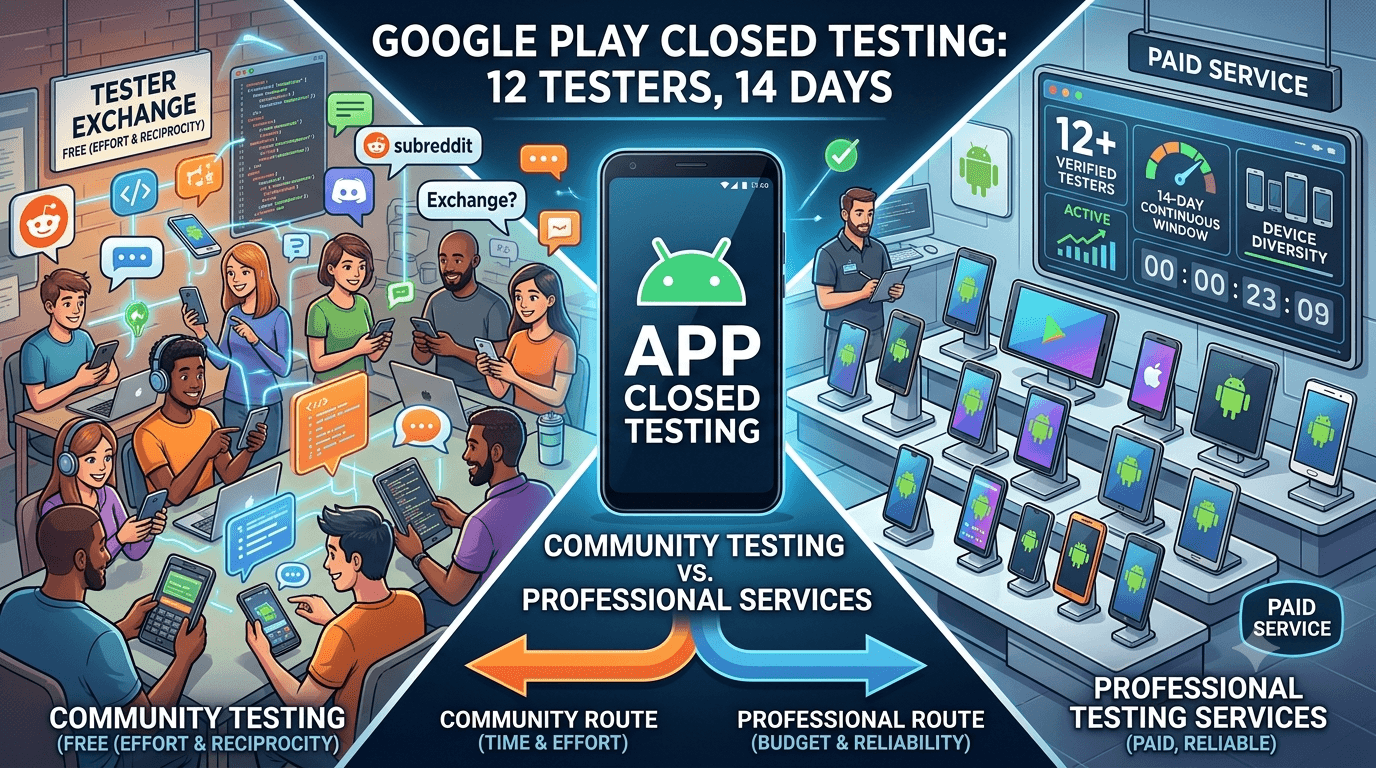
When your personal network cannot supply 12 testers, two main paid-or-free routes remain: professional testing services that provide verified testers for a fee, and community testing through developer groups and tester exchanges that cost effort and reciprocity instead of money. Both are legitimate ways to meet Google's closed-testing requirement, but they differ significantly in reliability, effort, device diversity, and cost. Understanding the trade-offs helps you choose the right one for your situation. Because any app from a new personal account must complete a closed test with at least 12 testers opted in for 14 continuous days before production access, this guide compares professional services and community testing.
The requirement is the same whichever route you take; what differs is how much time, money, and risk each involves. Matching the route to your constraints is the goal.
The shared requirement
The closed-testing requirement is tied to your developer account type, so any app on a new personal account must complete a closed test with 12+ testers for 14 continuous days before production access. See the closed testing guide. Both professional services and community testing aim to supply the real, committed, ideally device-diverse testers this requires. The difference is entirely in the how — the experience, reliability, and cost of getting there — not in what counts as a valid tester.
Whichever you choose, the fundamentals hold: recruit a buffer above 12, prioritize device diversity, and engage testers to keep them active. Let us compare how each route delivers on these.
Community testing explained
Community testing means sourcing testers from developer communities — subreddits, Discord servers, Telegram groups, forums — often through tester-exchange arrangements where you test others' apps in return for them testing yours. Its headline advantage is that it costs no money, which appeals to bootstrapped and hobbyist developers. It also connects you with people who understand the requirement and follow opt-in steps correctly, unlike some casual contacts.
The costs are time and reciprocity: you must find and participate in good communities, honor your obligation to test others' apps (which takes real hours), and coordinate recruits. Engagement can be shallow since strangers testing to fulfill an exchange may disengage quickly, and quality varies by group. There is also risk if a group drifts toward fake-install behavior, which Google penalizes. Community testing works, but it trades money for time and accepts more variability. See getting 12 testers without friends or family.
Professional services explained
Professional testing services supply verified, real, device-diverse testers who opt into your test correctly and stay engaged for the window, in exchange for a fee. Their advantage is reliability and time savings: no recruitment effort, no reciprocity obligation, no chasing disengaged participants, and a tester group that often represents the real market better than any network you could assemble. For developers who value their time or whose other options are unreliable, this converts the hardest part of the requirement into a single step.
| Factor | Community testing | Professional service |
|---|---|---|
| Cost | Free (effort + reciprocity) | Paid |
| Reliability | Variable | High |
| Your time | Significant | Minimal |
| Device diversity | Depends on group | Typically strong |
| Reciprocity | Required | None |
Ensure any service supplies genuine testers, not fake installs. You can submit your app to get started. See real testers vs fake testers.
Reliability and your timeline
The starkest difference is reliability, which directly affects your timeline. The 14-day window is continuous, so if community testers disengage mid-window and your count drops below 12, you risk extending or resetting your clock — a real cost in delay. Community testing's variable engagement makes this a live risk you manage by over-recruiting heavily and staying vigilant. A professional service, by contrast, is built to keep your count stable for the full window, which de-risks your timeline and removes the daily anxiety of watching for dropouts.
For developers on a deadline — a launch date, an investor demo, a market window — this reliability can be worth the fee by itself, because a blown window can cost far more than the service in lost time. For those with flexible timelines and more patience than budget, community testing's variability is more tolerable. Weigh how much a delay would actually cost you against the price of certainty. See launching fast.
Cost, time, and what your hours are worth
The core trade-off is money versus time. Community testing is free in cash but consumes hours — finding groups, participating, testing others' apps, coordinating, and managing engagement — plus the risk-management overhead of variability. A professional service costs money but returns nearly all that time and removes the risk. To choose rationally, put a value on your hours: if the time community testing demands, valued at what your time is worth, exceeds a service's fee, the service is the economical choice even before counting reliability.
Bootstrapped developers with more time than money often reasonably choose community testing; developers whose time is scarce or valuable, or who face a deadline, often find a service cheaper in real terms. There is no universally right answer — only the right answer for your budget, timeline, and how you value your time. Many split the difference by combining a few community or network testers with a service to guarantee the numbers. See bootstrapped launch.
Quality of feedback and coverage
Both routes can produce useful feedback, but it depends on engagement. Community testers who genuinely care (especially fellow developers) can give sharp, technical feedback, while those merely fulfilling an exchange may give none. Service testers vary too, but a good service ensures genuine usage and often structured feedback, and reliably delivers the device diversity that surfaces hardware-specific bugs. Since the value of your window comes largely from real feedback and stability data, engagement quality matters as much as raw numbers.
Whichever route, you improve feedback quality by giving clear instructions and asking specific questions. But if broad, reliable device coverage and consistent engagement are priorities — as they should be for a serious launch — a professional service's typically stronger diversity and reliability give it an edge, while community testing's quality is more of a gamble. See fixing crashes before production.
A hybrid approach
These options are not mutually exclusive, and many developers combine them. You might recruit a handful of committed testers from your network or a niche community for engaged, relevant feedback, and use a service to guarantee you hit and hold 12+ with good device diversity. This hybrid balances cost against reliability: you spend less than an all-service approach while removing the risk that community variability leaves you short. It also blends the sharp feedback of motivated individuals with the dependable coverage of a service.
Design your mix around your biggest constraint. If reliability is the worry, lean on a service; if budget is, lean on community and network, with a small service buffer as insurance. The flexibility to combine sources means you can tailor a solution that fits precisely. See where to find real testers.
Both benefit from internal testing first
Regardless of route, use the internal testing track to stabilize your build before your counted window, so you do not waste testers' effort — whether reciprocated or paid — on obvious bugs. Community testers you owe reciprocity to, and service testers you paid for, both deserve a build that works, and doing so keeps their feedback focused on real quality and their engagement high. This step maximizes the value of whichever route you chose. See internal vs closed testing.
Then promote to the closed track where your testers, from either source, provide the validation the requirement is about. See updating mid-testing.
After launch: which relationship lasts
Consider the longer term too. Community relationships can persist — reciprocal testers may help with future updates, and you build standing in the community. Service relationships offer repeatable reliability for each release without ongoing obligation. Either can support your app beyond this one window, so factor in how you want to handle future updates. An app with a dependable testing route for every release ships updates more safely, whichever route you standardize on. See post-launch monitoring.
Which route fits which developer
It helps to map the routes to common situations. A hobbyist or student with plenty of time, a tight budget, and no deadline is a natural fit for community testing — the effort and reciprocity are affordable when time is abundant and money is not. A founder racing to a launch date, an investor demo, or a market window, whose hours are scarce and valuable, is a natural fit for a service, where reliability and time savings justify the fee. Most developers fall somewhere between, which is why the hybrid approach is so common.
Consider also the nature of your app. If it serves a specific niche, that community can supply both free testers and genuine interest, tilting you toward community sourcing. If you need broad device diversity that your circle and niche cannot cover, a service's assembled pool has the edge. And if a delayed window would cascade into missed commitments, the certainty a service provides is worth more than its price. Matching the route to your constraints and app is how you make the right call rather than a generic one. See MVP launch strategy.
Comparing the risks of each
Each route carries different risks worth weighing. Community testing's main risk is reliability: variable engagement can leave you short mid-window, and lower-quality groups may attract participants who disengage or, at worst, edge toward fake activity that endangers your account. You mitigate this by choosing reputable communities, over-recruiting, and staying vigilant. A service's main risk is choosing a bad provider — one that secretly uses fake installs — which would carry the same account danger, so vetting for genuinely real testers is essential before you pay.
In both cases, the underlying safety rule is identical: the testing must be real. A reputable community of genuine developers and a legitimate service supplying verified real testers are both safe; a sketchy exchange group and a fake-install "service" are both dangerous. So part of choosing a route is choosing a trustworthy instance of it. Do that, and either route is safe; neglect it, and either can go wrong. See how Google detects fake testers.
Making the decision
To decide, honestly assess three things: your budget, the value of your time, and your timeline's flexibility. If money is your binding constraint and time is not, lean community. If time or a deadline is your binding constraint, lean service. If neither is extreme, a hybrid — a few engaged community or network testers plus a service buffer — usually gives the best balance of cost and reliability. Whatever you pick, apply the universal fundamentals: real testers, a buffer above 12, device diversity, and active engagement.
There is no shame in paying to solve a genuine logistics problem, nor in investing effort to save money — both are legitimate, and the right answer is simply the one that fits your situation. Deciding deliberately, rather than defaulting, is what matters. See bootstrapped launch.
Key takeaways
- Both routes meet the same requirement — the difference is cost, time, and reliability.
- Community testing is free but costs effort, reciprocity, and consistency.
- Professional services cost money but deliver reliability, time savings, and device diversity.
- Value your time to decide which is genuinely cheaper for you.
- A hybrid approach balances budget against reliability.
Frequently asked questions
Is community testing legitimate?
Yes, as long as the testers are real people. Tester-exchange and community recruitment are fine; only fake installs violate the rules.
Why pay for a service if communities are free?
For reliability, time savings, no reciprocity obligation, and typically stronger device diversity — valuable if your time is scarce or you face a deadline.
What's the main risk of community testing?
Variable engagement: if testers disengage mid-window and your count drops below 12, you risk extending or resetting your continuous window.
Which is cheaper overall?
It depends on what your time is worth. If community testing's hours exceed a service's fee at your hourly value, the service is cheaper in real terms.
Can I combine both?
Yes. A common hybrid uses a few engaged community or network testers plus a service to guarantee numbers and device diversity.
Do both give good feedback?
They can, depending on engagement. Motivated community testers give sharp feedback; a good service ensures genuine usage and reliable coverage.
Do I still need internal testing?
Yes. Stabilize your build on the internal track first so you do not waste either community or paid testers' effort on obvious bugs.
Which route fits a bootstrapped developer?
Community testing, if you have time and a tight budget. A small service buffer can still guarantee you hit 12 without much cost.
Which route fits a deadline-driven launch?
A professional service, since its reliability and time savings protect a timeline where a blown continuous window would be costly.
Expanded for topical authority — additional practical sections below. Original guide content above is unchanged.
Quick answer
Professional Testing Services vs Community Testing matters because Google Play production access for many new personal developer accounts depends on a successful closed test: at least 12 real testers opted in for 14 continuous days, plus a policy-compliant, stable app. Use this guide to execute the steps correctly, avoid streak-breaking mistakes, and decide whether DIY recruitment or a managed closed testing service is the better path for your deadline.
Real-world scenarios: who this matters for
The guidance in this article on Professional Testing Services vs Community Testing applies across many Android product types. Use these scenarios to map the advice to your situation.
| Developer type | Typical challenge | Practical focus |
|---|---|---|
| Indie / solo | Limited tester network and time | Start closed testing early; keep a buffer above 12 opted-in testers; parallelize listing + Data safety work |
| Startup | Launch deadline vs 14-day rule | Treat the window as fixed; recruit in parallel with QA; avoid last-minute track setup |
| Agency / white-label | Multiple client apps, each needing its own test | One closed test per app; standardize opt-in onboarding; track eligibility dates per client |
| Flutter / React Native | Cross-platform build + Play Console quirks | Ship a signed AAB to closed testing; verify installs from Play, not sideload; watch vitals on mid-range devices |
| Native Kotlin | Device/API fragmentation | Cover API levels and OEMs in your tester mix; fix crashes before requesting production |
| Game / Unity | Performance + retention during 14 days | Keep testers engaged so count never dips below 12; monitor ANRs and battery |
| E-commerce / fintech | Policy + payment flows | Test checkout, permissions, and declarations carefully before production access |
| Healthcare / kids / education | Sensitive policies (Families, data) | Align listing, privacy, and content rating with real app behavior during the test window |
Visual placeholder: Scenario matrix infographic — Indie / Startup / Agency / Cross-platform paths for Professional Testing Services vs Community Testing.
Comparison: DIY recruitment vs managed closed testing
When your goal is Google Play production access, the path you choose for testers affects time, risk, and feedback quality. Use this comparison while deciding how to apply Professional Testing Services vs Community Testing.
| Approach | Time to 12 opted-in | Cost | Dropout risk | Feedback quality | Best when |
|---|---|---|---|---|---|
| Friends & family | Days–weeks | $0 | High | Mixed | Tiny MVP, flexible timeline |
| Reddit / Discord / Telegram | Unpredictable | $0–low | High | Variable | You can manage onboarding daily |
| Peer community exchange | Variable | $0 | Medium | Developer-biased | You can test others’ apps in return |
| Managed closed testing (e.g. Fast Testers) | ~1 hour after valid link | $15 one-time / app | Low (buffer of 15) | Real Play installs | You need speed + continuity for 14 days |
Decision tip: If a broken streak would delay revenue or a client deadline, prioritize reliability over $0 recruitment. DIY is fine when you already have engaged testers and can monitor Play Console daily.
Visual placeholder: Comparison diagram — DIY vs community vs managed testing for Professional Testing Services vs Community Testing.
Common mistakes (and how to avoid them)
These mistakes repeatedly show up when developers work through Professional Testing Services vs Community Testing:
- Confusing invited vs opted-in testers — Only testers who open the opt-in link and install from Play count toward 12. Check the opted-in number in Play Console, not your email list.
- Recruiting exactly 12 with no buffer — One uninstall can break continuity. Aim for ~15 active opted-in testers.
- Starting the counted clock late — Listing assets, Data safety, and privacy work should run during the 14 days, not after.
- Using sideloaded APKs or fake installs — They do not satisfy Play’s closed testing expectations and can create account risk.
- Ignoring tester feedback until day 14 — Crashes that drive uninstalls threaten your streak and your review outcome.
- Requesting production access before the continuous streak completes — Eligibility checks fail even if calendar time has passed.
Troubleshooting checklist
If something feels “stuck” while applying Professional Testing Services vs Community Testing, walk this list before changing strategy:
| Symptom | Likely cause | Fix |
|---|---|---|
| Console shows < 12 testers | Invites sent but not opted in | Resend opt-in link; confirm install from Play |
| “Not eligible” after 14 calendar days | Count dipped below 12 mid-window | Restore 12+ and complete a full continuous streak |
| Tester cannot join | Wrong account, Group lag, or track not published | Verify Google account, Group membership, track release |
| App fails to install | Device/API mismatch or signing issue | Check AAB, minSDK, Play App Signing |
| Production still rejected after testing | Policy, declarations, or stability — not the clock | Read the exact reason; fix that category completely |
Visual placeholder: Troubleshooting flowchart for Professional Testing Services vs Community Testing.
Action checklist
Use this checklist alongside the rest of this guide on Professional Testing Services vs Community Testing:
- ☐ Closed testing track created with a signed release (AAB)
- ☐ Opt-in link tested on a fresh Google account
- ☐ At least 12 testers opted in (prefer ~15)
- ☐ Daily check that opted-in count stays ≥ 12 for 14 continuous days
- ☐ Core flows exercised (login, main feature, permissions, offline/online)
- ☐ Crashes / ANRs triaged from tester reports and vitals
- ☐ Store listing, screenshots, and feature graphic drafted
- ☐ Privacy policy + Data safety + content rating aligned with real behavior
- ☐ Production access requested only after eligibility is green
- ☐ Staged rollout plan ready for first public release
Additional FAQs developers ask about Professional Testing Services vs Community Testing
Quick answer: what should I do first?
Confirm you are on a closed testing track with real opted-in installs, keep 12+ testers for 14 continuous days, and fix policy/stability issues in parallel. Then use the detailed sections above for Professional Testing Services vs Community Testing.
Does this apply to organization (company) accounts?
The classic 12×14 closed testing gate is primarily associated with new personal developer accounts. Always verify your account type and current Play Console eligibility messaging for your app.
Do friends and family count as testers?
Yes — if they opt in via your closed testing link and install from Google Play. They only help if they stay opted in for the continuous period.
Can I update the app during the 14 days?
You can usually push updates on the closed track, but unstable releases that cause uninstalls can threaten your tester count. Prefer polishing via internal testing first when possible.
What if production access is still rejected?
Read the exact reason. Incomplete testing is only one category — policy, Data safety mismatches, and crashes are common. Fix the cited issue fully before reapplying.
Is paying for testers allowed?
Using real people who install from Play is what matters. Avoid fake install farms. A one-time managed service that supplies real closed testers is a practical option when DIY recruitment is too slow.
How is Fast Testers different from free communities?
Free communities trade time and mutual availability. Fast Testers assigns about 15 real testers after you submit a valid closed testing link (one-time $15 per app) and includes a production access guarantee under its refund terms.
Where should I go next?
Review the related guides below, then either finish DIY recruitment or start closed testing if you need speed and continuity.
Sources, updates, and how to use this guide
This article on Professional Testing Services vs Community Testing is maintained for Android developers preparing Google Play closed testing and production access. Always cross-check eligibility text inside your own Play Console, because Google’s UI labels and account rules can vary by account type and date.
- Primary official references: Google Play closed testing help, Developer Program Policies, and Play Console eligibility messaging for your app.
- Practical experience lens: guidance here reflects common failure modes indie developers and agencies hit when recruiting testers, maintaining the 14-day streak, and recovering from production-access rejections.
- Last reviewed focus: 12×14 closed testing continuity, real vs fake testers, and parallel listing/compliance work during the window.
Related guides and next steps
Continue building topical depth around Professional Testing Services vs Community Testing with these Fast Testers resources:
- Analytics Sdk Testing During Closed Testing
- Closed Testing Vs Open Testing On Google Play
- Google Play Internal Testing Vs Closed Testing
- Manual Testing Vs Automated Testing
- Accessibility Testing Before Play Store Launch
- Ad Supported Apps And Google Play Ad Policy Testing
- Agency Guide Testing Client Apps On Google Play
- Android Beta Testing Best Practices
- Pricing — $15 closed testing
- How Fast Testers works
- FAQ
- Developer reviews
- Case studies
- Submit your app / start closed testing
Need reliable testers so your 14-day streak does not stall? Educate first with the guides above, then start when you are ready — one-time pricing, real Play installs, dashboard tracking.
Internal navigation hub — added to strengthen topical connections. Original article content above is unchanged.
Topic cluster: Finding Android Beta Testers
Pillar guide: Start with How to Find Beta Testers for Your Android App for the full overview, then use the supporting guides below.
- How to Find Beta Testers for Your Android App (pillar)
- Best Way to Find Android Beta Testers in 2026
- Where to Find Real Android App Testers
- How to Hire Android App Testers
- Reddit Beta Testers: Pros and Cons for Play Store
- Paid Testers vs Free Testers for Google Play
- Real Testers vs Fake Testers: What Google Play Rewards
- Android Beta Testing Best Practices
- Buy Google Play Testers: Is It Safe?
Continue learning
- Closed Testing vs Open Testing on Google Play — Learn about testing track differences for Google Play closed testing. Complete guide for Android developers pu.
- Agency Guide: Testing Client Apps on Google Play — Learn about agency multi-app testing for Google Play closed testing. Complete guide for Android developers pub.
- Android Beta Testing Best Practices — Android beta testing best practices: choosing the right track, recruiting real testers, gathering feedback, av.
- Fitness Apps and Google Play Beta Testing Rules — Learn about health app testing for Google Play closed testing. Complete guide for Android developers publishin.
- Google Play Closed Testing Service: What It Is and How It Works — What a Google Play closed testing service does, how it works, what to expect, and how it helps you get 12 real.
- Google Play Testing for Startups on a Deadline — Google Play testing for startups on a deadline: how to meet the 12-tester, 14-day requirement without derailin.
Next steps
- Ready to run closed testing with real Android testers? Submit your app or see pricing ($15 one-time).
- Compare options on our testing service comparison page, or read developer reviews and case studies.
- Still deciding? Review how Fast Testers works and the FAQ.