
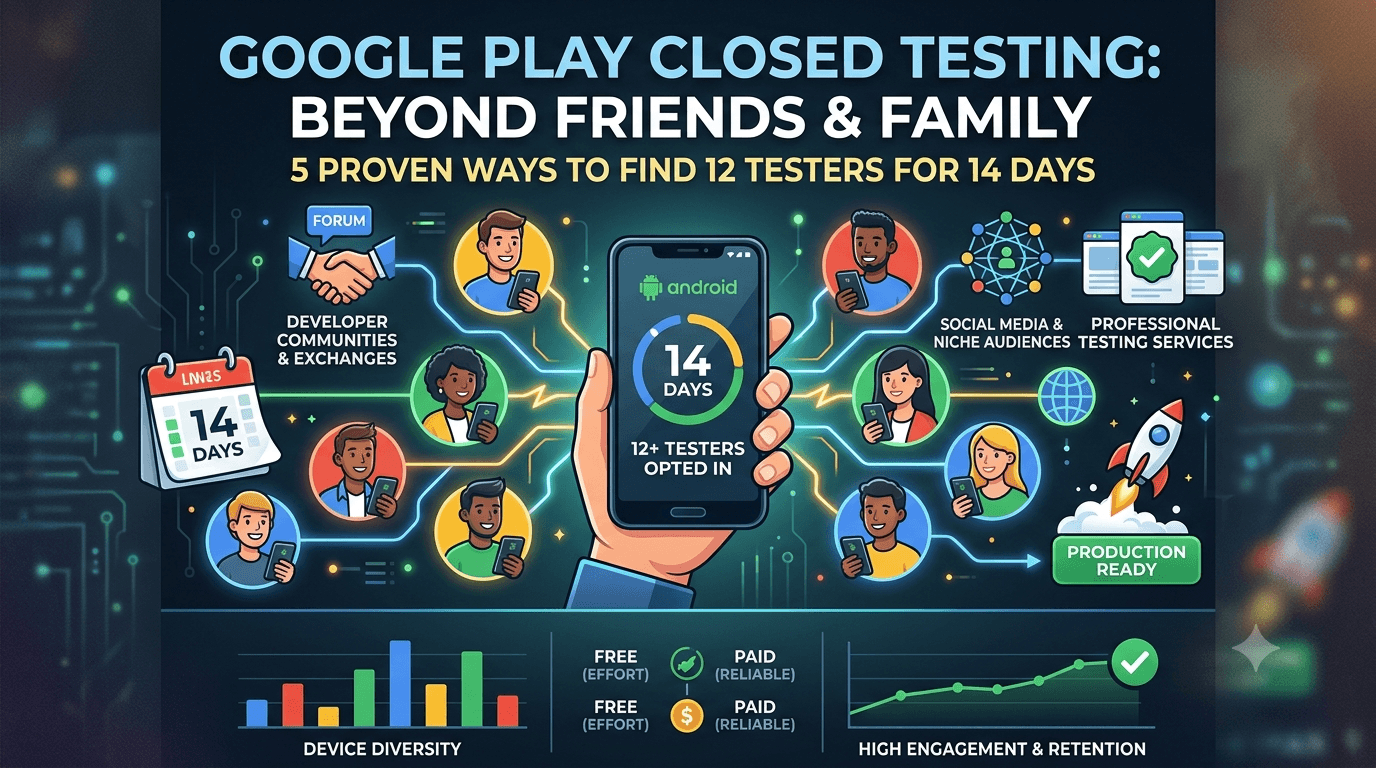
Not every developer has a dozen friends and family with Android phones who will reliably test an app for two weeks — and even those who do often find casual contacts unreliable. If your personal network cannot supply the 12 testers Google requires, you are far from stuck; there are several proven ways to reach the number with people you do not know personally. Because any app from a new personal account must complete a closed test with at least 12 testers opted in for 14 continuous days before production access, this guide lays out practical methods to get 12 testers without relying on friends or family.
The requirement does not care who your testers are, only that they are 12+ real people opted in for 14 continuous days. That opens up sources well beyond your immediate circle, each with its own effort, cost, and reliability profile.
The requirement, restated
The closed-testing requirement is tied to your developer account type, so any app on a new personal account must complete a closed test with 12+ testers for 14 continuous days before production access. See the closed testing guide. Nothing requires those testers to be people you know — they simply must be real, opt in via your link, and stay active. So the task is sourcing 12+ committed strangers (or acquaintances) and keeping them engaged, with a buffer to absorb attrition.
Reframing it this way is freeing: your personal network is just one possible source among several, and often not the best one for reliability or device diversity. Let us look at the alternatives.
Developer communities and exchanges
Online developer communities are a leading source of non-personal testers, and several exist specifically for the closed-testing requirement. Tester-exchange groups operate on reciprocity — you test other developers' apps and they test yours — which can fill your roster at no monetary cost. Subreddits, Discord servers, Telegram channels, and forums focused on Android development are where these arrangements happen.
| Method | Cost | Reliability |
|---|---|---|
| Tester-exchange groups | Free (reciprocity) | Variable, often low engagement |
| Developer communities | Free (effort) | Moderate; depends on group |
| Social media outreach | Free (effort) | Unpredictable |
| Professional service | Paid | High, device-diverse |
Exchanges work but cost you time testing others' apps and carry engagement risk. See services vs community testing.
Making community recruitment work
To recruit successfully from communities, participate genuinely rather than just dropping a request: be an active, helpful member, follow each group's rules, and in exchange groups, honor your side by testing others' apps promptly. When you post, clearly explain what your app does, exactly how to opt in (the link and steps), and what commitment you are asking for. Clear, respectful requests get better responses than vague pleas, and following through on reciprocity builds the reputation that keeps testers engaged with your app.
Be realistic about the downsides: engagement from strangers can be shallow, some will opt in and immediately disengage, and quality varies by community. Over-recruit well beyond 12 to absorb this, and avoid any group or arrangement that veers toward fake installs, which Google detects and penalizes. Reputable, active communities of real developers are your best bet; treat them as partners in a mutual problem. See how Google detects fake testers.
Social media and broader outreach
Beyond dedicated communities, your broader online presence can yield testers. Post about your app and your need for testers on your social media, relevant hobby or niche groups related to your app's topic, and any audience you have built. People genuinely interested in your app's subject make especially good testers because they care about the outcome and give relevant feedback. If your app serves a specific community — runners, photographers, language learners — that community is a natural, motivated tester pool that is not "friends and family" at all.
The reliability of social outreach is unpredictable, and you will need to make opt-in effortless and follow up to keep people engaged. But tapping an audience aligned with your app's purpose can produce testers who are both committed and useful, and who may convert into real users at launch. Combine this with communities to broaden your reach. See building your audience.
Professional testing services
If effort-based methods feel unreliable or too time-consuming, a professional service is the most direct way to get 12+ real testers without friends or family. Such services supply verified, device-diverse testers who opt in correctly and stay for the window, removing recruitment effort, reciprocity obligations, and the uncertainty of stranger engagement. You pay for reliability and time, and you get a tester group that often better represents the real market than any personal network could. For developers whose time is valuable or whose outreach is not converting, this is the cleanest solution.
Ensure any service provides genuine testers rather than fake installs, which would endanger your account. A legitimate service is fully compliant because the testing is real. If sourcing testers is your blocker, this removes it entirely. You can submit your app to get started. See real testers vs fake testers.
Don't forget device diversity
An underrated advantage of recruiting beyond friends and family is device diversity. Your immediate circle may all own similar phones, but strangers from communities, your app's niche audience, or a service will span more manufacturers, price tiers, and Android versions — which is exactly what you want, because bugs cluster on hardware you do not represent. So sourcing testers externally is not just a fallback when your network is too small; it often produces a better test than friends and family would.
When recruiting, deliberately seek variety so your window previews the real market. This turns the "problem" of not having enough personal contacts into an opportunity to assemble a more representative tester group. The more diverse your testers, the more valuable the feedback and stability data your window produces. See low-end device testing.
Keeping non-personal testers engaged
Testers you do not know personally can be harder to keep engaged than committed friends, so active management matters even more. Give crystal-clear opt-in instructions, explain what to do and why it helps, respond quickly and appreciatively to questions and feedback, and keep the commitment as light as possible. Because you cannot rely on personal loyalty, make participation easy and rewarding, and always maintain a buffer above 12 so a few dropouts do not sink you. Monitor your opted-in count daily and recruit replacements immediately if it dips.
The developers who succeed with non-personal testers treat recruitment and engagement as an ongoing process across the window, not a one-time post. With clear communication and a healthy buffer, strangers can be every bit as effective as friends — often more so, given their device diversity and, in the case of niche audiences, genuine interest. See keeping testers engaged.
Putting it together
Getting 12 testers without friends or family is entirely achievable with a deliberate approach: pick your sources (communities, exchanges, niche audiences, a service, or a mix), over-recruit for a buffer, prioritize device diversity, communicate clearly, and engage actively throughout. Many developers combine free effort-based methods with a service to guarantee their numbers, which balances cost and reliability. Whatever mix you use, the keys are real testers, a comfortable margin above 12, and consistent engagement.
Solve sourcing before your window starts, and the rest of the closed-testing process becomes straightforward. Your lack of a ready-made tester network is not a barrier; it just points you to the many effective sources beyond it. See the Play Console beginner guide.
Protect your recruits with internal testing
Whether recruited free or paid, non-personal testers give you their time, so bring them a working build. Use the internal testing track first to catch obvious crashes and confirm the app installs and runs, then invite your closed testers to a build that already functions. This respects their effort, keeps their feedback focused on real quality, and helps retain strangers who have no personal reason to tolerate a broken app. See internal vs closed testing.
Then promote your stabilized build to the closed track where your recruited, device-diverse testers provide genuine validation. See updating mid-testing.
Turning testers into users
Testers you recruit externally, especially from your app's niche audience, can become your first real users and advocates at launch. Treat them well during the window and many will stick around, leave honest reviews, and spread word of mouth. Building a small pool of dependable non-personal testers is also an asset for validating future updates. An app that converts its testers into an engaged early community launches with momentum; one that treats them as a disposable requirement starts cold. See post-launch monitoring.
Crafting a request strangers respond to
When you are asking people who do not know you, your request has to earn a yes on its own merits. Lead with something that makes them want to help: genuine enthusiasm for what you are building, relevance to their interests, or the simple appeal of supporting an indie developer's launch. Be specific and honest about the commitment — install, keep for 14 days, occasional use — so no one feels misled, and make saying yes effortless. A concise, warm, concrete ask consistently outperforms a vague plea or a wall of text that busy strangers will skip.
It also helps to show you are a real, trustworthy person rather than a spammer: a brief note about who you are and what the app does builds enough credibility for someone to install it. In niche communities, framing the ask around shared interest ("I built this for fellow [hobby] enthusiasts and would love your take") converts far better than a generic tester request. The care you put into your pitch directly determines how many strangers convert into committed testers. See tester email templates.
Recruiting for volume and attrition
With non-personal testers, plan explicitly for attrition, because strangers drop out more readily than committed friends. If you need 12 active testers, aim to recruit noticeably more — often 15 to 20 — so that the inevitable no-shows and early quitters do not drop you below the threshold. Treat your recruitment as a funnel: some who express interest never opt in, some opt in but disengage, and only a portion stay active throughout. Recruiting to the top of that funnel with a healthy margin is what leaves you safely above 12 at the bottom.
Keep recruiting in reserve during the window too. If your opted-in count starts slipping, having a few more prospects you can invite immediately prevents a scramble. This funnel mindset — over-recruit, expect drop-off, keep replacements ready — is the practical antidote to the reliability challenge that non-personal testers pose. Combined with clear pitches and active engagement, it makes reaching and holding 12 with strangers entirely achievable. See keeping testers engaged.
Key takeaways
- Testers need not be friends or family — only 12+ real people opted in for 14 continuous days.
- Communities and exchanges supply testers free, in return for effort and reciprocity.
- Your app's niche audience makes motivated, relevant testers.
- A professional service supplies reliable, device-diverse testers for a fee.
- Over-recruit and engage actively, since strangers need more management.
Frequently asked questions
Do my testers have to be people I know?
No. They just need to be 12+ real people who opt in via your link and stay active for 14 continuous days. Strangers count fully.
Where do I find testers I don't know?
Developer communities and tester-exchange groups, your app's niche audience, social media outreach, or a professional testing service.
Are tester-exchange groups reliable?
They can fill your roster free, but engagement is often shallow and you must test others' apps in return. Over-recruit and avoid fake-install schemes.
What's the fastest way to get 12 testers?
A legitimate service that supplies verified, device-diverse real testers removes recruitment effort entirely, for a fee.
Are strangers worse testers than friends?
Not necessarily — they often bring better device diversity, and niche-audience testers bring genuine interest. They just need clear instructions and active engagement.
How do I keep non-personal testers engaged?
Clear opt-in steps, light commitment, prompt appreciative communication, a buffer above 12, and quick replacement of any who drop out.
Can testers become users?
Yes, especially those recruited from your app's niche audience. Treat them well and many will stay, review, and advocate at launch.
How do I get strangers to say yes?
Lead with enthusiasm or relevance, be honest and specific about the light commitment, show you are a real person, and make saying yes effortless.
How many strangers should I recruit?
More than 12 — often 15 to 20 — because strangers drop out more than committed friends. Treat recruitment as a funnel with expected attrition.
Expanded for topical authority — additional practical sections below. Original guide content above is unchanged.
Quick answer
How to Get 12 Testers Without Friends or Family matters because Google Play production access for many new personal developer accounts depends on a successful closed test: at least 12 real testers opted in for 14 continuous days, plus a policy-compliant, stable app. Use this guide to execute the steps correctly, avoid streak-breaking mistakes, and decide whether DIY recruitment or a managed closed testing service is the better path for your deadline.
Real-world scenarios: who this matters for
The guidance in this article on How to Get 12 Testers Without Friends or Family applies across many Android product types. Use these scenarios to map the advice to your situation.
| Developer type | Typical challenge | Practical focus |
|---|---|---|
| Indie / solo | Limited tester network and time | Start closed testing early; keep a buffer above 12 opted-in testers; parallelize listing + Data safety work |
| Startup | Launch deadline vs 14-day rule | Treat the window as fixed; recruit in parallel with QA; avoid last-minute track setup |
| Agency / white-label | Multiple client apps, each needing its own test | One closed test per app; standardize opt-in onboarding; track eligibility dates per client |
| Flutter / React Native | Cross-platform build + Play Console quirks | Ship a signed AAB to closed testing; verify installs from Play, not sideload; watch vitals on mid-range devices |
| Native Kotlin | Device/API fragmentation | Cover API levels and OEMs in your tester mix; fix crashes before requesting production |
| Game / Unity | Performance + retention during 14 days | Keep testers engaged so count never dips below 12; monitor ANRs and battery |
| E-commerce / fintech | Policy + payment flows | Test checkout, permissions, and declarations carefully before production access |
| Healthcare / kids / education | Sensitive policies (Families, data) | Align listing, privacy, and content rating with real app behavior during the test window |
Visual placeholder: Scenario matrix infographic — Indie / Startup / Agency / Cross-platform paths for How to Get 12 Testers Without Friends or Family.
Comparison: DIY recruitment vs managed closed testing
When your goal is Google Play production access, the path you choose for testers affects time, risk, and feedback quality. Use this comparison while deciding how to apply How to Get 12 Testers Without Friends or Family.
| Approach | Time to 12 opted-in | Cost | Dropout risk | Feedback quality | Best when |
|---|---|---|---|---|---|
| Friends & family | Days–weeks | $0 | High | Mixed | Tiny MVP, flexible timeline |
| Reddit / Discord / Telegram | Unpredictable | $0–low | High | Variable | You can manage onboarding daily |
| Peer community exchange | Variable | $0 | Medium | Developer-biased | You can test others’ apps in return |
| Managed closed testing (e.g. Fast Testers) | ~1 hour after valid link | $15 one-time / app | Low (buffer of 15) | Real Play installs | You need speed + continuity for 14 days |
Decision tip: If a broken streak would delay revenue or a client deadline, prioritize reliability over $0 recruitment. DIY is fine when you already have engaged testers and can monitor Play Console daily.
Visual placeholder: Comparison diagram — DIY vs community vs managed testing for How to Get 12 Testers Without Friends or Family.
Common mistakes (and how to avoid them)
These mistakes repeatedly show up when developers work through How to Get 12 Testers Without Friends or Family:
- Confusing invited vs opted-in testers — Only testers who open the opt-in link and install from Play count toward 12. Check the opted-in number in Play Console, not your email list.
- Recruiting exactly 12 with no buffer — One uninstall can break continuity. Aim for ~15 active opted-in testers.
- Starting the counted clock late — Listing assets, Data safety, and privacy work should run during the 14 days, not after.
- Using sideloaded APKs or fake installs — They do not satisfy Play’s closed testing expectations and can create account risk.
- Ignoring tester feedback until day 14 — Crashes that drive uninstalls threaten your streak and your review outcome.
- Requesting production access before the continuous streak completes — Eligibility checks fail even if calendar time has passed.
Troubleshooting checklist
If something feels “stuck” while applying How to Get 12 Testers Without Friends or Family, walk this list before changing strategy:
| Symptom | Likely cause | Fix |
|---|---|---|
| Console shows < 12 testers | Invites sent but not opted in | Resend opt-in link; confirm install from Play |
| “Not eligible” after 14 calendar days | Count dipped below 12 mid-window | Restore 12+ and complete a full continuous streak |
| Tester cannot join | Wrong account, Group lag, or track not published | Verify Google account, Group membership, track release |
| App fails to install | Device/API mismatch or signing issue | Check AAB, minSDK, Play App Signing |
| Production still rejected after testing | Policy, declarations, or stability — not the clock | Read the exact reason; fix that category completely |
Visual placeholder: Troubleshooting flowchart for How to Get 12 Testers Without Friends or Family.
Action checklist
Use this checklist alongside the rest of this guide on How to Get 12 Testers Without Friends or Family:
- ☐ Closed testing track created with a signed release (AAB)
- ☐ Opt-in link tested on a fresh Google account
- ☐ At least 12 testers opted in (prefer ~15)
- ☐ Daily check that opted-in count stays ≥ 12 for 14 continuous days
- ☐ Core flows exercised (login, main feature, permissions, offline/online)
- ☐ Crashes / ANRs triaged from tester reports and vitals
- ☐ Store listing, screenshots, and feature graphic drafted
- ☐ Privacy policy + Data safety + content rating aligned with real behavior
- ☐ Production access requested only after eligibility is green
- ☐ Staged rollout plan ready for first public release
Additional FAQs developers ask about How to Get 12 Testers Without Friends or Family
Quick answer: what should I do first?
Confirm you are on a closed testing track with real opted-in installs, keep 12+ testers for 14 continuous days, and fix policy/stability issues in parallel. Then use the detailed sections above for How to Get 12 Testers Without Friends or Family.
Does this apply to organization (company) accounts?
The classic 12×14 closed testing gate is primarily associated with new personal developer accounts. Always verify your account type and current Play Console eligibility messaging for your app.
Do friends and family count as testers?
Yes — if they opt in via your closed testing link and install from Google Play. They only help if they stay opted in for the continuous period.
Can I update the app during the 14 days?
You can usually push updates on the closed track, but unstable releases that cause uninstalls can threaten your tester count. Prefer polishing via internal testing first when possible.
What if production access is still rejected?
Read the exact reason. Incomplete testing is only one category — policy, Data safety mismatches, and crashes are common. Fix the cited issue fully before reapplying.
Is paying for testers allowed?
Using real people who install from Play is what matters. Avoid fake install farms. A one-time managed service that supplies real closed testers is a practical option when DIY recruitment is too slow.
How is Fast Testers different from free communities?
Free communities trade time and mutual availability. Fast Testers assigns about 15 real testers after you submit a valid closed testing link (one-time $15 per app) and includes a production access guarantee under its refund terms.
Where should I go next?
Review the related guides below, then either finish DIY recruitment or start closed testing if you need speed and continuity.
Sources, updates, and how to use this guide
This article on How to Get 12 Testers Without Friends or Family is maintained for Android developers preparing Google Play closed testing and production access. Always cross-check eligibility text inside your own Play Console, because Google’s UI labels and account rules can vary by account type and date.
- Primary official references: Google Play closed testing help, Developer Program Policies, and Play Console eligibility messaging for your app.
- Practical experience lens: guidance here reflects common failure modes indie developers and agencies hit when recruiting testers, maintaining the 14-day streak, and recovering from production-access rejections.
- Last reviewed focus: 12×14 closed testing continuity, real vs fake testers, and parallel listing/compliance work during the window.
Related guides and next steps
Continue building topical depth around How to Get 12 Testers Without Friends or Family with these Fast Testers resources:
- Do Friends Count As Google Play Testers
- Fast Testers Vs Reddit Testers
- Paid Testers Vs Free Testers
- Real Testers Vs Fake Testers
- Best Way To Find Android Beta Testers In 2026
- Buy Google Play Testers Is It Safe
- Case Study First App Published In 16 Days With Fast Testers
- Developer Interview Why I Chose Professional Testers
- Pricing — $15 closed testing
- How Fast Testers works
- FAQ
- Developer reviews
- Case studies
- Submit your app / start closed testing
Need reliable testers so your 14-day streak does not stall? Educate first with the guides above, then start when you are ready — one-time pricing, real Play installs, dashboard tracking.
Further expansion — case study, decisions, and expert recommendations. Prior sections remain unchanged.
Case study: indie app that needed 12 testers in under a day
Problem: A Flutter indie developer had a client demo in three weeks. Friends-and-family recruitment stalled at 6 opted-in testers after five days of chasing messages.
Solution: They kept DIY outreach running, but also submitted a valid closed testing opt-in link to a managed service to reach ~15 real Play installs quickly. They used this guide on How To Get 12 Testers Without Friends Or Family to brief testers on what to exercise (onboarding, permissions, offline mode) and monitored Play Console daily so the continuous streak would not break.
Result: Opted-in count stabilized above 12 within hours of assignment; 14 continuous days completed; production access requested on schedule.
Lessons learned:
- Recruit a buffer early — waiting until day 10 is the expensive mistake.
- Real Play installs beat large invite lists.
- Managed testing is a timeline tool, not a substitute for fixing product quality.
Decision guide: what should you do next?
Use this decision path when applying How To Get 12 Testers Without Friends Or Family:
- Is your account a new personal developer account that still needs production access?
If yes, plan for closed testing with 12+ opted-in testers for 14 continuous days. If no, still test — but confirm the exact eligibility text in Play Console. - Do you already have 12+ reliable people who will install from Play and stay for two weeks?
If yes, DIY can work — add a buffer and monitor daily. If no, use community exchange or a managed closed testing service. - Is your build stable enough that testers will not churn?
If no, run internal testing first. Entering the counted window with crash loops is how streaks die. - Are Data safety, privacy policy, permissions, and listing aligned with real behavior?
If no, fix during the window so production review does not bounce you after the clock. - Has production access been rejected?
Classify: eligibility vs policy vs declarations vs stability. Fix that category completely, then re-test / re-request.
Visual placeholder: Decision tree diagram for How To Get 12 Testers Without Friends Or Family (DIY vs managed vs fix-and-retry).
Expert recommendations
- Instrument the streak: Check opted-in count daily for the first week; replace dropouts same day.
- Brief testers once: Send a short checklist (install from Play, open app daily, try core flow, report crashes). Silent testers still count if opted in — engaged testers protect quality.
- Never “solve” recruitment with fake installs: It fails the intent of closed testing and can create account risk.
- Ship a boring-stable build to closed testing: Save experimental features for internal tracks.
- Educate first, then accelerate: If your blocker is simply finding real testers fast, a one-time managed option (Fast Testers: 15 testers, $15/app) is often cheaper than slipping a launch.
For hands-on setup after reading about How To Get 12 Testers Without Friends Or Family, see how it works and pricing, or submit your closed testing link when you are ready.
Internal navigation hub — added to strengthen topical connections. Original article content above is unchanged.
Topic cluster: 12 Testers & Production Access
Pillar guide: Start with Google Play – 12 Testers for 14 Days for the full overview, then use the supporting guides below.
- Google Play – 12 Testers for 14 Days (pillar)
- Google Play 12 Testers Explained for Indie Developers
- How Many Testers Do You Need for Google Play?
- Need 12 Testers for Google Play? Here's the Fastest Solution
- Do Friends Count as Google Play Testers?
- What Happens After 14 Days of Closed Testing?
- When Can You Request Google Play Production Access?
- The Fastest Way to Get Google Play Production Access
- Google Play Says Not Enough Testers? Do This
Continue learning
- FastTesters vs Reddit Testers: Which Is Better? — FastTesters vs Reddit testers for Google Play closed testing: compare speed, reliability, cost, and effort to .
- Paid Testers vs Free Testers for Google Play — Paid testers vs free testers for Google Play closed testing: real costs, speed, reliability, and which option .
- Real Testers vs Fake Testers: What Google Play Rewards — Real testers vs fake testers for Google Play closed testing: how Google tells them apart, why fake testers fai.
- Best Way to Find Android Beta Testers in 2026 — Learn about tester recruitment strategies for Google Play closed testing. Complete guide for Android developer.
- Buy Google Play Testers: Is It Safe? — Is it safe to buy Google Play testers for closed testing? Learn what Google actually allows, the difference be.
- FastTesters vs Facebook Groups for App Testing — FastTesters vs Facebook groups for Google Play closed testing: compare reliability, safety, speed, and effort .
Next steps
- Ready to run closed testing with real Android testers? Submit your app or see pricing ($15 one-time).
- Compare options on our testing service comparison page, or read developer reviews and case studies.
- Still deciding? Review how Fast Testers works and the FAQ.