
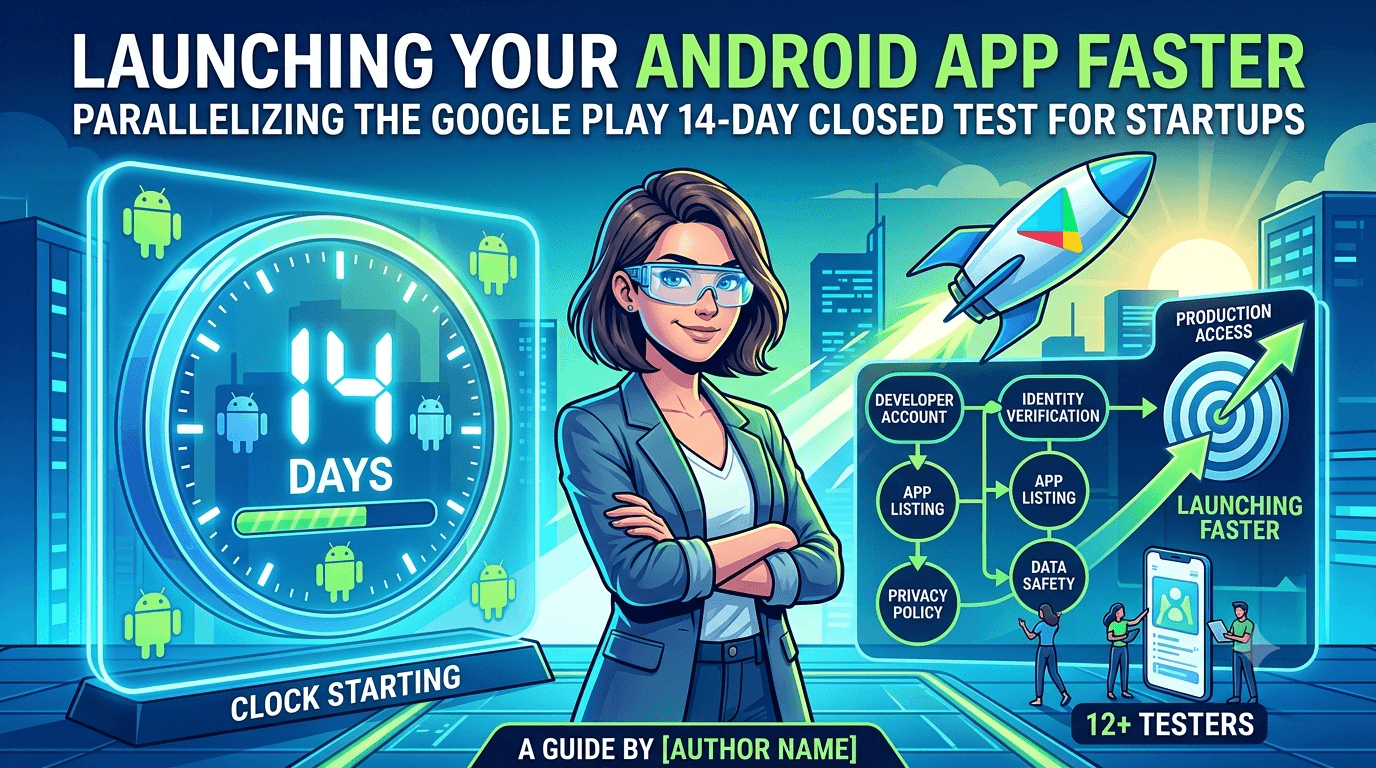
Startups live and die by speed, and few things frustrate a founder more than discovering that shipping an Android app is gated by a mandatory waiting period. Since any app published from a new personal Google Play developer account must complete a closed test with at least 12 testers opted in for 14 continuous days before it can request production access, the fastest possible launch is still bounded by that 14-day floor. The good news is that almost everything else can be done in parallel, so the difference between a slow launch and a fast one is entirely about how well you overlap the surrounding work with that unavoidable window.
This guide is written for startups that want to launch as quickly as the rules allow without cutting corners that trigger rejection. The strategy is simple to state and harder to execute: start the closed test on day one, remove tester recruitment as a bottleneck, and complete every other requirement while the clock runs. Do that, and you launch in roughly two to three weeks instead of drifting for months.
The requirement that sets your floor
The 14-day closed test is not a suggestion or a soft target; it is a hard prerequisite for production access on new personal accounts, and the clock counts only days on which you have 12 or more testers opted in. That means a late start, a misconfigured track, or a tester count that dips below 12 does not just slow you down — it can reset your progress. For a startup, understanding this precisely is the single most important scheduling fact, because it defines the earliest date you can possibly launch. See the closed testing guide and Google's closed testing documentation.
Because the floor is fixed, your job as a founder is to make sure nothing else pushes your launch past it. Every hour you spend on the listing, legal pages, or configuration after the window closes is an hour of delay you could have avoided by doing that work during the 14 days. Treat the window as your project backbone and schedule everything else around it.
Move on day one
The fastest launches begin with a burst of setup on the very first day: register the developer account, start identity verification immediately (it can take days and blocks nothing else if begun early), produce a signed release build, and create the closed-testing track. The goal is to get 12+ testers opted in as fast as possible so the 14-day counter starts ticking. Every day you delay the start of the test is a day added directly to your launch date, with no way to recover it later.
Founders often lose their first week to indecision about branding, screenshots, or pricing — none of which need to be final to start the closed test. Start the test with a working build and refine the peripheral details while it runs. The build under test can even be updated during the window as long as you keep testers opted in, so perfectionism about the initial build is another avoidable source of delay. See updating mid-testing.
Remove testers as the bottleneck
For most startups, the binding constraint is not code or design — it is finding 12 real testers who will stay opted in for 14 continuous days. Founders without a large personal network burn days messaging friends, only to watch several drop off and reset their momentum. This is the highest-leverage problem to solve, because it directly gates when your clock starts and whether it stays running. Recruit a buffer well above 12 so ordinary attrition never drops you below the threshold. See how to get 12 testers without friends or family.
If assembling a reliable, device-diverse group is slowing you down, a service that supplies verified real testers eliminates the bottleneck entirely and lets your window start on day one. You can submit your app to get started. For a startup, the cost of such a service is trivial next to the opportunity cost of a launch that slips by weeks because recruitment stalled.
Parallelize everything else
Everything that is not the closed-testing window can and should happen during it. That includes writing and polishing your store listing, producing screenshots and a feature graphic, drafting your privacy policy, completing the Data safety form, setting up your app's content rating, and configuring pricing and countries. None of these depend on the test finishing, and all of them are required before you can launch. Doing them in parallel is what compresses your total timeline down toward the 14-day floor.
| Task | When to do it |
|---|---|
| Start closed test | Day one |
| Identity verification | Day one, in parallel |
| Store listing + assets | During the window |
| Privacy policy + Data safety | During the window |
| Pricing, countries, rating | During the window |
| Request production access | After 14 continuous days |
The mindset shift is treating the 14 days as a container you fill with all the other launch work, rather than a queue where each task waits its turn. See the complete first-app checklist.
Ship a real build, not a placeholder
Speed does not mean shipping something broken. Your closed test should run a genuine, functional build, because the point of the window — beyond satisfying the rule — is to catch crashes and obvious defects on real devices before they reach the public. A startup that treats the test as a formality and ignores tester feedback wastes the one benefit the mandatory wait provides. Use the 14 days to actually stabilize your app so your launch is both fast and solid.
At the same time, resist scope creep. The build under test needs to be good enough to launch, not feature-complete for your entire roadmap. Founders who keep adding features during the window delay their own launch; those who fix real bugs and ship earn the market feedback that actually shapes the roadmap. See the pre-release testing checklist.
Managing the window actively
Once the test starts, monitor your active tester count in the Play Console daily and act the moment it drifts toward 12. Keep testers engaged with a clear task list and quick responses so they stay opted in for the full 14 days. Passive management is how founders discover on day 12 that they dropped below the threshold a week ago and effectively lost time. Active monitoring turns the window from a risk into a predictable countdown. See keeping testers engaged.
Treat the window like a sprint with a visible burndown: how many active testers, how many continuous days logged, what launch prep remains. A founder who checks these daily and unblocks issues immediately will hit the earliest legal launch date; one who sets it and forgets it will not.
Requesting production and rolling out
After 14 continuous days with 12+ testers, you can request production access. Review takes additional days, so factor that into your launch date rather than expecting instant approval. When approved, use a staged rollout — releasing to a small percentage first — so that if a problem slips through, it reaches only a fraction of users before you catch it. For a startup protecting a fragile early reputation, a controlled rollout is cheap insurance. See staged rollouts.
Have everything else already approved and configured before you request production, so the only thing standing between you and launch is Google's review. That is what a truly parallelized process delivers: the moment your window closes, every other box is already ticked.
Use internal testing to get a head start
Before your counted closed test, the internal testing track lets you push builds to a small trusted group instantly, with no 14-day counting. Startups should live on this track during early development to catch obvious breakage fast, so that when the closed test begins the build is already stable. Getting the rough edges off before the counted window means the 14 days are spent validating a solid app rather than firefighting basic bugs. See internal vs closed testing.
You can promote the build you validated internally straight to the closed track, preserving exactly what you tested. This staged pipeline — internal for speed, closed for the counted window — is how disciplined startups move fast without sacrificing quality.
After launch: iterate fast, safely
Launching is the start, not the finish. Once live, watch your Android vitals (crash rate, ANR rate) and early reviews closely, because a startup's first impression is fragile and a spike in crashes can sink your ratings before you have traction. Use the same track-and-stage discipline for updates: validate on internal, optionally on closed, then roll out to production in stages. This lets you keep shipping fast without risking your live app. See post-launch monitoring.
The habits you build during the mandatory window — recruiting reliable testers, parallelizing work, monitoring metrics — pay off on every subsequent release. A startup that internalizes them turns Google's requirement from a one-time hurdle into a repeatable launch machine. See updating after release.
Turning tester feedback into launch wins
The feedback you gather in the window is genuine market signal, however small the sample. Testers using your app on their own devices will surface confusing flows, missing features, and device-specific bugs you cannot see from your own machine. Give them a simple way to report issues and read every report, because fixing the highest-impact problems before launch directly improves your ratings and retention from day one. A founder who mines the window for insight launches a better product than one who merely waits it out.
Prioritize ruthlessly: fix crashes and blockers before launch, log nice-to-haves for later. The window is short, so channel tester feedback into the changes that most protect your launch and defer the rest to your post-launch roadmap. See writing release notes.
Speed mistakes founders make
The mistakes that slow startups down are consistent and avoidable: waiting for a "perfect" build before starting the test, so the clock starts late; treating recruitment as an afterthought and then scrambling for testers; sequencing listing and legal work after the window instead of during it; and skipping identity verification until the end, only to be blocked by a delay. Each of these adds days or weeks that a disciplined, parallelized process simply does not incur. Recognizing them as the usual culprits lets you design them out from the start.
The deeper mistake is confusing motion with progress — polishing branding while the 14-day clock has not even started. For a startup, the fastest path is almost always to start the counted test immediately with a functional build and do everything else alongside it. Founders who internalize that ship weeks earlier than those who do the work in sequence. See app not eligible for production access.
Key takeaways
- The 14-day closed test is your hard floor for launching from a new personal account.
- Start the test on day one and begin verification immediately — delays here add directly to your launch date.
- Remove tester recruitment as a bottleneck with a buffer above 12 or a reliable tester source.
- Parallelize all other launch work — listing, legal, configuration — during the window.
- Use a staged rollout and monitor vitals to protect your fragile early reputation.
Frequently asked questions
How fast can a startup realistically launch on Google Play?
About two to three weeks: the 14-day closed-testing floor plus verification and review time. Everything else can be done in parallel during the window.
Can I shorten the 14-day closed test?
No. It is a fixed minimum of 14 continuous days with 12+ testers for new personal accounts, so plan around it rather than trying to skip it.
What most often delays a startup launch?
Starting the test late and struggling to recruit 12 testers. Both are avoidable by moving on day one and securing a tester buffer or service.
Do I need a finished app to start the test?
No. Start with a working build and refine during the window. You can update the build mid-test as long as testers stay opted in.
Is a testing service worth it for a startup?
Usually yes. Its cost is small next to the opportunity cost of a launch that slips weeks because recruitment stalled.
Should I launch to everyone at once?
No. Use a staged rollout to a small percentage first so any issue reaches few users and your early ratings stay protected.
How do I keep momentum after launch?
Monitor vitals and reviews, and reuse the internal-then-staged pipeline for updates so you can iterate fast without risking your live app.
Expanded for topical authority — additional practical sections below. Original guide content above is unchanged.
Quick answer
Startup Guide: Launch Android App on Play Store Fast matters because Google Play production access for many new personal developer accounts depends on a successful closed test: at least 12 real testers opted in for 14 continuous days, plus a policy-compliant, stable app. Use this guide to execute the steps correctly, avoid streak-breaking mistakes, and decide whether DIY recruitment or a managed closed testing service is the better path for your deadline.
Real-world scenarios: who this matters for
The guidance in this article on Startup Guide: Launch Android App on Play Store Fast applies across many Android product types. Use these scenarios to map the advice to your situation.
| Developer type | Typical challenge | Practical focus |
|---|---|---|
| Indie / solo | Limited tester network and time | Start closed testing early; keep a buffer above 12 opted-in testers; parallelize listing + Data safety work |
| Startup | Launch deadline vs 14-day rule | Treat the window as fixed; recruit in parallel with QA; avoid last-minute track setup |
| Agency / white-label | Multiple client apps, each needing its own test | One closed test per app; standardize opt-in onboarding; track eligibility dates per client |
| Flutter / React Native | Cross-platform build + Play Console quirks | Ship a signed AAB to closed testing; verify installs from Play, not sideload; watch vitals on mid-range devices |
| Native Kotlin | Device/API fragmentation | Cover API levels and OEMs in your tester mix; fix crashes before requesting production |
| Game / Unity | Performance + retention during 14 days | Keep testers engaged so count never dips below 12; monitor ANRs and battery |
| E-commerce / fintech | Policy + payment flows | Test checkout, permissions, and declarations carefully before production access |
| Healthcare / kids / education | Sensitive policies (Families, data) | Align listing, privacy, and content rating with real app behavior during the test window |
Visual placeholder: Scenario matrix infographic — Indie / Startup / Agency / Cross-platform paths for Startup Guide: Launch Android App on Play Store Fast.
Closed testing vs other Play tracks (quick reference)
Context for Startup Guide: Launch Android App on Play Store Fast: choose the right track so you do not waste the 14-day window on the wrong workflow.
| Track | Purpose | Counts toward 12×14? | Typical use |
|---|---|---|---|
| Internal testing | Fast private builds | No | Shake out bugs before the counted window |
| Closed testing | Private / invite testers | Yes (for new personal accounts) | Meet production-access requirement + QA |
| Open testing | Public beta | Not a substitute for the closed requirement | Broader feedback after closed eligibility |
| Production | Public release | N/A | After access approved + review |
Visual placeholder: Timeline — Internal → Closed (14 days) → Production request → Staged rollout.
Common mistakes (and how to avoid them)
These mistakes repeatedly show up when developers work through Startup Guide: Launch Android App on Play Store Fast:
- Confusing invited vs opted-in testers — Only testers who open the opt-in link and install from Play count toward 12. Check the opted-in number in Play Console, not your email list.
- Recruiting exactly 12 with no buffer — One uninstall can break continuity. Aim for ~15 active opted-in testers.
- Starting the counted clock late — Listing assets, Data safety, and privacy work should run during the 14 days, not after.
- Using sideloaded APKs or fake installs — They do not satisfy Play’s closed testing expectations and can create account risk.
- Ignoring tester feedback until day 14 — Crashes that drive uninstalls threaten your streak and your review outcome.
- Requesting production access before the continuous streak completes — Eligibility checks fail even if calendar time has passed.
Troubleshooting checklist
If something feels “stuck” while applying Startup Guide: Launch Android App on Play Store Fast, walk this list before changing strategy:
| Symptom | Likely cause | Fix |
|---|---|---|
| Console shows < 12 testers | Invites sent but not opted in | Resend opt-in link; confirm install from Play |
| “Not eligible” after 14 calendar days | Count dipped below 12 mid-window | Restore 12+ and complete a full continuous streak |
| Tester cannot join | Wrong account, Group lag, or track not published | Verify Google account, Group membership, track release |
| App fails to install | Device/API mismatch or signing issue | Check AAB, minSDK, Play App Signing |
| Production still rejected after testing | Policy, declarations, or stability — not the clock | Read the exact reason; fix that category completely |
Visual placeholder: Troubleshooting flowchart for Startup Guide: Launch Android App on Play Store Fast.
Action checklist
Use this checklist alongside the rest of this guide on Startup Guide: Launch Android App on Play Store Fast:
- ☐ Closed testing track created with a signed release (AAB)
- ☐ Opt-in link tested on a fresh Google account
- ☐ At least 12 testers opted in (prefer ~15)
- ☐ Daily check that opted-in count stays ≥ 12 for 14 continuous days
- ☐ Core flows exercised (login, main feature, permissions, offline/online)
- ☐ Crashes / ANRs triaged from tester reports and vitals
- ☐ Store listing, screenshots, and feature graphic drafted
- ☐ Privacy policy + Data safety + content rating aligned with real behavior
- ☐ Production access requested only after eligibility is green
- ☐ Staged rollout plan ready for first public release
Additional FAQs developers ask about Startup Guide: Launch Android App on Play Store Fast
Quick answer: what should I do first?
Confirm you are on a closed testing track with real opted-in installs, keep 12+ testers for 14 continuous days, and fix policy/stability issues in parallel. Then use the detailed sections above for Startup Guide: Launch Android App on Play Store Fast.
Does this apply to organization (company) accounts?
The classic 12×14 closed testing gate is primarily associated with new personal developer accounts. Always verify your account type and current Play Console eligibility messaging for your app.
Do friends and family count as testers?
Yes — if they opt in via your closed testing link and install from Google Play. They only help if they stay opted in for the continuous period.
Can I update the app during the 14 days?
You can usually push updates on the closed track, but unstable releases that cause uninstalls can threaten your tester count. Prefer polishing via internal testing first when possible.
What if production access is still rejected?
Read the exact reason. Incomplete testing is only one category — policy, Data safety mismatches, and crashes are common. Fix the cited issue fully before reapplying.
Is paying for testers allowed?
Using real people who install from Play is what matters. Avoid fake install farms. A one-time managed service that supplies real closed testers is a practical option when DIY recruitment is too slow.
How is Fast Testers different from free communities?
Free communities trade time and mutual availability. Fast Testers assigns about 15 real testers after you submit a valid closed testing link (one-time $15 per app) and includes a production access guarantee under its refund terms.
Where should I go next?
Review the related guides below, then either finish DIY recruitment or start closed testing if you need speed and continuity.
Sources, updates, and how to use this guide
This article on Startup Guide: Launch Android App on Play Store Fast is maintained for Android developers preparing Google Play closed testing and production access. Always cross-check eligibility text inside your own Play Console, because Google’s UI labels and account rules can vary by account type and date.
- Primary official references: Google Play closed testing help, Developer Program Policies, and Play Console eligibility messaging for your app.
- Practical experience lens: guidance here reflects common failure modes indie developers and agencies hit when recruiting testers, maintaining the 14-day streak, and recovering from production-access rejections.
- Last reviewed focus: 12×14 closed testing continuity, real vs fake testers, and parallel listing/compliance work during the window.
Related guides and next steps
Continue building topical depth around Startup Guide: Launch Android App on Play Store Fast with these Fast Testers resources:
- Accessibility Testing Before Play Store Launch
- Bootstrapped Developer Play Store Launch On 15
- Customer Support Setup Before Play Store Launch
- E Commerce Android Apps Play Store Testing Tips
- Google Play Store Listing Optimization Before Launch
- Google Play Store Submission Guide
- Handling User Reviews After Play Store Launch
- Low End Device Testing For Global Play Store Launch
- Pricing — $15 closed testing
- How Fast Testers works
- FAQ
- Developer reviews
- Case studies
- Submit your app / start closed testing
Need reliable testers so your 14-day streak does not stall? Educate first with the guides above, then start when you are ready — one-time pricing, real Play installs, dashboard tracking.
Internal navigation hub — added to strengthen topical connections. Original article content above is unchanged.
Continue learning
- Handling User Reviews After Play Store Launch — Learn about review management for Google Play closed testing. Complete guide for Android developers publishing.
- COPPA and Kids Apps on Google Play Store — Learn about COPPA compliance for Google Play closed testing. Complete guide for Android developers publishing .
- Enterprise Internal Apps vs Public Play Store Apps — Learn about enterprise distribution for Google Play closed testing. Complete guide for Android developers publ.
- GDPR Compliance for Android Apps on Google Play — Learn about GDPR requirements for Google Play closed testing. Complete guide for Android developers publishing.
- Google Play Closed Testing Guide: How to Get 12 Testers for 14 Days — Stuck on the Google Play Console closed testing track? Learn how to successfully recruit 12 active testers, ma.
- Google Play Compliance Guide for Developers — A Google Play compliance guide covering data safety, privacy, permissions, content policy, target API level, a.
Next steps
- Ready to run closed testing with real Android testers? Submit your app or see pricing ($15 one-time).
- Compare options on our testing service comparison page, or read developer reviews and case studies.
- Still deciding? Review how Fast Testers works and the FAQ.