
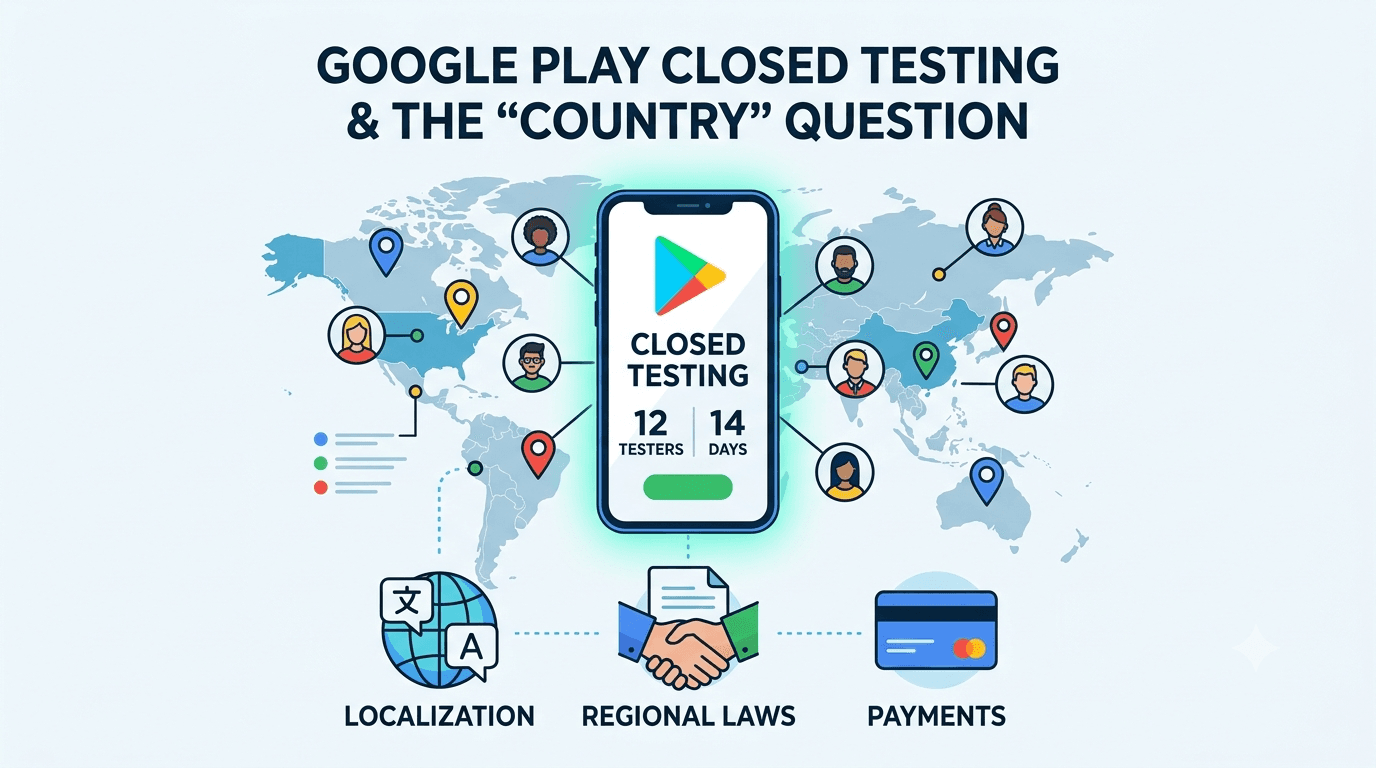
Google's closed-testing requirement — 12 testers for 14 continuous days — applies to new personal developer accounts broadly, but developers frequently ask how it interacts with country: where testers must be located, whether distribution regions matter, and how testing considerations differ across markets. While the core requirement is not fundamentally different from country to country, there are real regional dimensions to testing worth understanding, especially if you target global or specific markets. Because any app from a new personal account must complete a closed test with at least 12 testers opted in for 14 continuous days before production access, this guide covers how testing requirements and considerations relate to country and region.
The requirement's numbers are the same everywhere, but the practicalities of recruiting testers, complying with regional laws, and validating a localized app do vary by market. Understanding these dimensions helps you test in a way that fits your target audience.
The requirement is global
The closed-testing requirement is tied to your developer account type, not your country, so any app on a new personal account must complete a closed test with 12+ testers for 14 continuous days before production access, wherever you or your users are. See the closed testing guide. The 12-tester, 14-day rule does not change based on geography; what varies is the surrounding context — who your testers are, which markets you distribute to, and what regional compliance applies.
Standard advice applies everywhere: recruit committed, device-diverse testers, keep your count above 12, and prepare your listing in parallel. The regional nuances below sit on top of this universal requirement.
Do testers' locations matter?
A common question is whether your 12 testers must be in a particular country. The requirement itself is about having 12+ real testers opted in for the duration, not about their nationality, so testers can generally be located wherever real people are — the key is that they are genuine and active. However, testers in or representative of your target market add value beyond mere compliance: they use the app in the language, network conditions, and cultural context your real users will, surfacing issues a distant tester might miss.
So while you are not strictly required to source testers from a specific country, aligning some testers with your target markets makes your test more meaningful. If you launch primarily in one region, testers there will validate the localized experience, local payment methods, and regional performance. If you launch globally, geographic diversity among testers previews the varied conditions your worldwide users face. Choosing tester locations thoughtfully improves the quality of your validation. See where to find real testers.
Distribution countries and availability
Separately from testers, you choose which countries your app is distributed in when you publish, and this is a real decision with practical implications. You can launch in all available countries or a subset, and your choice affects your listing localization, legal obligations, and the markets you must support. During your closed test, consider which countries you will target at launch, since that shapes what you should validate — languages, regional content, local regulations — and what your store listing needs.
| Regional dimension | Consideration |
|---|---|
| Tester location | Not mandated, but target-market testers add value |
| Distribution countries | Your choice; shapes localization and law |
| Localization | Language, content, formats per market |
| Regional laws | GDPR, local privacy, content rules |
| Payments | Local methods and currencies |
Decide your target markets during the window so you can validate and localize for them. See multi-language app testing.
Localization and regional testing
If you target multiple countries or non-English markets, localization becomes a real testing concern. Your app and store listing should be translated for key markets, and localized apps consistently outperform English-only ones in those regions. Test that translations render correctly (watch for text expansion and clipping), that right-to-left languages mirror properly if relevant, that dates, numbers, and currencies use local conventions, and that any region-specific content or features work. Testers who read the target language are invaluable here, since only they can judge whether translations read naturally.
Regional testing also covers network and device realities: some markets have slower or more expensive connectivity and more budget devices, so validating performance under those conditions matters if you target them. Aligning your tester group and your testing focus with your target markets during the window ensures your app works well where you actually launch, not just in your development environment. See RTL testing and low-end device testing.
Regional legal and policy compliance
Different regions impose different legal requirements that affect your app and its declarations. The EU's GDPR, various national privacy laws, children's protections like COPPA, and local content rules all may apply depending on where your users are. Your privacy policy, Data safety form, consent flows, and content must comply with the regions you distribute to, and getting this right is essential to avoid both Google enforcement and legal exposure. Use your window to confirm your compliance matches your target markets — for example, that consent mechanisms work for European users if you serve them.
This regional compliance is often the most consequential country-related dimension of your launch, more than tester location. Identify the laws relevant to your distribution countries, ensure your app and declarations meet them, and test any region-specific behavior like consent gating. Aligning compliance with your target regions during the window prevents launching into a market where you are out of step with local law. See GDPR compliance and privacy policy requirements.
Recruiting testers for your markets
Practically, recruit 12+ committed, device-diverse testers for 14 continuous days, and where possible include testers who reflect your target markets — their language, region, and device profile. Keep a buffer above 12, keep testers engaged, and manage the window actively. If you target a specific country, testers there validate the real localized experience; if global, geographic spread previews worldwide conditions.
If sourcing target-market testers is your bottleneck, a service that supplies verified real testers, potentially across regions, solves it quickly. You can submit your app to get started, and read how to keep testers engaged.
Making regional testing count
Because the requirement forces you to test anyway, align your test with your target markets to extract real value. Recruit some testers who reflect where you will launch, validate localization and regional behavior, and confirm your compliance matches the laws of your distribution countries. A well-run, market-aligned window means you launch confident that your app works and complies not just generically but specifically where your users are.
Enter production having validated the localized experience and regional compliance for your chosen markets, and you avoid the surprises that a purely local, single-language test would miss. The 14 days are an investment in launching well in the markets you actually target. See the Play Console beginner guide.
Regional feedback is especially valuable
Feedback from testers in or familiar with your target markets is particularly valuable because it surfaces issues invisible from your own vantage point — an awkward translation, a missing local payment method, a cultural mismatch, or poor performance on the connectivity typical there. Ask market-aligned testers specifically about the localized experience and regional expectations, not just generic functionality. Their reports let you fix things that would otherwise alienate users in exactly the markets you are trying to enter.
Then close the loop: ship fixes addressing regional feedback and ask those testers to reconfirm. This validates your localization and regional behavior with the people best placed to judge it. An app that enters production having incorporated target-market feedback launches credibly in those markets. See fixing crashes before production.
Use internal testing for a first pass
The internal testing track lets you validate localization and regional behavior quickly before your counted window. Switch a build to your target locales, check translations and formats, and fix obvious issues with a small group, so your closed test focuses on deeper, native-reader validation rather than basic localization bugs. This staging is especially helpful when you are preparing for multiple markets, since there is more to get right. See internal vs closed testing.
Then promote to the closed track where market-aligned, device-diverse testers validate the experience for your target regions. See updating mid-testing.
After launch: expanding to new markets
Your first launch targets some set of countries, but you may expand later, and each new market can warrant its own validation — localization, compliance, and testing for that region's conditions. When you add markets, test the localized experience and confirm regional compliance before enabling distribution there, ideally using your testing tracks. An app that validates each new market as it expands maintains quality globally; one that flips on new countries without regional testing risks a poor experience and compliance gaps abroad. See post-launch monitoring.
Recruiting testers in your target markets
While the requirement itself is global, there is a genuine reason to care about where your testers are: if you serve specific countries, testers based there exercise your app under the network conditions, languages, locales, and device models common in those markets. A tester in your target region will surface issues — a mistranslation, a date or currency format, a payment method, a slow-network edge case — that a tester elsewhere might never encounter. So although any 12 testers satisfy the rule, choosing testers who mirror your real audience makes the mandatory window far more valuable.
This is where sourcing matters. Friends-and-family recruitment rarely gives you geographic or device diversity, whereas a service or community with a broad tester base can supply testers from the specific markets you care about. Using the window to validate your app in its actual target countries — not just to tick the 12-tester box — turns a compliance step into real market readiness. You can submit your app and read where to find real testers.
Localization and regional compliance
Serving multiple countries brings obligations beyond the testing rule: your store listing may need localized text and screenshots, your app may need translated UI, and you may face region-specific legal requirements such as GDPR in Europe or local data and consumer-protection laws. None of these change the 12-tester, 14-day mechanic, but all of them affect whether your app is genuinely ready for those markets. Use your closed-testing window to verify localization and regional behavior alongside satisfying the requirement, so you launch prepared rather than surprised.
Testers in your target regions are exactly the people who can confirm your localization reads naturally and your regional features work. Pairing regional recruitment with a deliberate localization check during the window means you emerge from the mandatory wait both compliant and truly market-ready. See multi-language app testing and GDPR compliance.
Key takeaways
- The 12-tester, 14-day requirement is global, not country-specific.
- Testers' locations aren't mandated, but target-market testers add real value.
- Your distribution countries shape localization, law, and payments.
- Regional compliance — GDPR and local laws — must match your markets.
- Validate localization and regional behavior for the countries you target.
Frequently asked questions
Do my testers have to be in a specific country?
No. The requirement is about 12+ real, active testers, not their nationality. But testers reflecting your target market make your test more meaningful.
Does the requirement change by country?
No. The 12-tester, 14-day rule is global. What varies is localization, regional compliance, and market-specific testing considerations.
How do I choose distribution countries?
Decide during your window based on your target markets, then localize your app and listing and ensure compliance for those regions.
Why test with target-market testers?
They use the app in the language, network conditions, and cultural context of your real users, surfacing localization and regional issues others miss.
What regional laws should I consider?
GDPR in the EU, other national privacy laws, children's protections like COPPA, and local content rules, depending on where you distribute.
Should I localize my app and listing?
Yes, for non-English target markets. Localized apps and listings consistently outperform English-only ones and help with regional discoverability.
Can I add markets after launch?
Yes, but validate localization and compliance for each new market before enabling it, ideally using your testing tracks.
Where can I find testers in specific countries?
A service or community with a broad tester base can supply testers from your target markets, giving you the geographic and device diversity friends-and-family recruitment rarely provides.
Does serving the EU add requirements?
Yes. GDPR obligations around consent, data handling, and your privacy policy apply, so verify your consent flows work for European users during the window.
Expanded for topical authority — additional practical sections below. Original guide content above is unchanged.
Quick answer
Google Play Testing Requirements by Country matters because Google Play production access for many new personal developer accounts depends on a successful closed test: at least 12 real testers opted in for 14 continuous days, plus a policy-compliant, stable app. Use this guide to execute the steps correctly, avoid streak-breaking mistakes, and decide whether DIY recruitment or a managed closed testing service is the better path for your deadline.
Real-world scenarios: who this matters for
The guidance in this article on Google Play Testing Requirements by Country applies across many Android product types. Use these scenarios to map the advice to your situation.
| Developer type | Typical challenge | Practical focus |
|---|---|---|
| Indie / solo | Limited tester network and time | Start closed testing early; keep a buffer above 12 opted-in testers; parallelize listing + Data safety work |
| Startup | Launch deadline vs 14-day rule | Treat the window as fixed; recruit in parallel with QA; avoid last-minute track setup |
| Agency / white-label | Multiple client apps, each needing its own test | One closed test per app; standardize opt-in onboarding; track eligibility dates per client |
| Flutter / React Native | Cross-platform build + Play Console quirks | Ship a signed AAB to closed testing; verify installs from Play, not sideload; watch vitals on mid-range devices |
| Native Kotlin | Device/API fragmentation | Cover API levels and OEMs in your tester mix; fix crashes before requesting production |
| Game / Unity | Performance + retention during 14 days | Keep testers engaged so count never dips below 12; monitor ANRs and battery |
| E-commerce / fintech | Policy + payment flows | Test checkout, permissions, and declarations carefully before production access |
| Healthcare / kids / education | Sensitive policies (Families, data) | Align listing, privacy, and content rating with real app behavior during the test window |
Visual placeholder: Scenario matrix infographic — Indie / Startup / Agency / Cross-platform paths for Google Play Testing Requirements by Country.
Comparison: DIY recruitment vs managed closed testing
When your goal is Google Play production access, the path you choose for testers affects time, risk, and feedback quality. Use this comparison while deciding how to apply Google Play Testing Requirements by Country.
| Approach | Time to 12 opted-in | Cost | Dropout risk | Feedback quality | Best when |
|---|---|---|---|---|---|
| Friends & family | Days–weeks | $0 | High | Mixed | Tiny MVP, flexible timeline |
| Reddit / Discord / Telegram | Unpredictable | $0–low | High | Variable | You can manage onboarding daily |
| Peer community exchange | Variable | $0 | Medium | Developer-biased | You can test others’ apps in return |
| Managed closed testing (e.g. Fast Testers) | ~1 hour after valid link | $15 one-time / app | Low (buffer of 15) | Real Play installs | You need speed + continuity for 14 days |
Decision tip: If a broken streak would delay revenue or a client deadline, prioritize reliability over $0 recruitment. DIY is fine when you already have engaged testers and can monitor Play Console daily.
Visual placeholder: Comparison diagram — DIY vs community vs managed testing for Google Play Testing Requirements by Country.
Common mistakes (and how to avoid them)
These mistakes repeatedly show up when developers work through Google Play Testing Requirements by Country:
- Confusing invited vs opted-in testers — Only testers who open the opt-in link and install from Play count toward 12. Check the opted-in number in Play Console, not your email list.
- Recruiting exactly 12 with no buffer — One uninstall can break continuity. Aim for ~15 active opted-in testers.
- Starting the counted clock late — Listing assets, Data safety, and privacy work should run during the 14 days, not after.
- Using sideloaded APKs or fake installs — They do not satisfy Play’s closed testing expectations and can create account risk.
- Ignoring tester feedback until day 14 — Crashes that drive uninstalls threaten your streak and your review outcome.
- Requesting production access before the continuous streak completes — Eligibility checks fail even if calendar time has passed.
Troubleshooting checklist
If something feels “stuck” while applying Google Play Testing Requirements by Country, walk this list before changing strategy:
| Symptom | Likely cause | Fix |
|---|---|---|
| Console shows < 12 testers | Invites sent but not opted in | Resend opt-in link; confirm install from Play |
| “Not eligible” after 14 calendar days | Count dipped below 12 mid-window | Restore 12+ and complete a full continuous streak |
| Tester cannot join | Wrong account, Group lag, or track not published | Verify Google account, Group membership, track release |
| App fails to install | Device/API mismatch or signing issue | Check AAB, minSDK, Play App Signing |
| Production still rejected after testing | Policy, declarations, or stability — not the clock | Read the exact reason; fix that category completely |
Visual placeholder: Troubleshooting flowchart for Google Play Testing Requirements by Country.
Action checklist
Use this checklist alongside the rest of this guide on Google Play Testing Requirements by Country:
- ☐ Closed testing track created with a signed release (AAB)
- ☐ Opt-in link tested on a fresh Google account
- ☐ At least 12 testers opted in (prefer ~15)
- ☐ Daily check that opted-in count stays ≥ 12 for 14 continuous days
- ☐ Core flows exercised (login, main feature, permissions, offline/online)
- ☐ Crashes / ANRs triaged from tester reports and vitals
- ☐ Store listing, screenshots, and feature graphic drafted
- ☐ Privacy policy + Data safety + content rating aligned with real behavior
- ☐ Production access requested only after eligibility is green
- ☐ Staged rollout plan ready for first public release
Additional FAQs developers ask about Google Play Testing Requirements by Country
Quick answer: what should I do first?
Confirm you are on a closed testing track with real opted-in installs, keep 12+ testers for 14 continuous days, and fix policy/stability issues in parallel. Then use the detailed sections above for Google Play Testing Requirements by Country.
Does this apply to organization (company) accounts?
The classic 12×14 closed testing gate is primarily associated with new personal developer accounts. Always verify your account type and current Play Console eligibility messaging for your app.
Do friends and family count as testers?
Yes — if they opt in via your closed testing link and install from Google Play. They only help if they stay opted in for the continuous period.
Can I update the app during the 14 days?
You can usually push updates on the closed track, but unstable releases that cause uninstalls can threaten your tester count. Prefer polishing via internal testing first when possible.
What if production access is still rejected?
Read the exact reason. Incomplete testing is only one category — policy, Data safety mismatches, and crashes are common. Fix the cited issue fully before reapplying.
Is paying for testers allowed?
Using real people who install from Play is what matters. Avoid fake install farms. A one-time managed service that supplies real closed testers is a practical option when DIY recruitment is too slow.
How is Fast Testers different from free communities?
Free communities trade time and mutual availability. Fast Testers assigns about 15 real testers after you submit a valid closed testing link (one-time $15 per app) and includes a production access guarantee under its refund terms.
Where should I go next?
Review the related guides below, then either finish DIY recruitment or start closed testing if you need speed and continuity.
Sources, updates, and how to use this guide
This article on Google Play Testing Requirements by Country is maintained for Android developers preparing Google Play closed testing and production access. Always cross-check eligibility text inside your own Play Console, because Google’s UI labels and account rules can vary by account type and date.
- Primary official references: Google Play closed testing help, Developer Program Policies, and Play Console eligibility messaging for your app.
- Practical experience lens: guidance here reflects common failure modes indie developers and agencies hit when recruiting testers, maintaining the 14-day streak, and recovering from production-access rejections.
- Last reviewed focus: 12×14 closed testing continuity, real vs fake testers, and parallel listing/compliance work during the window.
Related guides and next steps
Continue building topical depth around Google Play Testing Requirements by Country with these Fast Testers resources:
- Closed Testing Vs Open Testing On Google Play
- Google Play Closed Testing Requirements 2026
- Google Play Internal Testing Vs Closed Testing
- Ad Supported Apps And Google Play Ad Policy Testing
- Agency Guide Testing Client Apps On Google Play
- Android Tv Apps And Google Play Testing Tracks
- Common Google Play Closed Testing Mistakes
- Complete Glossary Of Google Play Testing Terms
- Pricing — $15 closed testing
- How Fast Testers works
- FAQ
- Developer reviews
- Case studies
- Submit your app / start closed testing
Need reliable testers so your 14-day streak does not stall? Educate first with the guides above, then start when you are ready — one-time pricing, real Play installs, dashboard tracking.
Internal navigation hub — added to strengthen topical connections. Original article content above is unchanged.
Continue learning
- Google Play Internal Testing vs Closed Testing — Learn about internal vs closed tracks for Google Play closed testing. Complete guide for Android developers pu.
- Finance Apps: Google Play Testing and Compliance — Learn about finance app requirements for Google Play closed testing. Complete guide for Android developers pub.
- Kids Apps and Google Play Families Policy Testing — Learn about family policy apps for Google Play closed testing. Complete guide for Android developers publishin.
- Unity Games and Google Play 14-Day Testing Rule — Learn about Unity game testing for Google Play closed testing. Complete guide for Android developers publishin.
- WebView Wrapper Apps: Google Play Testing Guide — Learn about WebView app testing for Google Play closed testing. Complete guide for Android developers publishi.
- Battery Usage Testing and Play Store Vitals — Learn about battery optimization for Google Play closed testing. Complete guide for Android developers publish.
Next steps
- Ready to run closed testing with real Android testers? Submit your app or see pricing ($15 one-time).
- Compare options on our testing service comparison page, or read developer reviews and case studies.
- Still deciding? Review how Fast Testers works and the FAQ.