
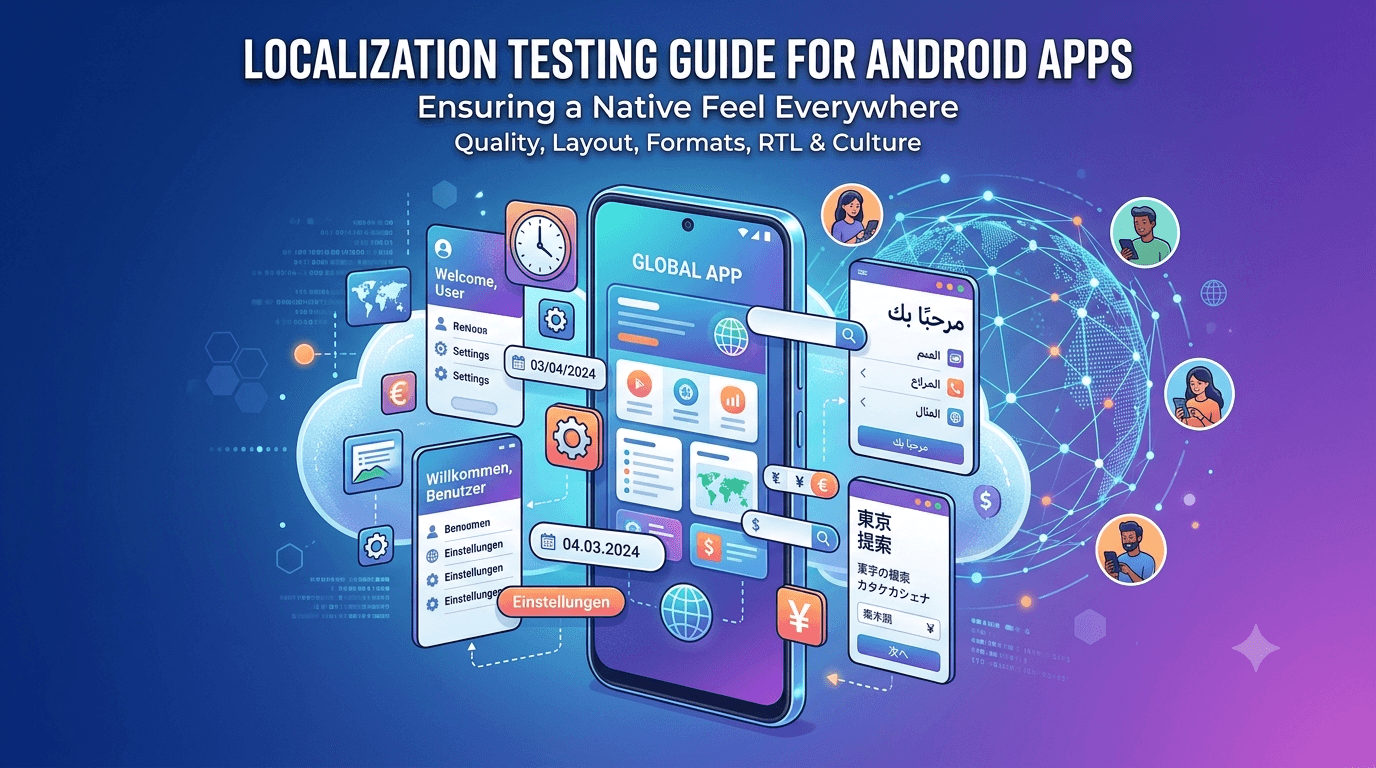
Launching globally means more than translating strings. An app that reads perfectly in English can look broken in German, mangled in Arabic, or confusing in Japan if you skip localization testing. This localization testing guide for Android apps covers the checks that make your app feel native in every market you target — not just translated, but genuinely usable.
Contents
Quick answer
Featured answer: Localization testing verifies that your app works correctly in each supported language and region — accurate translations, layouts that survive text expansion, correct date, number, and currency formats, proper right-to-left support, and cultural appropriateness. It goes beyond translation to ensure the app feels native everywhere.
Translation quality
First, confirm that every user-facing string is actually translated and that none are hard-coded in your source language. Missing translations that fall back to English are jarring and unprofessional. Beyond completeness, check quality: machine translations can be grammatically wrong or contextually absurd, especially for short UI labels where context is scarce. Where possible, have a native speaker review the app in context rather than reviewing a spreadsheet of strings, because the same word can be right in one place and wrong in another.
Layout and text expansion
Different languages need different amounts of space. German and Finnish words can be far longer than their English equivalents, while some languages are more compact. Test that translated text fits without truncation, overlap, or awkward wrapping, particularly in buttons, tabs, and fixed-width elements designed around short English labels. Dynamic content combined with long translations is where layouts most often break, so test with realistic data in each language. This overlaps with general UI testing — see RTL support testing.
Formats and units
Dates, times, numbers, and currencies vary by locale. A date like 03/04 means March 4th in the US and April 3rd in much of the world, and decimal separators, thousands separators, and currency symbols differ too. Verify that your app formats these according to the user's locale rather than hard-coding one convention. Getting this wrong quietly erodes trust even when the translation itself is perfect.
Tip: Native-speaking testers in your target markets catch translation and formatting issues that you never would. Submit your app to get worldwide testers across regions and languages.
Right-to-left languages
Languages like Arabic, Hebrew, Persian, and Urdu are written right to left, which mirrors the entire interface: navigation, icons, text alignment, and layout direction all flip. Test that your app mirrors correctly, that directional icons (like back arrows) point the right way, and that mixed content (RTL text with embedded numbers or Latin words) displays sensibly. RTL support is often the most under-tested area of localization and a common source of embarrassing bugs.
Cultural fit
Finally, consider cultural appropriateness. Colors, imagery, icons, and idioms carry different meanings across cultures, and something innocuous in one market can be confusing or offensive in another. Review images, examples, and sample data for each region so your app feels considerate rather than careless.
Key takeaways
- Ensure every string is translated — no hard-coded fallbacks.
- Test layouts against text expansion in each language.
- Format dates, numbers, and currencies by locale.
- Verify right-to-left mirroring and directional icons.
- Review imagery and examples for cultural fit.
Why localization testing matters
Adding a language to your app is not the same as making your app work in that language. Localization testing verifies that your app actually functions correctly for users in each supported language and region — not just that the words are translated. A poorly localized app can look broken even when the translation is perfect: text overflows buttons, dates appear in the wrong format, currencies are wrong, and layouts break because another language needs more space. For users in that market, these problems signal that the app was not really built for them, and they respond accordingly with low ratings and uninstalls.
The stakes are higher than many developers realize because localization affects your reach. A well-localized app can succeed in markets where an English-only competitor cannot, and the countries with the fastest-growing Android user bases are often non-English-speaking. Getting localization right is therefore both a quality issue and a growth opportunity, and testing is what ensures the experience holds up beyond the surface translation.
Beyond translation: what to check
| Area | What can go wrong |
|---|---|
| Text length | Longer languages overflow or truncate |
| Date & time | Wrong format for the region |
| Numbers & currency | Wrong separators or symbols |
| Layout direction | RTL languages need mirrored layouts |
| Images & icons | Culturally inappropriate or text-baked graphics |
| Untranslated strings | Hard-coded text that stays in English |
Text expansion is the most common problem: German, Finnish, and other languages often need significantly more space than English, so a label that fits comfortably in English overflows or gets cut off elsewhere. Formatting is another minefield — dates, times, numbers, and currencies all follow regional conventions, and showing them wrong immediately signals a careless port. And any string that was hard-coded rather than pulled from your resource files will stubbornly stay in English, breaking the illusion of a properly localized app.
Right-to-left and cultural considerations
Languages like Arabic and Hebrew read right-to-left, which requires more than translating text — the entire layout should mirror, with navigation, icons, and flows flipping direction. Testing RTL support means confirming that layouts mirror correctly, that directional icons (like back arrows) point the right way, and that mixed content (numbers, Latin text within RTL text) renders sensibly. RTL bugs are common because developers rarely use these languages themselves, so they go unnoticed without deliberate testing.
Cultural appropriateness matters too. Images, colors, icons, and examples that work in one culture can be confusing or even offensive in another, and graphics with baked-in English text will not translate at all. Review your visual assets for each market and confirm they are appropriate and, where they contain text, properly localized. This cultural layer is what separates an app that was merely translated from one that genuinely feels native to its users.
Native speakers and real-device testing
The most reliable localization testing comes from native speakers using the app on real devices, because they catch what you cannot: translations that are technically correct but sound unnatural, formatting that feels wrong to locals, and cultural missteps invisible to an outsider. You can check layouts and formats yourself, but judging whether the language actually reads well requires someone fluent. This is where a diverse group of real testers becomes especially valuable — testers from your target regions surface localization issues that no automated check or monolingual developer ever would.
A proper closed test with device- and region-diverse testers is an ideal vehicle for this kind of validation before launch. If reaching testers across the regions and languages you target is difficult, a professional service can help you assemble verified real testers on varied devices quickly, giving you real-world localization coverage. Combine that with your own systematic testing of text length, formatting, and RTL support, and you launch confident your app truly works for every market you serve.
Key takeaways
- Translation is not localization — the app must function correctly per region.
- Test text length, date/number/currency formats, and untranslated strings.
- RTL languages need mirrored layouts, not just translated text.
- Check images and icons for cultural fit and baked-in text.
- Native speakers on real devices catch what monolingual testing misses.
Localization is one of the clearest examples of an area where careful testing directly unlocks growth. Every market you serve well is an audience a competitor may be neglecting, and users reward apps that feel genuinely built for them with better ratings and higher retention. By designing for flexibility, testing formatting and text length systematically, and validating with native speakers on real devices, you turn localization from a source of embarrassing bugs into a durable competitive advantage. Start with the markets that matter most to you today, do them thoroughly, and let real usage data guide where you expand next. Done consistently, this approach compounds: each well-localized market builds a loyal audience that a hastily translated competitor simply cannot match.
Building localization testing into your workflow
Localization problems are far cheaper to prevent than to fix after the fact, so the most effective approach is to build localization-awareness into how you develop, not just how you test. The single most important habit is to never hard-code user-facing text — always pull strings from your resource files so every piece of copy is translatable and nothing gets stranded in English. Design layouts to flex rather than assume a fixed text length, so a longer translation expands gracefully instead of overflowing. Use the platform's formatting APIs for dates, numbers, and currencies rather than formatting them manually, so they automatically follow each region's conventions.
With those foundations in place, your localization testing becomes a verification pass rather than a bug hunt. Add each target language, switch the device to it, and walk through your key screens confirming text fits, formats look right, nothing remains untranslated, and RTL layouts mirror correctly where applicable. Because you designed for flexibility from the start, most screens will simply work, and testing catches the exceptions rather than a flood of avoidable problems.
Prioritizing which markets to test
You do not have to localize and test for every language at once, and trying to do so often dilutes quality across all of them. It is usually better to support fewer languages well than many poorly. Prioritize based on where your users are or where you see the most growth potential, and invest in doing those markets thoroughly — including native-speaker review and real-device testing — before expanding. A handful of excellently localized languages will outperform a dozen machine-translated ones that feel broken to locals.
| Consideration | Why it guides prioritization |
|---|---|
| Existing user base | Serve current users' languages first |
| Market growth | Fast-growing regions offer the most upside |
| Competition | Underserved languages are an opening |
| Effort to support | RTL and complex scripts need more testing |
Revisit these priorities as your app grows and data comes in. The markets that matter most will become clearer once you see where downloads and engagement actually come from, letting you focus your localization testing where it delivers the greatest return.
Frequently asked questions
What is localization testing?
Verifying that your app works correctly in each supported language and region, beyond just translation.
Do I need native speakers to test localization?
For the best results, yes. You can verify layouts and formats yourself, but only a native speaker can tell whether a translation reads naturally and whether the tone and conventions feel right to locals. Native-speaker review catches the subtle issues that damage credibility in a market.
Should I localize into every language at once?
No. It is better to support a few languages excellently than many poorly. Prioritize the markets where your users are or where you see the most growth, test those thoroughly, and expand from there as data guides you.
What is the most common localization bug?
Text expansion. Languages like German and Finnish need noticeably more space than English, so labels that fit in English overflow or get truncated elsewhere. Designing flexible layouts and testing with a longer language prevents most of these problems.
Why not rely on machine translation?
It often produces context errors, especially for short labels. Native review catches these.
What breaks most often?
Layouts under text expansion and right-to-left mirroring are common failure points.
Do I need native-speaking testers?
They are the most reliable way to catch translation, formatting, and cultural issues.
Does localization affect ratings?
Yes. Poor localization leads to bad reviews in the affected markets.
Is RTL support really necessary?
If you target RTL markets, yes — broken mirroring is an obvious defect.
Conclusion
Localization testing turns a translated app into one that feels native everywhere — accurate language, robust layouts, correct formats, proper RTL support, and cultural fit. The most reliable way to validate all of this is with native-speaking testers in your target markets. Submit your app to get worldwide, real-device testers today.
Expanded for topical authority — additional practical sections below. Original guide content above is unchanged.
Real-world scenarios: who this matters for
The guidance in this article on Localization Testing Guide for Android Apps applies across many Android product types. Use these scenarios to map the advice to your situation.
| Developer type | Typical challenge | Practical focus |
|---|---|---|
| Indie / solo | Limited tester network and time | Start closed testing early; keep a buffer above 12 opted-in testers; parallelize listing + Data safety work |
| Startup | Launch deadline vs 14-day rule | Treat the window as fixed; recruit in parallel with QA; avoid last-minute track setup |
| Agency / white-label | Multiple client apps, each needing its own test | One closed test per app; standardize opt-in onboarding; track eligibility dates per client |
| Flutter / React Native | Cross-platform build + Play Console quirks | Ship a signed AAB to closed testing; verify installs from Play, not sideload; watch vitals on mid-range devices |
| Native Kotlin | Device/API fragmentation | Cover API levels and OEMs in your tester mix; fix crashes before requesting production |
| Game / Unity | Performance + retention during 14 days | Keep testers engaged so count never dips below 12; monitor ANRs and battery |
| E-commerce / fintech | Policy + payment flows | Test checkout, permissions, and declarations carefully before production access |
| Healthcare / kids / education | Sensitive policies (Families, data) | Align listing, privacy, and content rating with real app behavior during the test window |
Visual placeholder: Scenario matrix infographic — Indie / Startup / Agency / Cross-platform paths for Localization Testing Guide for Android Apps.
Comparison: DIY recruitment vs managed closed testing
When your goal is Google Play production access, the path you choose for testers affects time, risk, and feedback quality. Use this comparison while deciding how to apply Localization Testing Guide for Android Apps.
| Approach | Time to 12 opted-in | Cost | Dropout risk | Feedback quality | Best when |
|---|---|---|---|---|---|
| Friends & family | Days–weeks | $0 | High | Mixed | Tiny MVP, flexible timeline |
| Reddit / Discord / Telegram | Unpredictable | $0–low | High | Variable | You can manage onboarding daily |
| Peer community exchange | Variable | $0 | Medium | Developer-biased | You can test others’ apps in return |
| Managed closed testing (e.g. Fast Testers) | ~1 hour after valid link | $15 one-time / app | Low (buffer of 15) | Real Play installs | You need speed + continuity for 14 days |
Decision tip: If a broken streak would delay revenue or a client deadline, prioritize reliability over $0 recruitment. DIY is fine when you already have engaged testers and can monitor Play Console daily.
Visual placeholder: Comparison diagram — DIY vs community vs managed testing for Localization Testing Guide for Android Apps.
Common mistakes (and how to avoid them)
These mistakes repeatedly show up when developers work through Localization Testing Guide for Android Apps:
- Confusing invited vs opted-in testers — Only testers who open the opt-in link and install from Play count toward 12. Check the opted-in number in Play Console, not your email list.
- Recruiting exactly 12 with no buffer — One uninstall can break continuity. Aim for ~15 active opted-in testers.
- Starting the counted clock late — Listing assets, Data safety, and privacy work should run during the 14 days, not after.
- Using sideloaded APKs or fake installs — They do not satisfy Play’s closed testing expectations and can create account risk.
- Ignoring tester feedback until day 14 — Crashes that drive uninstalls threaten your streak and your review outcome.
- Requesting production access before the continuous streak completes — Eligibility checks fail even if calendar time has passed.
Troubleshooting checklist
If something feels “stuck” while applying Localization Testing Guide for Android Apps, walk this list before changing strategy:
| Symptom | Likely cause | Fix |
|---|---|---|
| Console shows < 12 testers | Invites sent but not opted in | Resend opt-in link; confirm install from Play |
| “Not eligible” after 14 calendar days | Count dipped below 12 mid-window | Restore 12+ and complete a full continuous streak |
| Tester cannot join | Wrong account, Group lag, or track not published | Verify Google account, Group membership, track release |
| App fails to install | Device/API mismatch or signing issue | Check AAB, minSDK, Play App Signing |
| Production still rejected after testing | Policy, declarations, or stability — not the clock | Read the exact reason; fix that category completely |
Visual placeholder: Troubleshooting flowchart for Localization Testing Guide for Android Apps.
Action checklist
Use this checklist alongside the rest of this guide on Localization Testing Guide for Android Apps:
- ☐ Closed testing track created with a signed release (AAB)
- ☐ Opt-in link tested on a fresh Google account
- ☐ At least 12 testers opted in (prefer ~15)
- ☐ Daily check that opted-in count stays ≥ 12 for 14 continuous days
- ☐ Core flows exercised (login, main feature, permissions, offline/online)
- ☐ Crashes / ANRs triaged from tester reports and vitals
- ☐ Store listing, screenshots, and feature graphic drafted
- ☐ Privacy policy + Data safety + content rating aligned with real behavior
- ☐ Production access requested only after eligibility is green
- ☐ Staged rollout plan ready for first public release
Additional FAQs developers ask about Localization Testing Guide for Android Apps
Quick answer: what should I do first?
Confirm you are on a closed testing track with real opted-in installs, keep 12+ testers for 14 continuous days, and fix policy/stability issues in parallel. Then use the detailed sections above for Localization Testing Guide for Android Apps.
Does this apply to organization (company) accounts?
The classic 12×14 closed testing gate is primarily associated with new personal developer accounts. Always verify your account type and current Play Console eligibility messaging for your app.
Do friends and family count as testers?
Yes — if they opt in via your closed testing link and install from Google Play. They only help if they stay opted in for the continuous period.
Can I update the app during the 14 days?
You can usually push updates on the closed track, but unstable releases that cause uninstalls can threaten your tester count. Prefer polishing via internal testing first when possible.
What if production access is still rejected?
Read the exact reason. Incomplete testing is only one category — policy, Data safety mismatches, and crashes are common. Fix the cited issue fully before reapplying.
Is paying for testers allowed?
Using real people who install from Play is what matters. Avoid fake install farms. A one-time managed service that supplies real closed testers is a practical option when DIY recruitment is too slow.
How is Fast Testers different from free communities?
Free communities trade time and mutual availability. Fast Testers assigns about 15 real testers after you submit a valid closed testing link (one-time $15 per app) and includes a production access guarantee under its refund terms.
Where should I go next?
Review the related guides below, then either finish DIY recruitment or start closed testing if you need speed and continuity.
Sources, updates, and how to use this guide
This article on Localization Testing Guide for Android Apps is maintained for Android developers preparing Google Play closed testing and production access. Always cross-check eligibility text inside your own Play Console, because Google’s UI labels and account rules can vary by account type and date.
- Primary official references: Google Play closed testing help, Developer Program Policies, and Play Console eligibility messaging for your app.
- Practical experience lens: guidance here reflects common failure modes indie developers and agencies hit when recruiting testers, maintaining the 14-day streak, and recovering from production-access rejections.
- Last reviewed focus: 12×14 closed testing continuity, real vs fake testers, and parallel listing/compliance work during the window.
Related guides and next steps
Continue building topical depth around Localization Testing Guide for Android Apps with these Fast Testers resources:
- Performance Testing Guide For Android Apps
- Agency Guide Testing Client Apps On Google Play
- Android Tv Apps And Google Play Testing Tracks
- Ar Vr Android Apps And Closed Testing Requirements
- E Commerce Android Apps Play Store Testing Tips
- Functional Testing For Android Apps
- Google Play Closed Testing For Saas Android Apps
- Kotlin Android Apps Closed Testing Best Practices
- Pricing — $15 closed testing
- How Fast Testers works
- FAQ
- Developer reviews
- Case studies
- Submit your app / start closed testing
Need reliable testers so your 14-day streak does not stall? Educate first with the guides above, then start when you are ready — one-time pricing, real Play installs, dashboard tracking.
Further expansion — case study, decisions, and expert recommendations. Prior sections remain unchanged.
Case study: first Play launch planned around the closed testing window
Problem: A small SaaS team treated Google Play publishing like iOS TestFlight — they expected to upload and go public the same week. They discovered the personal-account closed testing gate mid-sprint.
Solution: They reframed the sprint around Localization Testing Guide For Android Apps: internal testing for crash triage first, then closed testing with a buffer of testers, while design finished screenshots and legal finished privacy/Data safety in parallel.
Result: The 14-day requirement stopped feeling like “dead time.” When eligibility flipped green, listing and declarations were already ready, so production review was the only remaining gate.
Lessons learned:
- Start the closed track as soon as the build is stable enough to keep installed.
- Parallelize compliance work inside the window.
- Protect the streak like a production SLA.
Decision guide: what should you do next?
Use this decision path when applying Localization Testing Guide For Android Apps:
- Is your account a new personal developer account that still needs production access?
If yes, plan for closed testing with 12+ opted-in testers for 14 continuous days. If no, still test — but confirm the exact eligibility text in Play Console. - Do you already have 12+ reliable people who will install from Play and stay for two weeks?
If yes, DIY can work — add a buffer and monitor daily. If no, use community exchange or a managed closed testing service. - Is your build stable enough that testers will not churn?
If no, run internal testing first. Entering the counted window with crash loops is how streaks die. - Are Data safety, privacy policy, permissions, and listing aligned with real behavior?
If no, fix during the window so production review does not bounce you after the clock. - Has production access been rejected?
Classify: eligibility vs policy vs declarations vs stability. Fix that category completely, then re-test / re-request.
Visual placeholder: Decision tree diagram for Localization Testing Guide For Android Apps (DIY vs managed vs fix-and-retry).
Expert recommendations
- Instrument the streak: Check opted-in count daily for the first week; replace dropouts same day.
- Brief testers once: Send a short checklist (install from Play, open app daily, try core flow, report crashes). Silent testers still count if opted in — engaged testers protect quality.
- Never “solve” recruitment with fake installs: It fails the intent of closed testing and can create account risk.
- Ship a boring-stable build to closed testing: Save experimental features for internal tracks.
- Educate first, then accelerate: If your blocker is simply finding real testers fast, a one-time managed option (Fast Testers: 15 testers, $15/app) is often cheaper than slipping a launch.
For hands-on setup after reading about Localization Testing Guide For Android Apps, see how it works and pricing, or submit your closed testing link when you are ready.
Internal navigation hub — added to strengthen topical connections. Original article content above is unchanged.
Continue learning
- Performance Testing Guide for Android Apps — A performance testing guide for Android apps: startup time, responsiveness, memory, battery, and network — plu.
- Functional Testing for Android Apps — A practical guide to functional testing for Android apps: what to test, how to structure test cases, common pi.
- Network Condition Testing for Android Apps — Learn about offline network QA for Google Play closed testing. Complete guide for Android developers publishin.
- Regression Testing for Android Apps — A guide to regression testing for Android apps: why updates break things, what to re-test, how to prioritize, .
- Security Testing for Android Apps — A security testing guide for Android apps: data storage, network security, authentication, permissions, and th.
- WebView Wrapper Apps: Google Play Testing Guide — Learn about WebView app testing for Google Play closed testing. Complete guide for Android developers publishi.
Next steps
- Ready to run closed testing with real Android testers? Submit your app or see pricing ($15 one-time).
- Compare options on our testing service comparison page, or read developer reviews and case studies.
- Still deciding? Review how Fast Testers works and the FAQ.