
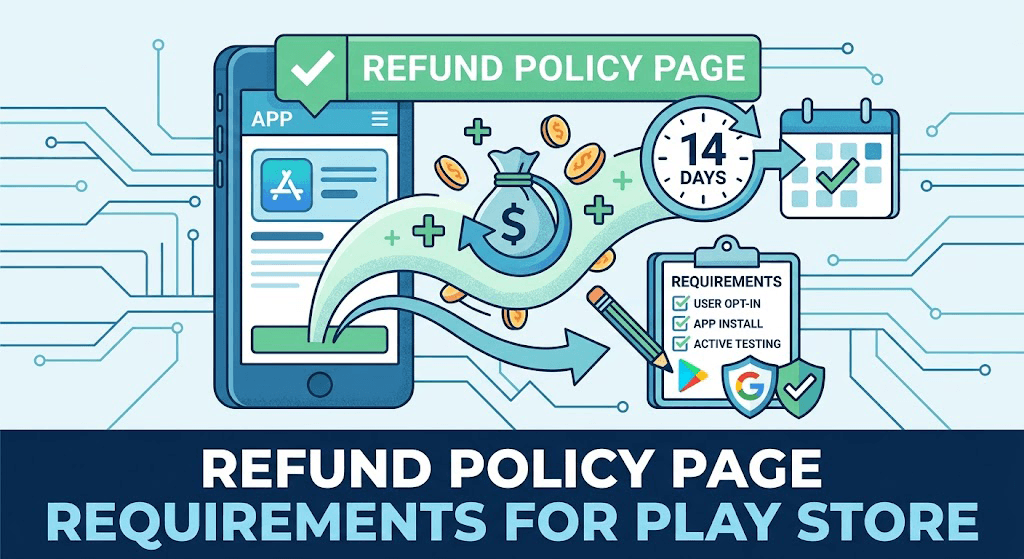
Navigating the steps to launch a new mobile application can be challenging, particularly after recent developer updates. Google Play closed testing is now a mandatory milestone for most new personal developer accounts. An often-overlooked aspect of passing this phase is managing user expectations and transparency. This guide details the essential refund policy page requirements for the Play Store, how to properly handle user terms during testing, and how to seamlessly satisfy Google's rigorous monitoring phase without manual delays.
Why Google Play Closed Testing Matters
To enhance the quality of software available on mobile storefronts, personal developer accounts created after November 2023 face strict testing milestones. You must run a closed testing track with at least 12 testers for 14 consecutive days before Google allows you to request production access. Skipping, cutting corners, or attempting to use automated installation farms leads directly to rejected production applications and extended launch delays.
During this testing window, having transparent legal disclosures—such as clear terms of service and an explicit refund policy framework—protects your developer reputation and guarantees compliance with Google's broader Developer Distribution Agreement.
What Google Checks During the Review Window
Google Console metrics track continuous user engagement. It is not enough to simply have users download an APK file once. Systems automatically verify that:
- Real users actively opt into your closed testing track via a specific Google Group or web link.
- Testers install the app securely through the official Google Play Store client.
- Users remain opted-in and do not immediately uninstall the software during the 14-day window.
Crucial Compliance Note: Using hardware emulators, sideloading temporary APK files, or paying unverified install networks will cause your production application to be flagged and rejected.
Step-by-Step Compliance Guide
Follow this verified framework to move your software safely from the development sandbox into open availability:
- Upload Build: Add your compiled package to the official Closed testing track inside your Google Play Console dashboard.
- Obtain the Access Link: Generate your official web or Android opt-in URL from the "Testers" tab to allow users to register safely.
- Incorporate Legal Disclosures: Clearly link your developer website, contact information, privacy rules, and standard refund policies in the store listing details. Even during private testing, handling potential tester inquiries professionally builds a solid review history.
- Recruit Verified Testers: Gather 12 to 15 reliable, active Android devices. Fast Testers can assign 15 real professional testers to your track in under an hour for a predictable flat fee.
- Maintain Continuous Daily Signals: Monitor your install activity actively for 14 consecutive days without letting target user levels drop.
- Submit Final Production Request: Apply for full production access inside the console, answering Google's feedback questionnaire with explicit testing evidence.
Policy Standards vs. Common Implementation Pitfalls
| Required Best Practice | Common Testing Mistake |
|---|---|
| Utilizing the formal Closed Testing Track | Relying purely on Internal Testing tracks (which do not satisfy the requirement) |
| Maintaining 12+ real active devices consistently | Allowing tester cohorts to drop below 12 users mid-period |
| Waiting a minimum of 14 full consecutive days | Applying prematurely on day 10 or 12 assuming approval is instant |
| Directing users to secure Play Store opt-in links | Distributing unverified raw APK files across forums |
How Fast Testers Streamlines Your Path to Production
Gathering reliable peers who will keep a test application installed on their primary smartphones for two full weeks is notoriously complex. Fast Testers solves this administrative bottleneck with an affordable, reliable, fully compliant service tailored precisely for independent app creators.
For a clear, one-time flat fee of $15 per app (with no recurring subscription traps), Fast Testers assigns 15 verified, professional Android testers directly to your track. You receive real-time dashboard tracking, structured compliance reports, and a dedicated production access guarantee. With over 1,500 apps successfully ushered through the dashboard and a 99.9% testing success rate, your project remains safe from unexpected policy rejections.
Frequently Asked Questions
How fast do testers begin installing my app?
Typically within just one hour of submitting your approved closed testing link to our onboarding system, your active user cohort begins downloading and initializing the application.
Is utilizing an external testing service against Google policy?
No. Recruiting external real-world testers via email lists or targeted Google Groups to install and evaluate your application is fully documented, supported, and recommended by Google to ensure quality before wide-scale commercial release.
What happens if Google raises questions regarding other policy issues?
If your app faces design changes or metadata updates, simply modify your store variables or update your builds and submit again. The completed active 14-day tracking history logged by our professional testers remains preserved inside your console record.
Ready to Pass Your Google Play Evaluation Hassle-Free?
Ensure your platform fully complies with Google Play closed testing benchmarks without wasting weeks tracking down individual devices.
Prepare your refund policy during the testing window
Because a new personal account must complete a closed test with 12 testers opted in for 14 continuous days before production, you have a natural window to prepare your refund policy and related legal pages before launch. Refund and billing questions are exactly the kind of thing testers surface, so use the window to clarify your policy and make sure it is accurate and accessible. Having it ready is one less thing gating your production request. See our closed testing guide and support setup.
If your app has in-app purchases or subscriptions, test the full billing flow during the window with real testers so refund scenarios are understood before real money is involved. If you need a reliable group to exercise these flows, you can submit your app. See subscription and billing testing.
How Google Play refunds actually work
It is important to understand that Google Play itself handles many refunds through its own policies: users can request refunds within certain windows, and Google may issue them according to its rules regardless of your stance. Your refund policy page therefore complements, rather than replaces, Google's system — it sets user expectations, explains your approach for cases outside Google's automatic windows, and demonstrates transparency. Align your policy with Google's actual refund behavior so you never promise something that conflicts with the platform. See Google's Google Play refund policy and terms of service.
For subscriptions especially, be clear about billing cycles, cancellation, and what happens to access after a refund or cancellation, since these are the most common sources of disputes and chargebacks. Clarity here reduces both refunds and negative reviews. See handling user reviews.
What to include in your refund policy
A useful refund policy states clearly what is refundable and under what conditions, how users request a refund, the timeframe they can expect, and how it interacts with Google Play's own process. Write it in plain language, keep it consistent with your terms of service, and host it at an accessible URL linked from your listing and app. Avoid vague or contradictory wording, which invites disputes. For regions with statutory consumer rights, ensure your policy respects those legal minimums. See GDPR and regional compliance and privacy policy requirements.
If you sell in multiple markets, consider that consumer-protection laws differ and some grant refund rights you cannot override. Your window is the time to confirm your policy is compliant everywhere you distribute. See testing requirements by country.
Reducing disputes and chargebacks
A clear refund policy is a business tool, not just a legal page: transparent billing, easy cancellation, and a fair refund stance reduce chargebacks, disputes, and one-star reviews. Users who understand exactly what they are buying and how to get their money back if unsatisfied are less likely to feel cheated and more likely to trust you. Pair your policy with responsive support so refund requests are handled gracefully rather than escalating publicly. See support setup and post-launch monitoring.
After launch, watch refund and cancellation patterns; a spike can signal a billing bug, a misleading listing, or a feature that failed to deliver. Treat that data as product feedback and fix the root cause. See turning feedback into improvements.
Related guides and resources
- Terms of service for Android apps
- Subscription and in-app billing testing
- Customer support setup
- Google Play refund policy
Refund policy FAQ
Do I need a refund policy page?
It is strongly advisable, especially for paid apps and subscriptions. It sets expectations, complements Google's refund system, and reduces disputes.
Does my policy override Google Play refunds?
No. Google handles many refunds through its own policies. Yours complements Google's, clarifying your approach and cases outside its automatic windows.
What should the policy include?
What is refundable, the conditions and timeframe, how to request a refund, how it interacts with Google's process, and respect for regional consumer laws.
Where should I host my refund policy?
At an accessible URL linked from your store listing and within the app, kept consistent with your terms of service and privacy policy.
Can regional laws override my refund policy?
Yes. Consumer-protection laws in some markets grant refund rights you cannot override, so ensure your policy respects those legal minimums.
How does a refund policy reduce chargebacks?
Transparent billing, easy cancellation, and a fair, clear stance mean fewer surprised users, which lowers disputes, chargebacks, and one-star reviews.
Should I test billing flows before launch?
Yes. Use your closed-testing window to exercise purchase, cancellation, and refund scenarios with real testers before any real money is involved.
What does a refund spike after launch mean?
Often a billing bug, a misleading listing, or a feature that failed to deliver. Treat the spike as product feedback and fix the root cause.
Bottom line
A clear, accessible refund policy that aligns with Google Play's own refund system sets user expectations, respects regional consumer law, and cuts disputes, chargebacks, and negative reviews. Prepare it during your closed-testing window alongside your terms and privacy policy, and test your billing flows with real testers so refund scenarios are understood before real money is involved. To exercise those flows with a reliable tester group, you can submit your app. See subscription and billing testing for the payments side.
Expanded for topical authority — additional practical sections below. Original guide content above is unchanged.
Quick answer
Refund Policy Page Requirements for Play Store matters because Google Play production access for many new personal developer accounts depends on a successful closed test: at least 12 real testers opted in for 14 continuous days, plus a policy-compliant, stable app. Use this guide to execute the steps correctly, avoid streak-breaking mistakes, and decide whether DIY recruitment or a managed closed testing service is the better path for your deadline.
Key takeaways
- Refund Policy Page Requirements for Play Store should be treated as a practical Play Console workflow, not just theory.
- For many new personal accounts, 12 opted-in testers × 14 continuous days on closed testing gates production access.
- Opt-in + install from Play beats “emails invited” every time — verify counts in Console.
- Use the window for QA, listing, and compliance work so review is the only remaining gate.
- Prefer real testers and a buffer above 12; avoid anything that looks like fake engagement.
Real-world scenarios: who this matters for
The guidance in this article on Refund Policy Page Requirements for Play Store applies across many Android product types. Use these scenarios to map the advice to your situation.
| Developer type | Typical challenge | Practical focus |
|---|---|---|
| Indie / solo | Limited tester network and time | Start closed testing early; keep a buffer above 12 opted-in testers; parallelize listing + Data safety work |
| Startup | Launch deadline vs 14-day rule | Treat the window as fixed; recruit in parallel with QA; avoid last-minute track setup |
| Agency / white-label | Multiple client apps, each needing its own test | One closed test per app; standardize opt-in onboarding; track eligibility dates per client |
| Flutter / React Native | Cross-platform build + Play Console quirks | Ship a signed AAB to closed testing; verify installs from Play, not sideload; watch vitals on mid-range devices |
| Native Kotlin | Device/API fragmentation | Cover API levels and OEMs in your tester mix; fix crashes before requesting production |
| Game / Unity | Performance + retention during 14 days | Keep testers engaged so count never dips below 12; monitor ANRs and battery |
| E-commerce / fintech | Policy + payment flows | Test checkout, permissions, and declarations carefully before production access |
| Healthcare / kids / education | Sensitive policies (Families, data) | Align listing, privacy, and content rating with real app behavior during the test window |
Visual placeholder: Scenario matrix infographic — Indie / Startup / Agency / Cross-platform paths for Refund Policy Page Requirements for Play Store.
Comparison: rejection / eligibility categories
Problems related to Refund Policy Page Requirements for Play Store usually fall into a few buckets. Classify first, then fix — mixing categories wastes review cycles.
| Category | What Google is signaling | Primary fix | Avoid |
|---|---|---|---|
| Testing eligibility | Closed test incomplete / not continuous | Restore 12+ opted-in for 14 continuous days | Requesting production early |
| Policy / content | App or listing violates Play policy | Change product/listing to comply | Resubmitting unchanged |
| Declarations | Data safety, permissions, or rating mismatch | Align forms with real behavior | Copy-pasting inaccurate answers |
| Stability / quality | Crashes, broken core flows | Fix build; re-test on closed track | Ignoring tester crash reports |
| Metadata / listing | Misleading or stuffed listing | Clean title, description, graphics | Keyword stuffing |
Visual placeholder: Flowchart — diagnose rejection category → fix → retest → re-request.
Common mistakes (and how to avoid them)
These mistakes repeatedly show up when developers work through Refund Policy Page Requirements for Play Store:
- Confusing invited vs opted-in testers — Only testers who open the opt-in link and install from Play count toward 12. Check the opted-in number in Play Console, not your email list.
- Recruiting exactly 12 with no buffer — One uninstall can break continuity. Aim for ~15 active opted-in testers.
- Starting the counted clock late — Listing assets, Data safety, and privacy work should run during the 14 days, not after.
- Using sideloaded APKs or fake installs — They do not satisfy Play’s closed testing expectations and can create account risk.
- Ignoring tester feedback until day 14 — Crashes that drive uninstalls threaten your streak and your review outcome.
- Requesting production access before the continuous streak completes — Eligibility checks fail even if calendar time has passed.
Troubleshooting checklist
If something feels “stuck” while applying Refund Policy Page Requirements for Play Store, walk this list before changing strategy:
| Symptom | Likely cause | Fix |
|---|---|---|
| Console shows < 12 testers | Invites sent but not opted in | Resend opt-in link; confirm install from Play |
| “Not eligible” after 14 calendar days | Count dipped below 12 mid-window | Restore 12+ and complete a full continuous streak |
| Tester cannot join | Wrong account, Group lag, or track not published | Verify Google account, Group membership, track release |
| App fails to install | Device/API mismatch or signing issue | Check AAB, minSDK, Play App Signing |
| Production still rejected after testing | Policy, declarations, or stability — not the clock | Read the exact reason; fix that category completely |
Visual placeholder: Troubleshooting flowchart for Refund Policy Page Requirements for Play Store.
Action checklist
Use this checklist alongside the rest of this guide on Refund Policy Page Requirements for Play Store:
- ☐ Closed testing track created with a signed release (AAB)
- ☐ Opt-in link tested on a fresh Google account
- ☐ At least 12 testers opted in (prefer ~15)
- ☐ Daily check that opted-in count stays ≥ 12 for 14 continuous days
- ☐ Core flows exercised (login, main feature, permissions, offline/online)
- ☐ Crashes / ANRs triaged from tester reports and vitals
- ☐ Store listing, screenshots, and feature graphic drafted
- ☐ Privacy policy + Data safety + content rating aligned with real behavior
- ☐ Production access requested only after eligibility is green
- ☐ Staged rollout plan ready for first public release
Additional FAQs developers ask about Refund Policy Page Requirements for Play Store
Quick answer: what should I do first?
Confirm you are on a closed testing track with real opted-in installs, keep 12+ testers for 14 continuous days, and fix policy/stability issues in parallel. Then use the detailed sections above for Refund Policy Page Requirements for Play Store.
Does this apply to organization (company) accounts?
The classic 12×14 closed testing gate is primarily associated with new personal developer accounts. Always verify your account type and current Play Console eligibility messaging for your app.
Do friends and family count as testers?
Yes — if they opt in via your closed testing link and install from Google Play. They only help if they stay opted in for the continuous period.
Can I update the app during the 14 days?
You can usually push updates on the closed track, but unstable releases that cause uninstalls can threaten your tester count. Prefer polishing via internal testing first when possible.
What if production access is still rejected?
Read the exact reason. Incomplete testing is only one category — policy, Data safety mismatches, and crashes are common. Fix the cited issue fully before reapplying.
Is paying for testers allowed?
Using real people who install from Play is what matters. Avoid fake install farms. A one-time managed service that supplies real closed testers is a practical option when DIY recruitment is too slow.
How is Fast Testers different from free communities?
Free communities trade time and mutual availability. Fast Testers assigns about 15 real testers after you submit a valid closed testing link (one-time $15 per app) and includes a production access guarantee under its refund terms.
Where should I go next?
Review the related guides below, then either finish DIY recruitment or start closed testing if you need speed and continuity.
Sources, updates, and how to use this guide
This article on Refund Policy Page Requirements for Play Store is maintained for Android developers preparing Google Play closed testing and production access. Always cross-check eligibility text inside your own Play Console, because Google’s UI labels and account rules can vary by account type and date.
- Primary official references: Google Play closed testing help, Developer Program Policies, and Play Console eligibility messaging for your app.
- Practical experience lens: guidance here reflects common failure modes indie developers and agencies hit when recruiting testers, maintaining the 14-day streak, and recovering from production-access rejections.
- Last reviewed focus: 12×14 closed testing continuity, real vs fake testers, and parallel listing/compliance work during the window.
Related guides and next steps
Continue building topical depth around Refund Policy Page Requirements for Play Store with these Fast Testers resources:
- Privacy Policy Requirements For Google Play Apps
- Accessibility Testing Before Play Store Launch
- Ad Supported Apps And Google Play Ad Policy Testing
- Background Location Apps And Play Store Review
- Battery Usage Testing And Play Store Vitals
- Biometric Login Apps And Play Store Compliance
- Bootstrapped Developer Play Store Launch On 15
- Coppa And Kids Apps On Google Play Store
- Pricing — $15 closed testing
- How Fast Testers works
- FAQ
- Developer reviews
- Case studies
- Submit your app / start closed testing
Need reliable testers so your 14-day streak does not stall? Educate first with the guides above, then start when you are ready — one-time pricing, real Play installs, dashboard tracking.
Internal navigation hub — added to strengthen topical connections. Original article content above is unchanged.
Continue learning
- COPPA and Kids Apps on Google Play Store — Learn about COPPA compliance for Google Play closed testing. Complete guide for Android developers publishing .
- Enterprise Internal Apps vs Public Play Store Apps — Learn about enterprise distribution for Google Play closed testing. Complete guide for Android developers publ.
- Google Play – 12 Testers for 14 Days — Everything you need to know about Google Play's closed testing requirement..
- Google Play Policy Changes Developers Should Watch — Learn about policy updates for Google Play closed testing. Complete guide for Android developers publishing on.
- Handling User Reviews After Play Store Launch — Learn about review management for Google Play closed testing. Complete guide for Android developers publishing.
- Screenshot and Video Assets for Play Store Listing — Learn about store asset creation for Google Play closed testing. Complete guide for Android developers publish.
Next steps
- Ready to run closed testing with real Android testers? Submit your app or see pricing ($15 one-time).
- Compare options on our testing service comparison page, or read developer reviews and case studies.
- Still deciding? Review how Fast Testers works and the FAQ.